Learn how to redeem Brazil Nintendo eShop code on Switch consoles, update your regional profile cleanly, and bypass CPF prompts without payment errors.
Step-by-Step: Redeem Your 16-Digit Brazilian Code on Switch
Entering a regional voucher on your console takes less than two minutes once your account points to the correct storefront. Follow these steps to deposit your Brazilian Real balance:
- Turn on your Nintendo Switch and select the Nintendo eShop icon (the orange shopping bag) from the HOME Menu.
- Choose the specific user profile configured for the Brazil region.
- Scroll down the left-hand navigation sidebar to the bottom option labeled Enter Code (or Resgatar Código if your console language is set to Portuguese).
- Select the alphanumeric entry field. The on-screen keyboard will open automatically.
- Type your 16-character digital code carefully. Do not attempt to add spaces or hyphens.
- Select OK or press the + button on your right Joy-Con to submit the code.
- Review the confirmation screen displaying the credit amount in Brazilian Real (BRL), then select Add Funds (or Confirmar).
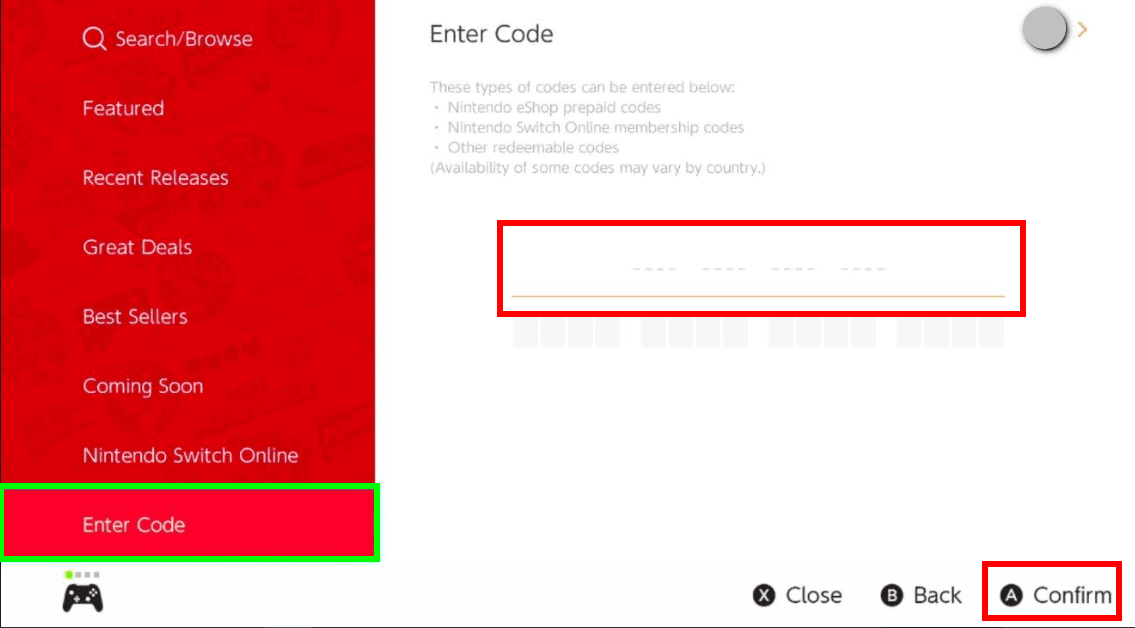
The console keyboard actively prevents common input mistakes. Nintendo disables specific ambiguous characters right on the virtual keyboard. You cannot type the letters O, I, or Z because they look too similar to the numbers 0, 1, and 2. Commas and hyphens are also completely locked out of the entry field.
If you are reading your voucher from a receipt or confirmation email and spot a hyphenated sequence, make sure you are not looking at an internal merchant transaction reference. Retail control numbers often feature dashes, whereas the actual download voucher is strictly a continuous 16-digit alphanumeric string. Once confirmed, the funds appear in your wallet balance in the upper-right corner of the eShop display.
Setting Up Your Nintendo Account: Region Swapping vs. Dedicated Profile
A Brazilian gift card will not redeem on an account registered to the United States, Europe, or Japan. Digital prepaid cards issued for Brazil are strictly currency-locked and region-locked. To use them, you must decide between two structural methods: changing your primary account's country setting or setting up a secondary user profile dedicated exclusively to Brazil.
Method 1: Changing Your Existing Profile Region
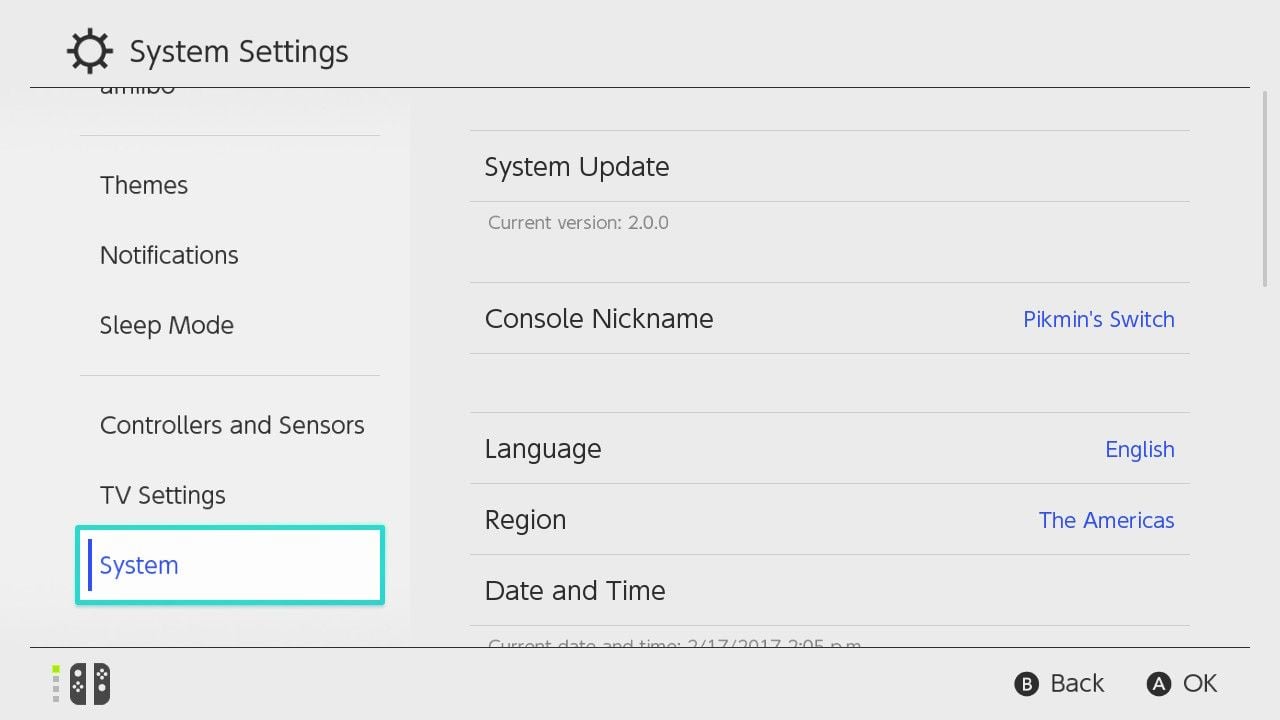
Switching your existing account requires a web browser. You cannot change your country of residence within the console's native system settings menu.
- Open a browser on your PC or smartphone and log in at
accounts.nintendo.com. - Go to User Info and select Profile.
- Click Edit beside your personal details.
- Change the Country/region of residence dropdown menu to Brazil.
- Save your changes and accept the updated regional terms of service.
- Return to your Switch console and launch the eShop. The system will prompt you to re-enter your password to sync the new region.
Nintendo enforces strict preconditions before permitting a country change. If your account holds even a single cent of unspent currency, the system blocks the switch. You must drain your balance to absolute zero ($0.00). Active Nintendo Switch Online memberships with automated recurring billing enabled will also stop you; cancel auto-renewal first. Unfulfilled digital pre-orders must also be cancelled.
Method 2: Creating a Dedicated Brazilian Profile (The Better Choice)
Setting up a permanent secondary profile avoids the hassle of constant region swapping. A Nintendo Switch console accommodates up to eight independent user accounts. Each account can link to a different country without interfering with your main save files or cloud backups.
Create a fresh Nintendo Account on your computer using a separate email address. Set its country to Brazil right on the registration form. Add a new user profile on your Switch console via System Settings > Users > Add User, then link it to this new Brazilian account.
When you want to buy regional titles, launch the eShop using your Brazilian profile. Because any profile on your designated primary console can play games downloaded by any other profile on that machine, your main gaming profile can play the games and earn achievements without touching its region settings.
Nintendo Account Constraints, Age Limits, and Legacy Hardware
Account hierarchy and system generation dictate whether you can change regions or redeem vouchers.
Supervised child accounts belonging to players aged 15 or under cannot independently adjust country or region settings. The country field is locked on the child's profile screen. A child account mirrors the exact country setting of the family group administrator. To move a child account to the Brazilian eShop, the family group admin must log into their own account and update family settings directly.
Hardware compatibility is equally rigid. Support for entering prepaid download cards on Nintendo 3DS and Wii U systems ended permanently on 27 March 2023. Those legacy storefronts are closed to voucher redemptions. Today, prepaid codes can only be redeemed across the Nintendo Switch family of systems (standard Switch, Switch Lite, and Switch OLED).
The table below outlines the core platform prerequisites and policy constraints you must review before entering your code:
| Account Parameter | System Rule | Practical Impact on User |
|---|
| Account Age Requirement | 16+ for independent management | Child accounts (15 and under) must be updated by the family group administrator. |
| Existing Wallet Balance | Must equal exactly zero | Any leftover cents from previous regions block the country change completely. |
| Subscription Status | Auto-renewal must be toggled off | Active passes or auto-renewing Nintendo Switch Online blocks region migration. |
| Hardware Generation | Switch family systems only | 3DS and Wii U code redemption was discontinued on 27 March 2023. |
| Maximum Brazilian Wallet Limit | R$1,500 total account cap | Vouchers pushing your account balance beyond R$1,500 will be rejected. |
Takeaway: Clear out pending pre-orders and subscription auto-renewals on your web profile before attempting a regional migration on your Switch console.
Bypassing Brazilian Payment Rails (CPF, Pix, and Boleto)
Attempting to buy games directly from the Brazilian Nintendo eShop using an international credit or debit card triggers domestic payment barriers. The checkout system actively requests a CPF (Cadastro de Pessoas Físicas), which is a Brazilian national tax identification number. Without a verified CPF, transactions processed through standard credit cards, Pix, or Boleto Bancário fail instantly.
Digital gift cards bypass this barrier completely. A prepaid retail voucher sidesteps domestic banking rails because the storefront draws directly from your balance in Brazilian Real (BRL). The system does not prompt you for a CPF number, a local Brazilian home address, or local banking authorization.
If you need to top up your balance, picking up a genuine Nintendo eShop Gift Card (BR) bypasses local payment barriers instantly.
Physical location does not restrict digital code redemptions. Nintendo verifies eligibility through your account's profile setting rather than your physical network connection. You do not need to configure a proxy or run a VPN on your console or home router. As long as the profile accessing the eShop is set to Brazil, the console treats your redemption as native, regardless of where you connect.
Alternative Browser Redemption via ec.nintendo.com/redeem
Typing on a computer keyboard is often faster than tapping on the Switch touchscreen or using Joy-Con analog sticks. Nintendo provides an official browser portal for code redemptions at ec.nintendo.com/redeem.
The redemption workflow requires only a few clicks:
- Open your browser and navigate to
ec.nintendo.com/redeem. - Sign in with the credentials of the Nintendo Account set to the Brazil region.
- Verify that the user icon and regional identifier in the top corner match your Brazilian profile.
- Paste or type your 16-character alphanumeric code into the input field.
- Click the red Next button.
- Confirm the details on screen to finalize the credit transfer.
Brand-new accounts face one critical requirement: the web redemption interface will reject your code until that account has launched the Nintendo eShop on a physical Nintendo Switch console at least once.
This initial console handshake initializes your digital wallet on Nintendo's payment servers. Once your newly created account logs into the eShop on your Switch, you can use the web browser interface whenever you like. Downloaded games purchased through the web browser will automatically queue and install on your console in the background, provided the system is connected to Wi-Fi or sleeping in its dock.
Troubleshooting Brazil eShop Code Errors (2813 and 9001 Series)
Redemption issues generate distinct numeric error codes on Nintendo systems. Understanding these numbers helps pinpoint whether a failure stems from an account regional mismatch, a typing mistake, or a network problem.
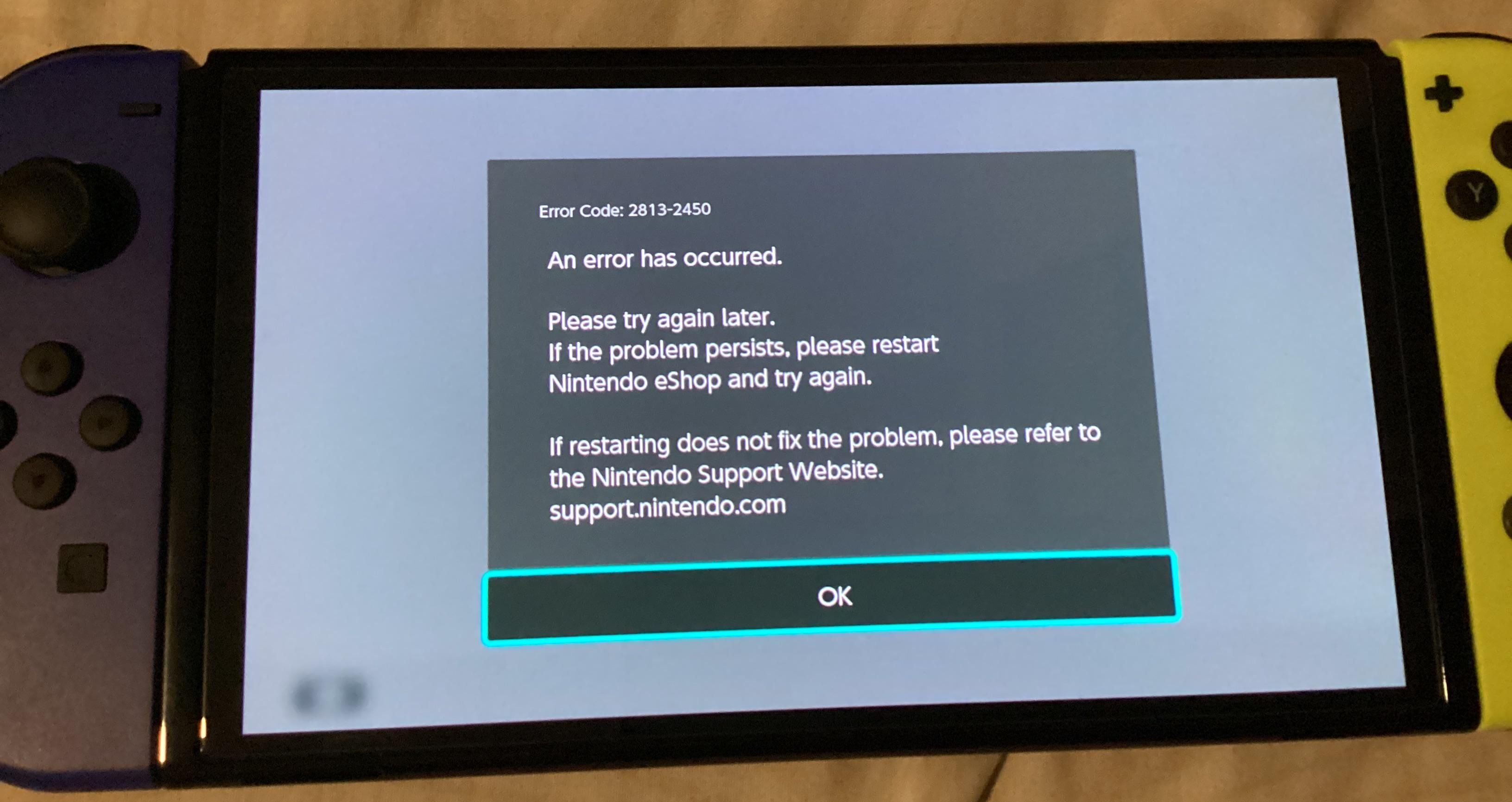
Error Code 2813-0055 (or 9001-0055)
This code indicates a currency or regional store mismatch. You will encounter this if you try to redeem a Brazilian Real voucher on an account still set to another country. It also pops up when a payment method clashes with the store's regional configuration, or if the digital content tied to the code is not licensed for sale in the Brazilian market. Check your account profile at accounts.nintendo.com to confirm your country is saved as Brazil.
Error Code 2813-6561 (or 9001-6561)
This error points directly to an invalid code format. It means the system cannot find the 16-digit combination in its database. Double-check your code for typographical errors. The characters O, I, and Z do not exist in genuine eShop codes. Make sure you did not mistake an 8 for a B, or a 5 for an S. Also confirm that the voucher is an eShop gift card rather than an in-game expansion key intended for a third-party publisher platform.
Error Code 2813-0040 (or 9001-0040)
This message warns that the code has already been redeemed. Download codes are single-use tokens. Once applied to an account wallet, they are void. If you manage multiple profiles on your Switch, check the transaction histories of your other accounts; redeeming a voucher on your primary account by accident instead of your secondary Brazilian profile is a common error.
Error Code 2811-6058
Unlike the 2813 series, Error 2811-6058 points to a temporary communication drop between your console and Nintendo's servers. This is not an issue with your voucher or your account region. Nintendo advises players to wait briefly before entering the code again. Avoid spamming the confirmation button repeatedly, as this can trigger temporary rate limits on your account.
You can grab a digital Brazilian eShop voucher code to fund your wallet without dealing with foreign transaction fees.
The reference table below maps out the most common redemption error codes, their causes, and how to fix them:
| Error Code | Official Status | Practical Resolution |
|---|
| 2813-0040 / 9001-0040 | Code Already Redeemed | Confirm if another profile on your Switch used the voucher. Check your purchase history. |
| 2813-6561 / 9001-6561 | Code Unrecognized / Invalid | Check the 16 characters for typos. Confirm you are not entering disabled keys (O, I, Z). |
| 2813-0055 / 9001-0055 | Regional / Storefront Mismatch | Change account country to Brazil at accounts.nintendo.com to match the card currency. |
| 2811-6058 | Server Transmission Delay | Wait a few minutes and re-enter the code. Do not repeatedly submit the form. |
Takeaway: If you see an error code starting with 2813 or 9001, verify your account's country setting and check your 16-digit code for typos before contacting support.
Managing Your Brazilian Real Balance and Regional Store Rules
The Brazilian Nintendo eShop enforces a strict balance limit of R$1,500. Nintendo will not permit any single account to hold funds exceeding this value. If your account currently holds R$1,400 and you attempt to redeem a voucher worth R$250, the transaction will fail. You must spend some of your existing balance before adding the new voucher.
Leftover change causes significant migration lockouts. A persistent rumor claims that changing your Nintendo Account region automatically forfeits unspent funds. That is inaccurate. In reality, the system refuses to change your region if you have any funds remaining.
If you add R$100, purchase a title for R$87, and leave R$13 sitting in your wallet, you cannot switch back until you spend that exact R$13. Nintendo support will not zero out small balances on request, and the eShop will not let you change back to your domestic country until the balance reads zero.
A dedicated secondary account for Brazil completely avoids trapped balances.
Whenever you spot a regional sale, loading your account with a prepaid Brazilian Nintendo card ensures you lock in those savings cleanly.
The table below details how regional policies apply to real-world account balances:
| Policy Area | Community Myth | Actual Nintendo System Behavior |
|---|
| Leftover Balances | "Switching countries deletes remaining change." | The system blocks region changes until the account balance is exactly zero. |
| Network Location | "You need a Brazilian VPN to redeem local codes." | Redemption checks account profile country only, ignoring your IP address. |
| Console Compatibility | "Prepaid cards work on all Nintendo hardware." | Code redemption on 3DS and Wii U hardware ended permanently on 27 March 2023. |
| Wallet Capacity | "You can store unlimited prepaid funds." | Brazilian wallets are strictly capped at a maximum of R$1,500. |
Takeaway: Avoid leaving small, unusable balances on an account you intend to switch back later; use a dedicated regional profile instead.
Frequently Asked Questions
Can I redeem a Brazilian eShop code on an account set to the United States or Europe?
No, eShop codes are strictly locked to the currency and region of the issuing country. Your Nintendo Account profile must be set to Brazil to redeem Brazilian real vouchers.
Do I need a Brazilian CPF tax number to redeem an eShop gift card?
No, redeeming prepaid gift card codes does not require a CPF number or Brazilian billing address. A CPF is only prompted when registering Brazilian credit cards or local direct checkout rails.
Why is Nintendo preventing me from switching my account region to Brazil?
You cannot change regions if your account holds unspent funds, active auto-renewals, or unfulfilled pre-orders. Clear any remaining balance and turn off membership auto-renewals before switching.
How do I redeem the 16-digit Brazilian code directly on the Switch console?
Open the Nintendo eShop from the HOME menu, select your Brazil-set profile, choose Redeem Code on the left sidebar, and enter the 16 characters. Press Confirm to finalize the deposit into your account balance.
What is the maximum balance allowed on a Brazilian Nintendo eShop account?
The Brazilian eShop balance limit is capped at R$1,500. A voucher cannot be redeemed if adding its value causes your total balance to exceed this threshold.
Can I redeem my code using a web browser instead of the console?
Yes, you can redeem at ec.nintendo.com/redeem if your account is logged in and set to Brazil. However, new accounts must open the eShop on a physical console at least once before browser redemption works.
Do Brazilian Nintendo eShop gift card codes expire?
Standard retail prepaid cards do not expire. Promotional or distribution giveaway codes may carry specific expiration deadlines, but purchased retail codes remain valid until used.
My Recommendation for Buying on the Brazilian eShop
Swapping regions on your primary account creates unnecessary friction. You run into roadblocks with recurring Nintendo Switch Online payments, open pre-orders, and unspent change that locks your profile in place. Finding an item that costs the exact pocket change left in your wallet is an unnecessary headache.
Set up a dedicated secondary Brazilian user profile on your Switch instead. It takes five minutes to configure on your computer, keeps your primary account untouched, and cleanly bypasses Brazilian CPF requirements through digital vouchers. You get the advantage of regional prices without risking your primary account's regional setup.