Anti-Cheat, DirectX, and Storage
Delta Force runs kernel-level anti-cheat that requires administrator privileges. Antivirus software blocking elevated permissions is the most common trigger for SailSDK Error 2026000 — run DeltaForce.exe as administrator and add the game folder to your antivirus exclusions.
DirectX 12 is the default rendering path. DX11 remains available via launch options (covered in the optimization section).
On storage: HDD is technically compatible, but NVMe SSD is the right call. Delta Force's large maps rely heavily on texture streaming, and an NVMe drive meaningfully cuts load times and mid-match texture pop-in. SATA SSD is a reasonable middle ground. HDD users should expect longer load screens and streaming hitches on Warfare maps.
What Each Hardware Tier Actually Delivers
Budget: GTX 960 / R9 380 Class
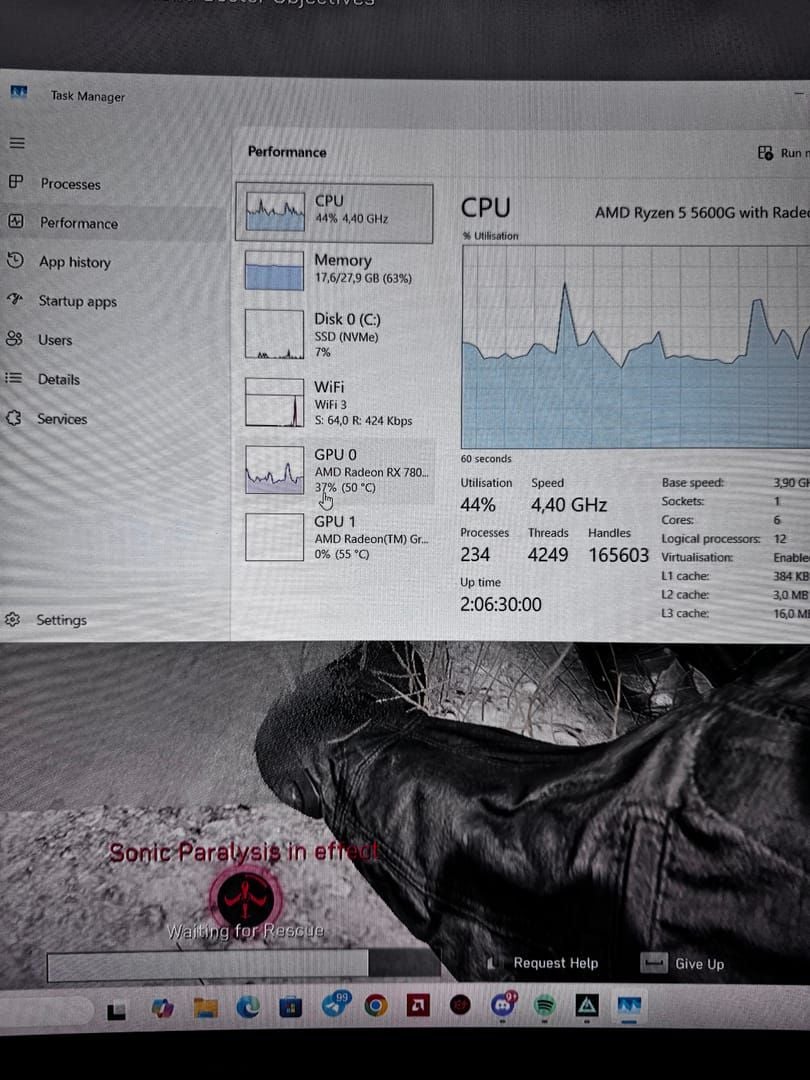
These cards clear the minimum bar on paper. In practice, expect 1080p Low/Medium at 45–60 FPS. The bigger bottleneck here is usually RAM — 8 GB causes distinct, repeatable stutter that 16 GB eliminates almost entirely. If you're on a budget rig with 8 GB, that upgrade is the single highest-impact change you can make before launch.
VRAM usage at Low settings measures approximately 2.61 GB, so 2 GB cards will struggle. A 4 GB card is the realistic minimum for stable play.
Mid-Range: GTX 1060 / RX 5700 XT Class
This is the sweet spot for Delta Force in 2026. A GTX 1060 with 16 GB RAM and an NVMe SSD delivers consistent 1080p at Medium-High, targeting 60–100 FPS depending on mode. Hitting 120–144 FPS in competitive modes requires at least this GPU class with 16 GB RAM — community testing confirms this threshold specifically for large-scale modes where CPU and memory bandwidth become limiting factors.
Upscaling (FSR 2 Quality on AMD, DLSS Quality on Nvidia) pushes frame rates meaningfully higher without visible quality loss at this tier.
High-End: RTX 3060 and Above
RTX 3060 / RX 6800 XT class unlocks 1440p at High settings with comfortable frame rates. At 1440p and above, the game becomes GPU and VRAM-limited rather than CPU-limited — VRAM headroom matters more than raw clock speed here.
4K Ultra demands RTX 3080 / RX 6800 XT, 32 GB system RAM, and 10 GB VRAM. An 8+ core CPU prevents CPU bottlenecking during complex scenes.
Intel Arc
Arc A580/A750 users have reported low FPS and stutter in Warfare mode. Driver version 32.0.101.6449 partially addresses this. The Arc A770 appears in the official 2K spec tier. Arc's performance in this title is more driver-sensitive than Nvidia or AMD — keep drivers current, full stop.
Integrated Graphics
Don't bother. The 2 GB VRAM minimum alone rules out most integrated solutions, including Intel Iris Xe. This game doesn't scale to iGPU territory.
Performance Optimization: What Actually Moves the Needle
The Settings That Matter Most
Volumetric Fog and Shadows are the two biggest frametime offenders. Both trigger recalculation spikes — sudden frametime jumps that cause the stutters you feel during room clears and long-range engagements. Set both to Low or Medium regardless of GPU tier. The visual difference is minimal; the frametime difference is significant.
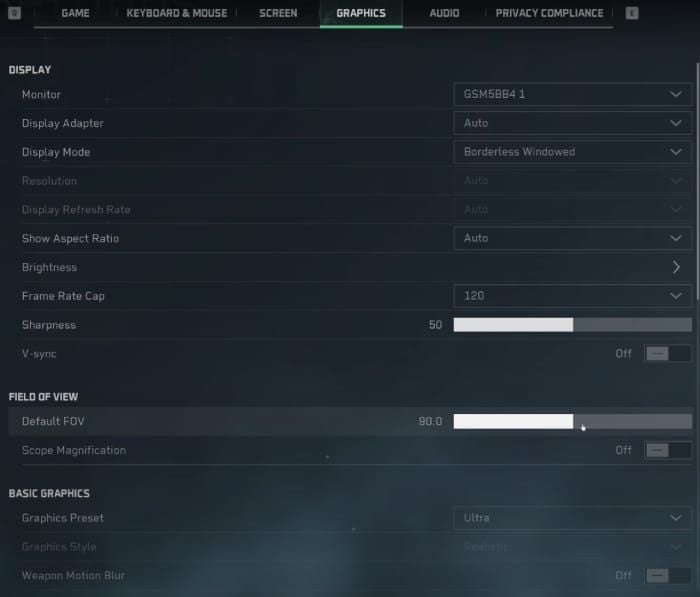
VRAM cost by texture quality:
| Texture Setting | VRAM Usage |
|---|
| Low | ~2.61 GB |
| Medium | ~2.91 GB |
| High | ~3.59 GB |
| Ultra | ~4.07 GB |
| Ultimate | ~5.69 GB |
Texture Streaming at Ultimate reduces pop-in by roughly 95% but costs an additional ~1 GB VRAM. Worth it on RX 6000/7000 series cards with 12–16 GB VRAM. Not worth it if you're already near your card's limit.
Community-tested competitive baseline: V-Sync Off, Nvidia Reflex On (not On+Boost on mid-range — it can introduce stutter), Shadows Low, Volumetric Fog Low, Particles Low, FOV 95–105.
DLSS vs. FSR vs. XeSS
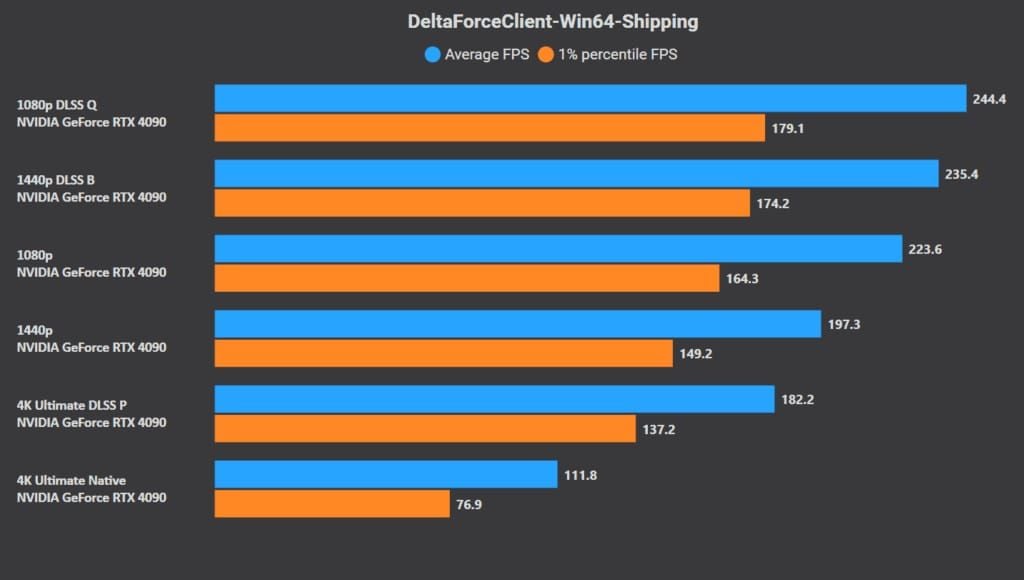
- Nvidia RTX: DLSS Quality at 1440p/4K. DLSS 3 Frame Generation is available on RTX 40-series and dramatically boosts frame rates, but needs a stable base frame rate to avoid artifacts.
- AMD: FSR 3 Quality mode. Disable in-game AA when using FSR — it handles anti-aliasing as part of its upscaling pass, and running both wastes GPU cycles. Community testing shows this maintains 80–90% GPU utilization for consistent frame delivery.
- Intel Arc: XeSS is the native option and performs best on Arc hardware. On non-Arc GPUs, XeSS falls back to a generic path roughly equivalent to FSR quality.
The DX11 Fix
Add -dx11 -useallavailablecores to Steam launch options. This resolves stutter for approximately 60% of affected players, with AMD GPU users benefiting most. Trade-off: 5–10% reduction in peak FPS. For players experiencing frametime spikes, the consistency gain far outweighs that loss. A consistent 80 FPS beats a stuttery 100 FPS every time in competitive play.
AMD Driver Fix (Post-December 2025 Patch)
The December 2025 patch conflicts with newer AMD drivers, causing texture streaming issues and shader compilation stutters. Fix:
- Use DDU in Safe Mode to fully remove current drivers
- Install AMD driver version 24.8.1 with Factory Reset selected
- Disable Anti-Lag and Radeon Boost in AMD Software for Delta Force's profile
- Delete shader caches at
%LOCALAPPDATA%\AMD\DxCache\ and %LOCALAPPDATA%\DeltaForce\Saved\ShaderCache\ - Launch and play 2–3 matches to rebuild shaders cleanly
Hardware-Accelerated GPU Scheduling (HAGS): Disable It
Despite the marketing, HAGS causes frametime instability in Delta Force for a meaningful portion of players. Disable via Settings > System > Display > Graphics Settings. Especially relevant post-Season 2 patches, which community reports link to increased FPS drops on mid-tier PCs.
Engine.ini Tweaks
Two tweaks with consistent community backing:
r.PostProcessAAQuality=0 — disables post-process AA (use with FSR/DLSS instead)r.Streaming.PoolSize=3000 — set to your VRAM in MB minus 2,000 (6 GB card → 4000; 8 GB card → 6000)
Background Processes
Close browser hardware acceleration (Chrome/Edge), Discord's hardware acceleration, and RGB lighting software before sessions. These collectively cause micro-stutters even on high-end hardware — most noticeable when dropping into large maps.
Q1 2026 Launch: Early Access and Currency
The Q1 2026 window is the full global launch milestone, building on the live service running through Season updates. Early access here refers to pre-launch reward programs tied to Founder Packs and Battle Pass pre-purchases — not a separate game build. Progress, unlocks, and purchased content carry forward. No wipe.
Early access rewards include exclusive operator skins, weapon cosmetics, and time-limited bundles that won't return to the standard shop after the launch window closes. These are account-level purchases, not tied to hardware or playtime.
Delta Force uses battle coins as its primary premium currency. For players looking to buy Delta Force credits online before the Q1 deadline, BitTopup offers a straightforward process: select your denomination, enter your game UID, coins are delivered to your account.
Mid-tier Founder Packs historically offer the best value in TiMi titles — they typically include the exclusive operator skin plus a Battle Pass token, covering the bulk of what's time-limited. Pure cosmetic bundles without the Battle Pass component are less efficient per dollar.
When topping up: use your exact in-game UID (found in profile settings), confirm your server/region matches your account, and never share account credentials. Top-up services only need your UID.
The Thing Most Guides Miss
Delta Force punishes frametime spikes, not low average FPS. A GTX 1060 running a consistent 75 FPS with stable 1% lows feels dramatically smoother than an RTX 2070 averaging 120 FPS with 1% lows at 45. This matters most during room clears in Operator mode and long-range engagements in Warfare — exactly when a stutter costs you the fight.
That's why the DX11 switch, Volumetric Fog/Shadows reduction, and HAGS disable matter more than raw settings quality. They don't raise your average FPS much. They raise your floor — and your floor determines whether the game feels playable under pressure.
One more thing: the Black Hawk Down campaign is notably CPU-heavy and causes stuttering across a wide hardware range, including high-end rigs. No confirmed fix from TiMi Studio Group as of the latest patches. Monitor official patch notes if campaign performance is a priority.
Pre-Launch Checklist
Hardware and drivers:
- AMD users: confirm driver 24.8.1 or a later confirmed-stable release; Nvidia users: latest Game Ready Driver
- Disable Hardware-Accelerated GPU Scheduling
- 16 GB RAM minimum — if you're on 8 GB, prioritize the upgrade
- Plan for 88 GB storage plus 20 GB patch buffer
Software and OS:
- Windows 10 64-bit minimum; Windows 11 fully supported
- Run game executable as administrator
- Add Delta Force to antivirus exclusion list
- Install latest Visual C++ Redistributables and DirectX End-User Runtime
In-game setup:
- Shadows and Volumetric Fog → Low/Medium immediately
- Configure upscaling to match your GPU (DLSS/FSR/XeSS)
- Add
-dx11 -useallavailablecores to launch options if you experience stutter - V-Sync Off, Nvidia Reflex On (not On+Boost on mid-range)
Account and rewards:
- Verify your game UID before any top-up transaction
- Check the early access reward deadline — account-level, not hardware-dependent
- Pre-load if available; verify file integrity after download
- If you plan to top up Delta Force battle coins for Founder Pack or Battle Pass access, do it before the Q1 cutoff
FAQ
What are the minimum PC requirements for Delta Force 2026?
i3-4150 or FX-6300 CPU, GTX 960 or R9 380 GPU, 2 GB VRAM, Windows 10 64-bit. RAM is listed as 8 GB (Steam) or 12 GB (Garena) — treat 12 GB as the practical minimum. Storage: 60–88 GB depending on platform.
Can I run Delta Force on 8 GB RAM?
Technically yes. Practically, 8 GB causes distinct, repeatable stutter that 16 GB eliminates. Upgrading RAM is the most impactful hardware change you can make for this game specifically.
How much VRAM do I need for 1440p?
The official 2K spec calls for 8 GB VRAM with an RTX 3060 or equivalent. High textures use ~3.59 GB; Ultra ~4.07 GB; Ultimate ~5.69 GB. For comfortable 1440p with headroom, 8 GB is the right target.
Does Delta Force support DLSS, FSR, and XeSS?
Yes to all three. DLSS on Nvidia RTX, FSR 3 on AMD (disable in-game AA when using FSR), XeSS on Intel Arc. At 1440p and above, Quality mode upscaling with in-game AA disabled maintains 80–90% GPU utilization for consistent frame delivery.
Is an SSD required?
HDD is compatible but not recommended. NVMe SSD meaningfully reduces load times and texture streaming hitches. SATA SSD is a reasonable middle ground. HDD users should expect longer load screens and mid-match pop-in on Warfare maps.
What happens to early access rewards at full launch?
Nothing — purchased content and unlocked rewards carry forward with no progression wipe. Time-limited cosmetics simply stop being purchasable after the deadline; what you've unlocked stays permanently.
Does Delta Force require Windows 11?
No. Windows 10 64-bit is the official minimum. Windows 11 is fully compatible, including for DirectX 12 support.