


Free Fire Device Ban: IMEI Bypass Risks & Legal Guide 2025
Free Fire device bans lock hardware through IMEI and hardware IDs using Shield Security, preventing new accounts even after factory resets. IMEI modification methods show 85% success rates on MTK devices but carry severe penalties—3 years imprisonment in India, $10,000 fines in the US—plus phone bricking risks. This guide covers technical realities, legal penalties across 45+ countries, and safe alternatives.


Device Ban vs Account Ban: Critical Differences
Account bans restrict specific Free Fire accounts while allowing new account creation on the same device. Device bans target hardware itself through IMEI and hardware identifiers. Shield Security enforces these hardware bans, preventing new accounts from functioning regardless of credentials. Hardware-level enforcement persists through factory resets, new Google accounts, and OS reinstallations.
Account bans typically result from Terms of Service violations like inappropriate chat. Device bans indicate serious infractions warranting permanent hardware exclusion.
For legitimate play, BitTopup offers secure free fire diamonds top up for new accounts on unbanned devices.
Why Free Fire Issues Device-Level Bans
Device bans target repeat offenders and serious violations—ban evasion through multiple accounts, prohibited third-party software, or activities compromising game integrity. Shield Security tracks multiple hardware identifiers beyond IMEI, creating comprehensive device fingerprints that persist across software changes.
How Long Device Bans Last
Free Fire device bans are permanent with no automatic expiration. Unlike temporary account suspensions, hardware bans remain active indefinitely. No official mechanism exists for automatic removal. Players must pursue official appeals through Garena or obtain completely different devices.
What Is IMEI and Why Players Consider Changing It
IMEI Explained: Your Phone's Unique Fingerprint
IMEI consists of 15 decimal digits uniquely identifying mobile devices. Display yours by dialing *#06#. This identifier functions like a vehicle's VIN—a permanent hardware signature assigned during manufacturing. Network carriers and apps use IMEI for device authentication, theft prevention, and hardware-level tracking.
How Free Fire Uses Device Identifiers
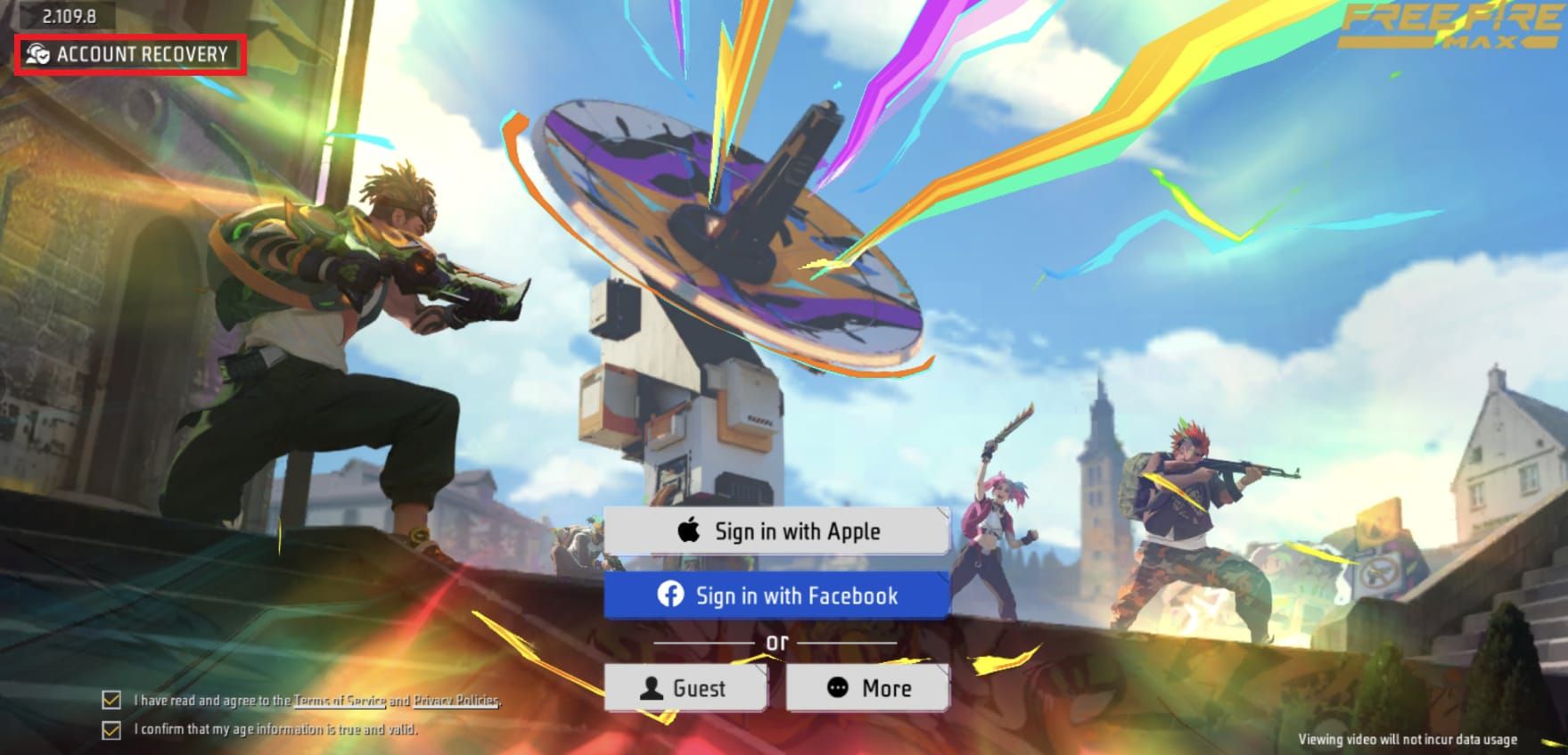
Shield Security collects multiple hardware identifiers during gameplay, with IMEI as primary anchor. When device bans occur, identifiers enter permanent blocklists preventing new account creation or gameplay. The system checks identifiers during login and periodically during sessions. Even successful new account creation triggers ban enforcement once device fingerprint matches blocklist entries.
The Appeal of IMEI Bypass Methods
Faced with permanent hardware exclusion, players view IMEI modification as their only path back without purchasing new devices. The 5-15 minute time investment appears minimal compared to new device costs, making the risk calculation seem favorable despite serious consequences.
Legal Status of IMEI Modification: Country-by-Country
Countries Where IMEI Changing Is Illegal
IMEI modification is illegal in 45+ countries with specific telecommunications regulations:
- India: Telecommunications Act 2023 Section 42(3)(c) prohibits IMEI tampering—3 years imprisonment + Rs 50 lakh fines
- United States: $10,000 fines + 5 years prison under federal telecommunications law
- United Kingdom: Mobile Telephones (Re-programming) Act 2002—£5,000 fines
The 3GPP specification governing global mobile telecommunications standards explicitly prohibits IMEI changing, forming legal foundation for national enforcement.
Legal Consequences Beyond Criminal Charges
- Network carriers permanently block devices with tampered IMEI from cellular services
- Modified IMEI triggers automatic fraud detection during network registration
- Carriers share blocklists internationally—devices flagged in one country face restrictions abroad
- Insurance claims for lost/damaged phones become invalid if IMEI tampering discovered
- Warranty coverage terminates immediately upon modification detection
Technical Risks: How IMEI Changes Brick Phones
The Phone Bricking Process
Hard bricks: Completely non-functional devices that won't power on or respond to recovery Soft bricks: Allow recovery mode access but prevent normal operation
Causes:
- Incomplete rooting corrupts bootloader partitions or system files
- Flashing incompatible ROMs when firmware doesn't match hardware
- Failed firmware updates corrupt system components
Each rooting step—bootloader unlocking, custom recovery installation, root access granting—carries independent failure risks.
EFS Folder Corruption and Permanent Damage
EFS (Encrypted File System) stores critical hardware identifiers including IMEI, network calibration data, and device-specific encryption keys. IMEI modification tools directly manipulate this sensitive partition, risking irreversible corruption.
EFS corruption permanently disables cellular connectivity even if device otherwise functions. Unlike software issues, EFS damage requires specialized repair equipment and often proves impossible to fix without manufacturer intervention.
Warranty Voidance and Support Loss
Rooting and modifying system partitions immediately voids manufacturer warranties across all major brands. Warranty checks detect bootloader unlocking through hardware flags persisting even after unrooting. Manufacturers refuse service for devices with detected modifications, even for unrelated hardware issues.
System Instability After Modification
Successfully modified devices often experience:
- Random reboots
- Cellular connectivity problems
- Application crashes
- Failed security updates, leaving phones vulnerable
- Banking apps and security-conscious applications refusing to function
How IMEI Bypass Methods Work (And Why They Fail)
MTK Chipset Methods and AT Commands
MTK devices allow IMEI modification through engineering mode without root:
- Access MTK settings > Connectivity > CDS information > Radio information
- Enter AT commands:
- Phone 1: AT+EGMR=1,7,IMEI
- Phone 2 (dual-SIM): AT+EGMR=1,10,IMEI
- Reboot device
- Verify by dialing *#60#
Success rate: 85% on MTK devices in 5-15 minutes Limitation: Only works on MTK chipsets, excluding Qualcomm/Samsung processors
Despite technical success changing IMEI value, this addresses only one of multiple hardware identifiers tracked by Shield Security.
Root-Based IMEI Spoofing Tools
Process:
- Unlock bootloader
- Root with Magisk
- Install Riru-EdXposed
- Activate Change-IMEI-Android module
Works on dual-SIM phones running Android 10-11 with LSPosed framework. Creates deeper system modifications, increasing both effectiveness and bricking risks. Rooting removes Android's protection mechanisms—banking apps, payment systems, and security apps detect root and cease functioning.
Why Free Fire's Multi-Layer Detection Catches Modified Devices
Shield Security tracks beyond IMEI:
- Android ID
- Google Services Framework (GSF) ID
- MAC addresses (Bluetooth, WiFi)
- Device-specific hardware fingerprints
- Screen resolution
- Sensor configurations
- Installed system apps
- Hardware capabilities

Changing IMEI alone leaves other identifiers intact. Device fingerprinting combines multiple characteristics into unique profiles. Even with modified IMEI, remaining markers enable identification.
Behavioral analysis supplements hardware checks—new accounts exhibiting gameplay patterns, friend connections, or clan affiliations similar to banned accounts trigger scrutiny.
Players seeking legitimate access can buy ff diamonds online through BitTopup for new accounts on clean devices.
Free Fire's Advanced Detection: Beyond IMEI
Device Fingerprinting Technology
Creates unique profiles combining:
- Screen dimensions, pixel density
- Processor specifications
- Available sensors (gyroscope, accelerometer, proximity)
- Camera configurations
- Audio hardware capabilities
- Installed system applications
- Android version specifics
- Custom ROM signatures
Each combination creates statistically unique signatures even among identical phone models.
Multiple Hardware Identifiers Tracked
- Android ID (64-bit number generated during setup)
- Google Services Framework ID (unique to each account-device pairing)
- Bluetooth MAC address
- WiFi MAC address
- Serial numbers from hardware components
When any subset matches banned device profile, enforcement triggers regardless of which markers changed.
Why Factory Resets Don't Remove Bans
Factory resets restore software but can't modify hardware-level identifiers. While factory restore changes device ID and Google GSF number, IMEI and hardware-specific markers remain constant. Shield Security's server-side ban database maintains records of all collected identifiers, not just current values.
Safe and Legal Alternatives
Official Ban Appeal Through Garena
Garena provides formal appeal channels for players believing bans were issued in error. Submit detailed information about ban circumstances, account history, and supporting evidence. Successful appeals typically involve first-time offenders with clean histories who can demonstrate technical errors rather than policy violations.
New Device + New Account Strategy
Purchase completely different device with no hardware connection to banned phone. This eliminates all hardware identifier conflicts. Budget options: entry-level devices run Free Fire smoothly due to game optimization. Borrowing devices from family/friends offers temporary solutions.
Using BitTopup for Secure Diamond Purchases
BitTopup provides secure, legitimate diamond top-ups for new accounts—competitive pricing, fast delivery, secure transactions. Starting fresh through proper channels and purchasing through trusted platforms ensures Terms of Service compliance, building sustainable accounts without detection risks.
Temporary Solutions: Borrowing Devices vs Emulators
Borrowing devices provides short-term access with no modification risks. Emulators offer PC-based access, though Garena's policies vary by region. Some tournaments and ranked modes restrict emulator players. Research current policies before investing time.
Prevention: Avoiding Device Bans
Understanding Terms of Service
Free Fire prohibits:
- Third-party software
- Account sharing
- Unauthorized modifications
- Exploiting game bugs
- Harassment
Device bans result from severe or repeated violations, not first-time minor infractions.
Common Device Ban Triggers
- Aim assists, wallhacks, speed modifications, cheat software
- Repeated account bans for same violation type
- Account selling, boosting services, rank manipulation
- Exploiting game bugs for competitive advantage
- Modified APK files
- Running Free Fire alongside prohibited background apps
Account Security Best Practices
- Enable two-factor authentication
- Use unique, strong passwords
- Avoid account sharing
- Regular password updates
- Monitor account activity for suspicious logins
- Avoid public WiFi for sessions
- Download only from official app stores
Starting Over Safely: New Account Guide
Proper Fresh Account Setup
- Use completely different device with no connection to banned hardware
- Create new Google/Facebook accounts specifically for Free Fire
- Download from official sources only (Google Play/Apple App Store)
- Complete setup without VPNs or proxies
- Allow account to establish normal gameplay patterns before purchases
Safely Purchasing Diamonds Through BitTopup
BitTopup offers secure purchases with competitive pricing and fast delivery. Using established platforms protects against fraudulent sellers who might compromise security or use unauthorized methods triggering bans.
Building Account Without Future Ban Risks
- Focus on legitimate skill development
- Participate in official events, complete missions
- Build friend networks organically
- Avoid third-party services promising rank boosts or free diamonds
- Invest time in proper skill development
FAQ
Can changing IMEI unban my device from Free Fire?
No. Shield Security tracks multiple hardware identifiers beyond IMEI—Android ID, GSF ID, device fingerprints. Even with successful IMEI modification, remaining identifiers maintain ban enforcement.
Is changing phone IMEI illegal?
Yes, in 45+ countries. India: 3 years imprisonment + Rs 50 lakh fines. US: $10,000 fines + 5 years prison. UK: £5,000 fines.
Will changing IMEI brick my phone permanently?
IMEI modification carries significant bricking risks. Incomplete rooting causes hard bricks. EFS corruption permanently disables cellular connectivity. 85% success rate means 15% fail, potentially causing irreversible damage.
How does Free Fire detect banned devices after factory reset?
Factory resets only restore software—hardware identifiers like IMEI remain constant. Server-side ban database maintains records of multiple hardware markers persisting through resets. Shield Security matches devices using any subset of unchanged identifiers.
What are safe alternatives to IMEI changing?
Purchase completely different device, pursue official appeals through Garena, or temporarily borrow devices. For new accounts on clean devices, use BitTopup for secure diamond purchases.
Does using IMEI changer apps void warranty?
Yes. IMEI modification requiring root immediately voids manufacturer warranties. Bootloader unlocking triggers hardware flags persisting after unrooting. Manufacturers refuse service for devices with detected modifications.
Ready to start fresh? Get diamonds safely through BitTopup—the trusted platform for Free Fire top-ups. Avoid risky ban evasion and build your account right. Visit BitTopup now for instant delivery and exclusive deals!
Recommended Articles







Recommended Products




Table of Contents
- Understanding Free Fire Device Bans
- Device Ban vs Account Ban: Critical Differences
- Why Free Fire Issues Device-Level Bans
- How Long Device Bans Last
- What Is IMEI and Why Players Consider Changing It
- IMEI Explained: Your Phone's Unique Fingerprint
- How Free Fire Uses Device Identifiers
- The Appeal of IMEI Bypass Methods
- Legal Status of IMEI Modification: Country-by-Country
- Countries Where IMEI Changing Is Illegal
- Legal Consequences Beyond Criminal Charges
- Technical Risks: How IMEI Changes Brick Phones
- The Phone Bricking Process
- EFS Folder Corruption and Permanent Damage
- Warranty Voidance and Support Loss
- System Instability After Modification
- How IMEI Bypass Methods Work (And Why They Fail)
- MTK Chipset Methods and AT Commands
- Root-Based IMEI Spoofing Tools
- Why Free Fire's Multi-Layer Detection Catches Modified Devices
- Free Fire's Advanced Detection: Beyond IMEI
- Device Fingerprinting Technology
- Multiple Hardware Identifiers Tracked
- Why Factory Resets Don't Remove Bans
- Safe and Legal Alternatives
- Official Ban Appeal Through Garena
- New Device + New Account Strategy
- Using BitTopup for Secure Diamond Purchases
- Temporary Solutions: Borrowing Devices vs Emulators
- Prevention: Avoiding Device Bans
- Understanding Terms of Service
- Common Device Ban Triggers
- Account Security Best Practices
- Starting Over Safely: New Account Guide
- Proper Fresh Account Setup
- Safely Purchasing Diamonds Through BitTopup
- Building Account Without Future Ban Risks
- FAQ
Recommended Products




Recommended Articles
Fix MLBB Payment Canceled by System Error on Android and iOS

Once Human Crystagin Not Received After Top Up: Fix Guide

How to Lower PS5 Ping Japan Servers for Smooth Online Play

Eggy Party Beginner Guide: Essential Skills and Traps to Avoid

How to Get Free Gems in Guild Wars 2 Without Heavy Grinding

How to Change Keybinds in Lineage W PC: Client Setup Guide

How to Fix Astra Knights of Veda Crashing on Startup PC in 2026

MLBB Tier List 2026: Best Heroes to Pick in Ranked Matches



























































































