


Eggy Party Gift Code Region Lock: Global vs SEA Guide 2025
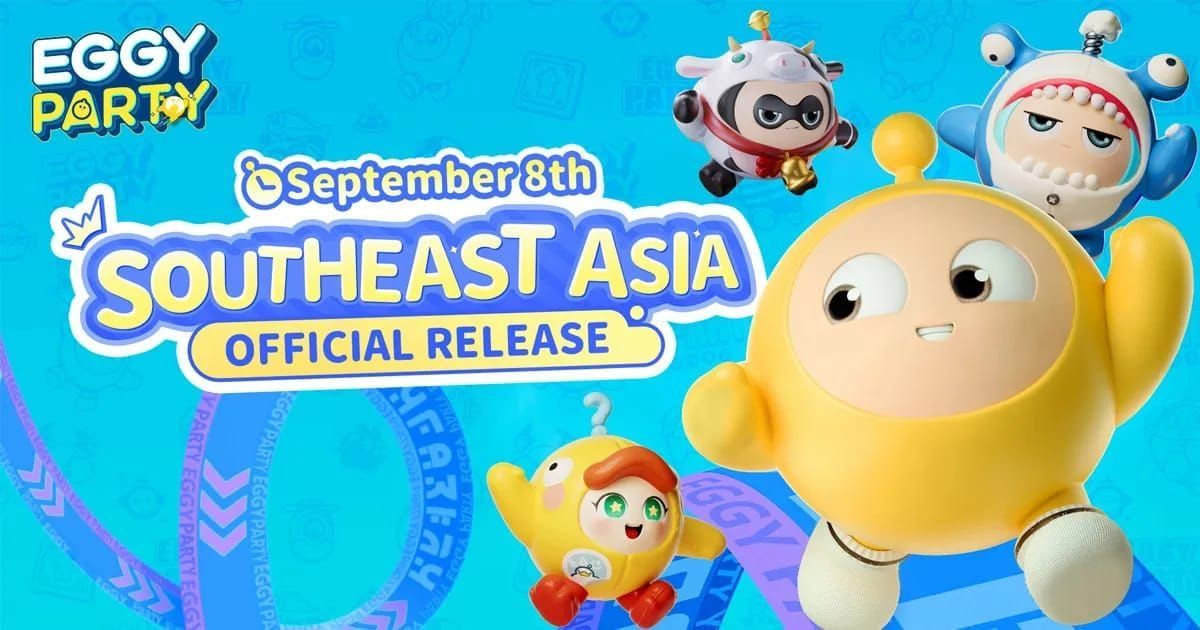
Eggy Party gift codes are strictly region-locked. Global server codes won't work on SEA (Southeast Asia) accounts and vice versa. This stems from separate server infrastructures—SEA launched September 8, 2023, Global in early 2025. You must identify your account region and use only region-specific codes to avoid redemption errors.
What Is Region Lock
Region lock binds gift codes to specific geographic servers. Each code contains embedded metadata identifying its valid redemption region. The system prevents cross-region redemption—even if code formats look identical.
This applies to all code types: event promotions, social media giveaways, collaboration rewards. When you redeem, the server checks your account's registered region against the code's designated region before processing.
For hassle-free rewards, eggy party coins top up through BitTopup delivers Eggy Coins instantly to your account, bypassing regional code complications.
Why NetEase Implements Regional Restrictions
NetEase enforces region locks for content distribution control and licensing compliance. Different regions have distinct marketing partnerships, promotional campaigns, and legal requirements requiring separate code pools.
This supports staggered content releases. SEA launched September 8, 2023; Global soft-launched January 5, 2025 (Canada, Denmark, Finland, Mexico, Norway, Spain, Sweden) before wider February 2025 availability. Different timelines mean event schedules don't align, requiring region-specific codes.
How Region Detection Works
The game determines your region during initial registration based on login gateway and server selection. This regional designation permanently attaches to your account profile. The system doesn't check current IP address or device location—it references the server infrastructure hosting your account data.
When you enter a code through Events menu (unlocked at level 5), redemption performs server-side validation. It compares your account's stored region identifier against the code's embedded region tag. Mismatches trigger immediate rejection.
Global vs SEA Server: Key Differences
Server Infrastructure and Player Segregation
Eggy Party operates completely separate infrastructures for Global and SEA. These aren't just different data centers—they're independent ecosystems with distinct player databases, progression systems, and content libraries. SEA accounts can't interact with Global accounts.
Friends on different servers can't play together, trade items, or share resources. Your Character ID, level, costumes, and currency remain confined to your registered server.
Content Release Schedule Variations
SEA and Global follow different content calendars due to launch date disparity. SEA (operational since September 2023) has progressed through multiple seasons Global (launched February 2025) hasn't experienced. This creates content gaps where SEA accesses different seasonal themes, limited-time modes, and exclusive costumes.
Event-based codes reflect these differences. When SEA runs Spring Festival, they distribute region-specific codes. Global might run entirely different content with separate code sets. Using SEA Spring Festival codes on Global fails because that event doesn't exist in Global's content database.
Gift Code Distribution Channels by Region
Each region maintains separate official channels. SEA codes appear through Southeast Asian social platforms, regional community managers, local partnerships. Global codes emerge from international social channels, global influencer collaborations, worldwide campaigns.
Following only Global social media won't provide SEA-compatible codes. You must monitor correct regional sources. Distribution timing varies—Global codes released on specific dates won't simultaneously appear for SEA.
Account Registration and Region Assignment
Your region gets permanently assigned during initial registration based on server selection at first login. The game presents server options (SEA, Global, or China since May 27, 2022) before character creation. This choice locks your account permanently with no transfer option.
Many players unknowingly create accounts on wrong servers by selecting defaults. Once you've progressed, there's no official migration method. Creating new accounts means losing all progress.
Can You Redeem Global Codes on SEA Accounts?
Direct Answer: Compatibility Reality
No. You cannot redeem Global codes on SEA accounts under any circumstances. Region lock operates at server validation level, making cross-region redemption technically impossible. When you enter Global codes on SEA accounts, the system detects region mismatch and immediately rejects before processing rewards.
This incompatibility is absolute and intentional. Codes aren't just preferred for regions—they're cryptographically bound to specific infrastructures. Global codes contain validation parameters only Global databases recognize.
Technical Limitations
The barrier stems from how codes reference backend database entries. Each code unlocks specific rewards stored in server item databases. When Global codes reference Spring Event Costume ID #4521, that ID only exists in Global databases. SEA servers use entirely different ID numbering systems.
Redemption validation checks multiple parameters: account region tag, server infrastructure identifier, event campaign status, code expiration timestamp. All must align for success. SEA accounts fail the first check (region tag mismatch), causing immediate rejection.
Rare Exceptions: Universal Codes
Eggy Party doesn't currently implement universal codes working across all regions. All documented active codes (FSTKRQ8AM8, 7EER13FJ35Z8, KNQJJEHEHN, QEECNPEWEA, PYMX48KMTK, AFTHT8H4QX, MYDMJX34YW) are region-specific, though designated regions aren't always clearly communicated.
Assume every code is region-locked unless official announcements explicitly state valid for all regions—a designation that hasn't appeared in documented distributions.
How to Identify Your Account Region
In-Game Method: Server Selection Screen
Launch Eggy Party and observe the server selection interface before main menu. The game displays your current server region prominently. SEA accounts show SEA Server, Global accounts display Global Server or specific country identifiers.
If already logged in, access settings menu. Look for server information in account or profile section. The displayed server name definitively indicates your region and determines code compatibility.
Account Settings Region Indicator
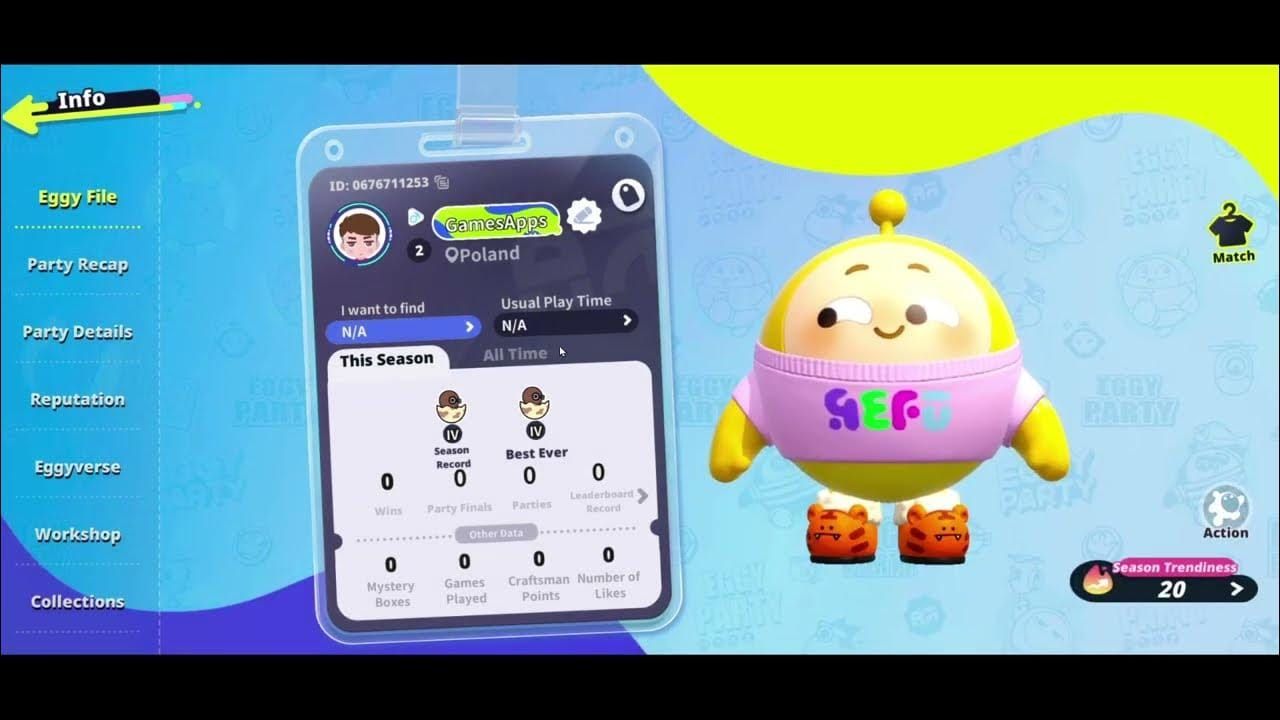
Within settings, locate account information panel. This displays your Character ID (required for top-ups), current level, and server region designation. The region indicator governs all gift code compatibility.
For guaranteed rewards without verification hassles, buy eggy coins cheap through BitTopup offers instant delivery with automatic server detection.
Login Gateway Confirmation
The login gateway provides another region indicator. SEA players authenticate through Southeast Asia-specific systems, Global players use international gateways. URLs or login screen branding often contain regional identifiers.
If you created accounts through region-specific app stores (Southeast Asian Google Play/App Store), your account almost certainly resides on that region's server. International app store downloads during Global launch likely placed you on Global servers.
Common Region Lock Error Messages
Code Invalid vs Region Mismatch Errors
Code invalid or expired means the code itself is incorrect (typo, already used, past expiration) rather than region issues. This appears regardless of region when codes no longer exist in any active database.
Region mismatch errors display as This code is not available in your region or Server not supported. These specifically indicate codes are valid and active but designated for different regional servers.
Server Not Supported Message
Server not supported definitively confirms region lock issues. This appears when redemption validates code format and confirms it's active in another region's database, but your account's server tag doesn't match the code's designated region.
This error cannot be resolved by retrying, restarting, or waiting. The incompatibility is permanent for that code-account combination. The only solution is obtaining codes specifically distributed for your region.
Redemption Failed: Troubleshooting
If you receive generic Redemption failed without details, verify basic requirements: account level 5+, correct code entry (case-sensitive), stable internet. Restart app if rewards seem delayed—server synchronization sometimes causes temporary display issues.
For persistent failures with codes you're certain are correct and current, the issue likely stems from regional incompatibility even if error messages don't explicitly state it. Cross-reference code source—if it came from Global social media and you're on SEA, region lock is the culprit.
Gift Code Type Compatibility
Event Codes: Regional Distribution
Event-based codes tie directly to in-game events running on specific regional servers. When SEA hosts Summer Splash with exclusive costumes, promotional codes only work on SEA accounts where the event exists. Global servers might not have that event, making codes unredeemable.
Event codes typically have shorter validity (7-14 days) aligned with event duration. Regional restriction ensures only players who can participate receive associated rewards.
Promotional Codes from Official Channels
Official social media, community forums, developer announcements distribute promotional codes as marketing campaigns. These are always region-specific, matching distribution channel audiences. SEA-focused accounts share SEA-compatible codes, international accounts distribute Global codes.
The challenge arises when players follow multiple regional channels without realizing codes aren't interchangeable. Codes shared on official international Twitter won't work for SEA players, even from official sources.
Third-Party Platform Codes
Gift cards and codes from third-party platforms carry same regional restrictions. These platforms source codes from regional distributors. Gift cards purchased for SEA contain SEA-specific codes. Product descriptions should indicate intended region, but mismatches occur when sellers don't properly label variants.
BitTopup clearly designates regional compatibility for all Eggy Party products. When you select Eggy Party, the platform guides you to choose game server (SEA or Global) before purchase, ensuring compatible currency or codes.
Collaboration Codes
Brand collaborations and partnership events generate special codes as cross-promotional campaigns. These often occur at regional level—Southeast Asian brands partner with Eggy Party SEA, global streaming platforms collaborate with Global servers. Resulting codes strictly adhere to partnership's regional scope.
Collaboration codes may offer exclusive items unavailable through other means. Always research collaboration's regional scope before pursuing these codes.
Myths About Bypassing Region Locks
Why VPNs Don't Work
Many players believe VPNs changing apparent location allow cross-region redemption. This fails because region lock doesn't check current IP or geographic location—it validates your account's permanently assigned server region stored in backend database.
Using VPNs to appear as if connecting from Southeast Asia while on Global accounts still reads your account's Global server tag. Validation happens server-side using account data, not client-side based on connection origin. VPNs only mask network traffic; they can't alter account's fundamental regional assignment.
Account Region Cannot Change Post-Creation
No official method exists to transfer accounts between regional servers. Region assignment is core database attribute tied to player ID, progression data, item inventory. Changing this requires migrating entire account records between separate infrastructures—NetEase doesn't support this.
Customer service can't manually change regions. Your account exists as data entry on specific regional servers. Moving it means recreating on different servers and transferring all items, which isn't feasible given different item ID systems and database structures.
Multi-Account Misconception
Creating multiple accounts on different servers doesn't solve region lock—it creates separate gaming experiences with no shared progress. Some players maintain both SEA and Global accounts to access region-specific content, but this means duplicating all effort: leveling twice, collecting costumes separately, managing independent friend lists.
This doesn't help code redemption efficiency. SEA codes still only work on SEA accounts, not Global. You're not bypassing region lock; you're maintaining parallel accounts each facing own regional restrictions.
How to Get Valid Codes for SEA Accounts
Official SEA Social Media Channels
Most reliable source for SEA-compatible codes is official Eggy Party social media specifically designated for Southeast Asian audiences. These announce codes during regional events, milestone celebrations, promotional campaigns.
Verify you're following SEA-specific accounts by checking content language, regional event references, audience engagement patterns. Accounts posting in Southeast Asian languages or referencing SEA-exclusive events are target sources.
In-Game Event Rewards
Participating in in-game events on SEA servers yields codes or direct rewards without redemption requirements. Daily login bonuses, mission completion rewards, seasonal event milestones provide guaranteed items bypassing gift code system. These automatically match your region since they're generated by your server.
Events menu (accessible via icon at screen top after level 5) displays current regional campaigns. Daily tab shows ongoing missions with reward tracks. Focusing on in-game acquisition provides reliable rewards without hunting compatible external codes.
BitTopup for SEA-Compatible Resources
BitTopup serves as trustworthy platform for SEA-compatible Eggy Party resources. Unlike uncertain code sources providing wrong-region codes, BitTopup's structured purchase process requires server selection upfront. When you choose Eggy Party, you select game server (SEA or Global) and input Character ID, ensuring purchased Eggy Coins reach correct regional account.
Competitive pricing across multiple denominations:
- USD 0.99: 60 Eggy coins
- USD 9.99: 700+57 coins
- USD 19.99: 1380+144 coins
- USD 29.99: 2080+216 coins
- USD 49.99: 3450+423 coins
- USD 99.99: 6880+903 coins
Coins received instantly in-game after top-up. Purchases are non-returnable, non-exchangeable, non-refundable—standard terms ensuring transaction security.
Community Sharing Etiquette
When community members share codes, verify intended region before redemption. Ask sharers which server codes are for, or check original source. Responsible sharers include region information when posting codes.
Before sharing codes yourself, clearly label with regional designation. Simple [SEA] or [Global] tags prevent confusion and help players quickly identify usable codes.
Real Player Experiences
Case 1: SEA Player Attempting Global Code
Typical scenario: SEA player discovers code on international gaming forum without regional designation. Excited about promised exclusive costume, they launch Eggy Party, navigate to Events menu, select Redeem Gift Code, carefully enter code (case-sensitive). After clicking Exchange, they receive Server not supported error.
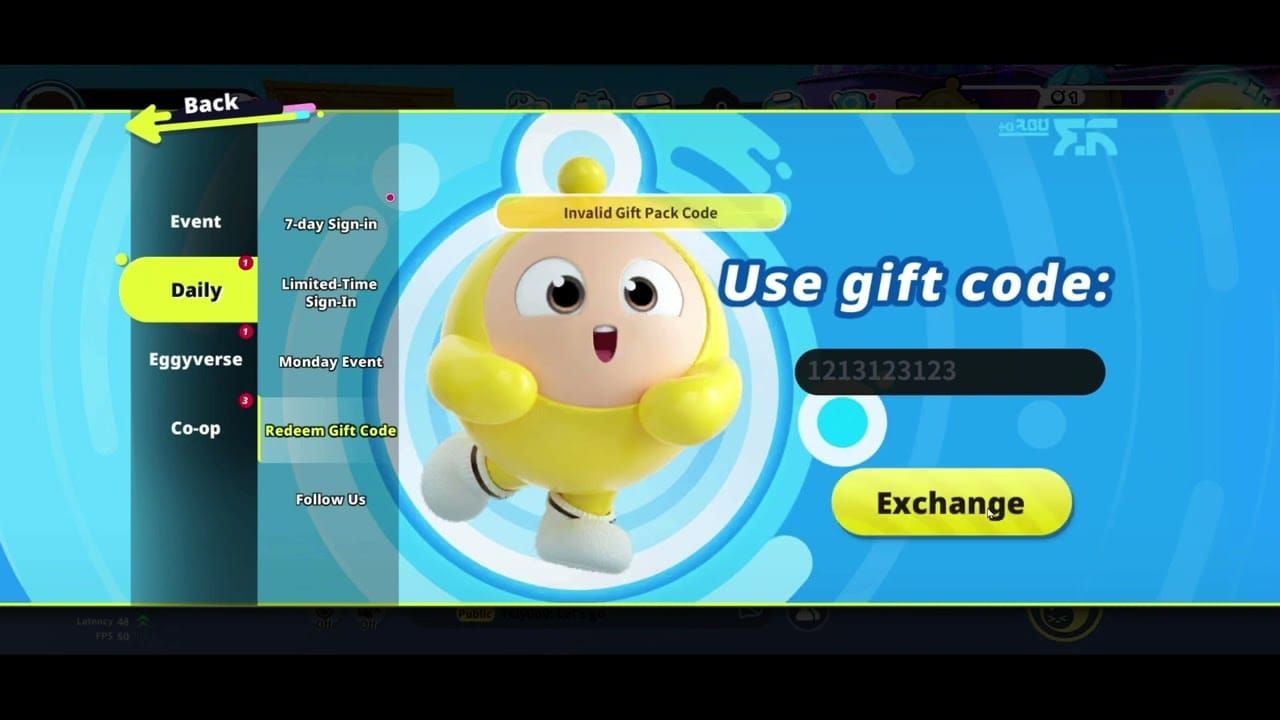
Confused, they retry multiple times, check typos, restart app thinking it's technical glitch. Only after researching code origin do they discover it came from Global server's official Twitter during celebration event that hasn't occurred on SEA servers. Code is valid and active—just incompatible with SEA account.
Case 2: Successfully Using Region-Appropriate Codes
SEA player following official SEA-specific channels receives code announcement for regional holiday event. They verify code source is SEA community manager's post, then proceed: launch game, tap event icon, select Redeem Gift Code, enter code exactly as shown, click Exchange.
Redemption succeeds immediately, rewards delivered to in-game mailbox. They click Event icon in upper middle section, switch to Daily tab, claim new costume. Success stems from matching code region (SEA) with account region (SEA).
Lessons Learned
Primary lesson: always verify code region before attempting use. Players waste limited-use codes assuming all codes work universally. Second lesson: technical workarounds (VPNs, account settings changes) can't bypass fundamental server architecture limitations.
Successful players develop systematic approach: identify account region once, bookmark only compatible code sources, verify uncertain code regions before redemption. When uncertain, opt for guaranteed reward methods like direct purchases through verified platforms.
Alternative Ways to Obtain Rewards on SEA
Daily Login Bonuses and Missions
Daily login system provides guaranteed rewards automatically matching your server region. Consecutive login streaks unlock increasingly valuable items, from basic currency to exclusive costumes. These require no code redemption—they appear directly in mailbox.
Daily and weekly missions offer another reliable reward stream. Completing objectives like Play 3 matches or Finish in top 5 twice grants shells (in-game currency), experience points, occasional costume pieces. Mission rewards bypass gift code system, providing region-appropriate items without compatibility concerns.
Seasonal Events Exclusive to SEA
SEA servers host region-specific seasonal events aligned with Southeast Asian cultural celebrations. These feature unique challenge modes, limited-time costumes, exclusive emotes unavailable on other servers. Participating provides rewards Global players can't access.
Event participation rewards are automatically compatible since they're generated by SEA server infrastructure you're playing on. This makes seasonal events most reliable methods for obtaining exclusive items without regional code compatibility worries.
Purchasing Through BitTopup
Direct Eggy Coins purchases through BitTopup eliminate all uncertainty associated with gift codes. Server selection during checkout ensures purchased currency reaches correct regional account. Select game server, input Character ID, choose desired Eggy Coins amount, press Top up.
Coins received instantly in-game after payment, allowing immediate use in shop for costumes, emotes, other items. This guarantees you receive exactly what you pay for without regional compatibility issues, expiration dates, or redemption errors. BitTopup's secure transaction system and fast delivery make it most reliable alternative to hunting compatible codes.
Best Practices for Code Management
Always Verify Code Region Before Sharing
When you discover working codes, verify regional designation before sharing. Check original source—official SEA channels indicate SEA codes, international sources suggest Global codes. Include regional information when sharing.
If uncertain about code region, test on your account first (if unused) or clearly mark as region unknown when sharing. This transparency helps community avoid frustration.
Organize Codes by Expiration and Region
Maintain personal list of unused codes organized by expiration date and regional designation. Many codes have limited validity (7-30 days), making expiration tracking crucial. Group codes by region (SEA, Global, Unknown) to quickly identify which you can use.
Prioritize redeeming codes nearing expiration first. Regularly clean list by removing expired codes. This prevents attempting expired codes and misinterpreting invalid errors as region lock issues when they're timing problems.
Quick Redemption Tips
When new codes are announced, redeem promptly. Popular codes sometimes have usage limits (first 10,000 players) or short validity windows. Redemption process is quick: launch game, tap event icon, select Redeem Gift Code, enter code exactly (case-sensitive), click Exchange.
If you encounter server congestion immediately after major code releases, wait 15-30 minutes and retry rather than repeatedly attempting during peak traffic. Rewards appear in in-game mailbox, accessible through Event icon in upper middle section. If rewards seem delayed, restart app to force server synchronization.
FAQ
Can I use global gift codes on SEA account? No. Global codes are incompatible with SEA accounts due to strict region locks bound to specific server infrastructures. Attempting use results in Server not supported errors.
How do I check my account region? Check server selection screen at game launch or navigate to account settings. Displayed server name (SEA Server, Global Server) indicates permanent regional assignment determining code compatibility.
Why does my code say region not supported? You're attempting to redeem codes designated for different regional servers. Codes are valid but incompatible with your account region. Obtain codes specifically distributed for your server region.
What's the difference between global and SEA servers? Completely separate infrastructures launched at different times (SEA September 8, 2023; Global early 2025). They maintain independent player databases, content schedules, gift code systems. Accounts, progress, codes can't transfer between regions.
Are there universal codes working on all servers? No. Based on current evidence, Eggy Party doesn't implement universal codes. All documented codes are region-specific. Assume every code is region-locked unless explicitly stated otherwise.
How can SEA players get valid codes? Follow official Eggy Party social media specifically designated for Southeast Asian audiences, participate in regional in-game events, use verified platforms like BitTopup that clearly designate regional compatibility. Always verify code's intended region before redemption.
Skip the region lock hassle! Get guaranteed SEA-compatible Eggy Party rewards and top-up options at BitTopup. Instant delivery, secure transactions, 24/7 support. Visit BitTopup now and claim rewards without region restrictions!
Recommended Articles





Recommended Products


Table of Contents
- Understanding Region Lock System
- What Is Region Lock
- Why NetEase Implements Regional Restrictions
- How Region Detection Works
- Global vs SEA Server: Key Differences
- Server Infrastructure and Player Segregation
- Content Release Schedule Variations
- Gift Code Distribution Channels by Region
- Account Registration and Region Assignment
- Can You Redeem Global Codes on SEA Accounts?
- Direct Answer: Compatibility Reality
- Technical Limitations
- Rare Exceptions: Universal Codes
- How to Identify Your Account Region
- In-Game Method: Server Selection Screen
- Account Settings Region Indicator
- Login Gateway Confirmation
- Common Region Lock Error Messages
- Code Invalid vs Region Mismatch Errors
- Server Not Supported Message
- Redemption Failed: Troubleshooting
- Gift Code Type Compatibility
- Event Codes: Regional Distribution
- Promotional Codes from Official Channels
- Third-Party Platform Codes
- Collaboration Codes
- Myths About Bypassing Region Locks
- Why VPNs Don't Work
- Account Region Cannot Change Post-Creation
- Multi-Account Misconception
- How to Get Valid Codes for SEA Accounts
- Official SEA Social Media Channels
- In-Game Event Rewards
- BitTopup for SEA-Compatible Resources
- Community Sharing Etiquette
- Real Player Experiences
- Case 1: SEA Player Attempting Global Code
- Case 2: Successfully Using Region-Appropriate Codes
- Lessons Learned
- Alternative Ways to Obtain Rewards on SEA
- Daily Login Bonuses and Missions
- Seasonal Events Exclusive to SEA
- Purchasing Through BitTopup
- Best Practices for Code Management
- Always Verify Code Region Before Sharing
- Organize Codes by Expiration and Region
- Quick Redemption Tips
- FAQ
Recommended Products


Recommended Articles
Fix MLBB Payment Canceled by System Error on Android and iOS
Once Human Crystagin Not Received After Top Up: Fix Guide

How to Lower PS5 Ping Japan Servers for Smooth Online Play

Eggy Party Beginner Guide: Essential Skills and Traps to Avoid

How to Get Free Gems in Guild Wars 2 Without Heavy Grinding

How to Change Keybinds in Lineage W PC: Client Setup Guide

How to Fix Astra Knights of Veda Crashing on Startup PC in 2026
MLBB Tier List 2026: Best Heroes to Pick in Ranked Matches




























































































