Paid for currency but see a blank balance? Learn what to do if your Once Human Crystagin not received after top up delay stalls your account delivery.
Watching real money leave your bank account while your in-game Crystagin wallet stays at zero is frustrating. You authorized payment, queued up your cosmetic or battle pass unlock, and returned to your territory to find an unchanged balance.
Do not panic. Currency delivery stalls happen for predictable technical reasons across PC and mobile clients. In most cases, your funds sit behind a client-side synchronization lock, a regional server queue, or an overloaded mailbox.
Diagnose the failure point, force client-server asset syncs, or escalate stuck payments directly to NetEase Games customer service.
Immediate Triage: Why Your Crystagin Is Missing
A zero balance after purchase usually points to communication lag between your game client and the billing database. Once Human does not update your interface the instant a payment gateway confirms success.
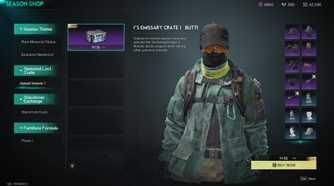
Every order passes through a multi-step chain: your payment provider, the payment clearinghouse, the NetEase platform billing server, and your regional game server. A slowdown at any point leaves the client displaying the prior balance.
Check these four common bottlenecks before assuming your money vanished:
- Background Processing: External web orders or peak-hour store traffic take several minutes to push tokens to your UID.
- Unrefreshed Game State: Active game sessions fail to poll billing updates until you trigger a reconnect.
- Mailbox Overflow: Full in-game mailboxes pause currency attachment deliveries until you clear space.
- Regional Mismatch: Crystagin pools across characters in the same regional cluster (such as NA-EU), but balances do not cross into separate geographical clusters.
If your payment succeeded but Crystagin has not arrived, do not spam the checkout button. Duplicate orders while one is pending risk secondary authorization holds from your bank.
Expected Processing Windows and Delivery Delays
Under normal conditions, Crystagin delivers almost instantly. However, web recharges and high-traffic server hours regularly cause 5 to 30-minute delays.
| Transaction Type / Trigger | Expected Delivery Window | Primary Delay Cause | Required Action |
|---|
| In-Game Direct Store (PC/Steam) | Instant to 5 Minutes | Steam Overlay authorization lag | Toggle Steam Overlay, restart game |
| Web Portal Recharge | 5 to 30 Minutes | External billing sync delay | Log out to desktop, log back in |
| Character Post-Rename Recharge | Up to 30 Minutes | Name/UID mapping table refresh | Wait 30 minutes before filing ticket |
| Server Cluster Migration | Up to 30 Minutes | Cross-node character routing | Complete full server reconnect |
| August 2026 Fashion Dye Refund | Up to 3 Business Days | Bulk automated script distribution | Check in-game system mail tab |
| Seasonal Scenario Carryover | Instant upon login | Season phase initialization | Enter new scenario world |
Most fulfillment stalls clear automatically once server databases finish batch updates.
If your balance remains zero past 30 minutes, you are dealing with a routing glitch, a clogged mailbox, or an authorization hold that requires manual intervention.
Five Essential Fixes for Stalled Crystagin Orders
Work through these five diagnostic steps in order to clear client-side hangs before contacting support.
1. Perform a Full Client Exit and Character Re-login
Staying logged into an active character session is the most common reason currency appears missing. When buying outside the active client—such as via official web top-up portals—the game does not automatically poll your inventory.
Do not just drop to the character select screen. Close Once Human entirely, shut down the launcher, wait 60 seconds, and relaunch. Re-entering the world forces the game to query the master billing database and update your balance.
2. Clear Your In-Game Mailbox and Backpack Space
Store packs, bonus currency, and compensations frequently arrive as mail attachments rather than direct wallet injections. If your mailbox or backpack inventory is full, pending deliveries freeze in the queue.
Open your mailbox, claim all attachments, and delete read system letters. Ensure your backpack has open slots. Close the menu and check your mail tab again after two minutes.
3. Verify Steam Overlay Settings on PC
On PC via Steam, disabled overlay settings cause payment handshakes to fail midway through authorization. The in-game store requires the overlay to finalize tokens with NetEase billing.
- Open Steam settings.
- Navigate to the In-Game tab.
- Verify that Enable the Steam Overlay while in-game is enabled.
- Restart Steam and Once Human to re-attempt balance polling.
4. Check Regional Pooling and Cross-Character Balances
Crystagin is not locked to a single character. Balances pool across all characters on your account within the same regional cluster (NA-EU, Japan, Korea, or HK/MO/TW).
If you play on multiple servers within your regional cluster, check your secondary characters. Your Crystagin may already be accessible in that shared wallet. Balances will not transfer if you switch to an entirely different regional server group.
5. Trigger Xbox and Console Account Syncs
Console players encountering store delivery stalls need a hard profile refresh. Sign out of your console profile, restart the console, and log back in. The fresh startup forces a handshake with the billing service and pushes pending items into your system mail.
When restocking supplies, choosing an established provider to buy Once Human Crystagin ensures orders route cleanly through standard UID delivery protocols.
Official Pricing Tiers vs Missing Balance Checks
Match the charge on your bank statement against official pack sizes to ensure you claim the correct missing tier.
| Crystagin Denomination | Baseline Price (USD) | Primary In-Game Use Case | Delivery Method |
|---|
| 62 Crystagin | $0.99 | Small store top-offs, minor cosmetic items | Direct wallet credit |
| 339 Crystagin | $4.99 | Standard monthly perks, entry-level crates | Direct wallet credit |
| 1120 Crystagin | $14.99 | Premium Battle Pass unlock and seasonal upgrades | Direct wallet credit |
| 2340 Crystagin | $29.99 | Weapon skin bundles and character outfits | Direct wallet credit |
| 3979 Crystagin | $49.99 | Large territory cosmetic sets and vehicle themes | Direct wallet credit |
| 8075 Crystagin | $99.99 | Premium collection bundles and major store packs | Direct wallet credit |
Crystagin is strictly a real-money currency. You cannot farm it through open-world exploration, dungeons, or elite bosses.
It is also immune to seasonal resets. When 6-week seasonal scenarios end and wipe character levels and territory bases, your Crystagin and Starchrom carry forward intact into the next scenario.
Certain game balance adjustments also distribute through this currency. Following the August 24-25, 2026 system rework, NetEase distributed a 60% Crystagin refund for previously used fashion dyeing via in-game mail over three business days. If you expect balance adjustments from patches, check the specific patch distribution timeline.
Account Mapping and UID Verification
Typing an incorrect User ID (UID) or picking the wrong server region during a web recharge accounts for most delivery failures.
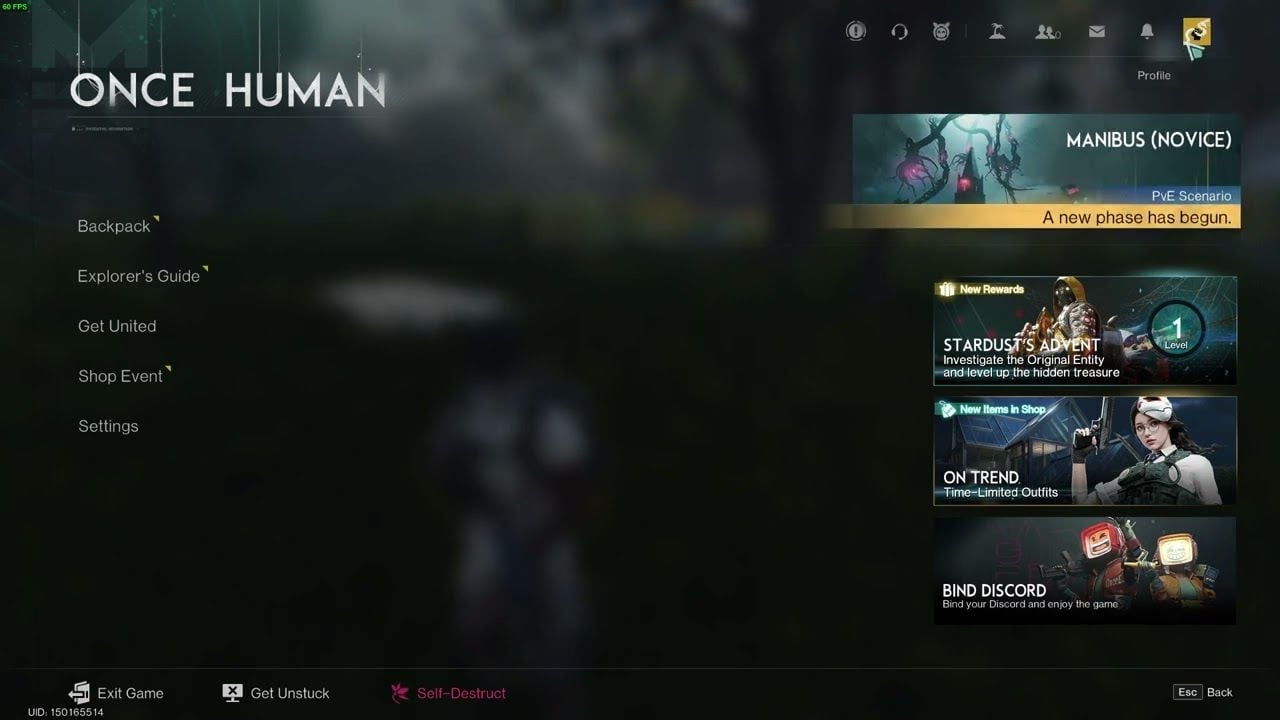
Your UID is the permanent numeric identifier tracking your account across servers. It sits in small text at the bottom-left corner of your screen below the chat log.
Because world textures obscure the HUD text, open your inventory (I key). The inventory screen darkens the background, making your UID clearly visible in the bottom-left corner.
Avoid Name Sync Traps
Renaming your character creates a temporary billing delay. After using a Renaming Card, web billing systems need up to 30 minutes to update the mapping between your new name and permanent UID. Buying currency during this window stalls the transaction while the database resynchronizes.
Double-check both your numeric UID and active server name before checking out. If you top up Once Human currency before scenario events, having your exact UID recorded prevents delivery errors.
Spender Strategy: Choosing the Right Tier Without Overpaying
Match your purchase size to your scenario goals to avoid buying excess currency:
Light Spenders (Battle Pass & Monthly Perks)
Stick to the 339 Crystagin ($4.99) or 1120 Crystagin ($14.99) packages. The 1120 pack covers your seasonal Battle Pass unlock with minimal leftover balance. Because Crystagin carries over across scenario resets, buying one 1120 pack per 6-week scenario maximizes cosmetic value per dollar without locking up extra cash.
Mid-Tier Spenders (Character Outfits & Weapon Themes)
The 2340 Crystagin ($29.99) and 3979 Crystagin ($49.99) tiers fit individual territory sets, weapon skins, or seasonal outfits. Web events occasionally feature promotional windows offering up to 24% bonus Crystagin on specific denominations, giving you better mileage if timed with store bundle rotations.
Heavy Spenders (Territory Bundles & Collection Completers)
The 8075 Crystagin ($99.99) pack gives the highest bulk volume per transaction. If you plan to buy large territory themes or complete cosmetic collections, purchase this tier in single orders rather than multiple smaller packs to reduce payment gateway friction.
Safety Checklist: Safe Top-Ups vs Account Traps
Protect your account security when troubleshooting missing currency. Scammers target payment anxiety by offering fake balance recovery tools or illegitimate discounts.
| Verification Factor | Legitimate Recharge Channel | Fraudulent / Phishing Operation |
|---|
| Required Credentials | Player UID and Server Region ONLY | Demands Account Password, Steam/Google login |
| Payment Processing | Clear order confirmation and order ID | Unverifiable direct money transfers |
| Delivery Mechanism | In-game wallet update or system mail | Requests player to trade in-game items |
| Pricing Structure | Matches standard tier pricing (~$0.99 to $99.99) | Unrealistic discounts (e.g., 80% off official rates) |
| Support Channel | Official ticketing system and verified portals | Unofficial private messaging apps |
Legitimate recharge portals never ask for your account password or direct launcher access. If any service requests your login credentials, cancel the transaction immediately.
Using a secure Once Human recharge service keeps your account credentials safe while orders process strictly via your player UID.
Submitting an Escalation Ticket That Actually Gets Resolved
When basic troubleshooting fails and 30 minutes pass with a zero balance, contact customer support.
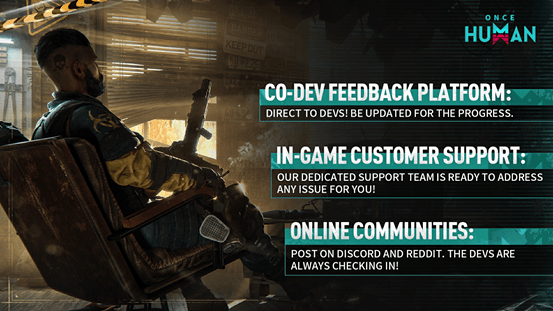
Access support using your platform's direct path:
- PC Client Players: Press ESC, click Support & Feedback, and select Submit Suggestion.
- Mobile Players: Open the Map menu, tap the Headphones icon, and select Customer Service.
- Console Players: Restart your client, open the system menu, and select Submit Bug Report.
You can also monitor outage reports in the official Once Human Discord support channels.
What to Include in Your Support Ticket
Provide complete order details in your first message to bypass automated template responses:
- Exact UID: Copied from the bottom-left of your inventory screen.
- Account Server and Region: e.g., North America - Manibus 01.
- Character Name: Active in-game character name.
- Transaction Date and Time: Include time zone.
- Pack Purchased: e.g., 2340 Crystagin Pack - $29.99.
- Receipt Screenshot: Show the payment reference ID, order number, and billing confirmation. Mask sensitive credit card numbers.
Complete documentation allows support agents to query the gateway log and credit the missing Crystagin directly to your mailbox.
FAQ
Why hasn't my Crystagin appeared in Once Human after payment?
Purchases frequently require a full game client restart to synchronize data between the billing server and your active character. Delivery can also stall if your in-game mailbox is full or if the payment processor is experiencing temporary queue delays.
Where do I find my Once Human User ID for top-ups?
Your UID is displayed in small text at the bottom-left corner of the screen below the chat window. The easiest way to read it clearly is to open your inventory menu, which darkens the screen background.
Are Crystagin purchases shared across all characters on my account?
Yes, Crystagin balances are pooled across all characters on the same account within a shared regional cluster like North America/Europe. However, balances will not transfer between completely different geographic regions, such as moving from North America to Asia.
Will I lose my purchased Crystagin when a seasonal scenario resets?
No, Crystagin is a permanent real-money currency that carries over untouched across 6-week seasonal scenario resets. Only seasonal survival materials, territory structures, and character levels reset at the end of a scenario phase.
What should Steam players do if the purchase window fails to open?
Enable the Steam Overlay by going to Steam Settings > In-Game > Enable the Steam Overlay while in-game. Restart Once Human afterward to ensure the checkout authentication overlay renders properly.
How do I contact customer support if my missing Crystagin never arrives?
On PC, press ESC and navigate to Support & Feedback to submit a ticket with your transaction receipt attached. On mobile, open your Map menu, select the Headphones icon, and submit your inquiry through the support form.
The Final Verdict on Crystagin Sync Delays
Missing currency after a top-up rarely means your money is gone. In most cases, a full client restart or clearing your in-game mailbox resolves the sync lock immediately.
If your UID and server region are correct and 30 minutes pass without delivery, submit a ticket with your receipt attached. Keep your invoice reference numbers ready, and support will credit the missing Crystagin.