

Once Human Top Up: Safe & Direct Crystgin Delivery
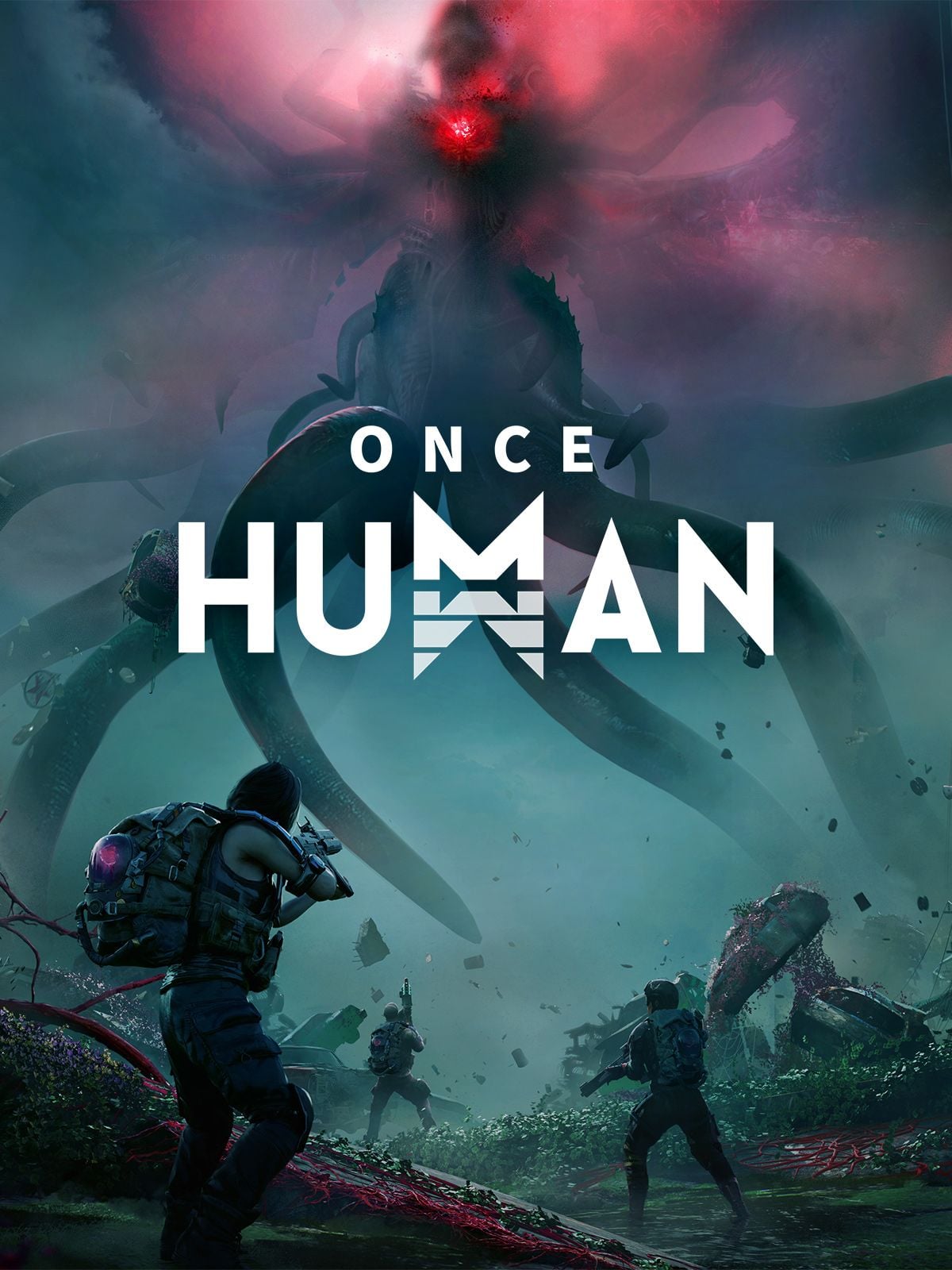
Surviving the post-apocalyptic wilderness of Nalcott demands preparation, sharp reflexes, and style. Crystgin serves as the premium currency in Once Human, allowing players to acquire exclusive cosmetics, customize their territory, grab the latest Battle Pass, and participate in seasonal Lightforge events.
BitTopup provides a direct, secure Once Human top up solution designed for global players. You do not need to share passwords or hand over account access. By using your in-game User ID (UID), Server, and Region, your Crystgin is credited directly to your character wallet so you can get back to building, crafting, and fighting aberrations without interruption.
How to Recharge Once Human Crystgin on BitTopup
Recharging your Once Human account takes only a few quick steps:
- Select Your Crystgin Amount: Choose the Crystgin denomination or package you wish to purchase from the product catalog.
- Input Character Details: Enter your Once Human UID and your exact Server name in the input fields.
- Select Your Region: Pick your specific server region from the drop-down menu (North America, Europe, Southeast Asia, etc.).
- Review Live Pricing: Check your order summary and verify that the character details match your profile.
- Complete Checkout: Pick your preferred payment method from the available checkout options to finalize the transaction.
- Receive In-Game: Log in to Once Human or refresh your client to see your newly updated Crystgin balance.
How to Find Your Once Human User ID (UID), Server, and Region
Providing exact account information ensures your top up reaches the correct character instantly. Here is where to locate your details inside the game client:
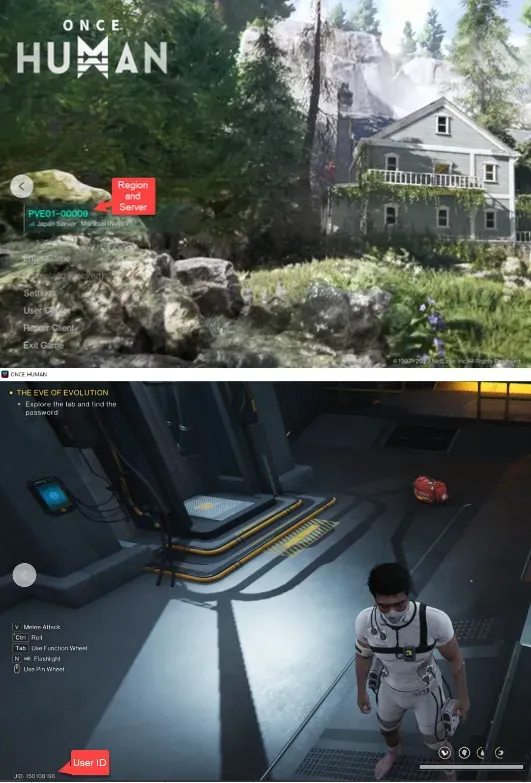
- Finding Your UID: Press ESC on your keyboard (or open the main system menu) while in-game. Your numeric User ID is displayed in the bottom-left corner of the screen, as well as on your Profile card under the Character tab.
- Checking Your Server: Open the World Map (M) or check the top-right corner of the ESC menu. You will see your active server world (such as PVE01-00001 or PVP01-00002).
- Checking Your Region: Look at the top-right corner of the game's start launcher screen or login screen before entering the world. The regional cluster (e.g., North America, Europe, Southeast Asia) is shown next to your server selection.
Supported Once Human Server Regions and Platforms in 2026
BitTopup supports UID direct recharges across all active global server clusters in 2026. Make sure to select the region matching your character's current home:
| Server Region | Region Code | Supported Territories |
|---|---|---|
| North America | 10 | United States, Canada, Mexico |
| South America | 11 | Brazil, Argentina, Chile, Colombia, Peru |
| Europe | 12 | Western Europe, Eastern Europe, United Kingdom |
| Japan Server | 13 | Japan |
| Korea Server | 14 | South Korea |
| HK/Macao/Taiwan | 15 | Hong Kong, Macao, Taiwan |
| Southeast Asia Server | 16 | Singapore, Malaysia, Philippines, Thailand, Indonesia, Vietnam |
All official client platforms connecting to these regions—including standalone PC launchers and verified storefront builds—are fully supported through direct UID crediting.
What Is Crystgin and What Can You Purchase in Once Human?
Crystgin is the premium currency in Once Human purchased with real-world funds. Unlike in-game earned currencies such as Energy Links or Starchrom, Crystgin is dedicated to premium personalization and convenience items:
- Battle Pass / Meta Pass: Unlock premium reward tiers containing exclusive character outfits, formulas, and weapon cosmetics each season.
- Lightforge Crates: Participate in seasonal themed gacha banners to obtain rare vehicle skins, Legendary character costumes, and weapon camos.
- Territory & Building Cosmetics: Purchase premium furniture formulas, structural skins, lighting fixtures, and decor to construct unique base designs.
- Character & Cradle Skins: Customize your Meta-Human's appearance, backpack, Cradle, and armor skins with distinct visual effects.
- Cosmetic Bundles: Direct-purchase cosmetic sets and emotes from the in-game Shop tab.
Note on Game Balance: Once Human maintains a strict cosmetic-focused monetization model. Core progression items, weapon blueprints, calibration materials, and Starchrom cannot be purchased directly with Crystgin, ensuring competitive balance across both PvE and PvP scenarios.
UID Direct Recharge vs Account Sharing: Safety and Security
Protecting your gaming account is critical. Many third-party sellers request your Steam, NetEase, or Google login credentials to apply purchases manually. This practice introduces severe security hazards:
- No Password Sharing: BitTopup only requires your public numeric UID and server information. You never expose your password, secondary security codes, or linked email accounts.
- Zero Ban Risk: Orders processed via UID direct top up use authorized crediting pathways. Your account will not trigger security flags or automated IP bans associated with unauthorized logins from distant locations.
- Instant Processing: Because no agent needs to manually log into your game client, UID recharges process immediately without queueing for account access.
- Data Privacy: Your private chats, friend lists, and character progression remain strictly private.
Troubleshooting Common Once Human Top Up Issues
If you experience any delay in receiving your Crystgin, check the following steps to resolve the issue:
- Restart the Game Client: Completely exit Once Human and restart your launcher. Premium balances refresh their cache during login initialization.
- Check In-Game Mail: Certain package purchases or bundle bonuses are delivered to your in-game mailbox rather than directly to your currency counter. Open your menu and inspect the Mail tab.
- Verify Server and UID Inputs: Check your order confirmation on BitTopup. If you entered a typo in your UID or selected the wrong regional cluster (e.g., Europe instead of North America), contact 24/7 customer support immediately with your transaction ID.
- Check Network Synchronization: Heavy server load during seasonal launch days or major content updates can cause slight visual delays. Allow 5 to 10 minutes for database synchronization before submitting a ticket.
Frequently Asked Questions
How do I find my Once Human UID, Server, and Region?
Press ESC while in-game to open the main menu. Your numeric UID appears in the lower-left corner of the screen and on your Character Profile card. Your server name is listed on the map screen (M) or ESC menu, and your Region is displayed on the main title screen before entering the server.
What is Crystgin and what can I buy with it in Once Human?
Crystgin is the official premium currency of Once Human. You can use it to buy Battle Passes, seasonal Lightforge Crates, character costumes, weapon finishes, vehicle paint jobs, and territory construction formulas.
Is Once Human pay-to-win?
No. Once Human is designed so that combat strength, weapon stats, armor calibrations, and blueprint progression are earned through gameplay and Starchrom mechanics. Crystgin is strictly used for cosmetic customization and the Battle Pass.
Do I need to share my Once Human password to recharge?
No. BitTopup uses direct UID delivery. You only supply your character User ID, Server, and Region. You never need to share passwords, login codes, or linked account credentials.
Which server regions are supported for Once Human recharges?
BitTopup supports all primary global clusters: North America, South America, Europe, Japan, Korea, Hong Kong/Macao/Taiwan, and Southeast Asia.
Can I recharge Once Human Crystgin for a friend using their UID?
Yes. As long as you know your friend's exact UID, Server name, and Server Region, you can enter their details at checkout to send Crystgin straight to their character.
What should I do if my Once Human Crystgin recharge does not appear in-game?
First, restart your game client to refresh the account balance. If the balance remains unchanged after 5 to 10 minutes, verify your transaction receipt on BitTopup and contact customer support with your order number for rapid assistance.