Track the Microsoft 365 release schedule 2026 with verified Patch Tuesday dates, servicing channel lifecycles, and tenant ring deployment timelines for admins.
Enterprise fleet administration requires knowing when code reaches endpoints. Microsoft 365 runs on three separate deployment tracks: cloud tenant capabilities, bi-annual platform waves, and Click-to-Run (C2R) client channels. Balancing these paths keeps endpoints stable without halting essential updates.
For administrators deploying Microsoft 365 AE tenant licenses across hybrid branch offices, mastering servicing lifecycles prevents routine patch drops from turning into helpdesk emergencies.
Primary Update Channels and 2026 Servicing Cycles
Microsoft distributes desktop application builds through three distinct channels: Current Channel, Monthly Enterprise Channel, and Semi-Annual Enterprise Channel. Each serves a specific operational threshold for stability, feature velocity, and security updates.
Current Channel targets early validation. Builds deploy as soon as Microsoft's engineering clears internal test criteria, frequently shipping multiple builds in a single month without fixed release dates. Support expires the moment a newer build drops. Deploying Current Channel fleet-wide often creates ticket spikes from unanticipated interface shifts.
Semi-Annual Enterprise Channel serves specialized workloads, shared kiosks, and regulated environments. Builds deploy twice a year on the second Tuesday of January and July. While older documentation referenced 14-month support policies, Microsoft now caps Semi-Annual active support at 8 months per version.
| Channel Name | Release Cadence | Support Window | Rollback Support | Recommended Deployment Scope |
|---|
| Current Channel | At least once monthly (unfixed) | Until next build drops | Manual reinstall | Early adopters, IT staff, non-critical seats |
| Monthly Enterprise Channel | Second Tuesday of every month | Active build lifecycle | 3 months via CSP / C2R | Broad enterprise production, knowledge workers |
| Semi-Annual Enterprise Channel | Second Tuesday of January & July | 8 months | Prior semi-annual release | Regulated systems, factory floors, call centers |
Because Semi-Annual versions expire after 8 months, admins running static images must schedule full version upgrades every six to eight months.
M365 Monthly Enterprise Channel Schedule 2026
Monthly Enterprise Channel remains the standard baseline for commercial fleets. It provides a single update payload on Patch Tuesday (the second Tuesday of each month). Features in this channel clear Current Channel validation and additional telemetry screening before deployment.
Rollback flexibility sets this channel apart. Monthly Enterprise Channel provides 3 months of rollback support covering the previous three versions. If an update triggers add-in crashes or Excel rendering failures, admins can revert devices to an earlier build without wiping user profiles.
Security patching drives the monthly schedule. The August 2026 Patch Tuesday release patched 421 CVEs across the platform, including 98 Office vulnerabilities and 236 Windows CVEs. High-severity privilege escalation flaws frequently require 24- to 48-hour emergency rollout windows. Monthly Enterprise Channel rolls these security fixes and monthly feature updates into a single managed package.
When expanding enterprise seats across regional branches, get your Microsoft 365 AE digital subscription to standardize endpoints on this monthly release cadence.
Cloud Tenant Ring Deployments and Region Rollouts
Cloud services operate on an independent track from desktop binaries. SharePoint Online, Teams backend services, and Microsoft Purview deploy via tenant release rings. Administrators configure these tracks under Organization Profile release preferences in the Microsoft 365 admin center.
Targeted Release delivers web application updates to pilot users or full tenants prior to worldwide deployment. Assigning a pilot group of roughly 300 users allows IT to validate interface adjustments, update internal documentation, and brief department leads before general availability.
Under tracking identifier MC1282306, Microsoft structures cloud change management across three operational rings:
- Frontier Release: Early preview code intended for pilot evaluation.
- Standard Release: The default worldwide production track deployed across regional zones.
- Deferred Release: Structured rings providing fixed staging windows for compliance teams.
| Servicing Milestone / Event | 2026 Target Date | Impacted Workload | Required Admin Preparation |
|---|
| Wave 1 General Availability | April 1, 2026 | Dynamics 365 & Power Platform | Validate Dataverse model-driven apps and UI shifts |
| Plan 1 & 2 SKU End-of-Sale | Post May 31, 2026 / June 2026 | Standalone SharePoint & OneDrive | Transition procurement to unified M365 suites |
| Semi-Annual Feature Release | July 14, 2026 | Microsoft 365 Apps (C2R) | Package and test build for specialized endpoints |
| Windows Servicing Milestone | October 13, 2026 | Windows Server 2022 / Win 11 24H2 | Plan extended security updates and OS transitions |
| Wave 2 General Availability | October 2026 | Dynamics 365 Core Apps | Test second major bi-annual platform wave |
Cloud roadmap dates often shift between 1 and 3 months based on telemetry signals and staged quality gates.
Copilot and Feature Update Roadmap 2026
AI integrations represent the highest-velocity track across the 2026 roadmap. Microsoft 365 Copilot connects multiple foundation models directly inside Word, Excel, PowerPoint, and Outlook.
The 2026 release cycle introduces multi-model routing. Workspaces process requests across OpenAI GPT-5.6, GPT-5.5 Instant/Thinking, Anthropic Claude Opus 5, and Sonnet 5, along with dedicated 4.8 and 4.7 utility weights for spreadsheet formulas, slide design, and drafting.
Data sovereignty requirements demand strict oversight of Copilot Flex Routing. Enabled by default, Flex Routing moves inferencing requests from congested EU/EFTA datacenters to US, Canadian, or Australian infrastructure during peak usage spikes. Organizations subject to strict data locality regulations must opt out within the admin center to restrict inferencing to local infrastructure.
Dynamics 365 and Power Platform 2026 Release Waves
Dynamics 365 and Power Platform bypass the monthly client release model, running instead on bi-annual release waves spanning six months each.
Wave 1 runs from April through September 2026. Microsoft published the initial plan on March 18, 2026, leading to general availability on April 1, 2026. Wave 2 follows from October 2026 through March 2027.
| Release Wave Stage | 2026 Operational Window | Key Application Impact | Admin Governance Requirement |
|---|
| Wave 1 Plan Published | March 18, 2026 | Power Platform & Dynamics 365 | Review upcoming architectural deprecations |
| Wave 1 Early Access | February - March 2026 | Sandbox CRM Environments | Validate business logic against preview bits |
| Wave 1 General Availability | April 1, 2026 - September 2026 | Production CRM & ERP Tenants | Monitor automated deployment rings across environments |
| Wave 2 General Availability | October 2026 - March 2027 | Global Cloud Workloads | Test second major feature package in sandbox |
Wave 1 permanently removed the legacy revert switch for model-driven apps. All CRM environments now mandate the modern interface, compact headers, and Dataverse fuzzy search. Legacy view configurations can no longer be restored.
Finance & Operations apps follow the One Version servicing model with four annual updates (February, April, July, and October) staged 4 weeks apart. Tenants must apply at least two service updates annually; skipping two consecutive updates is blocked by policy.

Critical EOL SKUs and Servicing Deadlines
Infrastructure roadmaps must account for upcoming license retirements and operating system servicing cutoffs arriving in 2026.
Standalone SharePoint Online Plan 1, Plan 2, and standalone OneDrive for Business plans reach end-of-sale after May 31, 2026. Starting June 2026, Microsoft limits these SKUs to existing contract renewals. New seat provisions require transitioning to unified Microsoft 365 suites. When planning to renew your Microsoft 365 AE seat, moving to full suite licensing prevents provisioning interruptions.
Two critical OS platform milestones arrive on October 13, 2026:
- Windows Server 2022: Mainstream support ends on October 13, 2026, entering Extended Security Updates through October 14, 2031.
- Windows 11 version 24H2 (Home/Pro): Reaches its official end-of-servicing date on October 13, 2026.
Failing to upgrade endpoint operating systems prior to these dates leaves productivity suites on unpatched OS baselines.
Phased Client Deployment Strategy and Intune Ring Controls
Deploying unvalidated updates fleet-wide risks widespread operational disruption. Managing rollouts through Microsoft Intune update rings ensures controlled, testable waves.
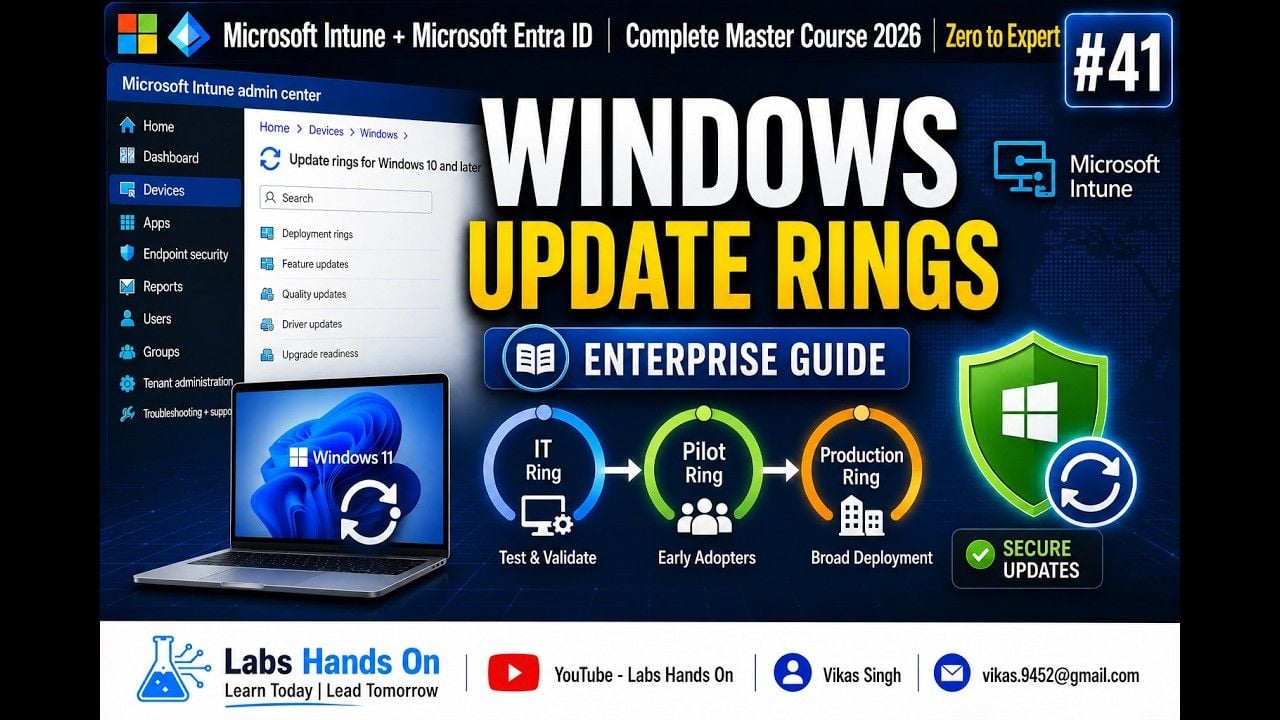
Structure devices into three deployment tiers:
- Ring 1 (IT Pilot): IT staff and technical evaluators on a 0-day deferral. Catches initial build crashes and critical add-in incompatibilities on Patch Tuesday.
- Ring 2 (Business Pilot): Department evaluators in accounting, HR, and operations on a 2-day deferral. Validates core financial macros, ERP integrations, and localized line-of-business files.
- Ring 3 (Broad Production): All standard production endpoints on a 5-day to 7-day deferral. Deploys only after Rings 1 and 2 show zero blocking issues.
Zero-day disclosures can be addressed via Intune expedite policies to override standard deferrals. For standard monthly releases, admins and end users can pause Windows quality updates for up to 35 days to safeguard mission-critical business windows.
If an Office release causes critical operational failures, deploy Intune CSP profiles or run local scripts with OfficeC2RClient.exe /update user updatetoversion=<build> to force workstations back to a stable build within the 14-day validation window.
Weekly Action Plan for Tenant Administrators
Maintain structured tenant governance throughout 2026 using this weekly operational schedule:
- Monday (Triage): Review the Microsoft 365 admin center Message Center. Track notifications under MC1282306 and check for major changes across Teams and Copilot.
- Patch Tuesday (Validation): Confirm that Ring 1 devices receive the latest Monthly Enterprise Channel release on the second Tuesday. Execute smoke tests on essential Outlook add-ins and Excel COM dependencies.
- Thursday (Pilot Signoff): Review telemetry and user tickets from Ring 2. Inspect Intune Endpoint Analytics for crash rate anomalies or boot degradation.
- Following Monday (Production Push): Allow the 7-day deferral to expire, letting Ring 3 production workstations download and apply the verified build.
- Monthly Review: Verify Copilot Flex Routing settings and check One Version pause counters in Dynamics 365 Lifecycle Services to avoid forced platform updates.
FAQ
What is the release cadence for Microsoft 365 Apps Monthly Enterprise Channel?
Monthly Enterprise Channel updates once per month on Patch Tuesday (the second Tuesday of the month). It packages validated feature updates, security patches, and quality fixes into a single payload, backed by a 3-month rollback window.
How long is a Semi-Annual Enterprise Channel version supported?
Each Semi-Annual Enterprise Channel release receives 8 months of active support. This window gives IT teams sufficient time to validate specialized applications before moving to the next bi-annual version, replacing the legacy 14-month support model.
What is the difference between Standard Release and Targeted Release in Microsoft 365?
Standard Release applies cloud service updates across worldwide production tenants on default timelines. Targeted Release gives pilot users or complete organizations early access to test interface and functional changes before worldwide release.
Can administrators pause Microsoft 365 and Windows quality updates?
Admins and users can pause Windows quality updates for up to 35 days via system settings or Intune MDM policies. When the 35-day window concludes, endpoints must install the latest cumulative update before another pause can be configured.
What update model does Microsoft Dynamics 365 follow?
Dynamics 365 operates on the One Version continuous service model. It delivers two major release waves (Wave 1 in April, Wave 2 in October) and four quarterly service updates. Organizations must take at least two service updates per year.
How can IT admins deploy Microsoft 365 updates in staged rings?
Admins configure update rings in Microsoft Intune or Group Policy using staggered deferrals: 0 days for IT validation, 2 days for business pilots, and 5 to 7 days for broad production. This phased model isolates defects before updates reach critical endpoints.
Servicing Verdict: Choosing the Right Channel Mix
Assigning every endpoint to Current Channel generates excessive helpdesk friction from unannounced UI updates. Conversely, locking an entire fleet into Semi-Annual Enterprise Channel delays functional Copilot enhancements and forces strict 8-month upgrade overhauls.
Placing 90% of production users on Monthly Enterprise Channel provides the cleanest balance. It maintains predictable Patch Tuesday timing, provides 3 months of rollback safety, and prevents operational surprises. Keep Current Channel restricted to IT evaluators, and isolate Semi-Annual builds to dedicated kiosks, factory machinery, and regulated endpoints.