PS4 support for Genshin Impact ends permanently on April 8, 2026 (UTC+8). That's the hard deadline. Before that date, you must link your PSN to a HoYoverse account — or lose everything. Your characters, primogems, pity count, and even PSN-exclusive cosmetics all transfer safely to PS5, PC, or mobile, but only if you act before the deadline. This guide covers every step, every edge case, and the one scenario no other guide addresses: what happens if you miss it.
What the PS4 Shutdown Actually Means — Confirmed vs. Speculation
HoYoverse has officially confirmed three distinct phases. These aren't rumors.
| Date | Event |
|---|
| September 10, 2025 (06:00 UTC+8) | PS4 version removed from PlayStation Store |
| February 25, 2026 (06:00 UTC+8) | In-game purchases on PS4 delisted |
| April 8, 2026 (06:00 UTC+8) | PS4 login and updates permanently end |
Your last playable day on PS4 is April 7, 2026. After April 8, the client goes dark — no patches, no login, no exceptions.
The reason is straightforward: HoYoverse officially cited PS4 hardware limitations and the game's growing install size as the driving factors. The game launched on PS4 in 2020 and has expanded dramatically since. PS5, PC, and mobile remain fully supported with no announced end date.
PS5 players are not affected. This shutdown is PS4-only. If you already play on PS5 with a linked HoYoverse account, you don't need to do anything.
What You Keep — And What You Don't
Here's the complete breakdown. Community testing confirms all of the following transfer fully through a linked HoYoverse account:
Transfers completely:
- All characters, constellations, and weapon refinements
- Primogems and Genesis Crystals (unspent balance carries over intact)
- Mora, materials, and artifact inventory
- Adventure Rank and world exploration progress
- Wish history and pity counts — both soft pity (75 wishes) and hard pity (90 wishes) are preserved
- Active Welkin Moon subscription status
- Battle Pass progress (Gnostic Hymn / Gnostic Chorus tiers)
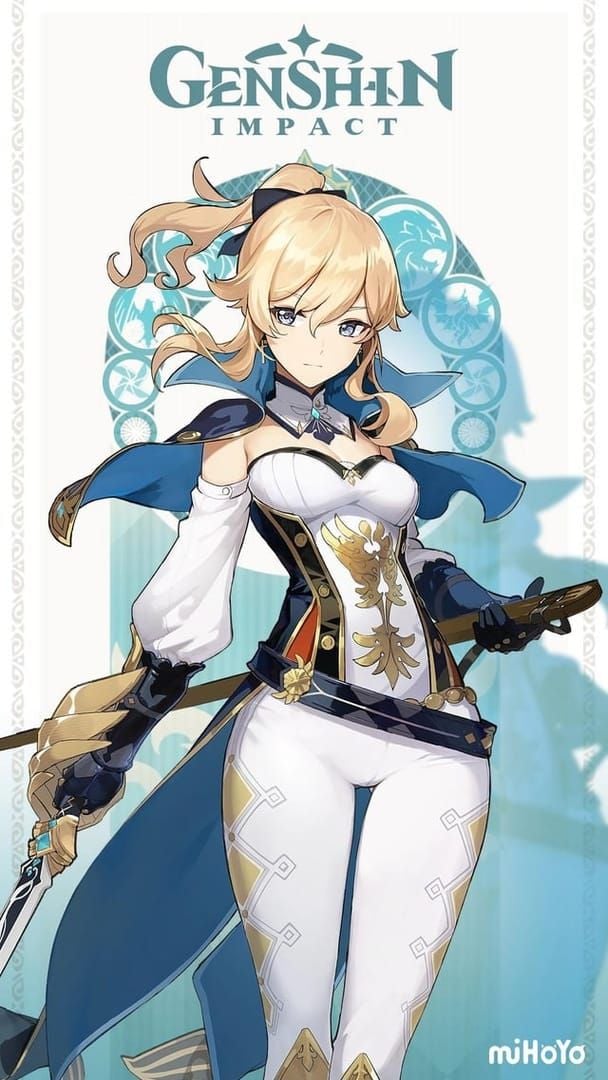
- PSN-exclusive outfit Gunnhildr's Legacy — community testing widely confirms this carries over post-migration
Does NOT transfer:
- PSN wallet funds or unspent PlayStation Store credit
- PlayStation trophies (these are platform-locked by Sony's system)
- Purchase receipts and transaction history from PSN
- Any progress on a separate HoYoverse account you may have accidentally created
One critical edge case: unclaimed in-game mail. Claim everything in your mailbox before migration. Mail has expiry timers, and while your account data moves, anything that expires before you log in on the new platform is gone.
Cross-Save vs. Cross-Play — This Confusion Costs Players Their Accounts
This is the most damaging misconception in the PS4 migration community, so let's kill it clearly.
Cross-save means one HoYoverse account, accessible from any supported platform. Your progress is identical whether you log in on PS5, PC, or mobile. This is what migration uses.
Cross-play means playing together with friends across different platforms in real time — co-op, domains, the overworld. It's a separate system.
You don't need cross-play enabled to migrate. You need cross-save, which is just your HoYoverse account link. Players who confuse the two sometimes assume they can't share progress across platforms — that's wrong, and that assumption has led people to create duplicate accounts and lose their PS4 data entirely.
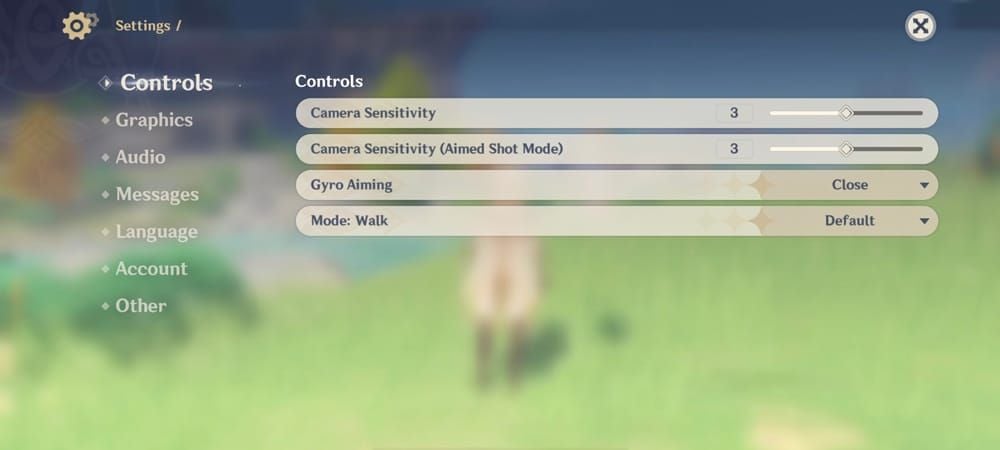
Check if you're already linked: On PS4, go to Settings → Account → User Center. If you see an email address listed under your account, you're linked. If it shows only your PSN ID with no email, you need to link now.
Step-by-Step: Linking Your PS4 Account to HoYoverse
Do this while your PS4 still works. Don't wait until February 2026 when purchases delist — do it today.
- Launch Genshin Impact on PS4
- Open Settings (Paimon Menu) → Account → User Center
- Select Link Account → choose email or mobile number
- Enter your email address and request a verification code
- Enter the code to confirm the link
- Verify your server region — this is non-negotiable (see below)
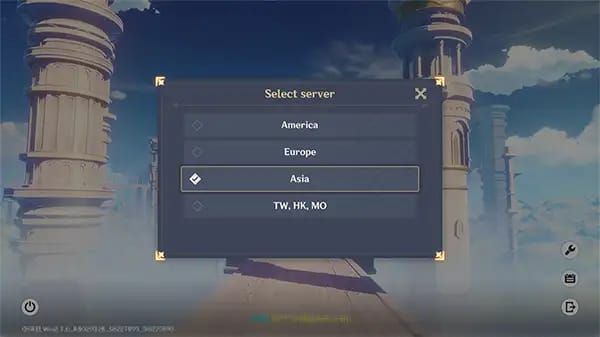
The server region trap: Genshin runs on four separate servers — America, Europe, Asia, and TW-HK-MO. Your PS4 account lives on one of them. If you accidentally link to a HoYoverse account registered on a different server, you'll log into an empty account on the wrong region. Your PS4 data won't appear. This is one of the most common support tickets HoYoverse receives. Double-check before confirming.
One PSN per HoYoverse account, permanently. Once you bind your PSN to a HoYoverse account, it cannot be unlinked. Make sure you're linking to the right account the first time.
If you hit errors during linking — verification code not arriving, account already bound messages — contact HoYoverse Support Portal immediately. Don't wait. The April 2026 deadline is firm, and support queues will be long closer to the date.
Migration Path 1: PS4 → PS5
The smoothest option for console players. If you're on the same PSN account, progress syncs automatically once you've completed the HoYoverse link.
- Install Genshin Impact from the PS5 PlayStation Store (free download)
- Launch the game and sign in — your PSN account is already recognized
- Your HoYoverse-linked data loads automatically
That's genuinely it. No additional steps if the link is already done. Community consensus is clear: PS5 is the recommended migration target for PS4 players. The performance upgrade is real — faster load times, smoother frame rates, and better visual fidelity compared to PS4's hardware ceiling.
Migration Path 2: PS4 → PC
Best performance ceiling if your hardware supports it. High FPS on a capable PC exceeds what PS5 delivers.
- Download the official HoYoverse launcher from the Genshin Impact website — not Steam, not any third-party source
- Install and launch the game
- On the login screen, select HoYoverse Account and enter the email you linked on PS4
- Your account loads with all PS4 progress intact
PC-specific note: the official launcher is separate from Steam. Community experience confirms this repeatedly — players who search "Genshin Impact PC download" sometimes land on unofficial mirrors. Use only the official HoYoverse site.
If you prefer controller play on PC, Genshin supports DualShock 4 and DualSense natively. Keyboard/mouse works well for exploration; controller remains better for combat feel, especially for players migrating from console.
Migration Path 3: PS4 → iOS/Android
Viable, but with caveats. HoYoverse officially notes that mobile migration requires checking your device against raised 2026 hardware requirements — older phones may not meet the spec floor.
- Download Genshin Impact from the App Store (iOS) or Google Play (Android)
- Launch and select HoYoverse Account login
- Enter your linked email/UID from the PS4 User Center
Mobile performance is lower than PS5 or capable PC for endgame content — Spiral Abyss, high-difficulty domains, and dense combat scenarios will show the gap. For casual exploration and story content, it's perfectly playable. If you have both a PC and a phone, test on PC first and use mobile as a secondary platform.
What Happens If You Miss the Deadline
Two scenarios. The outcome is very different between them.
If your account IS linked before April 8, 2026: Your data is completely safe. You just can't log in via PS4 anymore. Open any other platform, sign in with your HoYoverse account, and everything is there. No urgency beyond the deadline itself.
If your account is NOT linked before April 8, 2026: This is the hard scenario. Post-shutdown, PS4 data becomes inaccessible. HoYoverse has confirmed no recovery is possible after the deadline through normal means. Your only path is escalating to the HoYoverse Support Portal with proof of account ownership — PSN purchase receipts, screenshots of your account, transaction history, anything that establishes you as the legitimate owner.
Realistic expectations: support may be able to assist in exceptional cases, but HoYoverse has not committed to any recovery guarantee for unlinked accounts post-shutdown. This is not a safety net. It's a last resort. The only reliable protection is linking before April 8.
Contact support early if you're having linking issues — don't wait until March 2026 when every PS4 player in the same situation floods the queue simultaneously.
PS5 vs. PC vs. Mobile: Choosing Your New Platform
| Platform | Performance | Input | Portability | Recommended For |
|---|
| PS5 | High — consistent 60fps | DualSense controller | Home only | Console players wanting seamless transition |
| PC | Highest — 60fps+ on capable hardware | KB/M or controller | Desktop/laptop | Players prioritizing visual fidelity and FPS |
| iOS/Android | Variable — device-dependent | Touch or Bluetooth controller | Full portability | Casual play, travel, secondary device |
PS5 is the community consensus recommendation for PS4 migrants. Same controller feel, better performance, zero friction if you're on the same PSN. PC wins on raw performance ceiling but requires hardware investment if your machine is older. Mobile is best as a complement to another platform, not a primary replacement for endgame content.
One practical tip: test your migration on a secondary device before PS4 shuts down. Log into your HoYoverse account on PC or mobile now, confirm your data appears correctly, then continue playing on PS4 until the deadline. This validates the link worked without any risk.
Your Genesis Crystals and Primogems During the Transition
Your unspent Genesis Crystals and primogems follow your HoYoverse account. They don't live on the PS4 client — they live on the server. Once you're logged in on any new platform, your full balance is there.
The practical question is timing. If you're planning to top up Genesis Crystals, doing so after confirming your migration works on the new platform is the safer move. No point topping up on PS4 after February 25, 2026 anyway — in-game purchases delist on that date.
For players who want a platform-agnostic top-up option during the transition window, Genshin Impact top up discount at BitTopup works independently of which platform you're playing on — useful when you're mid-migration and not yet settled on a primary platform.
Five Migration Mistakes That Cost Players Their Accounts
Mistake 1: Creating a new HoYoverse account instead of linking your PS4 account.
This is the most common and most damaging error. If you go to the HoYoverse website, create a fresh account, and log into Genshin on PC — you'll see an empty AR1 account. Your PS4 data is still there, but now you have two separate accounts and HoYoverse cannot merge them. Always link from inside the PS4 game first.
Mistake 2: Linking to the wrong server region.
Covered above, but worth repeating. Verify your PS4 server in Settings → Account before linking. Match it exactly.
Mistake 3: Waiting until after the shutdown.
There's no "I'll do it later" option. April 8 is a hard cutoff.
Mistake 4: Assuming PSN login alone works on other platforms.
PSN login only works within PlayStation's ecosystem. On PC and mobile, you need the HoYoverse account credentials — the email and password you set during linking. Write these down somewhere secure.
Mistake 5: Skipping email verification.
The link isn't complete until you verify the email code. Players who close the app mid-process sometimes think they're linked when they're not. Always check Settings → Account on any platform to confirm the PSN binding shows as active.
Official Resources
- HoYoverse Support Portal — submit tickets for linking failures, account recovery, migration issues
- HoYoLAB — official community forum with HoYoverse-verified migration guides and peer support
- Official Genshin Impact website — PC client download, official announcements on platform changes
For Genshin Impact cheap recharge options once you're settled on your new platform, BitTopup offers Genesis Crystal top-ups without platform restrictions — relevant once PS4 purchases delist in February 2026.
FAQ
When exactly does Genshin Impact shut down on PS4?
April 8, 2026 at 06:00 UTC+8. Your last playable day is April 7. The PS4 version stops receiving updates and logins permanently after that timestamp.
Will I lose my characters and primogems if I don't migrate?
If your account is linked to a HoYoverse ID before the deadline, no — your data is server-side and safe. If it's not linked, post-shutdown data recovery is not guaranteed. Link now.
Does pity count transfer when I move to PC or PS5?
Yes. Both soft pity (75 wishes) and hard pity (90 wishes) are preserved through your HoYoverse account. Wish history transfers too.
What about Gunnhildr's Legacy — do I keep it on PC?
Community testing widely confirms yes. PSN-exclusive cosmetics including Gunnhildr's Legacy carry over to other platforms once your PSN is linked to your HoYoverse account.
Can I still play with PS5 friends after migrating to PC?
Yes — cross-play is active across PS5, PC, and mobile. Migrating platforms doesn't affect your ability to co-op with friends on other platforms.
Is there any way to recover an unlinked PS4 account after April 8, 2026?
No guaranteed path exists. Your only option is contacting HoYoverse Support Portal with proof of ownership and hoping for case-by-case assistance. Don't rely on this. Link before the deadline.
The bottom line: Link your PS4 account to a HoYoverse ID today — not in March 2026, today. The process takes five minutes. Everything you've built transfers. The only way to lose it is to wait too long.