Short on Intertwined Fates for Odette or the Arlecchino rerun? Top up with UID and server only on Genshin Impact Genesis Crystals. No game password.
Wish history and pity (August 2026)
Updated on 2026-08-20: the previous page shipped a PowerShell line that downloadedgetlink.ps1 with no host, treated Epitomized Path as 2 Fate Points, and skipped Capturing Radiance plus Lightrace Wish. Live client is Version 7.0 Phase I (12 August–1 September 2026, 17:59). History has listed 1 year of rows since Version 4.5. Paimon.moe’s import banner still says “more than 6 months.” That line is stale. The API you import from follows the 1-year History list.
Banner | Hard 5★ | Soft 5★ (community) | Featured rule | Pity shares with |
|---|
Character Event Wish / Wish-2 | 90 | ~74 | Capturing Radiance → ~55% featured on a 5★. A loss guarantees the next featured unit | Each other. Not weapon, not Standard |
Weapon Event (Epitome Invocation) | 80 | ~63 | 75% promotional pool. 1 Fate Point locks the Epitomized Path weapon on the next 5★ | Later weapon banners. Fate Points reset when the banner ends |
Chronicled Wish | 90 | ~74 | 50% designated item, then 1 Fate Point | Lightrace Wish (pity only) |
Lightrace Wish | 90 | ~74 | Same designated-item + 1 Fate Point rules as Chronicled | Chronicled Wish (pity only). Fate Points reset with the event |
Standard (Wanderlust Invocation) | 90 | ~74 | No featured 50/50 | Itself only |
Beginners' Wish | 20-pull track | — | Discounted Acquaint Fate, Noelle in the 20 | Itself. Stops after 20 |
You get a 4★ or better every 10 pulls on event, Chronicled, Lightrace, and Standard banners.
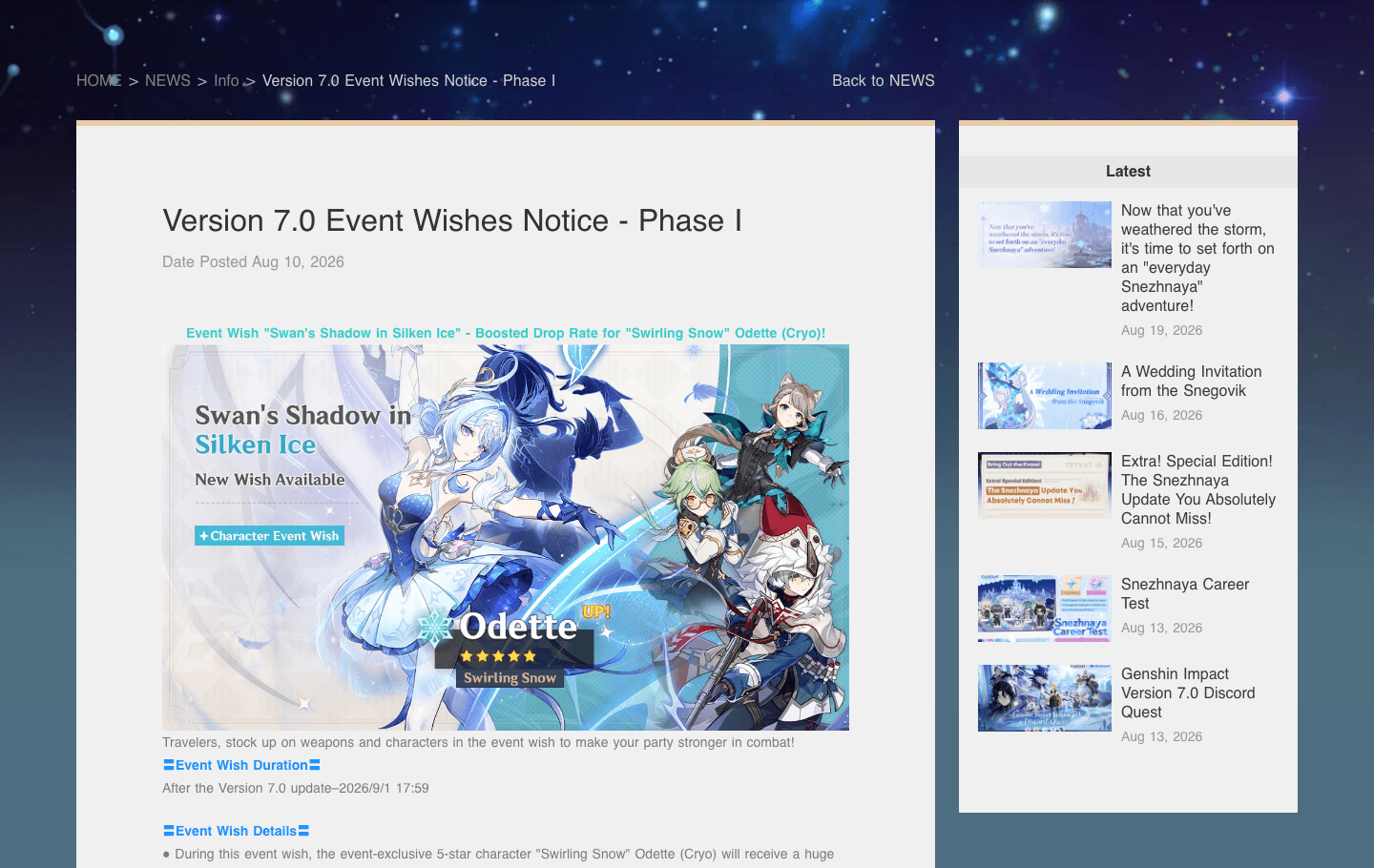
Official 7.0 Phase I: Character Event Wish is Swan's Shadow in Silken Ice (Odette). Character Event Wish-2 is The Hearth's Ashen Shadow (Arlecchino). Those two share one guarantee count. Epitome Invocation is Whitelake Frostfeather and Crimson Moon's Semblance. Epitomized Path stays at 1 Fate Point (the Version 5.0 change). A locked Path costs 160 wishes at worst (25,600 Primogems).
What History shows you
Wish History lists the last 12 months. After that, the row leaves the UI. Pity on the server stays, so you still hit hard pity. You lose the written 50/50, Capturing Radiance, and Fate Point trail.
One Intertwined Fate costs 160 Primogems.
Situation | Pulls | Primogems |
|---|
Character hard pity from 0 | 90 | 14,400 |
Featured character, worst case (lose then 90) | 180 | 28,800 |
Already at 50 pity | 40 to hard | 6,400 |
Soft pity (~74) on a guarantee | often under 20 | often under 3,200 |
Weapon hard pity from 0 | 80 | 12,800 |
Chosen weapon, 1 Fate Point, worst case | 160 | 25,600 |
The Version 7.0 Primogem Guide uses the same 180-pull ceiling. Export the log first so you know if you already hold a guarantee.
Capturing Radiance (Version 5.0, live on 7.0) fires on Character Event / Wish-2 when the pull is a 50/50. HoYoverse sets the consolidated featured rate at 55%. If the promotional 5★ is the second 5★ on three straight occasions, the next 5★ forces Capturing Radiance. Your 90-pull count does not move. Paimon.moe keeps the 50/50 flag after History drops the row.
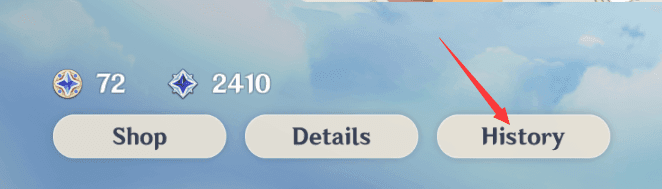
Open Wish (F3 on PC, or the star icon in the Paimon menu). Wait until History finishes loading. Genshin writes the auth URL into cache only after that page paints. New pulls can take 24–48 hours to appear. If you run several accounts, restart the client and log into the UID you want before you open History.
The URL you copy contains anauthkey. It is a short-lived, read-only token for the wish API (public-operation-hk4e-sg.hoyoverse.com on global,public-operation-hk4e.mihoyo.com on China). HoYoverse does not get your password from this. The key dies in about 24 hours. Re-export when Import says the key is invalid.
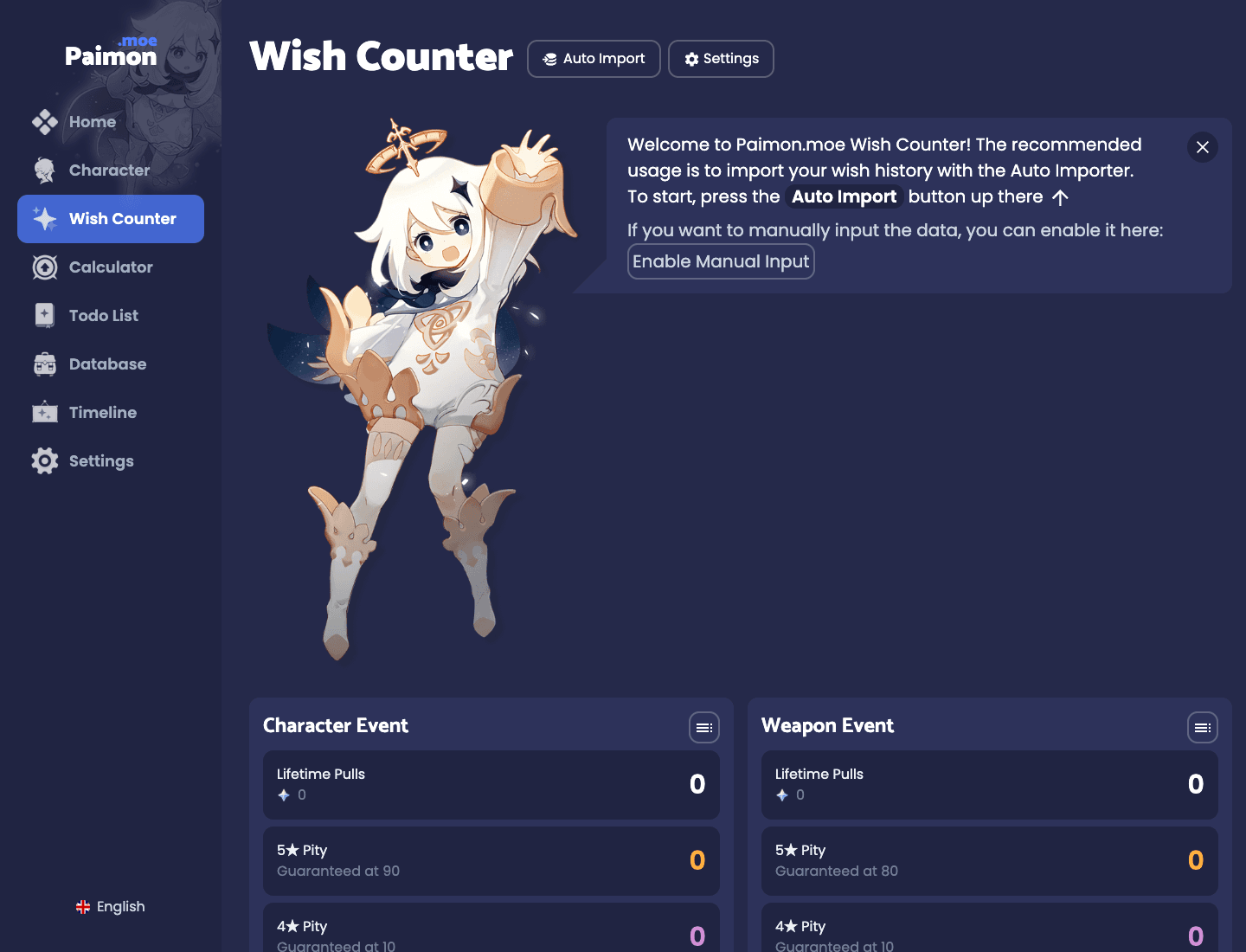
Paimon.moe Wish Counter
Paimon.moe stores the imported list in the browser and splits counters for Character Event, Weapon Event, Standard, Chronicled, and Beginners' Wish. Lightrace shares the Chronicled guarantee on HoYoverse’s side. After a Lightrace patch, check that the Chronicled card moved with those pulls. Use a Lightrace card if the site adds one.
A finished import shows:
Current 5★ and 4★ pity per banner type
50/50 / guarantee state on Character Event
Lifetime pull counts and 5★ timelines
Global rank / 50/50 win rate versus other Paimon.moe users
Google Drive Sync under Settings
UIGF-style export for a second copy off-site
Turn on Drive Sync before you clear cookies. The old page told you to wipe the browser cache, then import. That deletes the lifetime archive if Sync is off. Import merges new rows.
Paimon.moe is not affiliated with HoYoverse. It reads the same History the game already shows you.
How to export on PC (PowerShell)
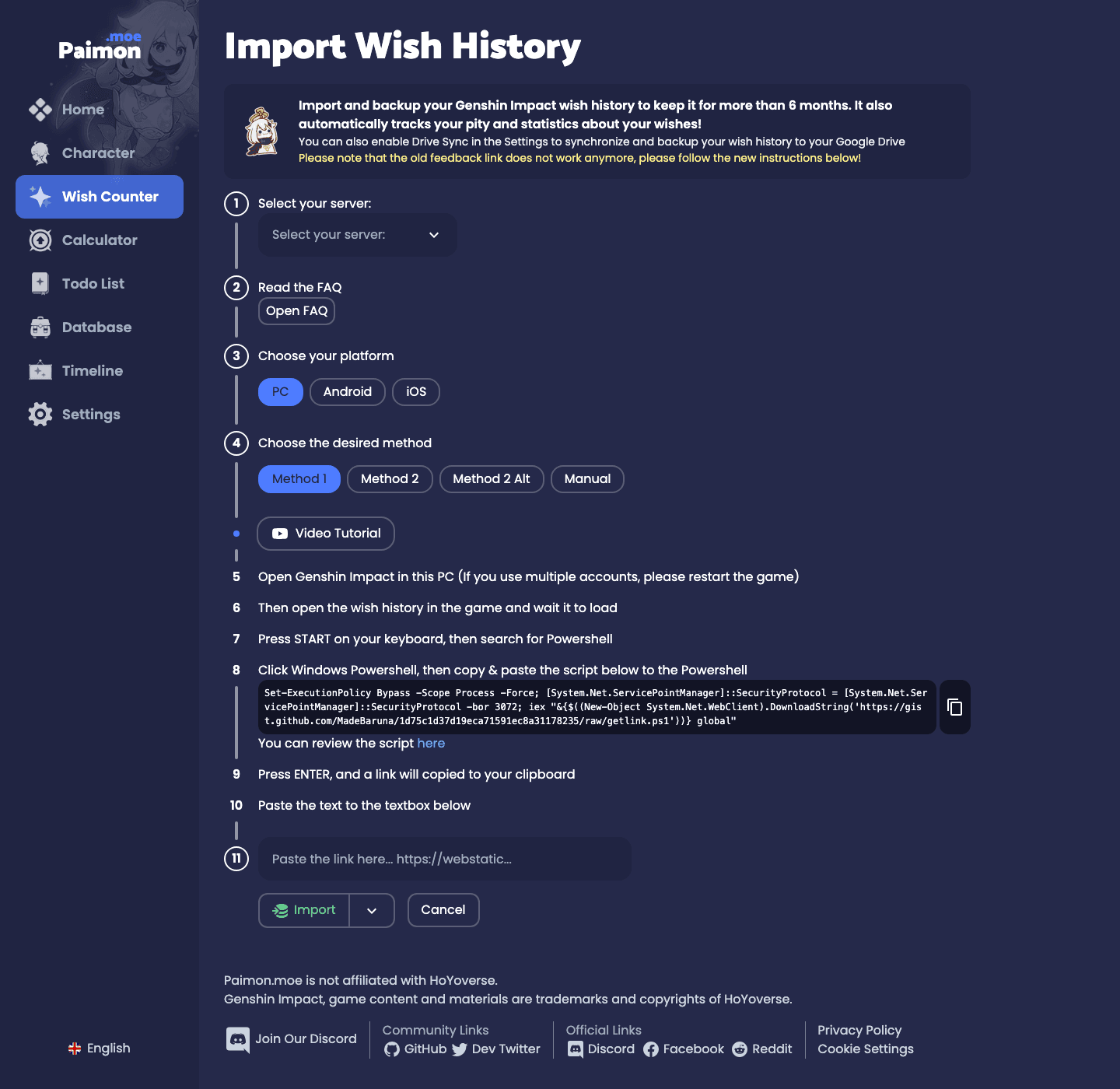
Use the command on paimon.moe/wish/import. Pick America / Asia / TW,HK,MO / Europe for global, or China if the account is 国服. Then pick PC → Method 1.
Launch Genshin on this PC. Restart first if you switched UIDs.
Open Wish → History and wait until the list is populated.
Open Windows PowerShell (normal user is enough; Admin is a fallback).
Paste the Method 1 script. Global:
Set-ExecutionPolicy Bypass -Scope Process -Force; [System.Net.ServicePointManager]::SecurityProtocol = [System.Net.ServicePointManager]::SecurityProtocol -bor 3072; iex "&{$((New-Object System.Net.WebClient).DownloadString('https://gist.github.com/MadeBaruna/1d75c1d37d19eca71591ec8a31178235/raw/getlink.ps1'))} global"
China accounts: the same line, last wordchina instead ofglobal. The import page has a “review the script” link next to the box.
Press Enter. The script copies the full wish URL to the clipboard.
Paste the entire string into the import box. Click Import.
If that download fails, switch to Method 2 or Method 2 Alt on the same page. A one-wordDownloadString('getlink.ps1') has no host. That is the line the old article printed.
The script reads the game web cache after you open History. It does not log into your account.
How to export on Android
Follow the Android tab on the import page for on-device steps. This ADB capture works from a PC:
Enable Developer options (tap Build number seven times) and USB debugging.
Installadb (Android Platform-Tools) on the PC. Runadb devices and accept the phone prompt.
Open Genshin → Wish → History and leave that page up.
On the PC:
adb logcat -m 1 -e 'OnGetWebViewPageFinish.+https.+/log'
Copy thehttps://… URL from the line. Paste it on Paimon.moe with platform set to Android.
Wireless debugging on Android 11+ skips the cable. Termux +android-tools is the no-PC variant. If logcat is empty, close and reopen History, then run the command again.
How to export on iOS
iPhone has no PowerShell cache. Paimon.moe’s iOS tab uses Stream (App Store: Stream - Network Debug Tool):
Install Stream. Allow the VPN profile.
In Stream, install the CA, then trust it under Settings → General → About → Certificate Trust Settings.
Open Genshin on the Wish screen. In Stream tap Sniff Now.
Open Wish History and wait for the list.
Stop sniffing. Open the request that hits HoYoverse’s gacha API (public-operation-hk4e-sg.hoyoverse.com …getGachaLog, or the China host). Older guides still namehk4e-api-os.mihoyo.com.
Copy the full request URL into Paimon.moe.
Turn the Stream certificate trust off when you finish.
PlayStation
The in-game Feedback URL is dead. Paimon.moe says so on the import page. Link the PSN save to a HoYoverse account, log into that UID on PC or Android, open History there, then run the PC or Android export. Xbox uses the same path: open History on a client that can export.
Import, then check the numbers
Server on Paimon.moe must match the UID’s region. Wrong region returns an empty set.
Paste the full URL. A clippedauthkey fails.
Import. Large histories take about 30 seconds to two minutes.
Read the per-banner totals against in-game History for the last year. They should match.
Count back from the latest Character Event pull to the last 5★. That number is Character Event pity. Do the same for Weapon (80) and Standard (90).
Turn on Drive Sync. Export a UIGF/JSON copy if you want a second file.
If Character Event pity on Paimon.moe is 47 and your last 5★ on that banner was 47 rows ago, the import matches. A mismatch is an expired key or a stop mid-download. Re-open History, re-run the script, import again.
Troubleshooting
Symptom | Usual cause | Fix |
|---|
Invalid authkey | Key expired (hours to ~1 day) | Open History, export a new URL, import at once |
Script cannot find the URL | History never loaded, or the wrong UID | Restart the client, open History, wait, retry |
Unableto connect to the remote server in PowerShell
| gist.github.com blocked
| Use Method 2 / thegithubusercontent.com raw URL |
Some banners import, others do not | Network drop mid-pull | Import again with a fresh key |
Browser empty after a cache clear | Local store wiped, Sync off | Restore from Google Drive. Then turn Sync on |
iOS finds no.json / old miHoYo host | API host changed | Search sniff history forgetGachaLog onpublic-operation-hk4e |
PS import does nothing | Feedback method removed | Export from a linked PC or Android client |
Re-import every 1–2 months, and after any heavy banner. The 12-month window is the hard limit for rows you never saved.
Buy Fates against your pity
Version 7.0 F2P income is about 15,080 Primogems plus Fates if you finish the Primogem Guide list (~94 limited pulls). That covers a featured 5★ if you already sit on a guarantee. A cold 50/50 plus a second hard pity is 180 pulls (28,800 Primogems).
Read Paimon.moe first. At 75 pity with a guarantee you need a few Fates. At 0 pity with no guarantee, plan for 180 or stop after the first 5★. Welkin Moon (300 crystals on buy, then 90 Primogems a day) is the cheapest daily stack. Crystal packs fill a short gap. Convert crystals 1:1 in the shop.
Buy with the 9-digit UID and the correct server. BitTopup does not ask for the HoYoverse password. Confirm the UID in-game (Paimon menu → avatar / character screen) before you pay.
FAQ
How long does Genshin Impact keep wish history?
The History page shows 1 year of pulls since Version 4.5 (March 2024). That is the rule on 7.0. Rows older than that leave the UI. Pity on the server does not reset. HoYoverse does not restore deleted rows.
Can I recover wishes older than one year?
No. If you never exported them, every importer misses them. Export before the oldest row you care about hits 12 months.
What is the correct PowerShell command?
The live Method 1 line on the Paimon.moe import page, ending inglobal orchina. The old article’sDownloadString('getlink.ps1') has no host.
How often should I backup?
Every 1–2 months, after a long pull session, and before a banner you intend to spend on. Drive Sync on. UIGF file optional.
Do Fate Points survive a banner swap?
Pity on Character Event, Weapon Event, Standard, and the Chronicled/Lightrace pair carries. Epitomized Path and Chronicled/Lightrace Fate Points reset when that event ends or you change the designated item. Version 5.0 cut weapon Fate Points from 2 to 1.
Is Paimon.moe accurate?
Paimon.moe counts the rows you imported. Check the first import against in-game History. Import often enough that nothing ages out of the 12-month window.
Conclusion
On Version 7.0 the in-game log is a one-year window. Export it with the current Paimon.moe script, keep Drive Sync on, and read pity before you convert crystals. Bookmark this page for the next retention or import-script change. When the counter says you are short, top up Genesis Crystals by UID on BitTopup.