Need UC for Elite Royale Pass or a crate after you lock the sliders? Top up PUBG Mobile UC on BitTopup with Player ID only.
M416 sensitivity codes (August 2026)
Updated on 2026-08-25: live client is Version 4.5 (9 July 2026). Season 31 runs 16 July to 11 September 2026 (UTC+0). A share code writes Camera, ADS, and Gyroscope. You still pull the burst.
Start here | Code | Who it fits |
|---|
Universal (M416 first import) | 1-7435-8846-3421-0303-0728
| Most phones, gyro on |
Android, 90 Hz+ | 1-7462-2496-3022-3831-210
| Samsung / OnePlus / Xiaomi flagships |
iPhone 120 Hz | 1-7478-5115-3389-3888-855
| iPhone 13 Pro and newer |
iPhone alternate | 7120-0143-8549-4140-855
| If Preview rejects the 7478 string |
iPad / tablet | 1-7478-5115-3389-3888-854
| 10 inch+ screens |
Gyro-leaning | 1-7478-5115-3389-3888-855
| Close-mid sprays |
4-finger claw | 7275-1794-4178-8556-303
| Ranked claw HUD |
Fallback if expired | 7307-1085-6780-4282-435
| Type the table by hand if this also fails |
Some builds print a leading1-. Paste the full string Preview accepts. Drop the prefix only if the field rejects it.
After import, check three rows: Red Dot camera 50–60%, gyroscope no-scope 300–400%, 8x camera or ADS near 12%. More device rows sit on the PUBG Mobile sensitivity codes page.
Scope | Camera | ADS | Gyro (if on) |
|---|
No Scope | 95–120% | 95–110% | 300–400% |
Red Dot / Holo | 50–60% | 50–70% | 280–365% |
2x | 35% | 35–50% | 270–330% |
3x | 25% | 25–35% | 180–275% |
4x | 20–25% | 20–30% | 160–250% |
6x | 15% | 15–25% | 120–180% |
8x | 12% | 10–15% | 55–90% |
Keep the cascade. Red Dot 50% → 3x 25% → 8x 12% is the shape1-7435-8846-3421-0303-0728 uses. Jump a scope by more than 10% and a 6x-to-Red-Dot swap feels broken.
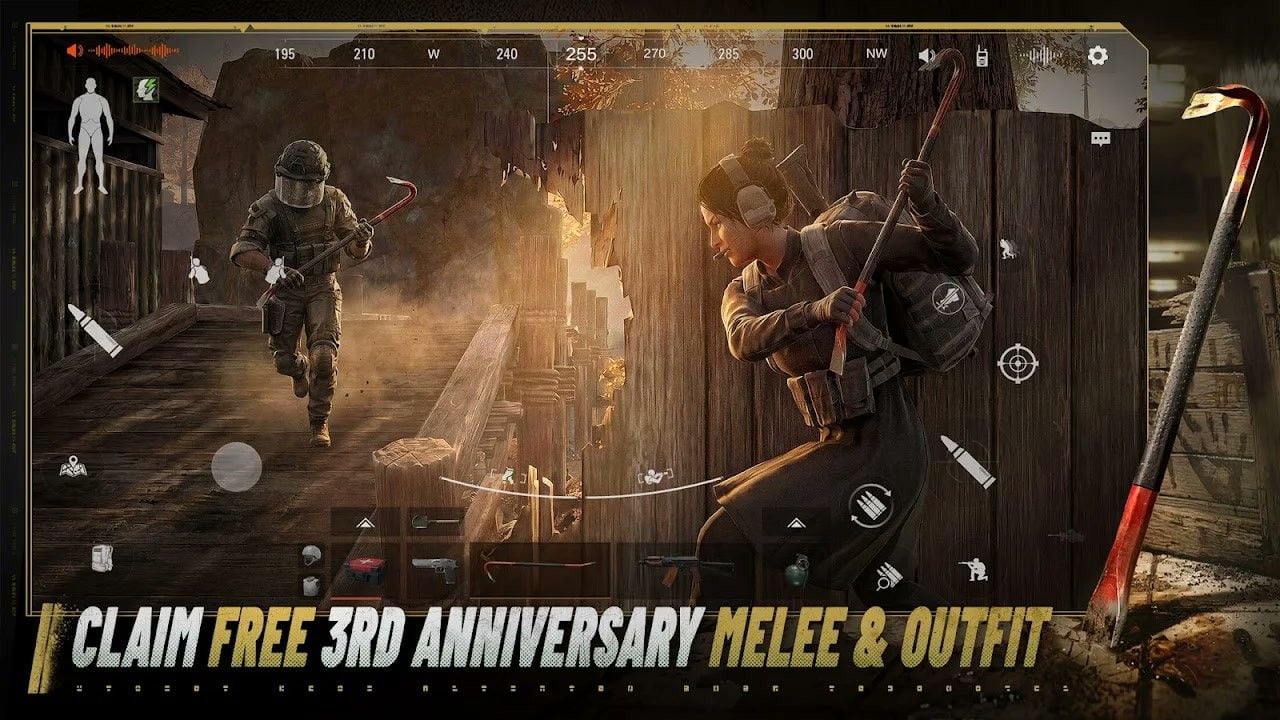
What 4.1 changed, and what 4.5 changed after
Version 4.1 went live on 6 November 2025. Official Classic notes list a long-range assault-rifle damage taper, bullets that slow as they fly, shotgun damage cuts, more stable SKS / SLR / Mk14 follow-ups, a FAMAS magazine slot, and smoother ADS plus shot audio. Frosty Funland ran on Erangel, Livik, and Vikendi until 5 January 2026. That mode is gone.
Sensitivity codes still copy the same three slider pages they copied in 4.0. Older write-ups that promised 20% more reliable codes, 20% better gyro tracking, or a 58% vertical-kick cut were marketing. Official notes stay on damage taper, bullet slowdown, shotguns, DMR stability, FAMAS mags, and ADS polish. Weapon skins change the model. Recoil stays on the gun and the attachments.
Later patches matter more for how the M416 feels now:
Version | Date | What you feel on an M416 |
|---|
4.1 | 6 Nov 2025 | Long-range AR damage tapers with distance; ADS polish |
4.2 | Jan 2026 | 7.62 rifles hit harder (AKM 50, M762 48). M416 stays 5.56 |
4.4 | 12 May 2026 | ARs deal a bit more at close to medium. Medium-long stays as it was. Bolt-actions and most DMRs lose damage drop-off |
4.5 | 9 July 2026 | ACE32 47 → 46 with a cleaner spray. SMGs sprint and draw faster. M416 baseline unchanged |
M416 stays the default 5.56 spray rifle because the climb is mostly vertical and the gun takes a tactical stock. Pair it with a DMR or bolt-action if you take 150 m+ fights. See M416 vs SCAR-L for ranked if you are choosing the other 5.56.
Full slider tables for every gun sit on the PUBG Mobile best sensitivity settings page.

M416 recoil and attachments
Bullets 1–3 climb. 4–7 flatten if you already started the pull. After 8 the barrel walks sideways. Past 15 you reset or you dump the mag into the sky. Gyro handles the sideways walk. Your thumb holds the downward line.
Slot | Pick | Why |
|---|
Muzzle | Compensator | Cuts vertical and horizontal climb. Flash Hider is quieter and weaker on recoil. Suppressor hides the shot and makes the spray worse |
Grip | Vertical Foregrip | Holds the climb. Half Grip or Angled if you peek and fire 8–12 rounds |
Stock | Tactical Stock | Recovery and sway. Leave this slot empty and the gun feels unfinished |
Mag | Extended Quickdraw | 40 rounds and a faster reload |
Optic | Red Dot / Holo, or 3x | Red Dot for compounds. 3x for 50–75 m. 4x after the 100 m plate stays on target |
Fire 8–12 round bursts past 50 m. Full mag dumps belong on the 25 m wall, not on a ridge.
How to import the M416 sensitivity code
Official path from the PUBG Mobile Help Center: lobby ▲ → Settings → Sensitivity. Exclusive Sensitivity (+Add) uploads as its own cloud pack. A general code does not wipe those rows unless you overwrite that pack.
Screenshot Camera, ADS, and Gyro, or upload from Sensitivity → Cloud Management / Share. Save that string with the device name and date.
Open Sensitivity. Tap Search Method (magnifying glass). Older guides said “Cloud → Import.” Current builds use Search Method → Preview → Use Layout.
Paste1-7435-8846-3421-0303-0728 with the hyphens, on Wi-Fi.
Tap Preview. Read the gyro column. A gyro code on a gyro-off account looks fine in Preview and feels empty in a fight.
Tap Use Layout → Confirm.
Set Gyroscope to Activate the scope or Always on on the main Settings tab before you judge the spray.
Open Training: lobby map picker (Change map) → training → TPP or FPP.
Import fails for a missing hyphen, an expired string, or gyro off. Re-copy the line, turn gyro on, then try7307-1085-6780-4282-435.
Device tweaks after you import
Lock a stable frame rate before you touch sliders. Graphics Smooth, highest Frame Rate that stays flat, Auto-adjust off. 120 FPS needs Ultra Extreme on a supported phone. Setup steps live on the PUBG Mobile 120 FPS guide.
Device | First tweak |
|---|
120 FPS (Ultra Extreme) | Use the table as written. Run the 180° test. Add camera 5% only if the swipe stops short |
90 FPS | Camera −5% |
60 FPS / 60 Hz iPhone | Camera −10% |
Android 90 Hz+ | Keep1-7462-2496-3022-3831-210 if the universal code feels heavy |
iPhone 13 Pro and newer | 1-7478-5115-3389-3888-855, then ADS +5–10% if Red Dot lags
|
iPad / tablet | Camera +10–20%. A 10-inch swipe covers less turn than the same swipe on a 6.1-inch phone. Drop gyro 50–100 only if 8x shakes |
Skip the old “120 Hz needs +20–30% on every slider” rule. That overshoots. Skip “cut tablet camera 15–20%.” That fights the screen.
Heat and frame drops make any code feel random. Close background apps, stay off the charger in a fight, and recalibrate gyro on a desk: Settings → Sensitivity → Gyroscope → Calibrate.
Training Ground test
Drill | Setup | Pass mark |
|---|
Static spray | M416 + Red Dot + full attachments, 50 m, 3 mags (90 rounds) | Most of the mag on the plate. Climb → ADS or gyro +5%. Overshoot → −5% |
180° turn | No scope, one swipe | Stop on the same wall mark |
3x / 4x | 100 m | Group stays on the plate. Burst 8–12 if the last ten walk off |
Scope swap | 6x at 100 m → Red Dot at 25 m | Sight lands without a second swipe |
Change one slider, then fire the same mag again. Give a new code a week of ranked before you rip it out.
How to get more from the same M416 code
Copy the universal code, then run the 50 m test on your phone. Screen size and 60 vs 120 FPS change the same digits.
After 10–15 ranked games, move one value 2–3%. Raise camera 5% in Pochinki or Yasnaya. Cut 3–5% on open rotations only if first shots miss.
Save a second layout for TDM or Arena: Red Dot ADS +5–10%, 6x / 8x a bit lower.
What is UC in PUBG Mobile covers Pass math. Skins change the model. Buy PUBG Mobile UC on BitTopup for the Pass track.
FAQ
What is the M416 sensitivity code for PUBG Mobile 4.1?
1-7435-8846-3421-0303-0728. Gyro-leaning:1-7478-5115-3389-3888-855. iPhone 120 Hz can use that same 7478 string. If Preview fails, type Red Dot camera 50–60%, ADS 50–70%, gyro no-scope 300–400%, 8x 12%.
How do I import a sensitivity code in PUBG Mobile 4.1 / 4.5?
Settings → Sensitivity → Search Method → paste the code → Preview → Use Layout → Confirm. Enable gyroscope first. Test 10–15 minutes in Training.
Do sensitivity codes delete M416 recoil?
No. The code sets how far a swipe or tilt moves the sight. Attachments and the pull still do the work. “No recoil” in search results means a spray you can hold on a chest.
Can I use the same M416 code on iOS and Android?
Yes as a start. iPhone 120 Hz often wants1-7478-5115-3389-3888-855 or +5–10% ADS on the universal code. Tablets want more camera, not less.
How long does adaptation take?
Plan on 7–10 days with 10–15 minutes of Training a day, then 20 ranked matches. Change one slider after a bad week, not after one death.
What attachments should I run with the M416 code?
Compensator, Vertical Foregrip, Tactical Stock, Extended Quickdraw, Red Dot or 3x. That is the control kit. The code does not replace a missing stock.
Conclusion
Import1-7435-8846-3421-0303-0728, confirm Red Dot 50–60% and gyro 300–400%, then prove the 50 m plate on Version 4.5. 4.1 is why long-range AR damage tapers. 4.2 is why AKM hits 50. 4.5 is why ACE32 is 46. Bookmark this M416 sensitivity page through the 9 September 4.6 drop. Top up PUBG Mobile UC on BitTopup when you want the Season 31 Pass.