Need Elite Royale Pass or a cleaner iron sight while you grind the new grip? Buy PUBG Mobile UC on BitTopup with your Player ID only.
PUBG Mobile claw layout codes (August 2026)
Updated on 2026-08-20: codes rechecked against Version 4.5 (Ninja Run / Chakra, in-match HUD edit). Community share codes still circulate after a patch, but they do not place the new 4.5 buttons. After every import, move Ninja Run and Chakra off fire, ADS, and peek.
Fingers | Code | Use it if | After import |
|---|
4 | 7275-1794-4178-8556-303
| Default ranked phone HUD | Still the most imported 4-finger code in 2026. Resize fire to 120–140%. |
4 | 6974-6998-1946-2820-026
| 6.3–6.8 inch phones | Balanced spacing. Start here if the meta code feels cramped. |
4 | 6960-4897-8808-0654-298
| AR / SMG spray | Fire and scope sit closer for crouch-spray. |
4 | 6960-4897-8808-0564-299
| DMR / bolt sniper | Smaller scope hitbox, fewer accidental ADS taps. |
4 | 7075-5121-3435-4352-919
| You want a PMGC 2025 starter HUD | Circulated as Alpha7 Carrilho’s control code. Gyro-heavy. Expect a 4.5 button pass. |
5 | 7275-2058-0453-0602-607
| 6.7 inch+ or Pro Max | Extra right-side finger for ADS + crouch + fire. Community code, not a verified pro export. |
6 | 6960-4887-1407-8797-709
| Tablet / 6.9 inch+ | Six sectors. Skip this on a normal phone. |
3 | 6916-3084-8580-4664-088
| Leaving thumbs | Or use the dedicated 4.5 3-finger claw settings. |
2 | 6937-0903-0518-5811-333
| Casual thumbs only | Fine for weekends. Ranked close fights outgrow it. |
Paste the hyphens. If Search returns nothing, the uploader deleted the slot or a client update rejected the ID. Keep the table as a map and place the buttons by hand.
Sensitivity is a separate share code. A HUD import does not overwrite Camera / ADS / Gyro. For 4.5 3-finger numbers see that guide. For 4-finger + gyro ranges, use the tables below or the 4.2 sensitivity guide.
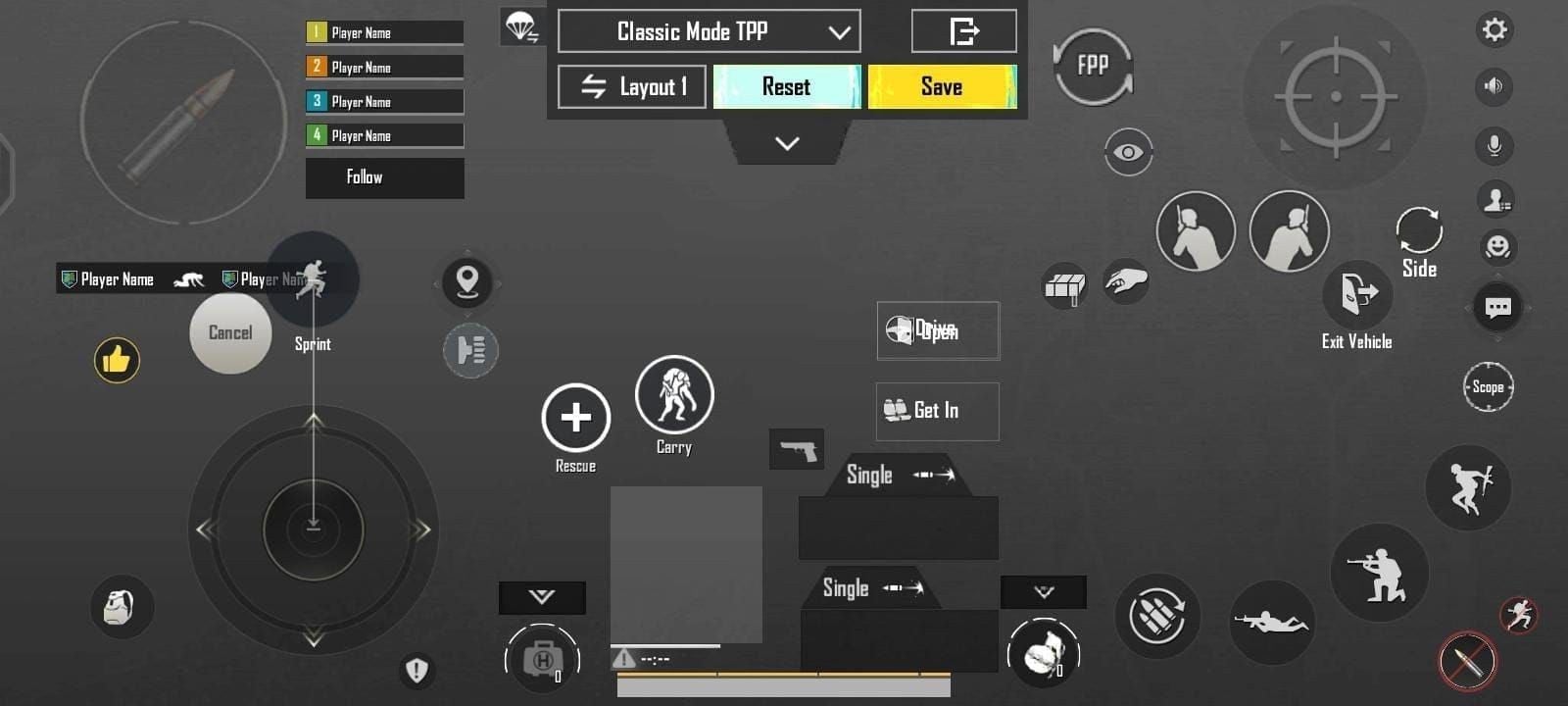
Which claw should you actually run
More fingers add simultaneous inputs. They do not raise walk speed, sprint speed, or TTK. A 4-finger player can move, drag camera, fire, and crouch in one motion. A thumb player has to drop one of those.
Skip steps only if the screen already fits the next grip.
Setup | Device | Role | Time to stop fighting the HUD |
|---|
2-finger | Any | Casual Classic | Same day |
3-finger | Under 6.3 inch, or you just left thumbs | Ranked on a small panel | 4–7 days TDM |
4-finger | 6.1–6.7 inch phones | Current ranked default | 3–4 days basics, 2–3 weeks under pressure |
5-finger | 6.7 inch+ / Pro Max | ADS + crouch + fire without a thumb lift | Weeks, not days |
6-finger | iPad / 6.9 inch+ | Max split of peek, nade, prone | Often 4–8 weeks before it stops hurting |
2026 phones sit around 6.1–6.9 inches. The old “5.5–6.5 inch sweet spot” is stale. If your thumbs already collide on a compact Android, stay on 3-finger.
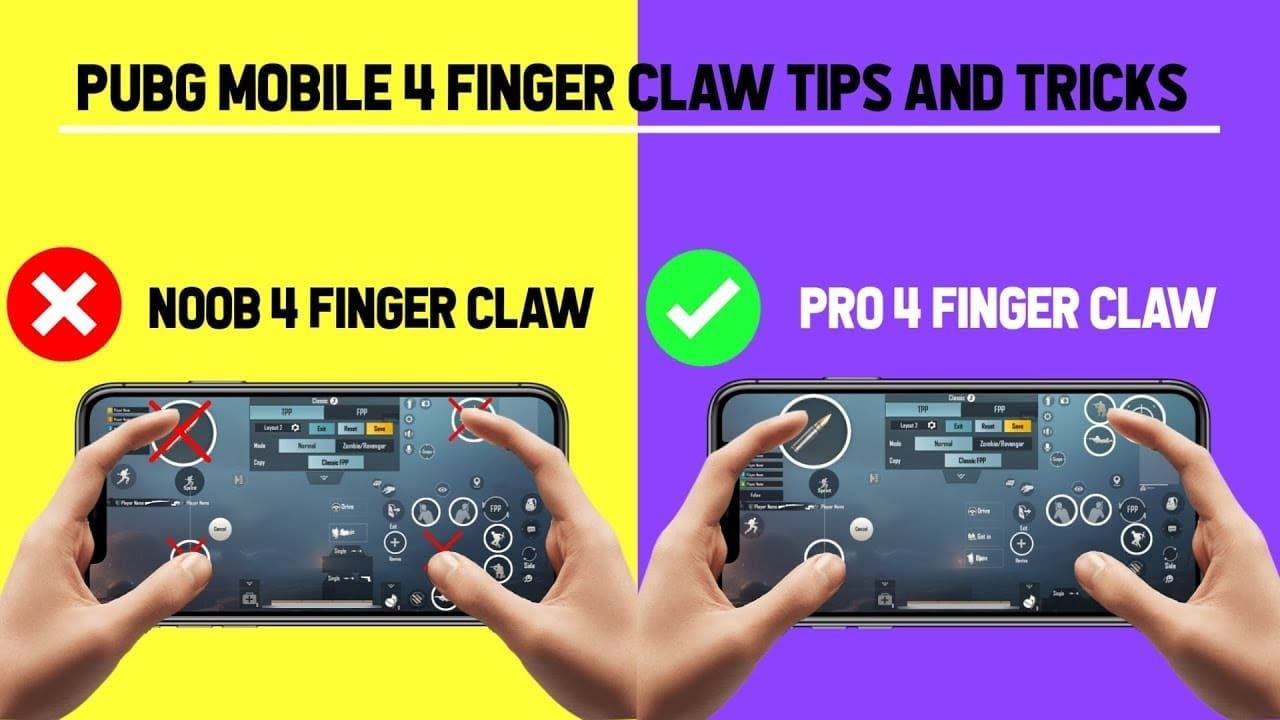
Gyro is the other half of the meta. Claw frees a finger. Gyro frees the aim swipe. Most high-rank players run both. Full hybrid notes live in the 4-finger claw vs gyro guide.
How to import a claw layout code
Official path (PUBG Mobile Help Center):
Lobby → Settings → Controls.
Pick Classic or Arena Team. You cannot copy a Classic HUD onto Arena. Set both.
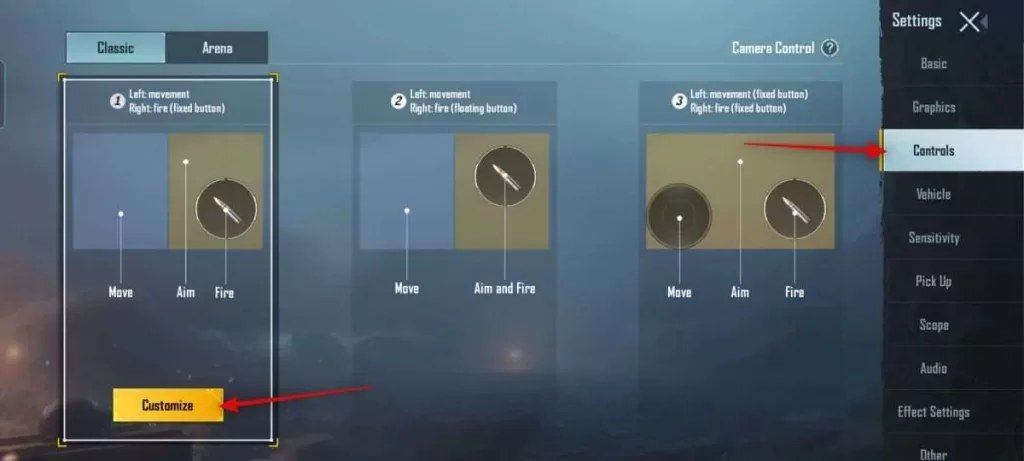
Tap Customize.
Open Layout Management (search / cloud icon).
Choose a spare slot. Share your current HUD first if you want a rollback code.
Search Method → paste the code → Search → Apply.
Save. Quick Copy Classic TPP → Classic FPP. Repeat inside Arena for TPP/FPP.
Version 4.5: hold the in-match settings button to nudge size, position, and opacity without leaving the round.
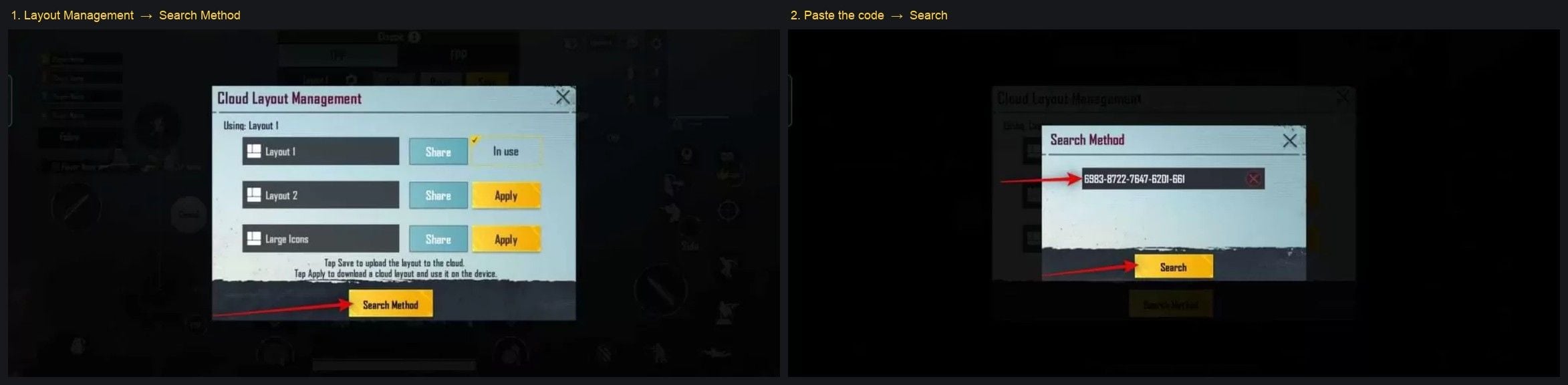
Applying a code overwrites that slot. It does not kill every community code on the internet. It does make your old share ID for that slot stale the next time you move a button.
4.5 cleanup the importer will not do
Version 4.5 (9 July 2026) added Ninja Run, Chakra, in-match HUD edit, and vehicle-layout share codes. Season S31 runs 16 July–11 September 2026.
Park Ninja Run and Chakra away from fire, ADS, and peek. A 4.5 close fight punishes a fat-fingered jutsu more than an old camera number. Vehicle HUDs now have their own share/copy flow. Do not assume your infantry code moved the wheel and brake.
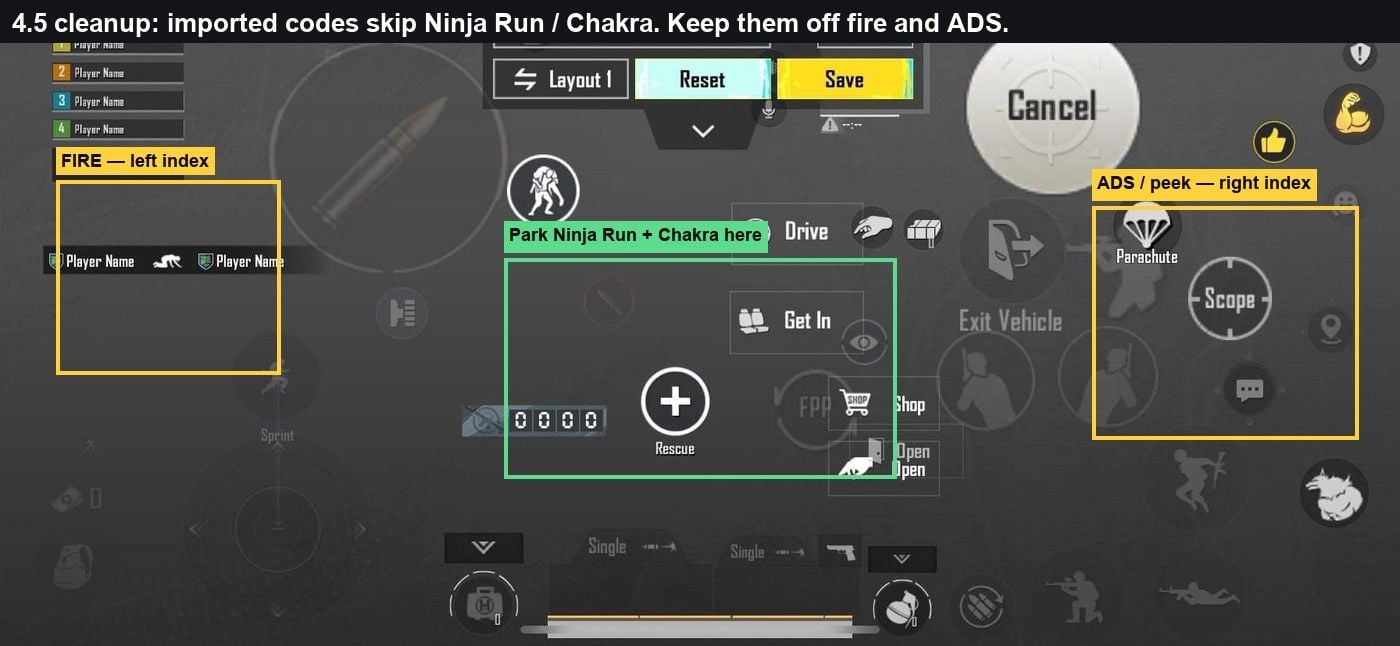
Control toggles that match a 4-finger claw
Import the HUD, then match Controls. A 3-finger starter often uses Tap scope and a live right fire button. 4-finger does not.
Toggle | 4-finger value | Why |
|---|
Show Left Fire Button | Always On | Left index owns fire |
Right fire | Off or tiny / low opacity | Stops a double tap |
Scope Mode | Hold | Index ADS, release to hip-fire |
Peek & Fire | On | Lean without dropping the trigger |
Peek Mode | Mixed | Hold lean + tap peek |
Peek & Open Scope | Disable | Stops a lean from forcing ADS |
Camera Rotation while Leaning | Disable | Lean does not yank the camera |
Camera Rotation while ADS | Disable | Thumb aim stays predictable. Turn On only if you already aim with lean. |
Jump / Climb | Separate | Climb should not eat your jump peek |
Merge Crouch and Prone | Disable | Crouch-spray must not dump you prone |
Control Style | Modern | Matches current default stacking |
Aim Assist | On | Leave it unless a tournament rulebook says otherwise |
3-finger defaults differ. If you are still on three fingers, copy the toggle list on the August 2026 3-finger page instead of this table.
Button sizes after you import
Codes arrive sized for someone else’s panel. Fix reach before you queue.
Fire: 120–140% on phones, 130–150% on tablets, 90–95% only if a small iPhone clips the edge.
Scope / ADS: keep near 100% so a camera swipe does not ADS.
Joystick: 110–120%, low left.
Transparency: 60–80%.
Gap: about 15% of a button width between fire, peek, and crouch. Tablets can open that to 20–25%.
18:9 / 19:9 / 20:9: shift the top row down versus an old 16:9 code. Notch and punch-hole eat the corners.
Curved Samsung edges: pull fire and ADS a few percent inward. Palm rejection on the curve drops shots.
Place fire where the index already rests. Pretty symmetry loses to a missed tap in the last circle.
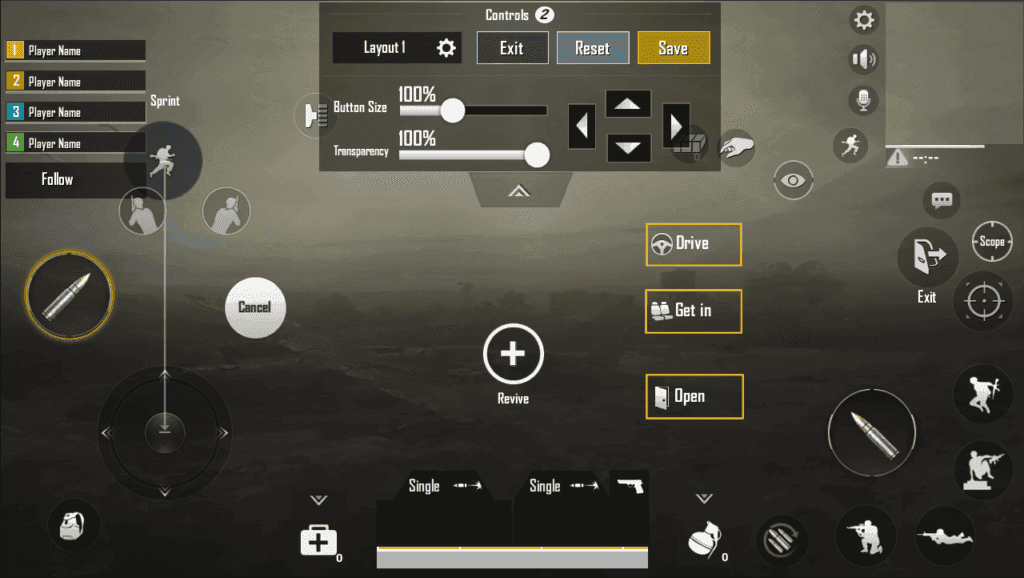
4-finger vs 6-finger
| 4-finger | 6-finger |
|---|
What you gain | Move + aim + fire + crouch together | Peek, nade, and prone on their own fingers |
Device | Almost any 6.1 inch+ phone | Tablet or 6.9 inch+ |
Fatigue | Manageable in a 3-hour session | Hands cook on a phone |
Learn window | Days to a couple of weeks | Often a month or more |
Ranked reality | This is the default | Niche. Use it if the glass is huge |
Pick 4-finger for Conqueror grind on a phone. Pick 6-finger only when three fingers per side land without stretching.
What pros use in 2026 (not 2021 names)
The old “PMGC champion” block on this URL named Team INDsnax, Fnatic Franky, SouL Regaltos, and Fnatic Ronak. That list is stale.
PMGC 2025 went to Alpha7 Esports (Brazil): Carrilho, Revo, Mafioso, Obscure, Guizão. Finals ran in Bangkok. ULF took 2nd, Alpha Gaming 3rd. MVP was TOP (Alpha Gaming), not an Alpha7 fragger.
A circulating Carrilho control code is7075-5121-3435-4352-919, sensitivity7075-5121-3435-4352-921. Public dumps show gyro around 300–320% close range and ADS touch sliders near 1%. That is a gyro main’s HUD. Import it only if you already tilt-aim. Recalibrate on your panel.
Fnatic dropped its PUBG Mobile roster on 24 March 2021. Franky and Ronak as “Fnatic claw gods” are five years out of date.
iQOO SouL’s 2026 BGIS-winning five is Nakul, Goblin, Joker, Legit, Thunder. Regaltos is not on that list.
Jonathan built a career on two thumbs plus gyro. Ahead of the 2026 Indian circuit he moved off that two-thumb setup (public streams and recaps disagree on 3-finger vs 4-finger). The line “no pro has used thumbs in years” was already false.
ScoutOP still maps as 4-finger claw, gyroscope Always On, in mid-2026 setup trackers. He left the active competitive roster in late 2025.
Copy finger count and toggle logic from pros. Do not paste a 5-year-old org name onto a random community ID.
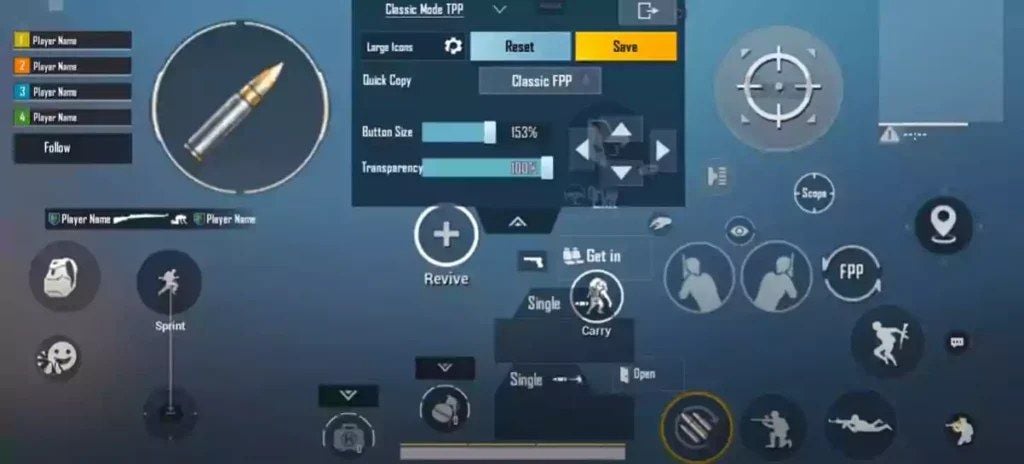
Sensitivity that works with claw (4-finger start)
The previous camera table on this page put 3x at 100% and 4x at 20%. That jump is not a cascade. Use descending values. Change one slider by 5% after a 25 m M416 spray.
Camera + ADS (thumb still does most of the drag)
Scope | Camera | ADS |
|---|
TPP No Scope | 120–150% | 100–120% |
FPP No Scope | 100–130% | 100–120% |
Red Dot / Holo / Iron / Canted | 45–55% | 55–60% |
2x | 25–35% | 37–45% |
3x / Win94 | 20–28% | 30–35% |
4x / VSS | 14–22% | 20–30% |
6x | 12–18% | 15–23% |
8x | 8–12% | 10–15% |
Free Look: TPP 120%, parachute 120%, FPP ~80–100%.
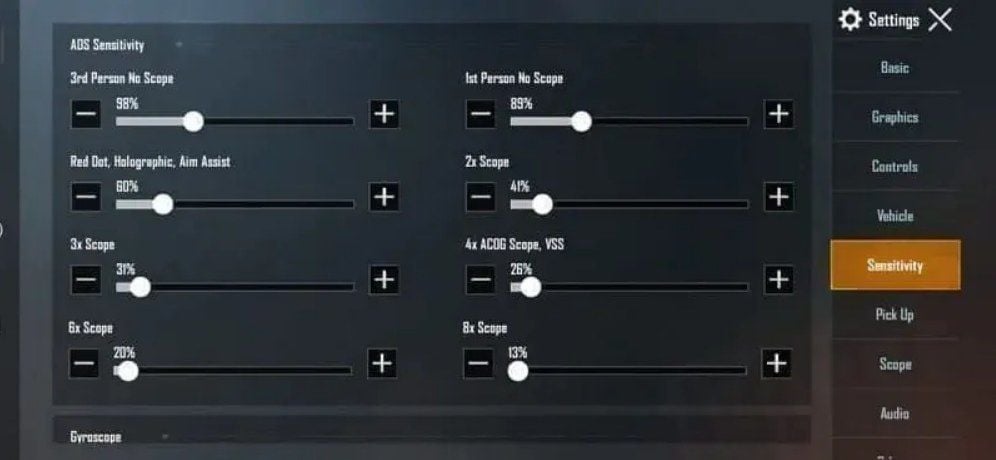
Claw does not need a blanket “minus 15–25% ADS vs thumbs.” You have a dedicated aim finger, so you can keep or even raise close-range camera. Lower ADS only if your sprays overshoot.
Gyroscope (Always On)
Calibrate on a table. System auto-rotate Off. New to tilt: Scope On for a week, then Always On.
Scope | Gyro | ADS Gyro |
|---|
TPP / FPP No Scope | 280–320% | 280–320% |
Red Dot / Holo / Iron | 270–320% | 270–320% |
2x | 260–320% | 260–320% |
3x | 180–210% | 180–210% |
4x | 160–200% | 160–200% |
6x | 120–160% | 120–160% |
8x | 55–85% | 55–85% |
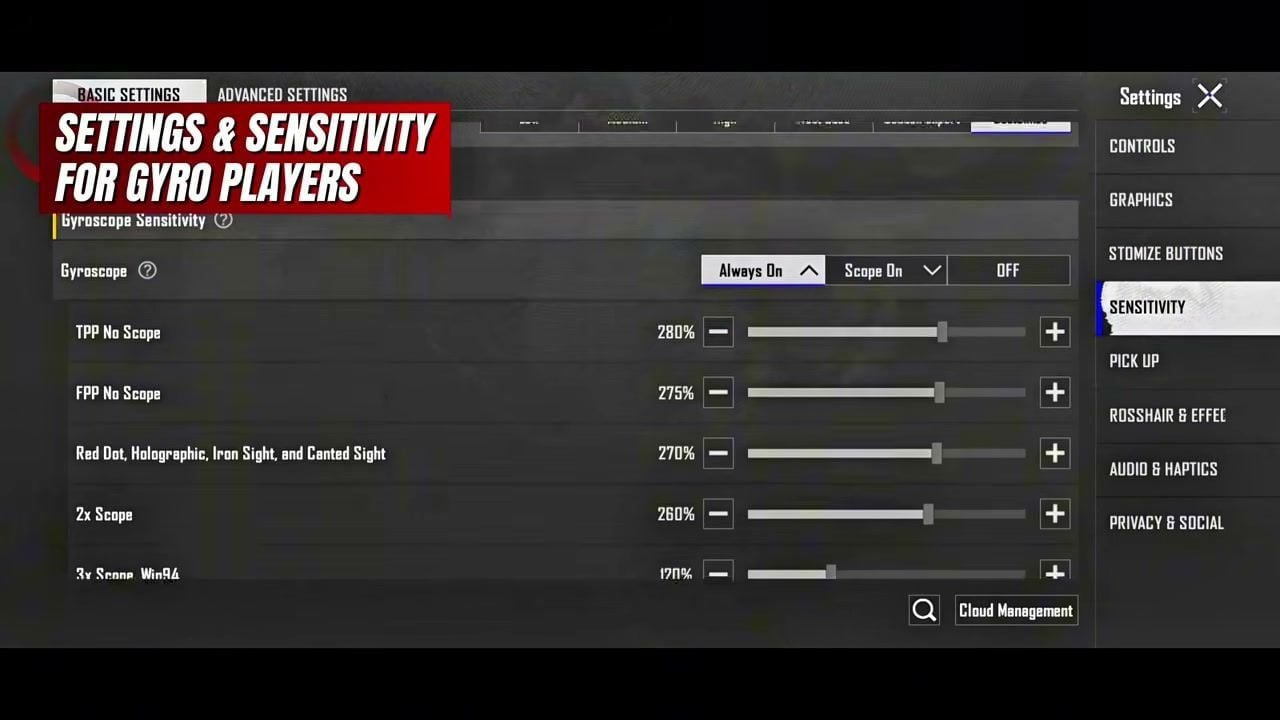
If you imported Carrilho’s…-921 and you are not a gyro main, your ADS touch values will feel dead. Fall back to this table. Device-by-device gyro ranges sit in the 4-finger claw + gyro settings.
Graphics: Smooth, then the highest FPS the phone holds. A 90 FPS lock beats a 120 FPS drop mid-spray.
Device notes
iPad / tablet. 5–6 finger is realistic. Buttons 130–150%. 20–25% gaps. Drop camera and gyro 15–20% versus a phone. The glass is heavier, so the same 300% gyro over-rotates.
iPhone. Most models top out at a clean 4-finger. Pro Max can take 5 if you shrink the top row and hug the edges. 90–95% fire only when the status bar or Dynamic Island eats the corner.
Android. Wide 6.7 inch+ panels can host 5-finger. Curved edges need inward fire/ADS. Budget 60 Hz phones: 3–4 finger, larger buttons, do not chase 6-finger.
Practice (then spend UC where it matters)
Days 1–4: TDM only. 30–45 minutes. Move while firing. Crouch-spray. Scope on/off without stopping the joystick.
Days 5–14: Training Ground, M416, compensator + vertical grip + tactical stock. Wall sprays at 10 / 25 / 50 m. Then ranked.
Weeks 3–4: stack the extra inputs you paid for. 4-finger = move + aim + fire + crouch. 5–6 finger add prone and nades.
Week 1 usually feels worse. Week 2 you get your old score back. Weeks 3–4 close fights start paying the extra finger. Move buttons 1–2% at a time. One slider per session.
A cleaner iron-sight skin helps more than another 2% on Red Dot. Elite Royale Pass still refunds UC at Level 100, so the pass is the first buy. How to top up PUBG UC on BitTopup: copy the 10-digit Player ID, pick a pack, pay. No password.
FAQ
How long does a 4-finger claw take?
Basics in 3–4 days of TDM. Ranked comfort in 2–3 weeks. 30–45 minutes a day in Training Ground or TDM before you take it into Classic. A bad week 1 is the grip, not the code.
Can I run 6-finger on a normal phone?
Only if the panel is about 6.7 inch+ and your fingers already reach both top corners.6960-4887-1407-8797-709 is a tablet code. On a 6.3 inch phone it stacks buttons on top of each other.
What sensitivity should I pair with claw?
Start with the Camera / ADS / Gyro tables above. Close-range gyro 280–320%, 8x 55–85%. After import, spray M416 at 25 m. Climb = add 5% ADS or gyro. Dip under the dummy = cut 5%.
I already frag on thumbs. Should I switch?
For weekend Classic, thumbs plus gyro still work. For Ace / Conqueror close fights, you will keep losing actions a 4-finger player spends for free. Jonathan’s long two-thumb run is the exception, and he moved off it in 2026.
How do I share my HUD?
Customize → select the slot → Share → OK → Copy. Edit the HUD again and that ID dies. Classic share IDs do not apply to Arena.
Do 4.5 Ninja Run buttons break old claw codes?
They do not delete the old HUD. They add buttons the old code never placed. After import, park Ninja Run and Chakra in the dead zone, then use in-match hold-to-edit if a fight proves the tap is wrong.
Conclusion
PUBG Mobile claw layout codes are a start point, not a finished grip. Import7275-1794-4178-8556-303 on a phone, or Carrilho’s7075-5121-3435-4352-919 only if you already live on gyro. Run the 4.5 Ninja Run pass, copy Classic and Arena separately, then change one slider after a 25 m spray. This page stays on the same URL when the next client drops. When the Royale Pass or a cleaner sight is the actual upgrade, top up PUBG Mobile UC on BitTopup with Player ID.