Automatic Freeze Triggers
Suspension sequence begins when your payment provider notifies Poppo of chargeback:
- Days 1-2: Initial restrictions—can't send gifts, make purchases, or access certain features
- Days 5-7: Complete lockdown—view-only access, no interactive features
- Day 14: Permanent ban if unresolved—requires extensive verification to reverse
The platform displays no explicit notification explaining freeze reason. Case ID 49274067: user who initiated £350 chargeback found account terminated within two weeks without warning.
Negative Balance Calculation
Poppo doesn't simply remove purchased coins. The system calculates negative balance including original coin amount plus penalties. If you bought 10,000 coins for $100 then charged back, your account shows -10,000 coins or more.
This prevents exploitation—making purchases, using coins, then recovering money through chargebacks. Account ID 18667897 lost access to 100,000 accumulated coins because single chargeback created debt that locked entire account.
You're not just banned—you're marked as owing specific amount that must be cleared before restoration consideration. Negative balance appears in wallet history as deduction transaction timestamped to chargeback notification date.
Temporary vs Permanent Ban
Temporary suspension (first 14 days): Reversible through immediate action. Contact support within 24-48 hours, provide UID (7-10 digit number below profile nickname), demonstrate willingness to resolve dispute.
Permanent ban (after 14 days): Requires extensive appeals with no guarantee. System flags account, device identifiers, and payment methods as high-risk. Even clearing balance depends on support discretion.
Key distinction: timing and documentation. Temporary suspensions respond to quick resolution with proper evidence. Permanent bans require proving chargeback was unintentional, extensive transaction history, and 2-3 week manual review.
Understanding Negative Coin Balance
Negative balance represents debt Poppo assigns following chargeback. Calculation starts with exact coins your disputed payment purchased. If you bought 5,000 coin package, balance immediately shows -5,000 when chargeback processes.
Formula becomes complex if you spent coins before dispute. Example: purchased 10,000 coins, spent 3,000 on gifts, filed chargeback. Negative balance reflects full 10,000—not remaining 7,000. Platform doesn't credit coins already used because you consumed value before reversing payment.
Balance Formula Breakdown
Negative Balance = Total Coins Purchased + Platform Processing Fees
While Poppo doesn't disclose exact fees, negative balance often exceeds original quantity by 10-15% for administrative costs.
Example: $50 purchase of 5,000 coins might result in -5,500 balance after chargeback. Additional 500 coins represent platform's cost recovery for payment processor fees, dispute handling, system administration.
Multiple chargebacks compound exponentially. Three disputed transactions of 3,000, 5,000, and 8,000 coins create -16,000+ balance plus accumulated fees for each dispute.
Why Debts Exceed Original Purchases
Payment processors charge Poppo $15-25 per chargeback regardless of transaction size. A $10 coin purchase that gets charged back costs platform $10 revenue plus dispute fee—net loss of $25-35. Negative balance reflects total loss converted to coin value.
Coins acquired through recharging are explicitly non-refundable per platform terms. Reversing payment after receiving coins constitutes breach of terms, justifying penalty structure.
Debt calculation prevents exploitation loops. Without penalties exceeding original amounts, users could purchase, use coins, chargeback, and repeat. Negative balance ensures chargebacks always cost more than value received.
Check Your Exact Balance
Navigate to Profile > Wallet > History for complete transaction ledger. Negative balance entries appear as deductions with timestamps matching chargeback date.
If account is frozen, screenshot last known balance, gather payment receipts, calculate total coins from disputed transactions. Add 15% for conservative debt estimate.
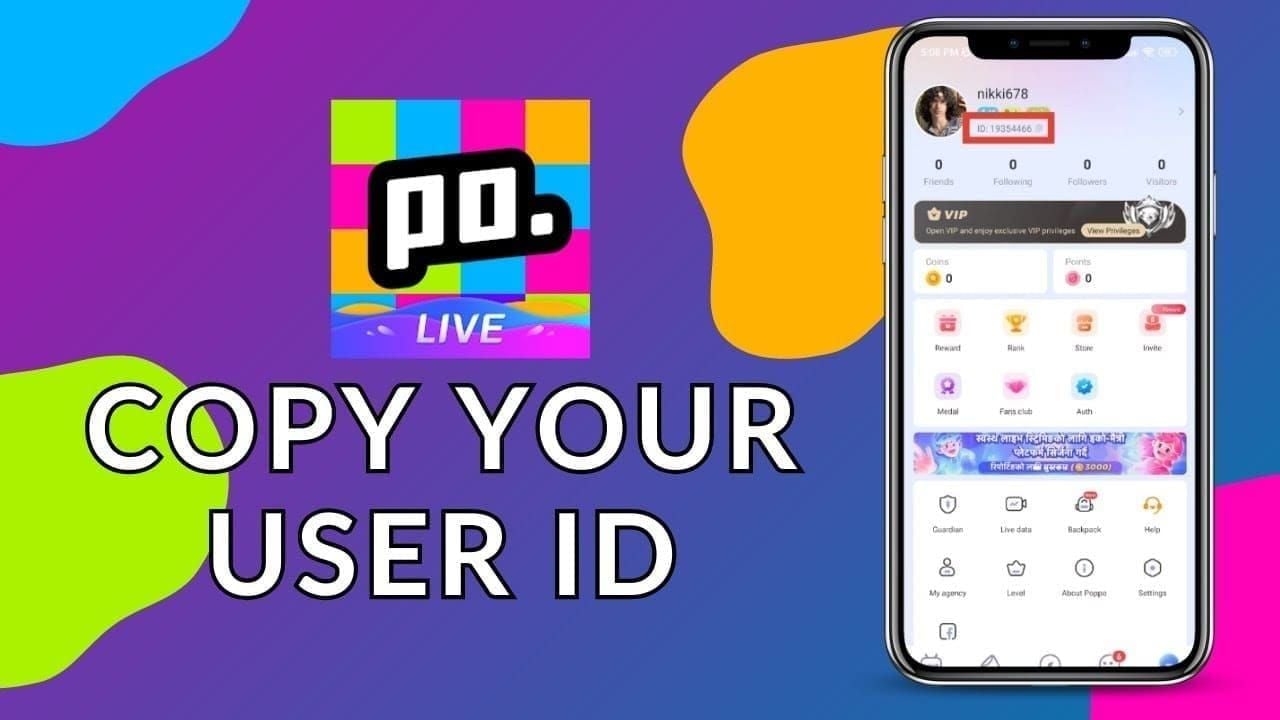
Your UID is essential for verification. Copy this 7-10 digit number from profile page below nickname. Email support@poppo.live with subject Balance Verification Request - [UID] to expedite lookup.
Immediate Steps When Account Freezes
First 24 hours determine recovery success rate. Immediate documentation and support contact significantly improve restoration chances versus delayed responses.
Verify freeze is chargeback-related: log out completely, restart app, log back in. Wait 5 minutes to rule out temporary server issues. If restrictions persist and you recently filed payment dispute, connection is clear.
Don't Create New Account
Creating new Poppo account while original has unresolved negative balance triggers immediate detection and ban of both accounts. Platform tracks device identifiers, IP addresses, payment methods across accounts.
This multi-account violation converts potentially reversible suspension into permanent platform ban. Support views new account creation during disputes as evasion, eliminating negotiation willingness. Users who created secondary accounts waited 3-6 months longer for restoration consideration.
Any coins or progress on new account become inaccessible when ban extends. You lose both accounts instead of one. Platform terms explicitly prohibit multiple accounts to circumvent restrictions.
Document Everything
Gather before contacting support:
- Payment receipts showing dates, amounts, confirmation numbers
- Screenshots of coin balance before/after freeze with timestamps
- Transaction IDs from in-app purchase history
- Bank statements highlighting disputed charges and chargeback dates
- Complete UID from profile page
- Email confirmations from Poppo for purchases in 30 days before freeze
Organize chronologically in single folder. Submit all files in one email rather than multiple messages.
Screenshot balance with timestamps by enabling device date/time display, opening Poppo wallet, capturing full screen showing UID, current balance, transaction history.
Contact Poppo Support
Email support@poppo.live within 24 hours. Subject line: Urgent: Account Freeze Resolution - UID [Your Number]
For iOS chargeback issues, parallel email to support@poppo-ios.com with identical documentation.
Initial email should contain:
- Clear statement acknowledging chargeback and intent to resolve
- Complete UID and registered account email
- Specific transaction details—dates, amounts, payment methods
- Attached documentation
- Proposed resolution timeline
Avoid emotional language. Support responds better to factual, solution-oriented communication demonstrating understanding and commitment to resolving payment issue.
Clear Negative Balance Safely
Clearing negative balance requires official payment channels Poppo's system recognizes. Unofficial methods, third-party sellers, peer-to-peer transfers won't register as debt payments and may trigger additional security flags.
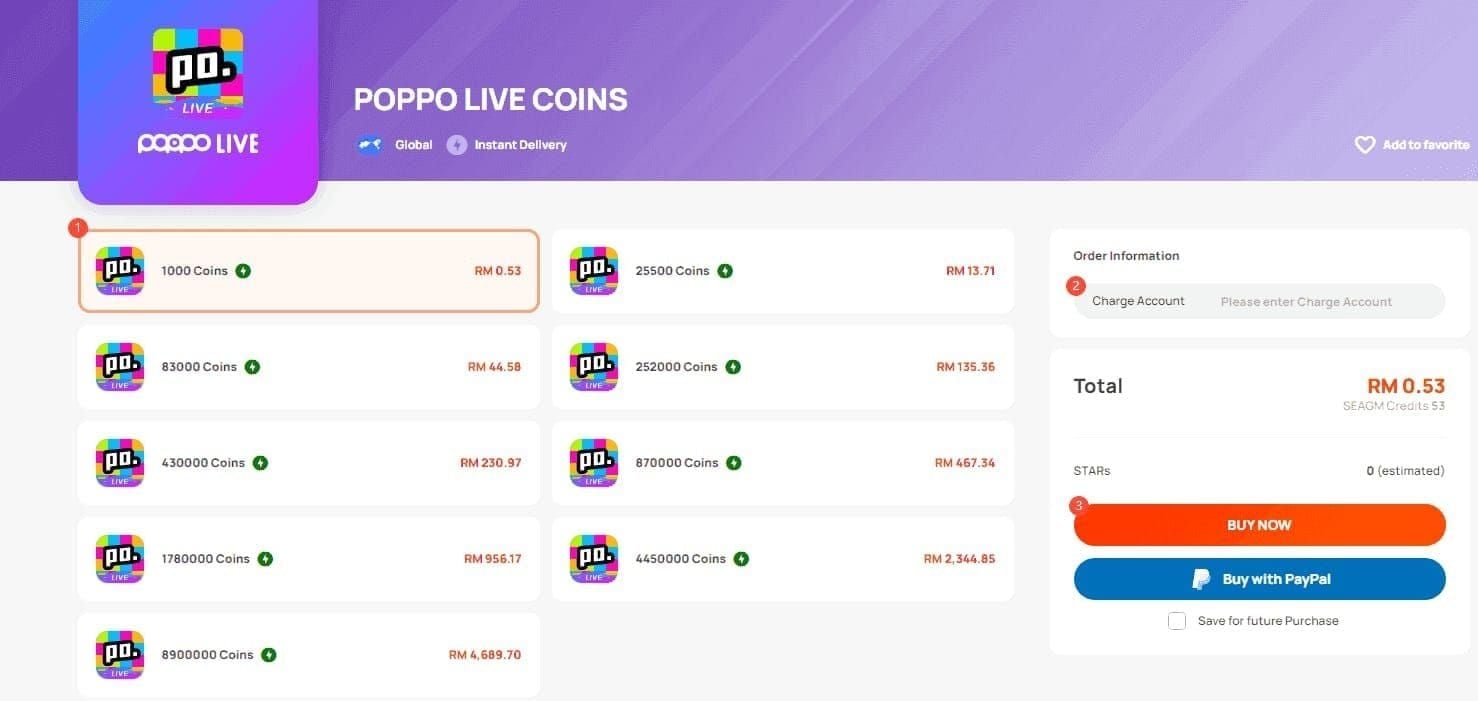
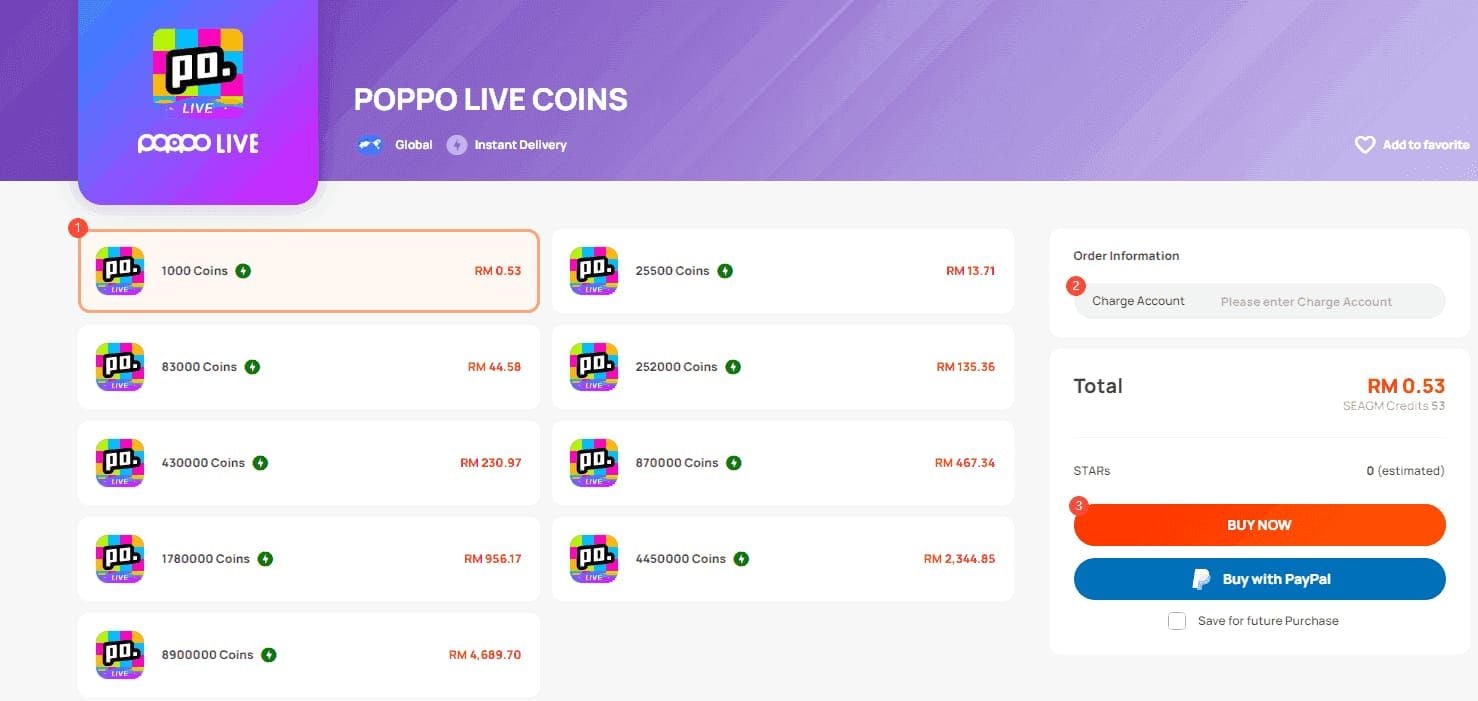
Safest approach: repurchase coins through verified platforms integrating directly with Poppo's payment infrastructure. BitTopup provides Poppo Live web recharge with secure processing and delivery confirmation supporting account recovery documentation.
Official Payment Channels
Poppo's in-app purchase system remains most direct method once account regains limited access. After contacting support and receiving acknowledgment (24-48 hours), some accounts receive temporary purchasing privileges for debt repayment while other features stay restricted.
If in-app purchases allowed during suspension, select packages totaling negative balance plus 15% buffer. Extra coins account for potential fees ensuring complete clearance. Purchase through same payment method originally used if possible.
For completely locked accounts, support may provide alternative payment instructions via email. Never send payments to unofficial addresses—all legitimate instructions come from verified @poppo.live or @poppo-ios.com domains.
Payment Process Steps
- Calculate exact debt: add all negative balances plus 15% buffer
- Contact support first: confirm intent to clear balance, request payment authorization
- Wait for response: support acknowledges within 24-48 hours
- Make payment: use authorized channels only, keep confirmations and receipts
- Submit proof: email receipts with subject Balance Payment Confirmation - UID [Number]
- Request verification: ask support to confirm debt clearance and restoration timeline
- Monitor status: check account every 24 hours during 2-3 week review
Ensure UID appears in transaction notes or reference fields. If payment interface doesn't offer reference field, include UID in confirmation email immediately after completing transaction.
Verify Payment Processing
After payment, log in every 6-8 hours to check balance updates. Properly processed payments reflect within 5 minutes to 24 hours depending on payment method. If negative balance decreases or returns to zero, payment registered correctly.
If 48 hours pass without changes, email support with receipt attached. Subject: Payment Processing Verification - UID [Number] - Transaction ID [Confirmation Number]. Include exact timestamp and amount sent.
Request written confirmation once balance clears. Email should state UID, date balance cleared, confirmation account is queued for restoration review. Save permanently as recovery documentation.
Complete Recovery Process
Recovery extends beyond clearing negative balance. Full restoration involves support review, identity and payment verification, manual privilege reactivation. Standard timeline: 2-3 weeks from initial contact to full access.
Appeal Documentation
Compile comprehensive package:
- Formal appeal letter explaining chargeback circumstances and resolution steps
- Complete payment history for past 90 days
- Proof of debt payment with receipts, transaction IDs, confirmations
- Identity verification matching account registration name
- Account activity log demonstrating legitimate use before chargeback
- Two-factor authentication setup confirmation if supported
Appeal letter structure:
I am writing to appeal suspension of account UID [Number]. On [Date], I initiated chargeback for [Amount] due to [Brief Reason]. I now understand this violated Poppo's Terms of Service. I have cleared resulting negative balance of [Amount] coins via [Payment Method] on [Date], confirmation number [Transaction ID]. I request account restoration and commit to using proper support channels for future payment issues. Attached documentation includes payment receipts, balance screenshots, transaction history.
Keep factual and concise—support reviews hundreds of appeals.
Submit Unfreeze Request
Send complete appeal to support@poppo.live. Subject: Account Restoration Appeal - UID [Number] - Debt Cleared [Date]. Attach all documentation as PDFs named clearly.
Email body includes:
- Complete UID
- Registered email address
- Phone number associated with account
- Brief summary (3-4 sentences)
- List of attached documents
- Preferred contact method
Send during business hours (9 AM - 5 PM in Poppo's timezone) for faster processing.
Support Review Factors
Support evaluates:
- Payment resolution completeness: Full negative balance cleared including fees? Partial payments = automatic denial
- Account history: First-time offenders with clean records receive more favorable consideration
- Chargeback reasoning: Accidental disputes or legitimate delivery failures carry more weight
- Communication quality: Professional, organized appeals with complete documentation process faster
- Time elapsed: Appeals within 7 days show better resolution rates
Review is manual, not automated. Human agent examines case individually, explaining 2-3 week timeline. Multiple follow-up emails before this period can delay case by creating duplicate tickets.
Response Times
- Initial acknowledgment: 24-48 hours (automated confirming ticket receipt and case number)
- First substantive response: 5-7 business days (may request additional info or confirm review status)
- Final resolution: 14-21 days for straightforward cases; 30+ days for complex situations
If no final decision after 3 weeks, send polite status inquiry referencing original case number.
Common Recovery Mistakes
Most damaging: continuing to dispute chargeback with bank while appealing to Poppo. This creates conflicting signals. Support immediately denies appeals when detecting ongoing payment disputes.
Multiple Chargebacks
Each additional chargeback compounds negative balance and extends ban duration. First chargeback creating -5,000 debt plus second dispute adds -5,000 plus fees = -10,500+ total. Platform treats multiple chargebacks as systematic abuse.
Accounts with 2+ chargebacks face stricter restoration requirements. Support may demand full payment upfront before reviewing appeal. Review timeline extends to 4-6 weeks versus 2-3 weeks for first offenses.
Chargebacks on payments made to clear negative balance immediately convert temporary suspension to permanent ban with virtually no appeal possibility.
Unauthorized Third-Party Services
Numerous sites claim to restore frozen accounts through special methods or insider connections. These are scams that steal payment or use methods triggering additional bans.
Legitimate recovery only occurs through official Poppo support. No third party has special access to account systems. Only use verified platforms with established Poppo integration for coin purchases during recovery.
Incomplete Debt Payments
Paying only part of negative balance doesn't trigger partial restoration. System requires complete debt clearance before initiating review. If you owe -8,000 coins and pay 5,000, balance updates to -3,000 but account remains fully suspended.
Calculate total debt accurately before payments. If uncertain, email support requesting balance verification. Overpaying by 10-15% is safer than underpaying and making multiple transactions appearing suspicious.
Communication Errors
Aggressive, threatening, or abusive communication results in immediate case closure and permanent ban consideration. Support has authority to escalate accounts to permanent restriction regardless of payment resolution.
Sending dozens of emails or creating multiple tickets delays your case. Submit one comprehensive appeal and wait full 2-3 weeks before following up.
Providing false information destroys credibility. Support has complete transaction histories and can verify claims. Dishonesty converts potentially reversible suspensions to permanent bans.
Prevent Future Freezes
Golden rule: Never file chargeback as first response to payment issue. Poppo's support offers multiple resolution paths without account penalties.
Transaction Best Practices
Verify coin balance immediately after purchase: Profile > Wallet > History. Coins appear within 5 minutes, occasionally up to 24 hours. Standard troubleshooting—log out, log in, restart app, wait 5 minutes—resolves 90% of delayed deliveries.
Screenshot balance before/after each purchase with timestamps. Store in dedicated folder organized by date for easy reference during support communications.
Use consistent payment methods tied to verified account information. Frequently changing sources, prepaid cards, or VPN purchases trigger fraud detection delaying delivery or flagging account.
Resolve Payment Problems Properly
When coins don't appear:
- Wait 24 hours—most delays resolve automatically
- Use in-app customer service: Settings > Help > Contact Support with transaction ID
- Email support if no response within 48 hours: support@poppo.live, subject Missing Coins After Purchase - [UID]
- Provide documentation: payment receipt, transaction ID, balance screenshots
- Wait for resolution: support resolves legitimate failures within 3-5 business days
This keeps account in good standing while addressing problems. Support can manually credit missing coins without chargeback penalties.
Secure Payment Setup
Link verified payment methods through in-app settings. Verified methods process faster with fewer security holds.
Enable two-factor authentication if supported. This protects against unauthorized purchases that might lead to disputes.
Avoid shared payment methods. Purchases from sources associated with multiple Poppo accounts trigger fraud detection reviews.
Account Maintenance
- Log in at least once every 30 days—system clears coins after 3 months inactivity
- Review transaction history monthly to identify unauthorized purchases immediately
- Keep registered email active and monitored for important notifications
- Update account info when changing phones, emails, or payment methods
Alternative Solutions
Some freezes prove irreversible despite following all steps. Accounts with 3+ chargebacks, systematic fraud evidence, or violations beyond payment disputes typically receive permanent bans support won't reverse.
Escalation Procedures
If initial appeal denied but you believe decision based on incomplete information, request escalation. Email support@poppo.live, subject Appeal Escalation Request - Case [Number]:
- Original case number and denial notification
- New evidence not in initial appeal
- Specific disagreement points with denial reasoning
- Clear explanation why escalation warranted
Escalation adds 2-3 weeks. Senior staff review personally, examining all documentation and system logs. These determinations are typically absolute.
Additional Verification
Support may request enhanced verification for high-value accounts:
- Government-issued ID matching registration name
- Proof of address through utility bills
- Original payment method verification
- Video verification confirming identity and ownership
- Phone verification through registered number
Respond within 48 hours. Delayed responses trigger automatic case closure. Never send full credit card numbers, CVV codes, or complete bank account details.
Irreversible Ban Conditions
Certain violations result in permanent, non-appealable bans:
- Multiple chargebacks (3+ incidents)
- Fraudulent payment methods
- Age violations (under 18)
- Terms violations beyond payment issues
- Chargeback on debt repayment
Support communications explicitly state when decisions are final. Continuing appeals wastes time.
Starting Fresh
If permanent ban irreversible, ensure before creating new account:
- All previous chargebacks fully resolved with bank
- Different email address than banned account
- Different device or factory reset current device
- Different payment methods
- Wait 30+ days after permanent ban notification
New accounts created too quickly or using overlapping information face immediate detection. Starting fresh means losing all progress, coins, connections—no data transfer possible.
FAQ
How long does Poppo freeze accounts after chargeback?
Initial suspension within 24-48 hours. Escalates through stages: temporary restrictions days 1-2, complete lockdown days 5-7, permanent ban day 14 if unresolved. Contacting support and clearing balance within first week prevents escalation. Recovery takes 2-3 weeks after initiating appeal.
Can you get permanently banned for filing chargeback?
Yes, chargebacks result in permanent ban if not resolved within 14 days per January 2025 Terms. However, permanent bans are reversible through proper appeals if you clear balance, provide documentation, demonstrate chargeback was unintentional. Multiple chargebacks face significantly lower restoration success.
What happens to existing coins during freeze?
Coins and items remain in account but inaccessible during freeze. Can't spend coins, send gifts, or use purchased items while suspended. Successful restoration returns full accessibility. However, 3 months inactivity clears coins automatically.
How do I contact Poppo support for chargebacks?
Email support@poppo.live, subject Account Freeze Resolution - UID [Number]. iOS users also contact support@poppo-ios.com. Include complete UID, transaction IDs, payment receipts, balance screenshots. Support acknowledges within 24-48 hours, substantive response within 5-7 business days.
Will paying balance automatically restore account?
No, clearing balance is necessary but not sufficient. After repayment, support manually reviews case over 2-3 weeks to verify payment, assess history, determine eligibility. Must submit formal appeal with documentation even after clearing balance.
Can specific payment methods prevent freezes?
Verified, consistent payment methods reduce delivery issues but don't prevent freezes if you file chargebacks. Freeze triggers from chargeback action itself, not payment method. To prevent freezes, always contact support through official channels before disputing charges with bank.
Need to safely restore your Poppo account? BitTopup offers secure, verified coin top-up services integrating directly with Poppo's payment systems, providing transaction documentation and delivery confirmation for successful recovery. Clear your negative balance through trusted channels with competitive rates, instant delivery, and 24/7 support.