What Are Duet Privacy Settings?
Permission controls accessible through your profile's privacy menu that determine:
- Who can send duet invitations based on relationship to your account
- Who can view published duets
- How collaboration requests are filtered before reaching notifications
The system uses tiered permissions balancing discoverability with security. Each level applies different filtering using account age, upload history, and follower metrics.
The Problem: Stranger Spam
Bot accounts dilute collaboration quality and make building genuine connections difficult. These profiles show:
- Account age under 3 months
- Fewer than 20 original recordings
- Follower decline exceeding 15% over 30 days
Accepting duets from unverified strangers exposes your profile to spam networks targeting your followers. The algorithm may associate your content with low-quality networks, reducing visibility among legitimate users.
Default Permission Behavior
New accounts default to Everyone mode, allowing unrestricted invitations. This serves growth purposes during your first 2-3 weeks, helping reach the critical 100-200 engaged followers threshold.
Bot accounts send requests every 2 hours to open profiles. Default settings trigger immediate notifications for every request, causing notification fatigue that masks legitimate opportunities.
Privacy vs. Discoverability Balance
Optimal strategy uses follower-tiered settings adjusting as your account matures:
- Under 500 followers: Followers Only blocks 80% of bots while allowing discovered users to collaborate
- 1,000-5,000 followers: Friends Only limits to mutual connections
- 10,000+ followers: Maintain Friends Only to manage increased spam targeting
WeSing Duet Privacy Modes Explained
Public Mode (Everyone)
Removes all restrictions—any user can send invitations regardless of connection status.
Strategic uses: New creators benefit from maximum exposure during first 2-3 weeks for algorithm testing across audience segments.
Drawbacks: Exposes you to full bot volume (90% of platform). Requires active management—review each request and block suspicious profiles.
Algorithmic impact: Platform interprets open settings as accessibility signals, potentially increasing discovery feed visibility.
Friend-Only Mode
Limits invitations to mutual connections—users you follow who follow you back.
Effectiveness: Eliminates ~85% of bot invitations. Bots rarely build genuine reciprocal relationships.
Optimal use: When you've cultivated 15-20 trusted friends sharing musical interests. Encourages deeper partnerships over superficial one-time duets.
Notification benefit: Limited collaboration pool means fewer but more relevant notifications.
Followers Only Mode
Allows invitations from anyone following your account.
Protection level: Reduces spam 70-85% vs. public mode. The follow requirement creates meaningful barriers against random bot targeting.
Best for: Accounts with 100-500 followers establishing audience base without extensive mutual networks. New fans can initiate collaborations without requiring follow-backs.
Strategic value: Monitor which followers send requests to identify most engaged audience segments.
Off Mode
Completely disables duet feature—no users can send invitations.
Use cases:
- Solo artists maintaining artistic control
- Contest participants preventing unauthorized material use
- Reset tool after sustained spam attacks (7-14 days breaks targeting patterns)
Growth cost: Algorithm interprets disabled features as reduced accessibility, potentially decreasing discovery feed visibility.
How to Configure Duet Privacy: Step-by-Step
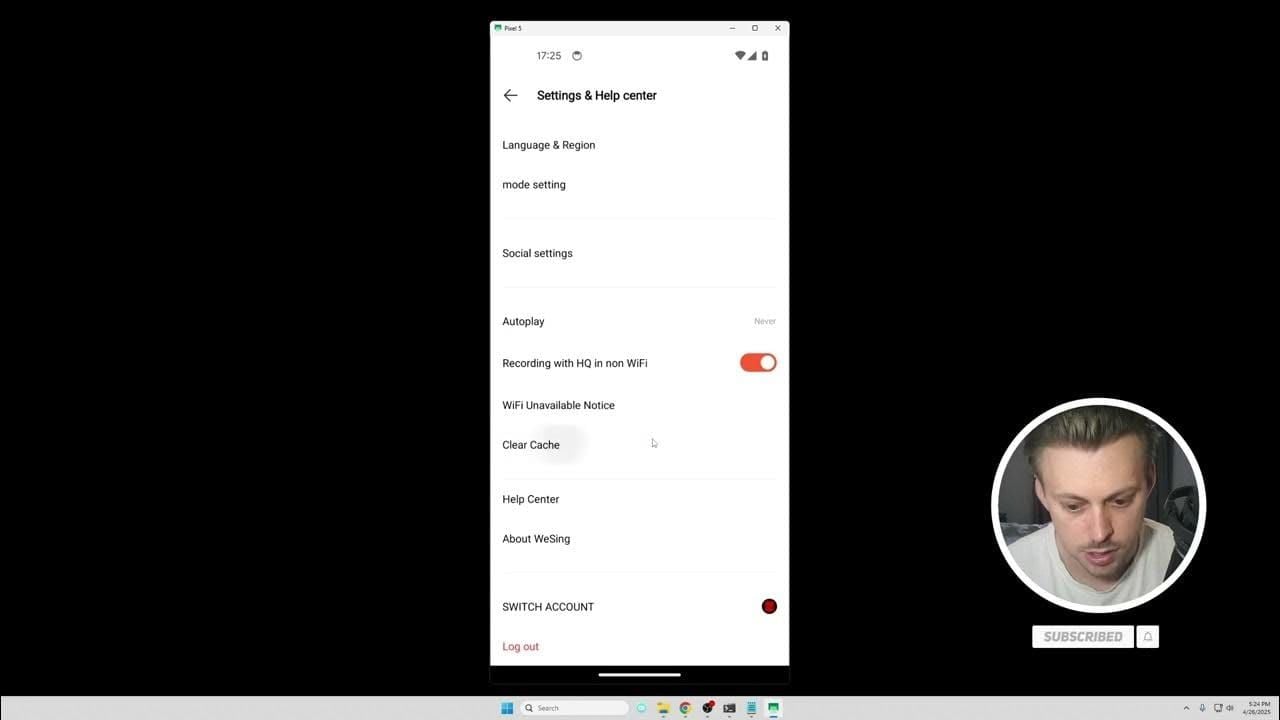
Step 1: Access Settings
Launch WeSing → tap profile icon (bottom nav) → tap settings icon (gear/three lines, upper right).
Step 2: Navigate to Privacy
Settings menu → Privacy (or Privacy & Safety) → locate Collaboration Settings,Duet Permissions, or Who Can Duet With Me.
If not in privacy menu, check for dedicated Collaboration section in main settings.
Step 3: Select Permission Level
You'll see four options as radio buttons or toggles:
- Everyone
- Followers Only
- Friends Only
- Off
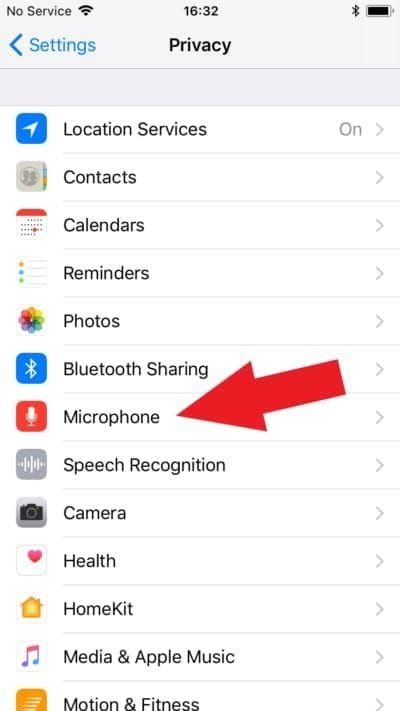
Current setting shows checkmark or highlighted background. Read descriptions carefully.
Step 4: Choose Followers Only
Tap Followers Only → confirm if prompted (Save,Apply,Confirm).
Step 5: Verify Change
Exit → return to privacy settings → confirm Followers Only is active.
Test: Ask non-follower to send duet invite—they should see message requiring follow first.
Monitor: Expect 70-85% reduction in spam within 24-48 hours.
Managing Published Duets
What You Cannot Change
- Can't convert published public duets to completely private
- Can't remove existing collaborators without deleting entire recording
- Content remains accessible through direct links
What You Can Change
- Account-level permissions prevent new invitations on existing content
- Notification settings for specific recordings
- Who can send future requests based on published content
Managing Pending Requests
Navigate to notification center → Collaboration Requests.
Review criteria (bot indicators):
- Account age under 30 days
- Fewer than 10 uploads
- Follower count below 50
- Follower decline exceeding 15% over 30 days
Actions:
- Decline suspicious requests (no sender notification)
- Block persistent spam: profile → three-dot menu → Block User
Account-Level Privacy Settings
Default Privacy for New Duets
Settings → Privacy → Default Content Privacy sets automatic privacy for all new publications.
Operates independently from invitation permissions. Example: new duets visible to followers only while maintaining Friends Only invitations.
Review quarterly as goals evolve.
Friend List Management
Your friend list determines Friends Only mode access.
Audit regularly:
- Profile → Friends or Following
- Review mutual connections
- Remove inactive accounts or suspected bots by unfollowing
Profile Visibility
Settings → Privacy → Profile Visibility:
- Public: Anyone views profile, recordings, stats (max visibility, increased bot targeting)
- Followers Only: Non-followers see username/picture only
- Private: Approved followers only (max privacy, reduced growth)
Notification Settings
Settings → Notifications → Collaboration Alerts:
- Configure separate preferences by invitation type
- Enable push for friend requests, disable for follower requests
- Set quiet hours (typically 10 PM-8 AM)
- Use weekly summaries for lower-priority types
Blocking and Reporting
Reviewing Requests
Schedule 2-3x weekly reviews. Examine:
- Account age (legitimate: 30+ days)
- Upload history (legitimate: 10+ uploads)
- Follower metrics (legitimate: 50+ followers)
Track 30-day growth patterns. Healthy ratio: 3 legitimate requests per 1 bot.
Declining Invitations
Decline without explanation—platform processes silently.
For borderline cases, listen to 2-3 recent uploads before deciding.
Threshold: Many creators only accept from accounts with 100+ followers and 20+ uploads.
Blocking Users
Profile → three-dot menu → Block User.
Blocked users can't send invitations, view profile, comment, or appear in searches. Permanent until manually unblocked (Settings → Privacy → Blocked Users).
Block liberally for:
- Multiple requests after declines
- Aggressive messaging
- Clear bot characteristics
Reporting Abuse
Settings → Help & Support → Report Abuse.
Provide: username, violation nature, screenshots.
Response time: 24 hours for active users, 3-5 days for free accounts.
Block immediately after reporting—reporting doesn't auto-block.
Advanced Privacy Strategies
Curated Collaboration Groups
Organize mutual connections mentally or externally:
- Trusted collaborators (15-20 core)
- Experimental partners
- Genre specialists
- Growth collaborators
Temporary friend status: Follow for specific project → unfollow after completion.
Document experiences in spreadsheet tracking quality, professionalism, promotion effectiveness.
Multiple Privacy Levels
WeSing doesn't support per-recording settings. Workaround:
Adjust account-level setting based on most recent publication. For strict privacy content, use Friends Only for 48-72 hours post-publication, then return to Followers Only.
Alternative: Use private rooms (Search → Create → set access code) for invite-only collaborations bypassing standard settings.
Growth-Aligned Privacy
Follower-tiered progression:
- 0-200 followers: Everyone for 2-3 weeks (max discovery)
- 100-500 followers: Followers Only (filter bots, maintain growth)
- 1,000-5,000 followers: Friends Only for invites, public profile/content
- 10,000+ followers: Friends Only (legitimate requests via DM)
Monitor weekly: follower acquisition rate, engagement rate, request quality. If growth slows excessively, temporarily relax settings.
Temporary Adjustments
Contest/event participation may require temporary changes:
- Switch to Everyone 48 hours before deadlines
- Return to standard level immediately after
- Consider dedicated collaboration accounts for commercial partnerships
Troubleshooting
Settings Not Saving
- Verify you tapped Save/Confirm
- Update app to latest version
- Clear cache: Settings → Apps → WeSing → Storage → Clear Cache
- Reinstall app if persistent
Strangers Still Joining
- Verify accounts aren't mutual connections you don't recognize
- Confirm Friends Only shows active checkmark
- Check for legacy requests sent before unfollowing
- Contact support with screenshots if persistent
Can't Find Per-Recording Privacy
Doesn't exist—privacy applies account-level only.
Solutions:
- Adjust account settings before/after publishing
- Delete and republish with correct settings
- Use private rooms for recording-specific control
Blocked Users Appearing
- Existing requests sent before blocking remain in queue—decline manually
- Verify block is active: Settings → Privacy → Blocked Users
- May appear in group collaborations initiated by non-blocked friends
- Submit support ticket with screenshots if blocking fails
Long-Term Best Practices
Quarterly Privacy Audits
Review every 3 months:
- Calculate legitimate vs. bot invitation percentage
- Assess average response time
- Count successful collaborations
- Adjust settings based on growth and patterns
Document changes: date, level, reason.
Monthly Friend List Cleanup
- Remove accounts inactive 90+ days
- Evaluate collaboration history (unfollow if no interaction in 6+ months)
- Verify valued collaborators maintain mutual status
Profile Communication
Bio examples: Duets by invitation only or Open to collabs from followers with 100+ followers.
Create pinned post explaining:
- Duet interests
- Response timeframe
- Collaborator requirements
For premium features, BitTopup provides reliable WeSing KCoin recharge with excellent support and competitive rates.
Engagement Monitoring
Track weekly:
- Follower growth rate
- Average likes per recording
- Comment frequency
- Collaboration completion rate
Establish baseline before changes. Compare 4-6 weeks after adjustments. Declines >20% may indicate overly restrictive settings.
Balance quantitative metrics with qualitative collaboration quality assessment.
Stay Updated
- Follow official WeSing announcements
- Join creator communities for best practices
- Test new features on low-value content first
- Maintain flexibility as platform evolves
FAQ
How do I make published duets private?
You can't make already-published duets completely private retroactively. Change account-level settings to prevent new requests on that content. For complete privacy, delete and republish after adjusting settings.
Can strangers join without permission?
Strangers can send invitations if settings allow, but can't join without your acceptance. You maintain final control over all collaboration requests.
Public vs. private duets difference?
Public uses Everyone/Followers Only (broad request access). Private uses Friends Only (mutual connections only). Off disables completely. These control request permissions, not content visibility.
How to change to friend-only?
Profile → settings → Privacy → Duet Permissions → Friends Only → confirm. Verify by returning to check active status. Takes effect immediately.
How to block someone?
User's profile → three-dot menu → Block User. Blocked users can't send invitations, view profile, or interact. Active until manually removed via Settings → Privacy → Blocked Users.
Best privacy settings?
Follower-tiered: Everyone for first 2-3 weeks, Followers Only under 500 followers, Friends Only over 1,000 followers. Reduces bots 70-85% while maintaining legitimate opportunities.
Ready for premium WeSing features? Visit BitTopup for secure, fast WeSing currency top-ups with exclusive deals and instant delivery!