Learn how to redeem codes in Bleach Soul Resonance iOS step by step, unlock the hidden exchange menu, and collect your free Spiritual Jade rewards.
Exact Steps to Redeem Gift Codes on iPhone and iPad
On a fresh iOS install, BLEACH: Soul Resonance hides its gift code box behind an early menu layer. Use these direct steps inside the client to claim active rewards:
- Launch BLEACH: Soul Resonance on your iOS device and log in to your server.
- Locate the Event icon in the top-right corner of the main hub (represented by a gift box with a star).
- Tap the Event icon to bring up the active events screen.
- Select Treasure Redeem (labeled as Treasure Exchange in some versions) from the left-hand navigation list.
- Tap the text box, type or paste your promotional code exactly as written, and press the yellow confirm button.
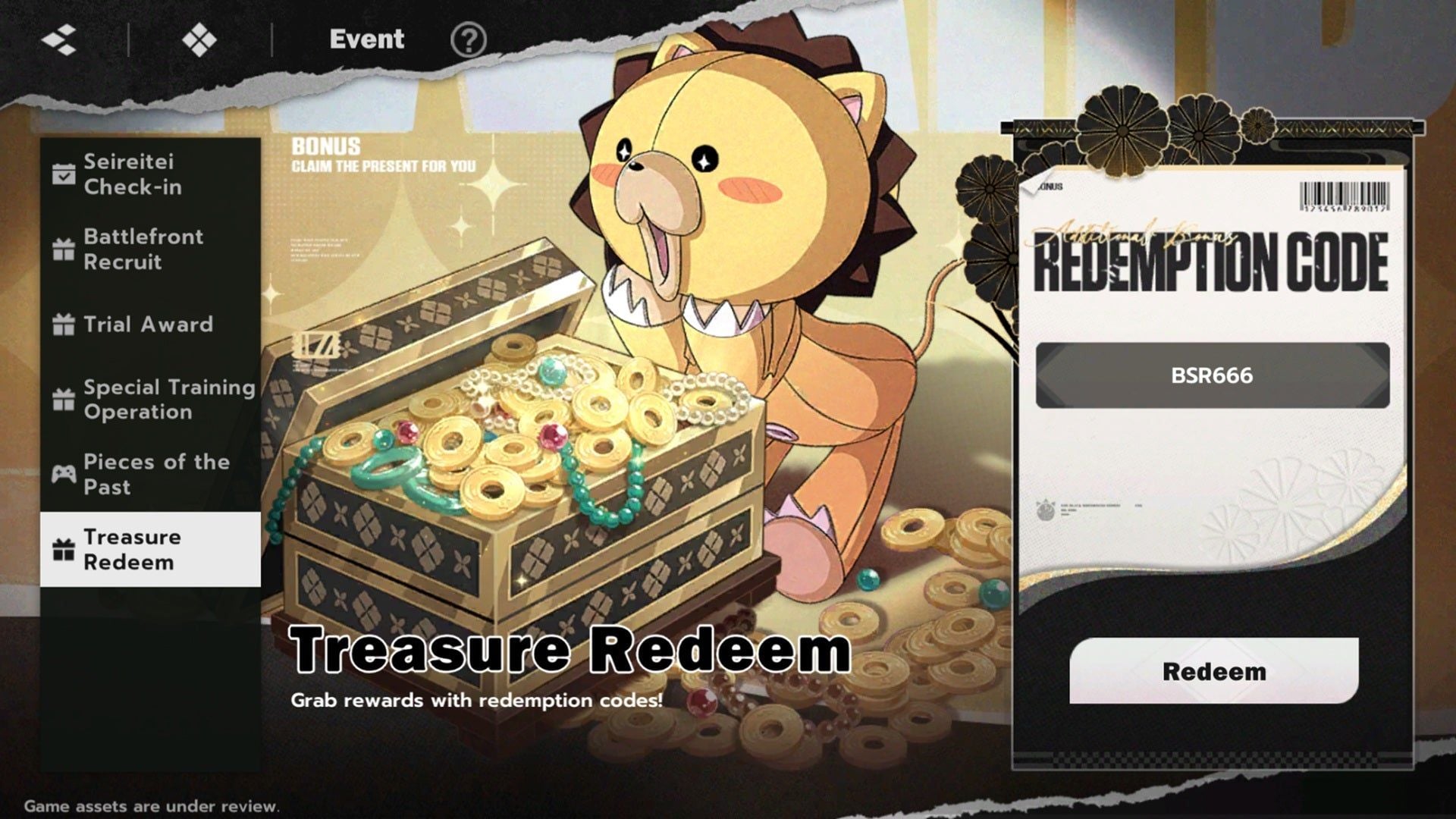
A confirmation prompt appears immediately after submission. Items do not go directly into your bag; you have to collect them manually from your in-game mailbox before they expire.
Unlocking the Event Menu: Story Progression Requirements
If the Event icon is missing from your screen, your account has not reached the required story milestone yet. This is an intentional progression gate, not an iOS bug.
You unlock the redemption menu by clearing main story Stage 1-6 and the short rooftop parakeet sequence immediately after it. Expect roughly 30 minutes of active play from a fresh start. Once that scene wraps up, the top-right HUD updates with both the Event hub and character summon banners.
Early guides occasionally cite Stages 01-01 through 01-05 as the unlock point, but the Treasure Redeem sub-menu stays locked until Stage 1-6 and the parakeet dialogue conclude. If you only see quest indicators in the top right, keep pushing Chapter 1.
Claiming Your Code Rewards from the In-Game Mailbox
Submitting a code delivers the loot directly to your mailbox rather than your character bag.
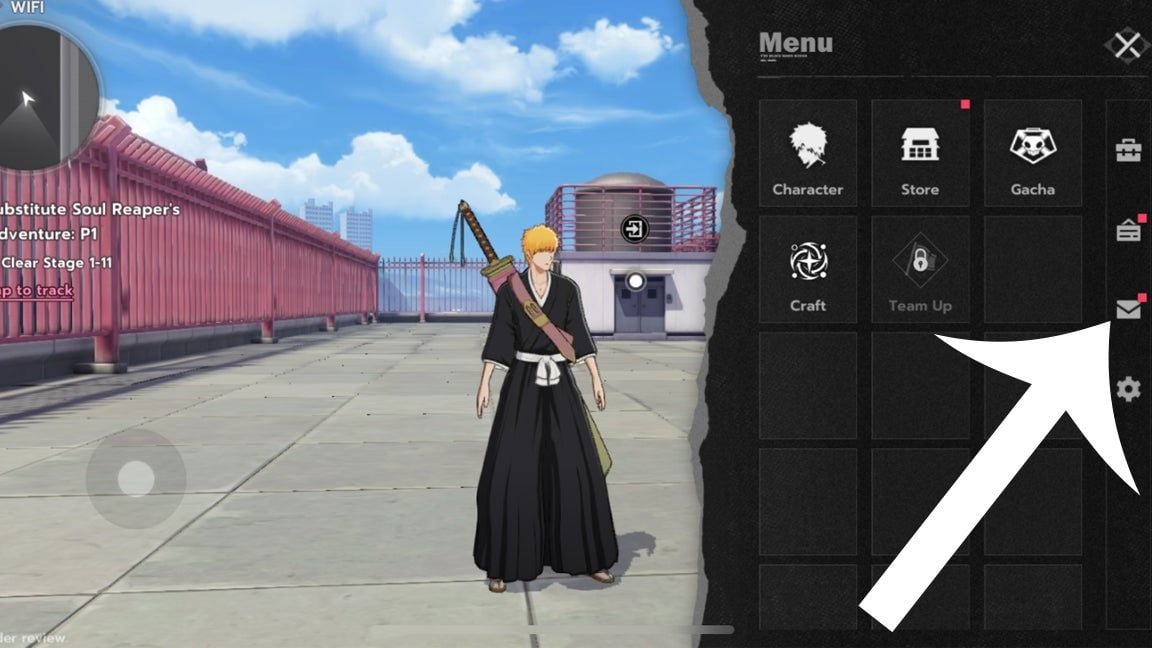
To collect your items on iOS:
- Tap the back arrow in the Event tab to return to the main hub.
- Tap the circular Menu icon beside the mini-map in the top-right corner.
- Tap the Mailbox envelope icon.
- Open the message titled Exchanged Successfully.
- Hit Claim at the bottom of the preview to transfer the Spiritual Jade, stamina items, and upgrade materials to your inventory.
Check your mail promptly. System reward mail has an expiration timer, and uncollected items get purged once that timer runs out.
Active Bleach Soul Resonance Promo Codes and Rewards
The developers distribute codes during version updates, livestreams, and community milestones. Use the active codes below to stock up on materials and summons.
| Promo Code | Item Rewards Delivered | Code Category |
|---|
DISCORD50K | Spiritual Power Nourisher ×2, Gacha Ticket ×1 | Community Milestone |
THEEXPLODE | Spiritual Jade ×50, Spiritual Pressure Nourisher ×2 | Promotional Launch |
TRUEDESPAIR | Jade ×50, Spiritual Pressure Nourisher ×2 | In-Game Exchange |
BSR2026 | Spiritual Power Nourisher ×2, Kan ×50,000 | Celebration Reward |
BSRGSTAR | Tamahagane III ×2, Tamahagane II ×4, Tamahagane I ×2 | Gear Upgrade Metal |
These rewards provide starter stamina potions, character upgrade materials, and weapon metals so you can build characters without draining premium currency early.
When you plan to pull heavily on upcoming rate-up banners after exhausting these codes, you can pick up extra summons through BLEACH: Soul Resonance top up packs to stay prepared.
App Store Promo Codes vs. In-Game Exchange Codes
Text promo codes issued by the developers differ technically from Apple App Store vouchers. Entering the wrong code type in the wrong storefront causes failed redemptions.
In-game codes (like THEEXPLODE or DISCORD50K) are alphanumeric phrases for the game client's Treasure Redeem menu. They do not work inside Apple's App Store app.
If you have a 16-character Apple Gift Card, balance voucher, or App Store promo code, redeem it through iOS directly:
- Open the native App Store app on your iPhone or iPad.
- Tap your profile icon in the upper-right corner.
- Select Redeem Gift Card or Code.
- Scan the 16-digit code with your camera or enter it manually.
- Confirm the balance addition to your Apple Account.
| Feature | In-Game Gift Codes | Apple App Store Promo Codes |
|---|
| Entry Location | Game Menu > Event > Treasure Redeem | iOS App Store > Profile > Redeem Code |
| Format | Text strings (e.g., BSR2026) | 16-digit alphanumeric codes or vouchers |
| Delivered To | In-game mailbox | Apple Account balance / in-app entitlement |
| Story Requirement | Requires Stage 1-6 completion | No game progression required |
| Sync Action Needed | Manual claim via mailbox | May require "Restore Purchases" in game settings |
If you redeem an App Store promotion for a specific bundle and the contents do not reflect immediately, open BLEACH: Soul Resonance, open Settings, and tap Restore Purchases. This prompts the game client to sync with App Store receipt servers and deliver missing items.
Troubleshooting Bleach Soul Resonance Exchange Code Not Working on iOS
Failed code attempts on iOS usually come down to clipboard formatting or virtual keyboard quirks rather than server bugs.
| Error Message | Root Cause | Solution |
|---|
| Invalid redemption code | Typo, lowercase entry, or extra whitespace | Type the code in ALL-CAPS; delete trailing spaces |
| Redemption code has expired | Time limit on the promo campaign passed | Code is dead; discard and use current active codes |
| Already redeemed | Code was claimed on this account previously | Codes are single-use per character UID |
| System busy / Network error | Server lag or unstable mobile data connection | Switch from cellular to Wi-Fi and retry |
| App Store code invalid | Apple Account region mismatch | Match Apple Account region to code's country of origin |
Trailing whitespace is the most common culprit. Copying text on iOS frequently captures an extra blank space at the end of the string, which the client reads as an illegal character and rejects. After pasting a code, tap backspace once and confirm all letters are capitalized.
Every promo code is strictly single-use per UID. Once claimed, the server binds that code to your profile permanently.
If you need currency to reach a pity target between code releases, a BLEACH: Soul Resonance jade recharge lets you top off summon funds directly.
Gacha Pulls, Limited Banners, and Spiritual Jade Resource Planning
Spiritual Jade and Gacha Tickets from codes accumulate into meaningful summon reserves over time, provided you budget them around banner pity systems.
Limited character banners (such as featured runs for Ichigo Dual Zangetsu or Bambietta) operate under defined pity thresholds:
- Standard Rate-Up Pity: Featured SSR characters are guaranteed within 80 pulls using Limited Gacha Tickets or Spiritual Jade.
- Soft Pity Windows: Pull rates scale upward after pull 40, favoring players who pull in batches rather than spending single tickets as soon as they arrive.
Since gift codes deliver modest quantities—usually 50 Jade alongside stamina items—saving them for targeted banners is essential. Hold bonus Jade until a limited banner features an SSR matching your team's elemental or tactical needs.
Avoid spending Jade on basic weapon materials that farmable daily modes provide. Keep that currency for Limited Gacha pulls or high-value stamina refreshes during double-drop events.
If a limited banner is about to end and you sit just short of the 80-pull guarantee, you can visit the BLEACH: Soul Resonance store to close the remaining gap.
Alternative Menu Locations Across Game Client Versions
Regional client builds and update patches occasionally alter interface paths. While Event > Treasure Redeem is standard on iOS, check these alternate locations if the button is absent:
- The Benefits Path: Tap the Benefits icon on your top HUD. In some regional builds, login calendars and Treasure Exchange sit under this dedicated tab instead of Event.
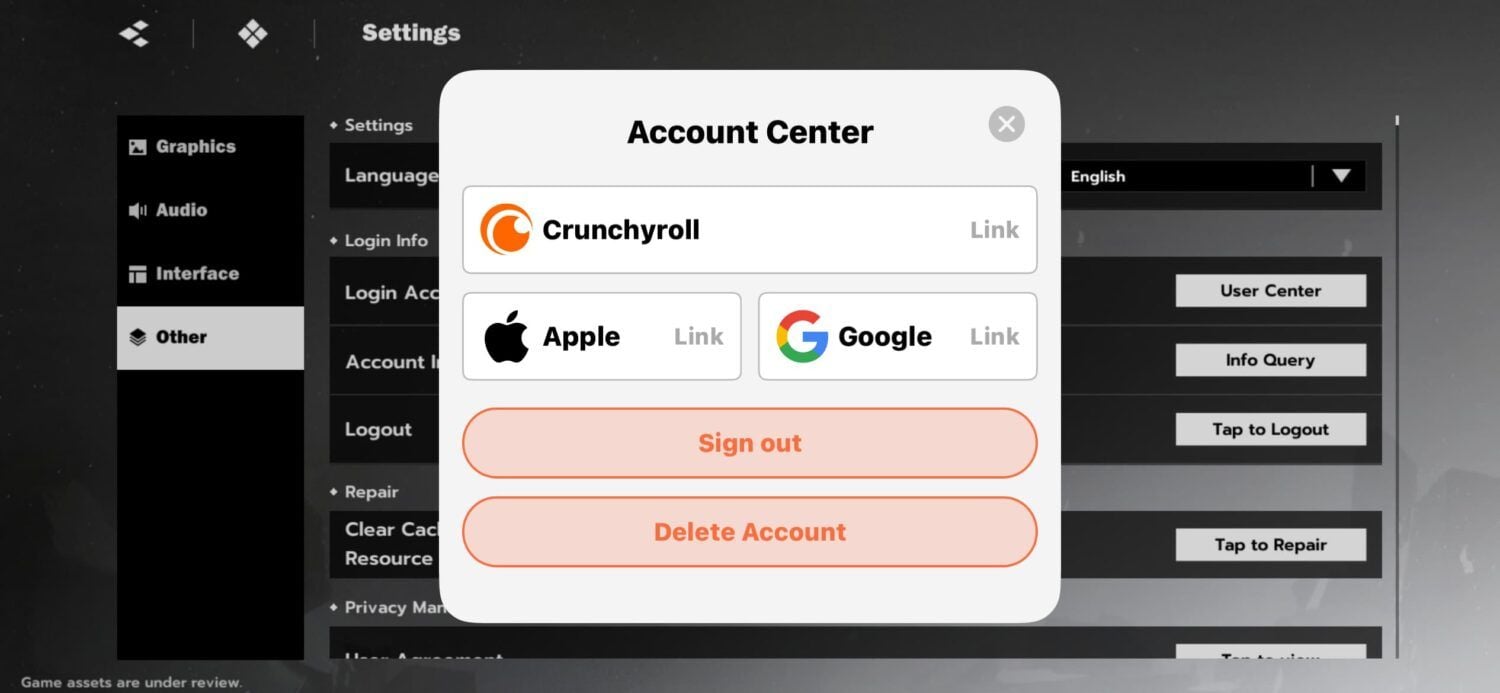
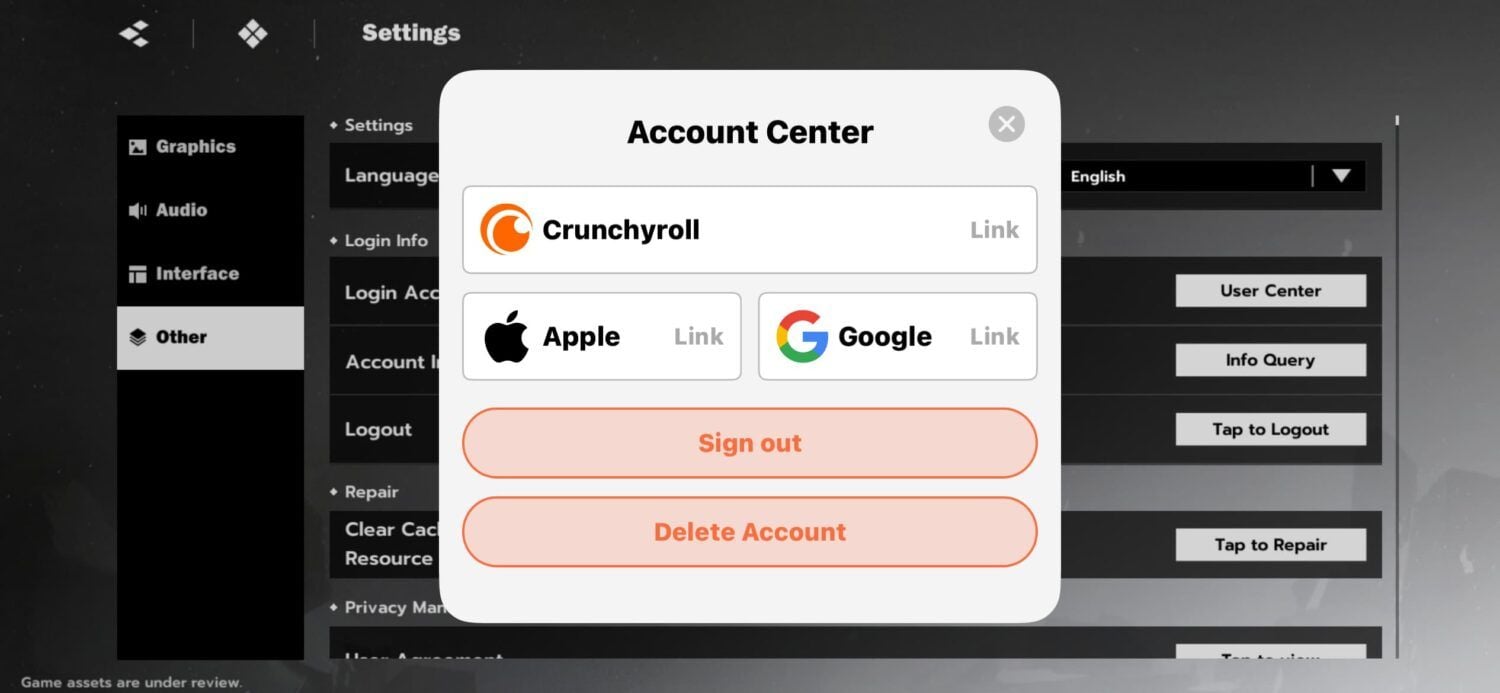
- The Player Settings Path: Tap your avatar in the top-left corner, select Settings (gear icon), and check Account or User Center for a direct Redeem Code button beside your UID.
- Web Portals: When platform restrictions disable in-game text entry during client updates, check official channels for an external redemption portal where you enter your UID, server, and code.
Always verify Stage 1-6 completion first before searching alternate menus, as early progression locks apply across all client versions.
Frequently Asked Questions
Why can't I find the code redemption button in BLEACH: Soul Resonance on iOS?
You must clear main story Stage 1-6 and the rooftop parakeet tutorial sequence to unlock the Event menu on your HUD. Once unlocked, tap the star-box Event icon in the top right corner to access the Treasure Redeem option.
Where do I find my rewards after redeeming a code in BLEACH: Soul Resonance?
Rewards are sent directly to your in-game mailbox instead of dropping into your inventory automatically. Open the main Menu in the top right, tap the envelope icon, and press Claim on the message titled Exchanged Successfully.
Are BLEACH: Soul Resonance gift codes case-sensitive?
Yes, all redemption codes are strictly case-sensitive and must be entered in ALL-CAPS. You should also ensure that no accidental trailing or leading spaces are copied into the input box.
Do I need to redeem BLEACH: Soul Resonance codes in the iOS App Store or in the game?
In-game promotional codes (like DISCORD50K or THEEXPLODE) must be entered inside the game's Treasure Redeem menu. The iOS App Store is only used if you are redeeming an official Apple Gift Card or an App Store balance voucher.
Can I use the same redeem code multiple times on my account?
No, every promotional code has a strict limit of one redemption per game account. Trying to enter a previously claimed code will return an error stating that it has already been used.
What should I do if an App Store code purchase does not show up in the game?
Open the in-game Settings menu on your iPhone or iPad and tap Restore Purchases. This forces the game client to communicate with the App Store servers and deliver your missing items or passes.
Final Checklist for iOS Players
Redeeming promotional codes in BLEACH: Soul Resonance on iPhone and iPad is straightforward once past the tutorial lock. Clear Stage 1-6, finish the parakeet sequence, open the Event menu, and submit your codes in clean uppercase text. Check your mailbox right away so rewards do not expire.
Budget your currencies deliberately: keep Spiritual Jades for limited 80-pull guarantees, allocate Tamahagane metals to primary weapons, and track fresh code drops after major maintenance updates to keep your roster supplied.