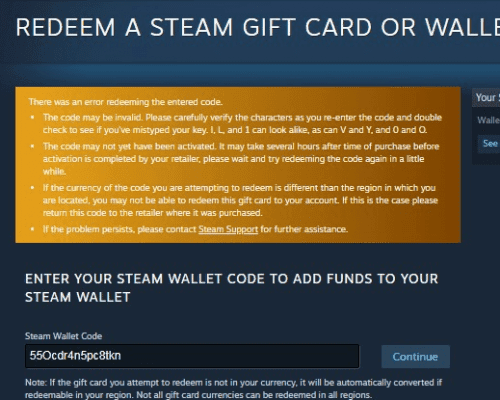
If your Mechabellum top up or DLC does not appear in-game, the delay is usually caused by platform maintenance, an unrefreshed client license, or an incorrect account identifier. Key activations during Steam's Tuesday evening maintenance window can time out for 10–15 minutes. In-game cosmetic credits and DLC packages often require a full client restart to sync with your inventory.
Check Steam Server Status and Client Sync
External server hiccups and local caching issues are the most frequent causes of delayed digital deliveries.
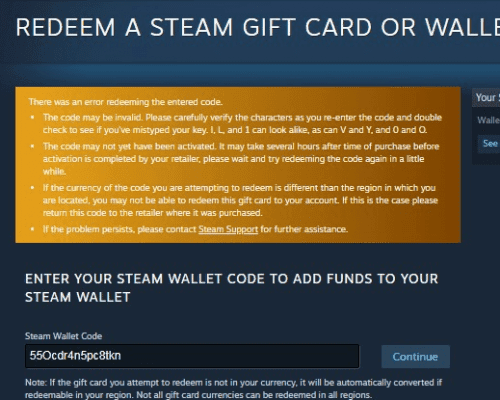
- Tuesday Maintenance Window: Steam runs weekly server maintenance on Tuesday evenings. During this maintenance window, redemption services and license handshakes may temporarily time out. If an activation stalls, wait 10–15 minutes before attempting to redeem the product code or check your inventory again, as documented by BitTopup.
- Duplicate Product Code Notice: If you enter a key and Steam reports a "Duplicate Product Code" notification, the code was already registered to an account. Type "Mechabellum" directly into your Steam Library search bar. If the game or associated DLC does not appear immediately, close and restart your Steam desktop client to force a license refresh.
- Game Relaunch: If you purchased credits while Mechabellum was running, close the game completely and launch it again. The local client queries the server for your updated balance only during startup or when entering the store interface.
What Mechabellum Credits and Add-Ons Unlock
Confirm which content type you purchased so you check the correct in-game menu:
- Credits Store Items: The in-game Credits Store is strictly cosmetic, offering avatars, avatar frames, and emotes according to Mechamonarch Dev Log #1. Developers designed the store so that commanders cannot pay for combat power. Unlocked items appear under your Commander Profile customization menus rather than your unit deck.
- Supporter Packs: Supporter packages add cosmetic badges, exclusive commander avatars, and soundtrack access.
- Seasonal Packs: Seasonal items provide battlefield paint jobs, commander emotes, and visual unit skins.
| Package | Content Included | Platform |
|---|
| Mechabellum Standard Edition | Full base game, multiplayer matchmaking, co-op survival, solo challenges | Steam (PC) |
| Mechabellum Supporter Edition | Base game, exclusive commander avatars, cosmetic badges, soundtrack | Steam (PC) |
| Seasonal Cosmetic Packs | Visual unit skins, battlefield paint jobs, commander emotes | Steam (PC) |
How to Find Your Mechabellum Player ID (UID)
If your balance does not update after restarting your client, customer support will need your account identifier to trace the transaction.
- Launch Mechabellum and enter the main lobby.
- Click your commander avatar in the upper-left corner to open the Commander Profile overview.
- Locate your Account Name, Combat Rating (MMR), and numerical Player ID (UID) displayed beneath your level badge.
- Click the copy icon next to your numerical Player ID to copy it to your clipboard.
Include this numerical UID along with your storefront invoice or order number when submitting a ticket to support or reaching out via your Mechabellum order page.