


Google Play Gift Card (FR) Top Up: Overview and Region Lock Rules
A Google Play Gift Card (FR) is a prepaid digital voucher used to add Euro (EUR) balance directly to your French Google Play Store account. Once redeemed, your Google Play balance provides a secure payment method for Android mobile games, premium apps, digital books, movie rentals, and ongoing app subscriptions without needing to link a personal credit card or bank account.
Understanding France Region Lock Restrictions
Google enforces strict geographic boundaries on digital gift cards. A Google Play Gift Card issued for France is strictly locked to the French region and denominated in EUR (€). To redeem and use this code successfully, your account must meet the following technical criteria:
- French Account Setting: Your Google Play account must have its active Country/Region setting configured to France.
- Matching Billing Profile: The primary payments profile linked to your Google account at Google Payments (
pay.google.com) must be registered with a valid French billing address. - Geo-Location Verification: When redeeming the code, Google checks your current network connection. You must connect from a genuine French IP address.
Attempting to redeem a French EUR gift card on an account registered to another country (such as Germany, the United Kingdom, or the United States) will result in a regional mismatch error. Google does not permit cross-border redemption or balance conversion between different currency regions.
How to Verify or Change Your Google Play Account Country to France
Before purchasing or redeeming a French gift voucher, verify that your account's country setting matches the code's region. Google permits changing your account country once every 12 months, provided you have a local payment profile or are currently located in that country.
Checking Your Active Account Country on Android
- Open the Google Play Store app on your Android smartphone or tablet.
- Tap your profile icon in the upper right corner of the screen.
- Select Settings, then tap General.
- Tap Account and device preferences.
- Scroll down to the Country and profiles section.
- Confirm that France is listed as your active country with a green checkmark.
Verifying Your Google Payments Profile on the Web
- Open a browser and navigate to
pay.google.com. - Sign in with the Google account you use on your Android device.
- Click on the Settings tab in the top navigation bar.
- Check the Payments profile section for Country/Region.
- Ensure your country shows France (FR). If multiple country profiles exist, close or deactivate outdated profiles to avoid redemption conflicts.
Step-by-Step Guide: How to Redeem Your Google Play Gift Code
Once you receive your 16-character alphanumeric code from BitTopup, you can redeem it instantly using either the Google Play mobile app or an internet browser.
Method 1: Redeeming on the Google Play Store App (Android)
- Open the Google Play Store app on your Android device.
- Tap your profile avatar in the top-right corner.
- Tap Payments & subscriptions from the menu.
- Select Redeem code.
- Carefully type or paste your 16-digit digital code into the input field.
- Tap Redeem.
- Review the prompt confirming the EUR amount to be added to your balance, then tap Confirm.
Method 2: Redeeming via Web Browser (PC or Mobile)
- Go to the official Google Play redemption page:
play.google.com/redeem. - Log in to the correct Google account.
- Enter the 16-digit voucher code into the box.
- Click Redeem and confirm the transaction.
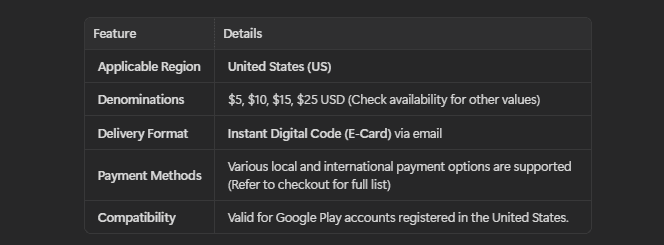
| Denomination | Currency | Region | Delivery Type | Account Requirement |
|---|---|---|---|---|
| 5 EUR - 100 EUR | Euro (EUR / €) | France (FR) | Instant Digital Code | Google Account set to France |
Note: Available gift card amounts and real-time pricing are displayed directly on the BitTopup checkout page.
What You Can Buy with French Google Play Balance
Your redeemed French Google Play balance functions as digital cash across the Google Play ecosystem in France. You can use it for:
- In-Game Purchases: Buy currency packs, battle passes, gacha pulls, skins, and expansions in popular mobile titles.
- Paid Applications & Games: Purchase premium Android utilities, productivity tools, and standalone games.
- Digital Media: Rent or buy digital movies, TV series, and e-books available on Google Play France.
- App Subscriptions: Pay for recurring subscriptions inside participating apps (such as Google One cloud storage, YouTube Premium, streaming services, and fitness apps) where Google Play Billing is supported in France.
Balance Limitations and Non-Supported Purchases
- Family Payment Method: Google Play balance cannot be shared across a Google Play Family Group as a shared payment method. Each family member must redeem gift cards to their individual Google account.
- Physical Goods: You cannot use your Google Play balance to purchase hardware (such as Pixel phones or smart home accessories) from the Google Store.
- No Cash Out or Transfers: Play balances cannot be transferred to PayPal, bank accounts, or other Google accounts.
Troubleshooting Common Google Play Gift Card Redemption Errors
If you run into an error during redemption, use the following troubleshooting solutions:
1. "We need more info to redeem your gift card" or "Code is valid only in France"
- Cause: Google's automated security systems detected an IP address outside of France or identified conflicting country profiles on your account.
- Fix: Ensure you are connected to a direct French network without proxies. Go to
pay.google.com, check your active payment profiles, and make sure any non-French profiles are removed. Clear the cache of your Google Play Store app via Android Settings > Apps > Google Play Store > Storage > Clear Cache, then restart the app.
2. "The code you entered is invalid"
- Cause: Typographical errors in the 16-digit code.
- Fix: Check for easily confused characters (such as the number
0vs. the letterO, or1vs.I). Copy and paste the code directly from your BitTopup order details to avoid manual typing mistakes.
3. "This code has already been redeemed"
- Cause: The balance has already been applied, or the code was used on a different Google account logged into the same device.
- Fix: Check your Google Play transaction history at Google Play Store > Payments & subscriptions > Budget & history to verify if the EUR funds were credited.
Safe and Instant Digital Code Delivery on BitTopup
BitTopup delivers a completely secure checkout process for purchasing French Google Play digital codes:
- No Account Password Required: You never need to share your Google account credentials or sensitive login information. You receive an unredeemed digital voucher code to apply yourself.
- Instant Digital Delivery: Your code is generated and displayed on your screen immediately after payment confirmation, with a backup copy sent to your email address.
- Reliable Support: If you have questions regarding your order or encounter issues with code delivery, BitTopup provides 24/7 customer service ready to assist you.
Frequently Asked Questions
Can I redeem a Google Play Gift Card (FR) outside of France?
No. Google Play gift cards are region-locked. A France (FR) gift card can only be redeemed on a Google account configured to the French region and connected from a French IP address.
How do I recharge my Google Play balance using a digital code?
Open the Google Play Store app, tap your profile avatar, select Payments & subscriptions, tap Redeem code, enter your 16-character code, and confirm.
Can I use my French Google Play balance to pay for app subscriptions?
Yes, as long as the app developer supports Google Play Billing in France and allows wallet balances for recurring subscriptions (such as YouTube Premium or Google One).
Can I transfer my Google Play gift card balance to PayPal or bank account?
No. Google Play store credit cannot be withdrawn, transferred to a bank account, refunded to PayPal, or transferred between different Google accounts.
Do Google Play Gift Cards (FR) have an expiration date?
No. French Google Play gift codes and credited account balances do not expire. However, it is best practice to redeem your digital code to your Google account shortly after purchase.
What should I do if I get an error saying the code is valid only in France?
Verify that your Google account and Google Payments profile (pay.google.com) are both set strictly to France. Disconnect any conflicting network proxies, clear the cache of the Google Play Store app, and try redeeming again while connected to a French network.