



Steam Wallet Code (IDR) Top Up: Instant Account Balance Reload
A Steam Wallet Code (IDR) is a prepaid digital voucher denominated in Indonesian Rupiah (IDR) that adds funds directly to your Steam account balance. Once redeemed, your Steam Wallet balance gives you complete freedom to purchase PC games, downloadable content (DLC), expansions, in-game cosmetics, community market items, and software across the entire Steam platform.
Using a digital code removes the requirement of linking a credit card or international banking instrument directly to your gaming profile. BitTopup provides direct digital code distribution for Indonesian accounts, allowing you to load your balance securely without sharing login credentials or account passwords.
What You Can Buy With Steam Wallet IDR Funds
- Full PC Titles and DLC: Purchase blockbuster releases, indie titles, pre-orders, and season passes.
- In-Game Currency and Microtransactions: Top up in-game balances for titles like Counter-Strike 2, Dota 2, Team Fortress 2, Apex Legends, and PUBG: Battlegrounds.
- Steam Community Market Items: Trade and purchase weapon skins, trading cards, profile backgrounds, and stickers directly from other players.
- Software and Soundtracks: Access video editing tools, game engines, wallpapers, and official game music.
Available Steam Wallet Code IDR Denominations and Uses
Digital Steam vouchers come in standard fixed IDR values tailored to various purchasing needs, from small microtransaction boosts to high-tier major game purchases.
| Denomination (IDR) | Typical Use Case |
|---|---|
| IDR 6,000 – IDR 12,000 | Steam Community Market transactions, trading cards, small in-game stickers |
| IDR 45,000 – IDR 60,000 | Indie games, battle passes, cosmetic bundles, discounted flash sale items |
| IDR 90,000 – IDR 120,000 | Mid-tier releases, substantial in-game currency packs, major DLC packs |
| IDR 250,000 – IDR 400,000 | Standard edition pre-orders, new mid-range game launches, major cosmetic packs |
| IDR 600,000+ | AAA full-priced releases, Deluxe/Ultimate Editions, major seasonal sale shopping carts |
Note: Exact inventory availability and pricing details are displayed in real time on the BitTopup checkout catalog.
How to Verify Your Steam Account Currency and Store Region
Steam enforces strict regional restrictions on currency redemption. An IDR voucher code requires your Steam store region to be set to Indonesia (IDR). Verify your account region prior to redeeming your digital code:
- Open the Steam desktop client or log in at
store.steampowered.com. - Click your Profile Name in the top-right corner of the interface.
- Select Account Details from the dropdown menu.
- Under the Store & Purchase History section, locate Country.
- Confirm that the country displays Indonesia and your existing balance shows in Rp (IDR).
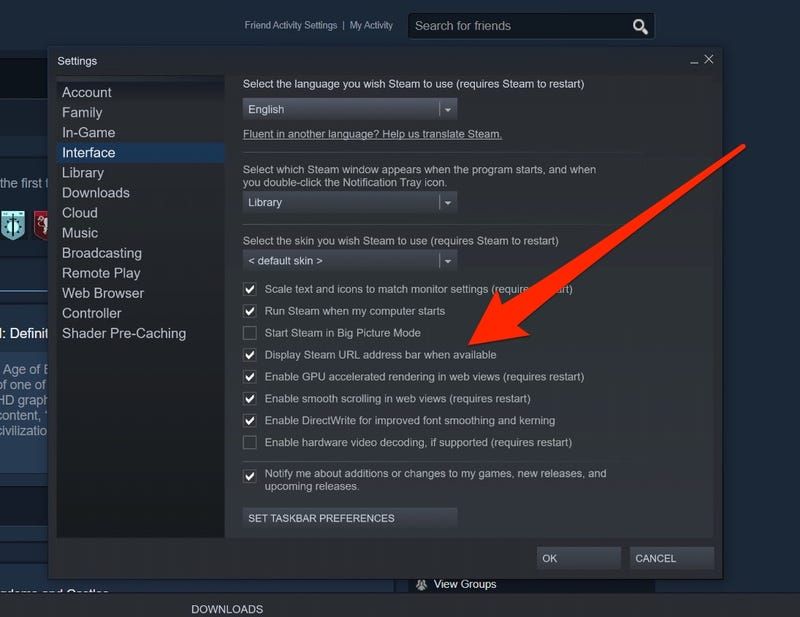
If your account is registered to a different country or currency, the redemption system will block the code due to Valve's regional protection policies.
How to Recharge and Redeem Steam Wallet Code IDR Step-by-Step
Redeeming your digital code takes only seconds across desktop, mobile, or web platforms.
Method 1: Steam Desktop Client
- Launch the Steam Client on your PC and log into your account.
- Click the Games menu located in the top navigation bar.
- Select Redeem a Steam Wallet Code.
- Enter your 15-digit alphanumeric code into the Steam Wallet Code input box.
- Click Continue. Your account balance will update instantly.
Method 2: Web Browser (Desktop or Mobile)
- Open your web browser and navigate directly to:
https://store.steampowered.com/account/redeemwalletcode - Sign in with your Steam credentials.
- Paste your code into the redemption box.
- Click Continue to confirm the funds transfer.
Method 3: Steam Mobile Application (2026 Update)
- Open the official Steam Mobile App on iOS or Android.
- Tap your profile icon or the menu button in the bottom navigation bar.
- Tap Account Details > Add funds to your Steam Wallet.
- Tap Redeem a Steam Gift Card or Wallet Code.
- Type or paste your digital key and confirm the transaction.
Steam Wallet Regional Currency Restrictions and Account Rules
Valve Corporation enforces region-locking mechanisms on Steam Wallet Codes to prevent currency arbitrage and fraud.
- Currency Matching: Steam Wallet Codes issued in IDR can only be redeemed on accounts configured with the Indonesian store region. You cannot redeem an IDR voucher on a USD, EUR, SGD, or MYR account.
- No Automatic Cross-Border Conversion: Valve disabled automatic currency conversion on retail wallet codes. Codes must strictly match your account's primary wallet currency.
- VPN Policies: Using a VPN or proxy to alter your store region without a valid local payment method violates the Steam Subscriber Agreement and can lead to permanent account restrictions.
- Non-Transferable Funds: Once an IDR code is credited to your Steam balance, the funds cannot be transferred to another user account, refunded back to fiat money, or converted into cash.
Troubleshooting Common Steam Code Activation Issues
If you encounter an error while redeeming your voucher, check the following solutions:
- "The code you entered is invalid":
- Re-check for common character confusion: the numeral
0versus the letterO, the numeral1versus uppercaseIorL, and8versusB. - Ensure no accidental spaces were copied before or after the code sequence.
- "An unexpected error has occurred. Your code could not be redeemed":
- Check your account country settings under Account Details. This error frequently indicates that your account currency does not match the IDR code currency.
- "The Steam Wallet code has already been redeemed":
- Refresh your account balance or check your Purchase History (
Account Details>View purchase history) to see if the funds were already credited. - "There have been too many failed redemption attempts":
- Steam applies a temporary safety lock after multiple failed code entries. Wait 30 to 60 minutes before attempting to enter the code again.
Why Buy Steam Wallet Codes on BitTopup
BitTopup provides a streamlined, secure experience for recharging your PC gaming balance:
- Zero Password Sharing: We only provide genuine digital voucher codes. You never need to supply your Steam login details, passwords, or Steam Guard authenticator codes.
- Transparent Live Checkout: See exact IDR denominations and real-time checkout costs directly on the product page before completing payment.
- Flexible Payment Options: Complete transactions using a wide selection of localized payment channels and secure international checkout solutions.
- Instant Dashboard Access: Your generated digital code is stored directly in your BitTopup user account order history for immediate retrieval whenever you need it.
Frequently Asked Questions
What is a Steam Wallet Code (IDR)?
A Steam Wallet Code (IDR) is a prepaid digital voucher with a specific balance in Indonesian Rupiah. When entered into Steam, it instantly deposits funds into your Steam Wallet, allowing you to buy games, DLCs, in-game items, and community market items.
How to recharge a Steam wallet using a digital code?
Log in to Steam, open the Games menu in the top bar (or go to store.steampowered.com/account/redeemwalletcode), click Redeem a Steam Wallet Code, enter your digital key, and click Continue.
Can I redeem an IDR Steam Wallet Code on an account set to another currency?
No. Valve requires that the currency of the code matches your Steam account's registered country and currency. An IDR voucher will only work on accounts registered to Indonesia.
Do Steam Wallet IDR digital codes have an expiration date?
No. Digital Steam Wallet codes do not expire before redemption. However, it is best practice to redeem your code promptly after purchase to secure the balance into your personal account.
Where do I find my purchased Steam Wallet Code?
Your digital code is displayed on your order confirmation screen and stored permanently in your Order History dashboard on BitTopup.
What should I do if my Steam code shows as invalid or already redeemed?
First, double-check the alphanumeric characters for typos and inspect your account purchase history to verify if the balance applied. If the issue persists, contact BitTopup customer support with your order number for verification.