

Roblox Gift Card SG Top Up: Digital Code Guide and Benefits
A Roblox Gift Card SG top up is the safest and most flexible way to add funds to your Roblox balance. Whether you want to purchase in-game items, unlock exclusive avatar accessories, acquire game passes, or subscribe to Roblox Premium, Singapore Dollar (SGD) gift cards give you full control over your spending without linking a credit card to your gaming account.
When you purchase a Roblox digital voucher, you receive an authentic alphanumeric code that redeems directly into your Roblox account as SGD credit. You can convert this balance instantly into Robux or use it to manage recurring subscriptions.
What is Roblox Gift Card SG and What Can You Buy With It?
A Singapore Roblox Gift Card is an official prepaid digital voucher denominated in SGD. Once redeemed, the card value is added to your account's Roblox Credit balance. You can use this credit to buy:
- Robux Packages: Convert your SGD balance directly into Robux to buy clothes, animations, skins, limited-edition avatar cosmetics, and developer products across millions of experiences.
- Roblox Premium Membership: Subscribe to Premium tiers (450, 1000, or 2200 monthly Robux) using stored credit balance.
- In-Experience Perks: Purchase private server access, VIP ranks, extra inventory slots, and unique abilities inside popular games like Adopt Me, Blox Fruits, Brookhaven, and Tower of Defense.
- Exclusive Virtual Items: Redeeming a digital card often grants a free bonus virtual item during promotional months.
Roblox Gift Card SGD Denominations and Robux Credit Value
Singapore Roblox Gift Cards come in several denominations. When you redeem an SGD card, your account receives the exact face value in Roblox Credit, which can then be converted to Robux at official checkout conversion rates.
| Voucher Value (SGD) | Roblox Credit Added | Estimated Robux Equivalent | Recommended Use |
|---|---|---|---|
| 10 SGD | $10.00 SGD Credit | ~600 – 800 Robux | Starter avatar outfits, basic game passes |
| 20 SGD | $20.00 SGD Credit | ~1,500 – 1,700 Robux | Mid-tier game upgrades & Premium 450 |
| 30 SGD | $30.00 SGD Credit | ~2,400 – 2,600 Robux | Premium 1000 subscription + accessories |
| 50 SGD | $50.00 SGD Credit | ~4,000 – 4,500 Robux | Rare limited items, high-tier game passes |
| 100 SGD | $100.00 SGD Credit | ~8,800 – 10,000 Robux | Extensive avatar collections, Premium 2200 |
Note: Exact Robux yield depends on current platform conversion rates and whether you hold an active Roblox Premium membership, which provides an extra 10% bonus on Robux packages.
How to Find Your Roblox Account Information for Top Up
Because BitTopup provides digital voucher codes, you do not need to share your account password. However, you should verify your Roblox username and ensure your account location is set to Singapore before redeeming your code.
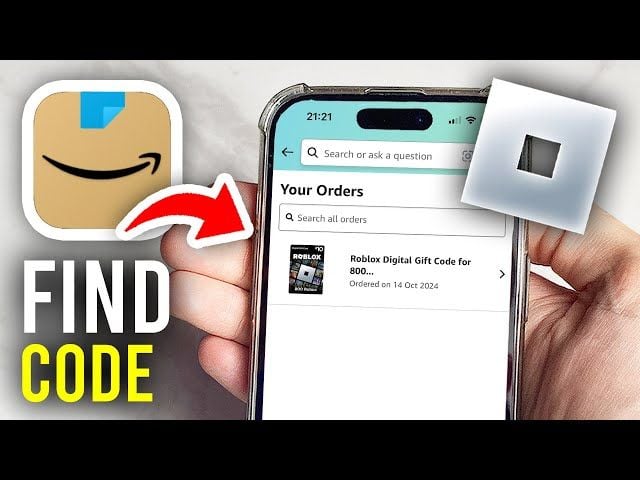
To check your account details:1. Open your browser and log in to roblox.com.2. Click the Gear icon (Settings) in the top-right corner on desktop, or tap the three dots (...) on mobile and select Settings.3. Select Account Info.4. Confirm your Username, Display Name, and verify that your billing/location settings align with Singapore (SGD).
Step-by-Step Guide: How to Redeem Your Roblox Code Online
Roblox gift card codes cannot be redeemed inside the mobile app store or console app interfaces. You must redeem them via a web browser.
- Open your web browser on PC, Mac, iOS, or Android and visit roblox.com/redeem.
- Log in to the Roblox account where you want to add the credit.
- Locate the digital PIN code received from your BitTopup order.
- Enter the code into the text field labeled Code.
- Click Redeem.
- A confirmation message will appear displaying your updated Roblox Credit balance.
- Click Convert to Robux to immediately turn the balance into Robux, or select Back to Redeem to keep the SGD credit in your wallet for subscriptions.
How to Recharge and Buy Roblox Gift Card SG on BitTopup
Getting your Singapore Roblox code on BitTopup takes only a few simple steps:
- Select Denomination: Choose your desired SGD voucher amount from the available catalog.
- Review Quantity: Select the number of cards you wish to purchase.
- Proceed to Checkout: Click the purchase button to view live checkout pricing.
- Complete Payment: Pay securely using your preferred payment method.
- Receive Your Code: Your digital redemption code appears immediately in your BitTopup order dashboard and is sent to your registered email address.
- Redeem Online: Enter the PIN at roblox.com/redeem and enjoy your funds.
Roblox Premium vs. Direct Robux: Maximizing Your SG Gift Card
When you redeem your SGD gift card balance, you have two primary options: converting everything into a one-time Robux package or purchasing a monthly Roblox Premium membership.
- Direct Robux Purchase: Best if you need immediate currency for a limited-time item, an urgent game pass, or an event drop. You receive your entire Robux balance instantly.
- Roblox Premium Membership: Best for long-term value. Premium grants a monthly Robux stipend, gives you a 10% bonus on all additional Robux purchases, unlocks access to item trading with other players, and lets you sell custom avatar clothing in the Creator Marketplace.
If you play regularly, using your SGD credit for Roblox Premium provides substantially more value per dollar spent.
Account Region and Currency Requirements for Singapore Gift Cards
Roblox implements currency and regional matching policies on prepaid cards. Keep the following requirements in mind:
- Currency Lock: A Roblox Gift Card SG is issued in Singapore Dollars (SGD). It must be redeemed on an account whose regional currency is set to SGD.
- Regional Mismatch: If your account is set to USD, EUR, GBP, or other currencies, the platform may block redemption or fail to apply the credit.
- No Cross-Currency Auto-Conversion: Roblox does not automatically convert SGD prepaid vouchers to other regional currencies at redemption.
- Location Verification: Ensure your Roblox account profile settings match Singapore before attempting to redeem your digital voucher.
Troubleshooting Common Roblox Gift Card Redemption Errors
If you run into issues while redeeming your digital code, check these solutions:
- Invalid Code / PIN Not Recognized: Verify every character carefully. Common input mistakes include confusing the number
0with the letterO, or the number1with the capital letterI. - Currency Mismatch Error: Ensure your account location is set to Singapore. If you recently moved or created your account in another country, update your account country settings under Account Info.
- Browser Cache Glitch: Clear your browser cache and cookies, or open an incognito/private browser window to access roblox.com/redeem.
- Code Already Redeemed: Check your account billing history. Go to Settings > Billing and review your Roblox Credit balance to see if the funds were already credited.
- Mobile App Incompatibility: Remember that the Roblox app does not support direct voucher redemption. Always use a web browser (Safari, Chrome, Edge, or Firefox).
Why Choose BitTopup for Roblox SG Digital Codes
- Zero Account Risk: We deliver digital voucher codes directly to you. You never need to share your Roblox login credentials or password.
- Fast Digital Delivery: Get instant access to your voucher code in your order dashboard right after checkout.
- Clear Pricing: Review live, transparent SGD pricing on the checkout page with no hidden processing fees.
- Reliable Customer Support: Our dedicated 24/7 multilingual support team is available around the clock to assist you with order inquiries and redemption guidance.
Frequently Asked Questions
How much Robux is in a $30 gift card in SGD?
A 30 SGD Roblox gift card typically yields approximately 2,400 to 2,600 Robux when converted via the Roblox web store. The exact amount depends on the live package pricing on Roblox and whether you receive a 10% bonus from an active Roblox Premium membership.
How do I top up Roblox using a Singapore gift card?
Log into your account on a web browser at roblox.com/redeem, enter your digital PIN code from BitTopup into the box, and click Redeem. The balance will be added to your Roblox Credit, which you can convert into Robux or use for Premium.
Can I use a Roblox SG gift card on an account set to USD or other currencies?
No. Roblox enforces regional currency matching. Singapore (SGD) gift cards must be redeemed on accounts configured for Singapore. Attempting to redeem an SGD card on an account set to USD or other foreign currencies will result in a region mismatch error.
Can you recharge a Roblox Premium subscription with a gift card?
Yes. When you redeem an SGD gift card, the funds stay in your account as Roblox Credit. You can select a Roblox Premium plan on the web store and choose Roblox Credit as your payment method at checkout.
Do I need to provide my Roblox account password to buy a gift card on BitTopup?
No. BitTopup delivers standard digital PIN codes. You only need your code to redeem directly on the official Roblox website. Never share your account password with anyone.
What should I do if my Roblox gift card code is showing as invalid?
Double-check that you entered the characters correctly without accidental spaces. If the error persists, open roblox.com/redeem in an incognito browser window. If you still experience issues, contact BitTopup customer support with your order number for assistance.