




Unifi Mobile Reload Card (MY) Top Up Overview
Unifi Mobile Reload Card (MY) provides instant credit for your Unifi Mobile prepaid SIM card. Whether you need to renew your UNI5G WOW prepaid data pass, make voice calls, send SMS messages, or extend your SIM card validity, buying a digital reload PIN is the fastest way to keep your line active across Malaysia.
When you purchase a reload card through BitTopup, you receive an authentic 16-digit voucher PIN delivered directly to your order summary screen. This allows you to apply the credit directly to your line without sharing your Unifi account password or personal login details.
How to Reload Unifi Mobile Prepaid PIN via App and Web Portal
Redeeming your Unifi Mobile reload voucher is simple. You can apply the PIN using either the official Unifi mobile application or the Unifi self-care web portal.
Method 1: Redeem via the Unifi UniVerse Mobile App
- Open the Unifi UniVerse app (formerly unifi Mobile Care) on your smartphone.
- Log in using your registered Unifi Mobile number or TM ID.
- On the dashboard, tap the Reload or Top Up button.
- Select Voucher / PIN as your reload method.
- Enter the 16-digit Unifi reload PIN received from BitTopup.
- Tap Submit or Confirm to credit your account immediately.
Method 2: Redeem via the Unifi Self-Care Web Portal
- Visit the official Unifi self-care portal on your browser.
- Sign in to your Unifi account.
- Navigate to the Mobile service section and select your active prepaid number.
- Click on Reload with PIN.
- Input the 16-digit voucher code precisely.
- Confirm the submission. Your updated prepaid balance will reflect on screen.
Finding Your Unifi Mobile Number and Account UID
Before reloading or checking your balance, ensure you have the correct Unifi prepaid mobile number associated with your device. If you manage multiple SIM cards or mobile broadband lines, checking your account details ensures you apply passes to the intended line.
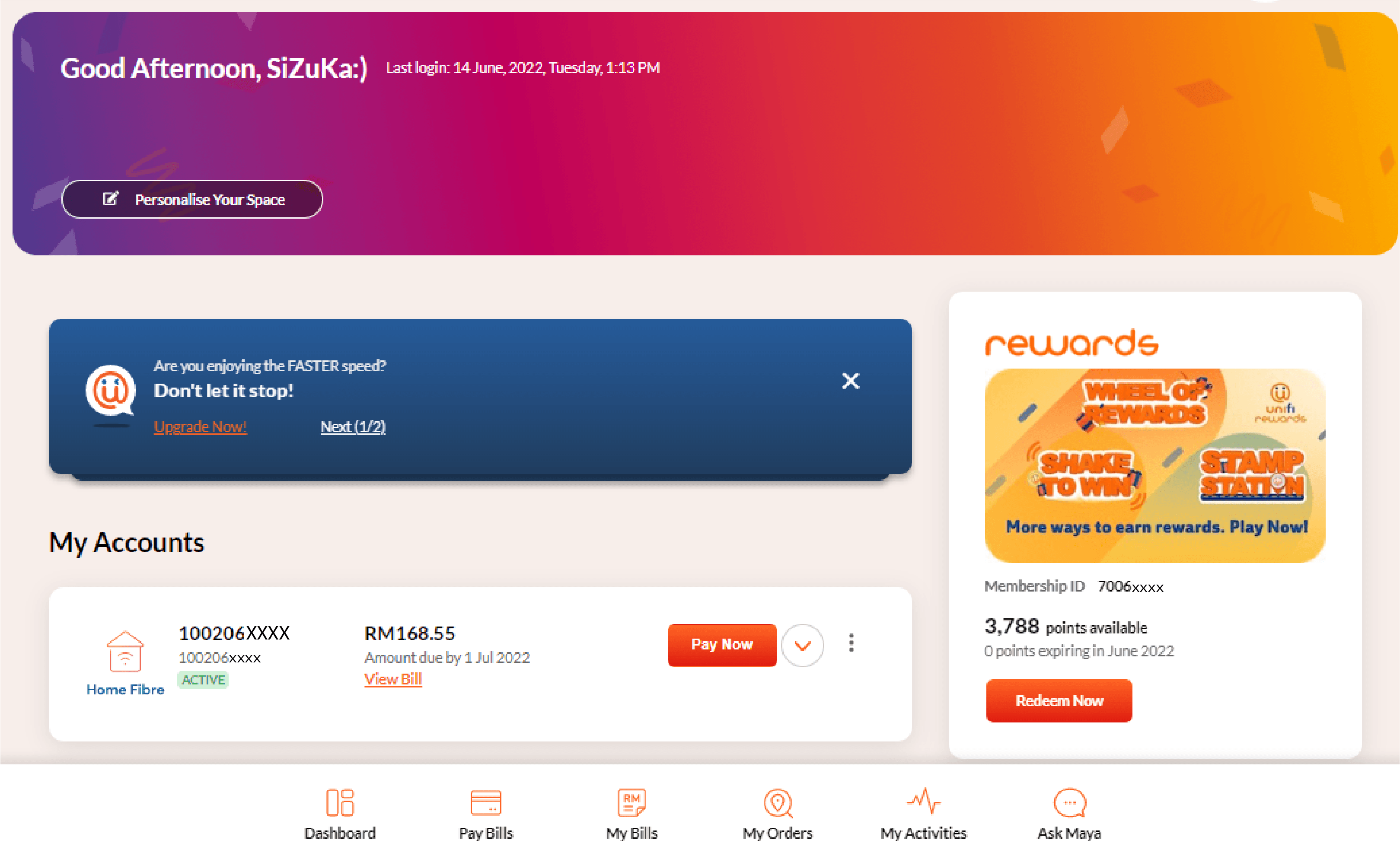
Steps to Locate Your Unifi Mobile Number:
- Via USSD Code: Open your phone dialer, type
*118#, and press call. Your active mobile number and main account balance will display on the screen. - Via Device Settings: On Android, go to Settings > About Phone > Status > SIM Status. On iOS, go to Settings > Phone > My Number.
- Via the UniVerse App: Open the app; your primary mobile number and account UID are displayed at the top of the main dashboard screen.
Unifi Mobile Prepaid Reload Denominations and Validity Schedule
Each Unifi Mobile Reload Card denomination extends your active line validity for a specified number of days. Maintaining active validity ensures uninterrupted incoming and outgoing services, data connectivity, and pass renewals.
| Denomination (MYR) | Validity Period | Recommended Usage |
|---|---|---|
| RM10 | 10 Days | Quick credit top-up, basic SMS/call rates, short validity extensions |
| RM20 | 20 Days | Mid-tier top-up for light weekly data add-ons |
| RM30 | 30 Days | Monthly validity extension, standard 30-day 4G/5G data passes |
| RM50 | 50 Days | High-speed monthly unlimited 5G passes and hotspot add-ons |
| RM100 | 100 Days | Long-term account preservation and multiple recurring monthly renewals |
Note: Exact reload prices are shown on the live checkout page on BitTopup. Airtime validity begins the moment the voucher PIN is successfully redeemed on the Unifi network.
UNI5G WOW Prepaid Plans and Credit Usage
Once your Unifi Mobile Reload Card balance is credited, you can convert the airtime into various high-speed 4G and 5G internet passes through the Unifi UniVerse app. In 2026, Unifi Mobile offers several flexible options for prepaid users:
- UNI5G WOW Monthly Passes: Use your RM30 or RM50 reload credit to subscribe to 30-day passes that feature uncapped 5G data, high-speed 4G fallback, unlimited on-net calls, and dedicated hotspot allocations.
- Daily and Weekly Passes: For temporary travel or emergency bandwidth, allocate RM3 to RM12 for 1-day or 7-day data boosters.
- On-Demand Add-Ons: Use small remaining balances for voice bundles, international direct dialing (IDD), or roaming passes when traveling abroad.
To purchase a pass, ensure your main reload balance covers the plan cost, open the UniVerse app, select Get Add-Ons / Buy Passes, choose your preferred bundle, and select Pay with Main Balance.
Account Safety and Instant PIN Retrieval on BitTopup
BitTopup provides a safe and direct method to buy Unifi Mobile Reload Card codes online. When purchasing through our platform, you benefit from:
- Zero Account Sharing: You never need to supply your TM ID, Unifi password, or SMS OTP codes. We supply the digital PIN; you redeem it directly on official Unifi channels.
- Instant Digital Delivery: As soon as your order completes, the digital code appears on your screen and in your order history.
- Guaranteed Code Authenticity: Every reload PIN is generated through verified distribution channels, ensuring 100% validity upon redemption.
- 24/7 Customer Support: If you ever experience questions regarding order status or voucher retrieval, our support team is available around the clock to assist you.
Troubleshooting Unifi Reload PIN Errors and Balance Sync
If you encounter an issue while attempting to redeem your Unifi reload voucher, follow these troubleshooting steps:
- Invalid PIN Error: Double-check the 16 digits carefully. Make sure there are no accidental spaces before or after the code. Avoid confusing numbers like
0with letters likeO. - Network Timeouts: If the Unifi UniVerse app shows a connection error, switch from Wi-Fi to mobile data (or vice versa), or restart the app. Alternatively, dial
*118#to complete the reload via USSD. - Balance Not Updating: In rare instances of network congestion, your dashboard balance may take 2 to 5 minutes to refresh. Log out of the UniVerse app, log back in, or send a balance check request via USSD.
- Expired or Used PIN: Ensure the code was not already redeemed on another device or SIM associated with your account. If the issue persists, contact BitTopup customer support with your order ID for rapid verification.
Frequently Asked Questions
How do I reload my Unifi mobile prepaid card using a voucher PIN?
Open the Unifi UniVerse app, tap Reload, select the PIN / Voucher option, type the 16-digit voucher number, and tap submit. Alternatively, log in to the Unifi self-care web portal to submit the voucher code.
How can I check my Unifi mobile prepaid balance?
You can check your current prepaid balance and active data quotas by opening the Unifi UniVerse mobile app dashboard, or by dialing *118# directly from your mobile phone dialer.
How long does Unifi Mobile credit stay active after a reload?
Credit validity depends on the reload value. For example, an RM10 reload grants 10 days of active validity, RM30 grants 30 days, and RM100 grants 100 days of active service from the date of voucher activation.
What should I do if my Unifi reload PIN is unsuccessful or invalid?
First, re-type the 16-digit PIN to ensure no numbers were entered incorrectly. If the app displays an error, try entering the code via the Unifi web portal. If the problem continues, reach out to BitTopup 24/7 customer support with your order details.
Can I use a Unifi Mobile Reload Card (MY) on a non-Malaysian SIM?
No. Unifi Mobile Reload Cards are strictly region-locked to Malaysian (+60) Unifi Mobile prepaid SIM cards and accounts. They cannot be used on other telecom operators or foreign mobile networks.
Do I need to share my Unifi account password to buy a reload card?
No. BitTopup only delivers the 16-digit digital reload PIN. You do not need to provide passwords, login credentials, or personal identification to purchase your card.