



Cocco Top Up: How to Recharge Cocco Coins on BitTopup
Recharging your Cocco account on BitTopup takes only a few moments. Follow this simple guide to complete your order:
- Select Your Coin Package: Choose the amount of Cocco coins you want to add to your account from the available packages listed on the product page.
- Enter Your Cocco Player ID: Fill in your numeric Cocco Player ID in the required field. Always double-check your ID to ensure accurate delivery.
- Proceed to Checkout: Click the purchase button to view your order summary.
- Complete Payment: Select your preferred payment method and confirm the transaction.
- Receive Your Coins: Once your payment is verified, the coins are credited directly to your Cocco balance. Open the app to view your updated coin total.
| Order Step | Required Action | Verification Details |
|---|---|---|
| 1. Select Package | Choose desired coin denomination | Live checkout displays exact coin amount |
| 2. Input ID | Paste your numeric Player ID | Matches your in-app profile UID |
| 3. Pay Securely | Pick your preferred payment gateway | Encrypted transaction processing |
| 4. Delivery | Launch the Cocco app | Coins reflect directly in account wallet |
Step-by-Step Guide: How to Find Your Cocco Player ID
To ensure your Cocco coins arrive without delay, you must provide your exact Player ID. You can locate this identifier directly within the Cocco application.
- Launch the Cocco app on your smartphone or tablet.
- Tap the Profile icon located in the bottom navigation menu (usually labeled "My" or "Profile").
- Look directly beneath your profile picture and nickname at the top of the screen.
- Find the label marked ID or UID, followed by a series of numbers.
- Tap the Copy icon next to the number to copy your Player ID directly to your clipboard.
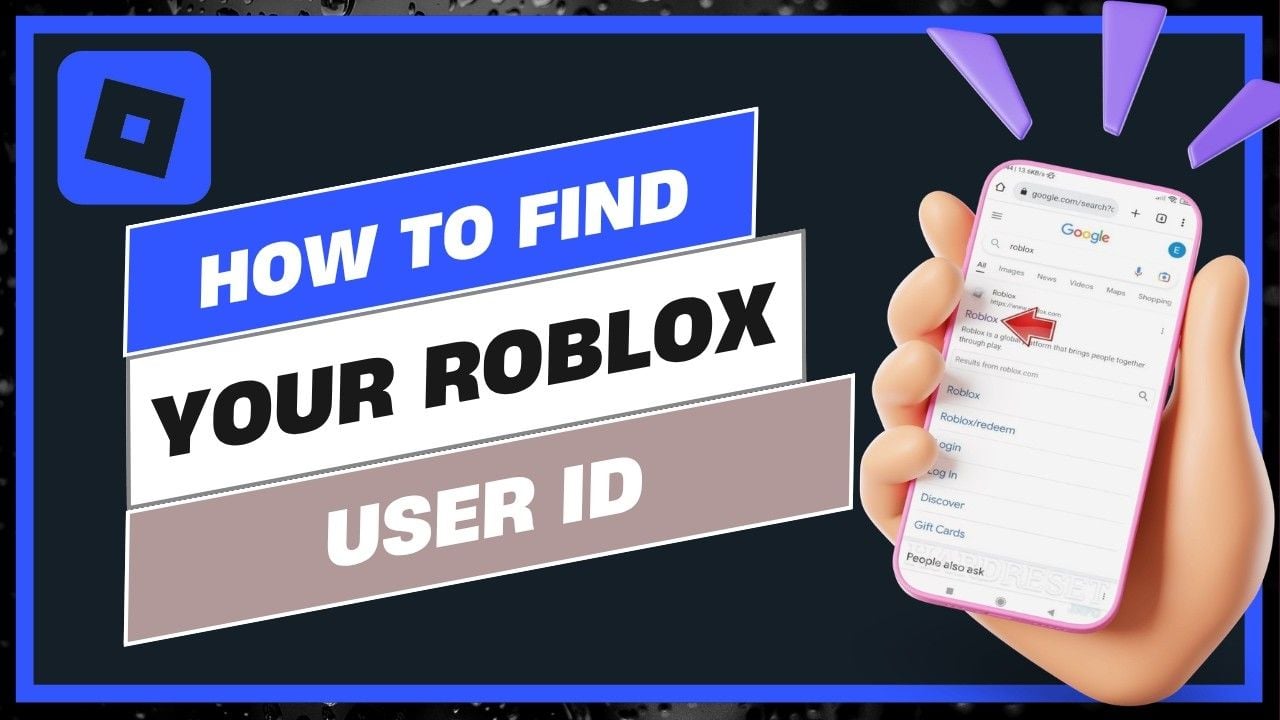
Pasting the copied numeric string directly into the BitTopup checkout field eliminates typing mistakes and guarantees that your coin recharge reaches your profile immediately.
What Are Cocco Coins and What Can You Use Them For?
Cocco coins serve as the primary virtual currency within the Cocco live streaming and social platform. Having a ready supply of coins allows you to participate actively in live broadcasts and access interactive features.
- Virtual Gifting: Send animated gifts, premium stickers, and dynamic visual effects to your favorite live stream broadcasters during their sessions.
- VIP Status and Badges: Unlock exclusive profile badges, special entry effects when entering broadcast rooms, and distinctive chat colors.
- Stream Interaction: Participate in exclusive host activities, interactive mini-games, and vote on community challenges within live rooms.
- Direct Broadcaster Support: Help creators climb platform ranking leaderboards by sending high-tier gift combinations.
| Feature / Utility | Coin Requirement | Platform Impact |
|---|---|---|
| Basic Animated Gifts | Low - Medium | Shows support in live chat |
| Premium Entrance Effects | Medium - High | Highlights your presence upon room entry |
| Special Event Voting | Variable | Influences community leaderboards |
| VIP Room Access | High | Grants exclusive profile privileges |
Why Choose BitTopup for Cocco Top Up
BitTopup provides a direct, secure, and hassle-free solution for recharging your Cocco wallet:
- Password-Free Transactions: BitTopup only requires your public Cocco Player ID. You never have to share passwords, verification codes, or personal login credentials.
- 24/7 Continuous Availability: Place your order at any time of day or night. BitTopup operates around the clock without regular daily maintenance blackout windows.
- Transparent Coin Pricing: All product listings clearly show the exact quantity of coins you receive, allowing you to select the best package for your streaming needs.
- Dynamic Multi-Currency Support: BitTopup supports global shoppers with flexible currency options tailored to international users.
- Fast Automated Processing: Orders process immediately upon payment completion, ensuring you do not miss live broadcasts or creator events.
Accepted Payment Methods and Secure ID Checkout
BitTopup prioritizes transaction security by utilizing industry-standard encryption protocols across all checkout channels. Because the top-up mechanism uses direct Player ID injection, your Cocco account remains fully under your control at all times.
When purchasing Cocco coins, you can select from various trusted payment methods on the checkout page, including major credit/debit cards, digital wallets, and regional payment gateways. Always verify that your live checkout total matches your selected coin denomination before finalizing the transaction. All payments are processed through secure gateways to prevent unauthorized activity.
Troubleshooting and Support for Cocco Coin Delivery
If you experience any issues with your Cocco coin delivery, use these practical troubleshooting steps:
- Check Your Connection and Refresh: Close the Cocco application completely, reconnect to a stable Wi-Fi or mobile data network, and reopen the app. Check your in-app wallet to see if the balance has refreshed.
- Verify Your Player ID: Check your BitTopup order confirmation receipt to ensure that the Player ID submitted matches your in-app UID exactly.
- Inspect Order Status: Log in to your BitTopup account and review your order history to confirm that payment verification was completed successfully.
- Contact Customer Support: If your coins have not arrived after payment confirmation, contact the BitTopup 24/7 customer support team. Provide your BitTopup Order Number and your Cocco Player ID so the support staff can trace the delivery and assist you promptly.
Frequently Asked Questions About Cocco Top Up
How do I recharge Cocco coins using my Player ID?
Select your preferred coin package on BitTopup, type or paste your Cocco Player ID into the input box, proceed to the checkout screen, and complete your payment. The coins will be delivered directly to your Cocco account.
Where can I find my Cocco Player ID in the app?
Open the Cocco app and tap on your profile tab in the bottom right corner. Your numeric Player ID is displayed directly under your profile avatar and username. Use the copy button next to it to copy the numbers accurately.
Do I need to share my Cocco password to complete a recharge?
No. BitTopup only requires your public Cocco Player ID to process the coin recharge. You should never share your account password, email login, or SMS verification codes with anyone.
Can I buy Cocco coins for a friend's account?
Yes. Because the top-up process only requires a Player ID, you can enter your friend's Cocco Player ID during checkout. Once payment is confirmed, the coins will deposit directly into their account balance.
What should I do if my Cocco coins do not arrive after payment?
First, restart the Cocco app to refresh your wallet balance. If the coins are still missing, check your BitTopup order history to confirm successful payment, then contact BitTopup 24/7 support with your order ID for immediate assistance.
What payment methods are supported for Cocco top up on BitTopup?
BitTopup supports a wide selection of international and regional payment methods, including major credit cards, debit cards, and popular e-wallets. The full list of available payment options for your region appears on the checkout page.