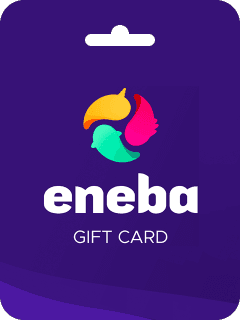


Eneba Gift Card 10 BRL Top Up: Product Overview
The Eneba Gift Card 10 BRL digital voucher is a prepaid code designed to credit 10 Brazilian Reais directly into your Eneba Wallet. Once added to your balance, these funds can be applied toward thousands of digital gaming products, including PC game keys for Steam, Epic Games, and GOG, console vouchers, subscription passes, and in-game currencies.
Buying an Eneba digital card allows you to manage your gaming budget without linking personal credit cards or banking details directly to marketplace seller accounts. You receive a digital code immediately after purchase on BitTopup, giving you full control over when and how you spend your balance.
Product Specifications
| Feature | Details |
|---|---|
| Product Name | Eneba Gift Card BRL 10 BRL |
| Region Compatibility | Brazil (BR) |
| Currency | Brazilian Real (BRL) |
| Value | 10 BRL |
| Delivery Type | Digital Code (On-Screen & Email) |
| Account Sharing Required | No (Code Only) |
How to Recharge and Redeem Your 10 BRL Eneba Gift Card
Redeeming your 10 BRL voucher takes less than a minute. Follow these steps to apply your digital balance to your Eneba account:
- Complete Your Order: Purchase the 10 BRL card on BitTopup. Your digital redemption code will display directly on your order confirmation screen and will also be sent to your registered email.
- Log In to Eneba: Visit the official Eneba platform and sign in to your personal user account.
- Open Wallet Settings: Click on your profile avatar in the upper-right corner of the page and select Redeem Gift Card from the drop-down menu.
- Input the Code: Type or paste your 10 BRL digital voucher code into the input field. Make sure there are no trailing spaces.
- Apply Balance: Click the Apply button. Your wallet balance will update instantly by 10 BRL.
- Checkout with Wallet: When purchasing games or keys, select your Eneba Wallet balance as your payment method during checkout.
Locating Your Account Details and Redemption Area
To ensure your card applies smoothly, verify your account settings before redeeming.

- Check Account Country: Ensure your account profile is configured to Brazil and that your default display currency is set to BRL.
- Locate Wallet Balance: Click your user profile picture at the top right of the navigation bar. Your active wallet balance is visible right beneath your username.
- Transaction History: You can track all applied gift cards and completed transactions under the My Wallet or Balance History tab in your profile dashboard.
What You Can Buy with 10 BRL in Your Eneba Wallet
A 10 BRL balance gives you flexible spending options across the entire marketplace:
- Indie Games and DLCs: Purchase low-cost PC game keys, downloadable content, expansions, and indie titles available during platform promotions.
- In-Game Microtransactions: Combine your wallet balance to acquire cosmetic packs, passes, or points in supported online titles.
- Split Payments: If the game or subscription you want costs more than 10 BRL, you can use your 10 BRL wallet balance first and cover the remaining difference using another payment method at checkout.
- Gifting Friends: Redeem the balance to purchase a specific digital game key and send the key directly to a friend.
Region Lock and Currency Compatibility for Brazil Accounts
Digital gift cards on Eneba are region-locked and currency-specific. Keep the following regional rules in mind:
- Brazil Account Requirement: The 10 BRL gift card is specifically issued in Brazilian Real (BRL). It can only be redeemed on Eneba accounts registered in Brazil or configured to utilize BRL as the native wallet currency.
- No Automatic Currency Conversion: If your Eneba account is registered to a region using USD, EUR, or other currencies, the system will reject the 10 BRL code. You cannot convert BRL wallet balance into foreign currency accounts.
- Product Activation vs. Wallet Currency: While your wallet balance is in BRL, you can still purchase region-free (GLOBAL) game keys or Brazil-specific (LATAM/BR) digital products that accept BRL at checkout.
Benefits of Buying Eneba Digital Cards on BitTopup
Choosing BitTopup for your gaming digital vouchers provides clear operational advantages:
- Instant Digital Delivery: Your code is generated and displayed on your screen the moment payment clears, with a duplicate copy sent to your email inbox.
- Zero Account Sharing: BitTopup will never ask for your Eneba account password, login details, or personal credentials. You receive an unredeemed voucher key that you apply yourself.
- Localized Payment Options: Pay comfortably using Brazil-friendly payment options, including Pix, local credit/debit cards, and secure online payment gateways.
- Live Competitive Pricing: Up-to-date pricing is displayed directly on the live checkout page with no hidden fees.
- 24/7 Support: If you ever run into a problem during purchasing or code delivery, BitTopup customer support is available around the clock to assist you.
Troubleshooting Eneba Code Redemption Issues
If you experience an issue when activating your voucher, check these common solutions:
- Invalid Code Error: * Check for accidental spaces before or after the code when copying and pasting. * Verify easily confused characters (such as the number
0vs the letterO, or the number1vs uppercaseI). - Region or Currency Mismatch: * Ensure your account location is set to Brazil. If your profile is set to another country, change your region settings in your account profile or contact platform support.
- Already Redeemed Status: * Check your Eneba Wallet balance history. Sometimes the balance updates immediately even if the webpage shows a loading delay.
- Browser Cache Glitches: * Refresh your browser, clear your cache, or try redeeming through an incognito window if the redemption button is unresponsive.
Frequently Asked Questions
How do I top up my Eneba Wallet with a 10 BRL gift card?
Log in to your Eneba account, click your profile icon in the top right corner, select Redeem Gift Card, paste your 10 BRL digital code received from BitTopup, and click Apply.
Can I use a Brazil (BRL) Eneba gift card on an account registered in another country?
No. Eneba gift cards are currency-locked. A 10 BRL voucher can only be activated on an account that supports and uses Brazilian Real (BRL) as its primary wallet currency.
Does the 10 BRL Eneba gift card code expire?
Digital voucher codes remain valid until redeemed. However, we recommend redeeming the card to your Eneba Wallet promptly after purchase so the balance is ready in your account whenever you want to buy a game.
Do I need to provide my Eneba login password to complete the recharge?
No. BitTopup only delivers the digital code. You never need to share your Eneba login, password, or security credentials with anyone.
What payment methods can I use to buy an Eneba 10 BRL gift card?
BitTopup supports a wide selection of payment methods, including Pix, standard credit/debit cards, and secure online checkout gateways. Available methods are shown directly at checkout.
What should I do if my Eneba gift card code does not work?
First, verify that your account region is set to Brazil and double-check the entered characters for typos. If the issue persists, reach out to the 24/7 BitTopup customer support team with your order ID for fast assistance.