

Eneba Gift Card 10 CAD Top Up: Overview and Wallet Benefits
An Eneba Gift Card CAD 10 CAD top up is the most direct way to fund your digital storefront account with Canadian Dollars. When you apply this digital gift card code, exactly 10 CAD is credited directly to your Eneba wallet balance. This balance gives you immediate purchasing power across thousands of video games, downloadable content (DLC), software keys, and platform subscription vouchers.
Using an Eneba wallet balance offers distinct financial and security advantages:
- Budget Control: Adding a fixed 10 CAD balance keeps your gaming expenses controlled without recurring automatic charges to personal bank accounts.
- Fast Checkout: Paying with preloaded wallet funds reduces transaction verification steps during checkout.
- Flexible Payments: If a selected game or item costs more than 10 CAD, the Eneba checkout system allows you to split payments, covering the initial 10 CAD with your wallet and paying the remainder with an alternate payment method.
- No Expiration Pressure: Once redeemed into your account balance, your Eneba wallet funds do not expire, allowing you to wait for seasonal discounts or game releases throughout 2026.
Step-by-Step Guide: How to Redeem a 10 CAD Eneba Gift Card Code
Redeeming your 10 CAD code takes less than a minute. Follow these steps to apply the balance directly to your account:
- Log In: Open your web browser, visit the official Eneba platform, and log in to your registered account.
- Open Wallet Menu: Click your profile name or avatar icon located in the upper-right corner of the top navigation bar.
- Select Redeem: Choose Redeem gift card from the drop-down user menu. Alternatively, click My Wallet and select the redeem option.
- Enter Code: Type or paste your 10 CAD digital code into the input field. Ensure there are no trailing spaces.
- Confirm Redemption: Click the Apply button. Your wallet balance will instantly update to reflect the added 10 CAD.
How to Check Your Eneba Account Details and Balance
Eneba does not use public numerical account IDs or character UIDs for top-ups. Digital codes are applied directly through your authenticated user profile email.
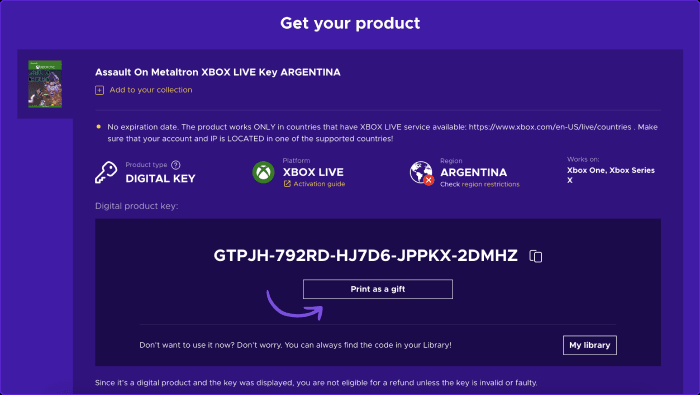
To view your active wallet balance and transaction ledger:
- Click your user profile icon on the top right.
- Select Wallet to see your available CAD funds, redemption history, and pending transactions.
- Verify that your currency display setting is set to CAD (Canadian Dollars) so your store pricing aligns with your balance.
Regional Compatibility: Using CAD Currency on Eneba Canada Accounts
The 10 CAD Eneba gift card is issued specifically in Canadian Dollars. Account currency compatibility is essential for a smooth transaction.
| Specification | Details |
|---|---|
| Card Value | 10.00 CAD |
| Region / Currency | Canada / CAD |
| Account Requirement | Registered Eneba account with CAD enabled |
| Code Delivery | Digital alphanumeric key |
| Expiration Policy | No expiration date on unredeemed or redeemed funds |
| Cross-Currency Usage | Automatic conversion or restricted depending on local account rules |
To avoid conversion discrepancies, make sure your Eneba account region and display currency are set to Canada (CAD) before applying the voucher. If your account is set to a different base currency, the system may apply standard currency conversion rates or require your account currency to match the voucher denomination.
What You Can Buy with 10 CAD Eneba Wallet Funds in 2026
A 10 CAD wallet credit gives you complete flexibility across multiple digital entertainment categories in 2026:
- Indie Games and Classic Titles: Buy top-rated PC games for Steam, Epic Games Store, GOG, and Ubisoft Connect.
- Console Content: Apply your balance toward digital codes for Nintendo eShop, Xbox network, and PlayStation Store.
- In-Game Currencies: Pick up gift codes for popular online multiplayer games, virtual currency packs, and battle passes.
- Software & Utilities: Purchase anti-virus licenses, streaming service passes, and productivity tools available in the catalog.
Common Eneba Code Redemption Errors and How to Resolve Them
If you experience an issue when activating your 10 CAD code, use these troubleshooting steps:
- Code Typo / Invalid Code: Digital keys consist of specific alphanumeric strings. Re-check for commonly confused characters such as
0(zero) versusO(letter),1(one) versusI(capital i), and8(eight) versusB. Copy and paste the code directly from your BitTopup order page to prevent typing mistakes. - Code Already Redeemed: Refresh your Eneba wallet balance page. In some cases, the funds are added immediately even if the webpage shows a slow confirmation. Check your wallet ledger under account settings.
- Region or Currency Conflict: Ensure your account is set to accept CAD currency. If you are browsing through a VPN, disable it to ensure your local connection matches your account region settings.
- Browser Cache Glitch: If the redeem button is unresponsive, clear your browser cookies and cache or attempt redemption in an Incognito / Private browsing window.
Safe and Instant Digital Code Delivery with BitTopup
BitTopup delivers a secure, streamlined purchasing experience when you buy your 10 CAD Eneba voucher:
- Direct Digital Delivery: Your code is generated and displayed on-screen immediately after payment processing, with a duplicate sent to your order email.
- Account Security: BitTopup never asks for your Eneba account password, login credentials, or sensitive authentication details. You receive a clean voucher code to redeem independently.
- Transparent Pricing: Check the live product page on BitTopup for current pricing and available payment options at checkout.
- Dedicated Support: BitTopup customer support is available 24/7 to answer questions and assist with your purchase at any time.
Frequently Asked Questions
Can you add money to your Eneba wallet?
Yes. You can add money to your Eneba wallet by purchasing a digital Eneba gift card and redeeming the code in your account settings. The value is credited directly to your spendable wallet balance.
How to top up on Eneba with a 10 CAD gift card?
Log in to your Eneba account, click your profile icon in the top-right corner, select "Redeem gift card", paste your 10 CAD voucher code, and click "Apply". The 10 CAD will immediately appear in your wallet balance.
How can I buy an Eneba gift card online?
Select the 10 CAD denomination on BitTopup, proceed to checkout, choose your preferred payment method, and complete the order. Your digital code will be delivered instantly on-screen and to your email.
Does the 10 CAD Eneba gift card have an expiration date?
No. The 10 CAD Eneba gift card code does not have an expiration date. Furthermore, once the code is redeemed into your Eneba wallet, the funds remain available until you decide to spend them.
Can I use a CAD Eneba gift card outside of Canada?
The 10 CAD voucher is denominated in Canadian currency. While users in other countries can sometimes redeem it with automatic exchange rates, it is designed for accounts with CAD currency settings to avoid conversion fees or regional restrictions.
What games and digital items can I purchase with a 10 CAD Eneba balance?
You can use your 10 CAD balance to purchase PC game keys (Steam, Epic Games, Origin), console network cards, in-game virtual currencies, software keys, and subscription vouchers available in the store catalog.