


Hawa Top Up: What Are Coins and How Do They Work?
Hawa is a popular voice chat and social entertainment app where users join interactive audio rooms, share live moments, play mini-games, and build online communities. Within the app, Hawa coins serve as the core virtual currency that powers social engagement and room interaction.
When you top up your Hawa account with coins, you can spend them on:
- Animated Virtual Gifts: Send gifts ranging from simple flowers to elaborate multi-screen animations to your favorite room hosts and creators.
- VIP Badges and Frames: Stand out in crowded voice rooms with specialized avatar frames, entrance effects, and status honors.
- Room Customization: Unlock audio filters, custom backgrounds, and decorative seats inside your hosted chat rooms.
- Event Participation: Support friends during official ranking contests, community leaderboards, and seasonal events.
Refilling your balance through BitTopup gives you immediate access to all these social features without interrupting your conversations.
How to Recharge Hawa Coins on BitTopup
To complete a Hawa recharge on BitTopup, follow these simple steps:
- Select the Coin Amount: Browse the live catalog on BitTopup and choose the coin package that fits your needs.
- Enter Your Hawa Player ID: Type or paste your unique numeric Player ID into the required field.
- Review Your Order: Double-check that your Player ID matches the account you want to top up.
- Choose a Payment Method: Select your preferred payment option from the live checkout menu and submit your payment.
- Check Your In-App Balance: Open Hawa and check your wallet balance to confirm the coin delivery.
How to Find Your Hawa Player ID (UID)
You only need your numeric Player ID to complete an order. You do not need to share your password or login credentials.
Follow this guide to locate your ID in the app:
- Launch the Hawa app on your mobile device.
- Tap the Profile / Me tab located in the bottom-right corner of the home screen.
- Your numeric Player ID (UID) is displayed right below your avatar and display name.
- Tap the small Copy icon next to your ID to copy it directly to your clipboard.
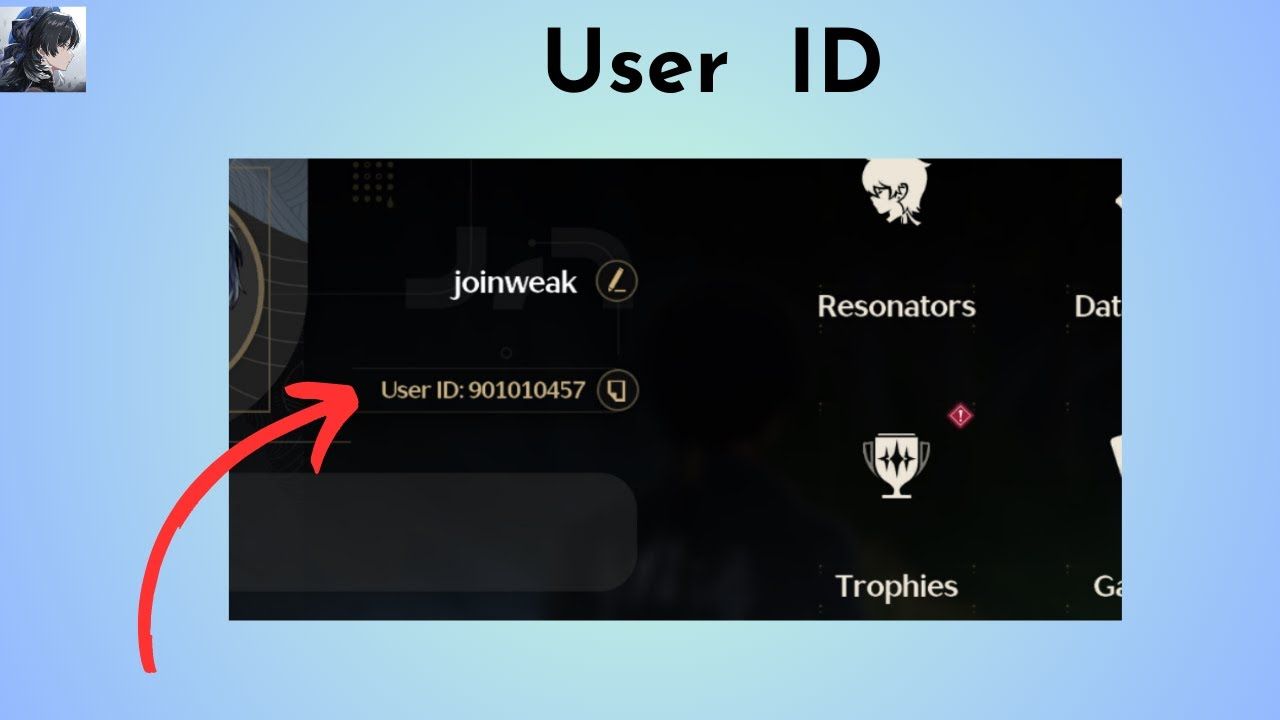
Tip: Always use the built-in copy function to avoid manual typos.
Hawa Coins Rewards: Badges, Room Upgrades, and Host Support
Upgrading your Hawa coin balance allows you to participate actively in chat room activities. Here is how spending coins impacts your profile and in-room presence:
| Feature | How Coins Are Used | Benefit / Outcome |
|---|---|---|
| Gifting Hosts | Send animated gifts during live voice streams | Supports room hosts and earns points toward community leaderboards |
| VIP Tiers | Reach specific coin spending thresholds | Unlocks special entrance effects, profile name colors, and unique badges |
| Avatar Styling | Purchase limited-edition profile frames | Distinct look in chat seat lists and participant lists |
| Room Upgrades | Activate exclusive room sound effects and backgrounds | Attracts more listeners to your own voice rooms |
| Friend Transfers | Send gift boxes directly to friends | Builds in-app friendships and unlocks co-op badges |
Global and Regional Compatibility: MENA and Worldwide Support
Hawa is widely used across the MENA (Middle East and North Africa) region, Southeast Asia, and international markets. BitTopup supports global Player ID processing, meaning you can recharge your account regardless of where you created it.
- MENA Accounts: Full support for users registered in Saudi Arabia, UAE, Egypt, Kuwait, Qatar, and neighboring countries.
- Global Accounts: International accounts registered in any region can receive coin recharges through their Player ID.
- No Region Switching Needed: The top-up is credited based entirely on your unique numeric ID, eliminating the need to change your device app store location or use VPNs.
Safe and Secure Recharge: Player ID Only with Zero Password Risk
Account safety is a top priority when purchasing digital currencies online. BitTopup utilizes a direct ID-based delivery method designed to keep your personal data protected:
- No Password Required: We will never ask for your Hawa password, social login details, or verification SMS codes.
- Encrypted Checkout: Every transaction on BitTopup is processed through secure, industry-standard encrypted payment gateways.
- Direct Wallet Credit: Coins are transferred directly to your in-game balance through official system routes.
- Support for Friends: Because only the public Player ID is required, you can safely surprise friends or family members by sending coins directly to their accounts.
Troubleshooting Common Hawa Top-Up Issues
If you experience any issues with your order, check the following troubleshooting steps:
- Coins Haven't Appeared Yet: Close the Hawa app completely from your device's app switcher and reopen it. Check the in-app Wallet section under your Profile to refresh your balance.
- Entered the Wrong Player ID: If you submitted an incorrect ID, check whether the ID belongs to an active account. Reach out immediately to BitTopup 24/7 customer support with your order number. If the order has not yet been processed, our team can help correct the information.
- Payment Pending: In rare cases, payment providers conduct brief security checks. Your coins will be processed as soon as the transaction status updates to completed.
Frequently Asked Questions
How do I find my Hawa Player ID for recharge?
Open the Hawa app, navigate to the Profile / Me section in the bottom-right corner, and locate your numeric ID displayed under your profile picture and nickname. Tap the copy icon next to the number to copy your ID accurately.
Do I need to provide my Hawa account password to buy coins?
No. You only need to provide your Hawa Player ID. BitTopup never asks for your password, phone login code, or linked social media access.
How fast will the coins be credited to my Hawa account?
Orders are processed promptly once payment is confirmed. In most cases, your coins will reflect in your in-app wallet shortly after completing your checkout.
Can I recharge Hawa coins for a friend?
Yes. Simply enter your friend's Hawa Player ID in the order field instead of your own. Once the payment is complete, the coins will be delivered directly to their account.
What can Hawa coins be used for in voice chat rooms?
Hawa coins can be used to send animated gifts to room hosts, purchase VIP profile decorations, unlock exclusive room entrance effects, and participate in special in-app leaderboard events.
What should I do if my Hawa coins do not show up after payment?
First, restart your Hawa app to refresh your wallet balance. If your balance does not update within a few minutes, copy your BitTopup order number and contact our 24/7 customer service team for assistance.
Which payment methods are supported for Hawa top-ups?
BitTopup supports a wide selection of international and local payment options, including major bank cards, digital wallets, and regional payment methods. The full list of available payment options is displayed directly on the live checkout screen.