

ROBLOX Canada Top Up & Digital Code Redemption Guide
A ROBLOX Canada top up provides Canadian players with digital gift card codes denominated in Canadian Dollars (CAD). When you purchase a digital voucher, you receive an official PIN code that adds Roblox Credit directly to your account balance. This balance gives you complete flexibility across the entire Roblox ecosystem, allowing you to convert your funds directly into Robux, purchase exclusive avatar accessories, access paid experiences, or subscribe to Roblox Premium.
Digital codes purchased on BitTopup are delivered instantly to your order screen without requiring access to your personal login credentials. You maintain full ownership and control of your Roblox profile while enjoying the benefits of local CAD purchasing options.
Roblox Canada CAD Denominations and Robux Conversion Rates in 2026
When redeeming a Canadian Dollar gift card on a computer or mobile web browser, your CAD credit converts into Robux. Purchasing digital codes and redeeming them via the official Roblox browser redemption portal grants higher Robux values compared to standard mobile in-app purchases, avoiding third-party mobile app store processing surcharges.
The following table outlines the standard CAD denominations and their corresponding Robux values in 2026:
| CAD Denomination | Standard Robux Received | Web-Exclusive Bonus Robux | Roblox Premium Equivalent |
|---|---|---|---|
| $10 CAD | 800 Robux | Up to 880 Robux | Tier 1 (450 Robux/mo) + Balance |
| $15 CAD | 1,200 Robux | Up to 1,320 Robux | Tier 1 (450 Robux/mo) + Balance |
| $25 CAD | 2,000 Robux | Up to 2,200 Robux | Tier 2 (1,000 Robux/mo) + Balance |
| $50 CAD | 4,500 Robux | Up to 4,950 Robux | Tier 3 (2,200 Robux/mo) + Balance |
| $100 CAD | 10,000 Robux | Up to 11,000 Robux | Multi-Month Premium / Bulk Robux |
Note: Exact Robux conversion rates and promotional bonus items depend on active Roblox events and real-time platform updates. Check the live BitTopup checkout for real-time pricing and available card amounts.
How to Recharge Roblox Canada Gift Card & Redeem Digital Codes
Roblox requires all gift card PIN codes to be redeemed through an internet browser. You cannot redeem digital voucher codes directly inside the standard iOS or Android Roblox mobile applications due to app store technical restrictions.
Follow these step-by-step instructions to redeem your code:
- Obtain Your Code: Select your desired CAD amount on BitTopup, complete checkout, and copy your digital PIN code from your order confirmation screen.
- Open a Web Browser: Launch Chrome, Safari, Edge, or Firefox on your PC, Mac, tablet, or phone.
- Go to the Redemption Page: Head directly to
roblox.com/redeem. - Log In to Your Account: Ensure you are signed in to the specific Roblox account you wish to credit.
- Enter the PIN: Paste or type the digital code into the text box labeled Code.
- Click Redeem: Press the white Redeem button to submit the code.
- Convert Your Credit: A success message will appear showing your newly added Roblox Credit in CAD. Select Convert to Robux to immediately turn your balance into in-game currency, or keep it as cash credit to buy a monthly Roblox Premium membership.
Verifying Your Roblox Account ID and Currency Settings
Before redeeming a Canadian gift card, verify that your Roblox account profile settings match your intended region. Canadian gift cards credit accounts with Canadian Dollar balances.
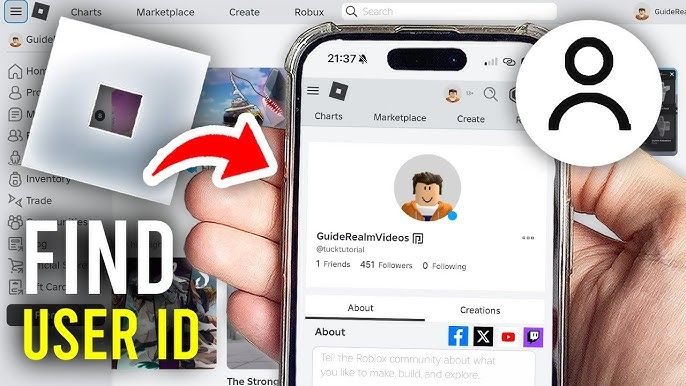
To check your account details and user ID:1. Log into your account on the Roblox website.2. Click on your profile picture or username in the top right corner.3. Your numeric User ID is visible in the browser address bar: roblox.com/users/[YOUR_USER_ID]/profile.4. Go to Settings (gear icon) > Account Info.5. Confirm that your location displays Canada so your account is properly structured to receive CAD currency credits.
Converting Roblox Credit into Robux or Roblox Premium Subscriptions
Once you redeem a digital code, your balance appears as Roblox Credit in Canadian Dollars. You have two primary ways to spend this credit:
1. Instant Robux Purchase
- Navigate to the official Roblox Robux page via browser.
- Select the Robux package that matches your credit balance.
- On the payment selection screen, choose Roblox Credit as your payment method.
- Click Submit Order to complete the purchase without entering external banking details.
2. Roblox Premium Subscription
- Go to the Roblox Premium page.
- Select your desired membership tier (450, 1,000, or 2,200 Robux per month).
- Choose Roblox Credit during checkout.
- Premium grants a monthly Robux allowance, a 10% bonus on all future direct Robux purchases, access to avatar item trading, and higher payout percentages in developer experiences.
Roblox Canada Regional Currency Rules & Account Settings
Roblox uses regional currency matching for gift card redemption. When you buy a Roblox Canada card, the digital code is generated specifically for CAD-denominated accounts.
- Region Matching: If your account currency is set to USD, EUR, or GBP, you may encounter a currency mismatch error during redemption.
- Adjusting Regional Settings: Ensure your account location is set to Canada. If you recently moved to Canada or set your location incorrectly, update your country in the Account Info tab under Roblox Account Settings.
- Parental Controls: For accounts managed by a parent or guardian, check that spending restrictions allow code redemptions and in-game item transactions.
Troubleshooting Common Roblox Gift Card Redemption Errors
If you experience an issue when entering your digital code, use this troubleshooting checklist:
- Code Not Recognized / Invalid Code: Carefully check for common character confusion. Numbers and letters like
0(zero) andO(capital o), or1(one) andI(capital i) can look similar. Ensure no trailing spaces were copied alongside the code. - Code Already Redeemed: Check your Roblox Credit balance on the redemption page or view your transaction history under Settings > Billing. In most cases, the code successfully processed on the first attempt.
- App Redemption Issues: If you try entering the PIN inside the mobile game client, it will not work. You must open a browser and use
roblox.com/redeem. - Balance Display Delay: If your Robux total does not update immediately after converting your credit, log out of Roblox and log back in, or perform a hard refresh (
Ctrl + F5on Windows,Cmd + Shift + Ron Mac).
Why Recharge Roblox Canada on BitTopup
BitTopup provides a straightforward and secure checkout experience for Canadian Roblox players:
- Code-Only Security: BitTopup only delivers digital redemption PINs. We never request your Roblox account password, email login, or two-factor authentication codes. Your account security remains in your hands.
- Instant Digital Delivery: After completing payment, your digital code appears directly on your screen and is saved in your BitTopup user center for immediate redemption.
- Transparent Live Pricing: View up-to-date CAD rates and transparent processing options before completing your transaction.
- 24/7 Customer Support: If you have questions about order delivery or redemption steps, BitTopup customer support is available around the clock to assist you.
Frequently Asked Questions
Can I buy and redeem a Roblox Canada gift card on any account?
Roblox Canada digital gift cards are designed for accounts configured to Canadian Dollars (CAD) or regions that accept CAD vouchers. To avoid regional redemption errors, verify that your Roblox account location is set to Canada under your Account Settings.
How much Robux is $25 Canadian in 2026?
A $25 CAD Roblox gift card converts to approximately 2,000 Robux when redeemed via the official web redemption portal, with promotional periods offering up to 2,200 Robux or exclusive in-game virtual items.
How do I recharge my Roblox balance using a digital code?
Go to roblox.com/redeem in any web browser, sign in to your Roblox account, enter your digital PIN code in the designated box, and click Redeem. Your account will immediately receive the corresponding CAD Roblox Credit.
Can I redeem my Canadian Roblox gift card inside the Roblox mobile app?
No. The Roblox mobile application on iOS and Android does not support direct gift card PIN entry. You must open a mobile browser (such as Safari or Chrome) and visit roblox.com/redeem to redeem your code.
Do Roblox Canada digital gift card codes expire?
No, Roblox digital gift card codes do not have an expiration date. Once you purchase your code, you can redeem it whenever you choose. However, we recommend redeeming the PIN promptly to ensure your credit is active.
What should I do if my Roblox Canada code shows an invalid error?
First, verify that you entered the characters correctly without accidental spaces. Check that you are redeeming the code at roblox.com/redeem. If the error continues, check your Roblox Billing settings to see if the credit was already applied, or contact BitTopup support with your order ID for fast assistance.