



Steam Russia Top Up: Step-by-Step Wallet Recharge Guide
Adding funds to your Russian Steam account is straightforward when using direct balance replenishment on BitTopup. You do not need to share your account credentials, install third-party plugins, or coordinate trades with unfamiliar sellers. The entire process relies solely on your Steam Account Login name.
Follow these steps to complete your Steam Russia recharge:
- Select Your Top-Up Amount: Choose the desired Ruble (RUB) balance pack or enter a custom amount on the BitTopup product page.
- Enter Your Steam Account Login: Type your exact Steam Account Login (Player ID) into the input field. Do not use your community display name.
- Review the Order Summary: Check the live conversion rates, wallet denomination, and total price displayed directly on the live checkout screen.
- Complete Payment: Select your preferred payment method from the available checkout options and confirm the transaction.
- Check Your Steam Wallet Balance: Open your Steam client or visit the Steam desktop website. Your updated balance in Rubles (RUB) will reflect immediately upon delivery.
How to Find Your Correct Steam Player ID / Account Login
A successful Steam balance replenishment depends entirely on submitting your actual Account Login Name rather than your Community Profile Display Name. Steam uses your unique login name to identify your wallet internally.
- Account Login Name (Player ID): The private username you type into the login box when signing into Steam. This name never changes, cannot be customized via profile settings, and is unique to your account.
- Community Display Name / Profile Nickname: The public name visible to your friends list and on multiplayer leaderboards. You can change this name at any time, but it cannot be used for direct top-ups.
Locating Your Steam Account Login Name
- Launch the Steam application or open Steam in your web browser.
- Look at the top-right corner of the interface where your current profile name and avatar appear.
- Click your profile name and select Account details from the dropdown menu.
- At the very top of the Account Details page, locate the line that says Account [YourLoginName].
- Copy or type this exact name into the Player ID field on BitTopup.
Important: Do not enter your SteamID64 (a long string of numbers), your custom vanity profile URL, or your email address. Only your original login username will allow the direct recharge to deposit successfully into your wallet.
Account Region Verification and Ruble (RUB) Wallet Requirements
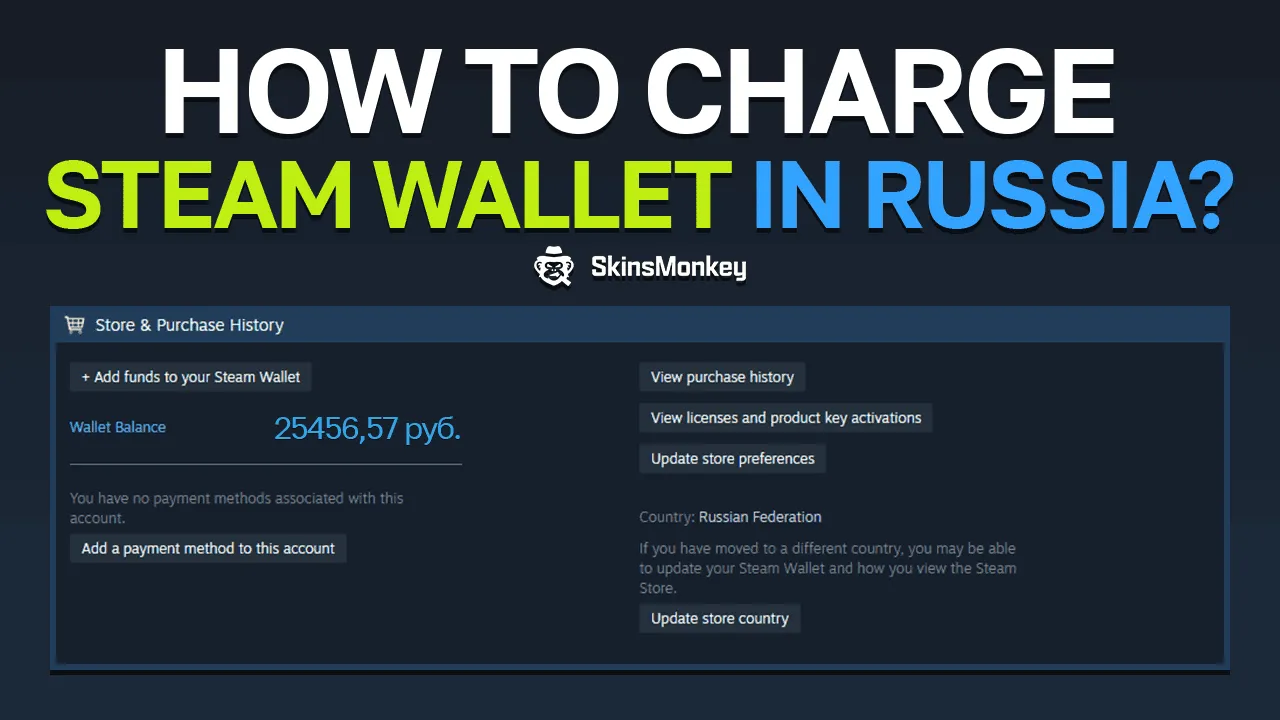
To ensure your funds credit properly, your Steam account must be registered to the Russian region with its store currency set to Rubles (RUB).
How to Verify Your Account Region
- Open your Steam client and navigate to Account details.
- Under the Store & Purchase History section, check the Country listing.
- Confirm that the country displays as Russian Federation (Russia) and your current balance displays in Rubles (₽ / RUB).
If your account is registered in a different region (such as Kazakhstan, Turkey, or the United States), direct Ruble deposits may fail or convert under platform-specific regional rules. Always verify that your account store region matches the product region before finalizing your checkout.
Direct Balance Top-Up vs. Alternative Methods
| Feature | BitTopup Direct Balance Top-Up | P2P Skin / Item Reselling | Code / Key Trading Sites |
|---|---|---|---|
| Account Password Required | No (Login ID only) | No (Requires trade confirmation) | No |
| API Access / Token Sharing | Never | Frequently required by bots | No |
| Delivery Method | Direct wallet balance deposit | Marketplace trade & manual sale | Manual code entry |
| Account Safety | High (Zero credential exposure) | Moderate (Risk of trade scams/API hijack) | Variable (Risk of invalid keys) |
| Exact Currency Control | Exact RUB amount credited | Unpredictable (Fluctuates with market fees) | Fixed denomination limits |
| Delivery Speed | Rapid automated processing | Delayed (Subject to trade holds & buyer demand) | Manual code activation |
Benefits of Password-Free Direct Steam Wallet Top-Up
Security is the most critical factor when funding gaming accounts. BitTopup uses a direct replenishment system that eliminates the risks associated with account sharing or third-party credential access.
- Zero Credential Sharing: You never provide your Steam password, email login, or Steam Guard mobile authenticator codes. Your account remains entirely in your control.
- Protection Against Phishing and API Hijacking: Because you do not interact with automated trade bots or click third-party verification links, your Steam API key and inventory remain untouched.
- Automated Processing: Direct wallet top-ups bypass the need to message individual peer-to-peer sellers, negotiate prices, or wait for market listings to sell.
- Transparent Live Checkout: All applicable conversion calculations and total charges are presented clearly on BitTopup before you finalize payment, avoiding hidden surprise fees.
Common Top-Up Mistakes and How to Avoid Failed Delivery
Understanding common input mistakes helps ensure your recharge is processed without delays:
- Submitting a Profile Display Name Instead of Login Name: If your public gaming tag is "GamerPro" but your login username is "pro_player99", you must enter "pro_player99". Entering "GamerPro" will cause the delivery to fail or go to the wrong user.
- Store Region Mismatch: Attempting to top up a non-Russian Steam account using a Russian Ruble recharge can cause the automated system to reject the transaction.
- Typing Capitalization or Spacing Errors: Double-check for unintentional leading or trailing spaces when copying and pasting your login name.
- Brand New Accounts Without Region Initialization: If an account has never completed its initial regional setup or completed a first purchase/activation, verify the store region in your Steam settings before ordering.
If you experience any delay or make a typo during entry, BitTopup provides 24/7 customer support to assist you with order verification and resolution.
Steam Wallet Restrictions, Account Limits, and the $5 Rule in 2026
Steam enforces specific account limits designed to prevent spam and protect the community ecosystem. Adding funds via BitTopup directly interacts with these account statuses:
The $5 USD Equivalent Requirement
Steam maintains a "Limited User Account" policy. New accounts cannot send friend invites, access the Steam Community Market, create group chats, or level up their profile until they have spent the equivalent of at least $5.00 USD in the Steam store.
When you top up your Russian Steam wallet with an equivalent amount of Rubles (RUB) based on current daily exchange rates, that deposited balance counts directly toward fulfilling the $5 USD threshold once spent in the store. This allows new accounts to unlock full community features.
Wallet Balance Caps
Steam imposes maximum balance limits on active wallets to protect users from unauthorized balance accumulation. Ensure your current Ruble balance plus your intended top-up amount does not exceed the maximum wallet cap allowed by Steam in your region.
Steam Top-up Russia Frequently Asked Questions
Can Russian Steam accounts still be topped up in 2026?
Yes. Russian Steam accounts can be topped up directly with Rubles (RUB) using your Steam Account Login name on BitTopup. The direct wallet deposit system safely credits funds straight to your existing account balance.
Do I need to provide my Steam password to recharge my balance?
No. You never need to share your password, Steam Guard mobile code, or email access. BitTopup only requires your public Steam Account Login (Player ID) to deliver the wallet balance.
Where do I find my Steam Player ID / Login name?
Open the Steam client, click your profile name in the upper-right corner, and select Account details. Your Account Login Name is displayed at the very top of that page next to "Account".
What happens if my Steam account region is not set to Russia?
Direct Russian top-ups are intended specifically for accounts whose store country is set to Russia (displaying currency in RUB). If your account is registered to another country, the transaction may be declined by the system or rejected due to regional mismatch.
How long does the Steam Russia wallet recharge take to arrive?
Recharges are processed through automated systems shortly after payment confirmation. You can view real-time delivery status on your BitTopup order history page.
Does topping up Steam balance remove the limited account $5 restriction?
Yes. Adding funds to your Steam wallet in Rubles counts toward the $5 USD equivalent requirement established by Steam to lift Limited Account restrictions, allowing you to add friends and access the Steam Community Market.