Learn where to find ZEPETO code on iPhone fast. Copy your account ID directly from your profile tab to add friends, share avatars, and link your game data.
Locate Your ZEPETO Code on iOS in Three Taps
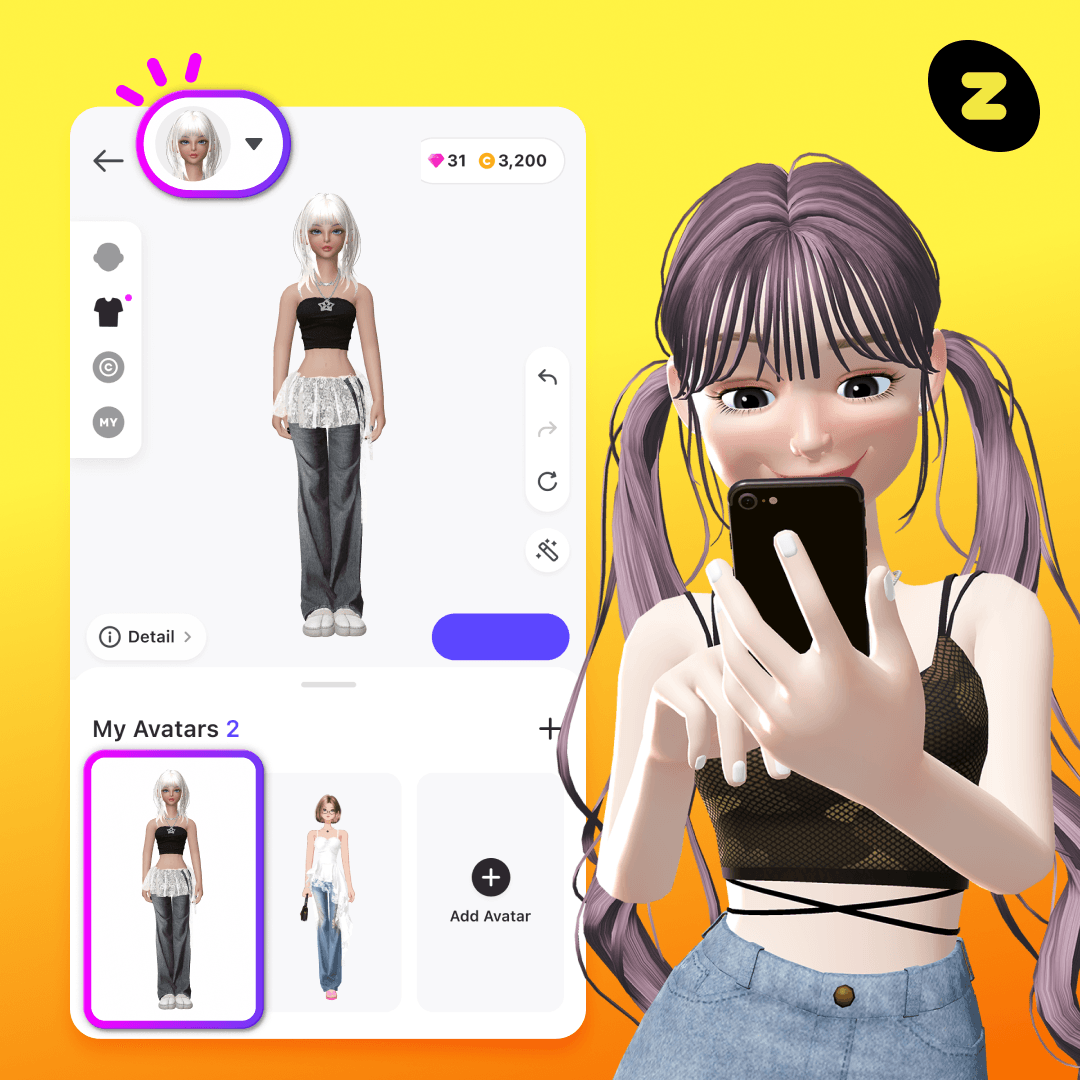
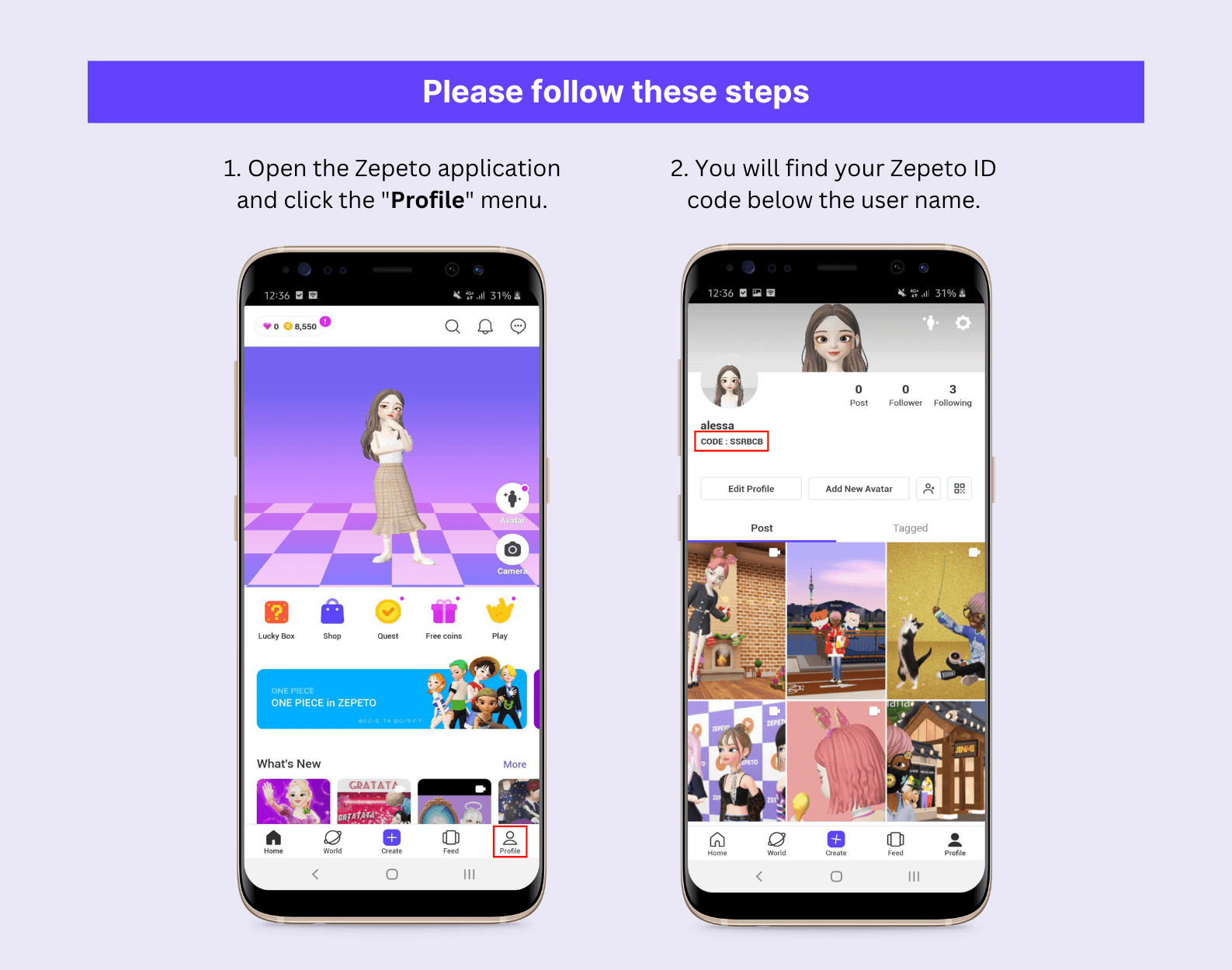
Grabbing your account identifier takes under ten seconds. ZEPETO displays your alphanumeric profile code on your profile screen, directly beneath your display name and 3D avatar.
Here is the exact path on any iPhone running the 2026 app version:
- Open ZEPETO on your iPhone and let the main dashboard load.
- Tap the Profile icon in the bottom-right corner of the bottom navigation bar.
- Look below your avatar and display name for the string preceded by an
@ symbol. - Tap the string once to copy it to your iOS clipboard, or tap the adjacent Share icon to pull up iOS sharing.
[ ZEPETO Home Screen ]
        │
        ▼ (Tap bottom-right icon)
[ Profile Tab ]
  ├── Avatar 3D Viewport
  ├── Display Name (Editable)
  └── @ZEPETO_CODE ◄── Tap here to copy to clipboard
A confirmation toast confirms the code copied to your clipboard. You can paste it into chats, social bios, or account forms. Tapping the QR icon beside your code renders your profile barcode for direct in-person scanning.

Copy and Share Your Code Using Native iOS Features
Manual typing invites mistakes when capital I, lowercase l, and the numeral 1 look identical in ZEPETO's default font. Native iOS tools eliminate that friction.
Using the iOS Share Sheet and AirDrop
Tapping the share button beside your code opens the native iOS Share Sheet:
- AirDrop: Sends your profile link and code directly to a nearby iPhone, iPad, or Mac.
- Messages: Drops your code into an iMessage thread with an avatar preview card.
- Copy: Places the full web deep link directly into system memory.
Profile QR Codes via the iOS Camera
Skip third-party scanner apps. Open your in-app QR code and have a nearby friend point their iPhone Camera at your display. iOS flags the deep link with a yellow banner that opens your ZEPETO profile immediately, skipping manual search bars.
For frequent sharing, screenshot your QR code and wire it into an Apple Shortcuts widget on your home screen.
ZEPETO Code vs Facecode vs Creator Code: Clearing the Confusion
Players frequently confuse account codes with cosmetic assets. If someone asks for your code, clarify whether they need your player ID or a customization preset. Mixing them up causes failed friend searches.
Your ZEPETO Code (or Account ID) is free, permanent, and tied to your account. It allows other players to search for your profile, visit your worlds, or send gifts.
A Facecode is an avatar customization item sold in the Face Store. Face creators bundle custom blend shapes and facial color values as standalone cosmetics under strict rules:
- They must be priced strictly between 9 ZEMs and 100 ZEMs.
- Creators face a strict submission cap of 5 facecodes per day.
- Item titles cannot exceed 25 bytes (including spaces).
- Every submitted facecode undergoes an automated review taking up to 10 minutes before appearing in search results.
If you plan to overhaul your avatar's appearance with premium blend shapes, pick up ZEPETO ZEMs & Coins through a verified channel so you can afford official Face Store releases without risking account integrity.
The following breakdown outlines how these code formats differ across the platform:
| Code Type | Purpose | Cost / Limits | Where It Lives |
|---|
| ZEPETO Account ID | Account identification & friend discovery | Free; 1 per account | Profile tab beneath avatar name |
| Facecode | Avatar face mesh & color customization preset | 9 to 100 ZEMs; 5 uploads/day max | Face Store / Creator Studio |
| Studio Test Link | Mobile preview for creator asset testing | Free; temporary session | ZEPETO Studio item details |
Takeaway: Never pay for an account code; only cosmetic Facecodes cost ZEMs, while your personal profile ID is always free to copy and share.
Troubleshooting: Profile Tab Missing Your Code
If the alphanumeric string under your avatar appears blank, your account was not deleted. Run through three common interface stalls.
Temporary Interface Desync
ZEPETO relies on cloud synchronization to render 3D avatars and fetch dynamic profile data. If your iPhone handoffs between 5G and Wi-Fi while launching, the UI shell loads before the user payload completes. The avatar renders, but the metadata field stays empty.
The Fix: Force-close ZEPETO via the App Switcher, wait five seconds, and relaunch. This forces the client to negotiate a fresh session token with the server.
Guest Account Restrictions
Skipping initial authentication leaves you in a guest session. Some guest profiles do not generate a persistent ZEPETO ID until tied to an external credential.
The Fix:
- Go to the profile tab and tap the Settings gear in the upper-right corner.
- Tap Manage Account.
- Link your Apple ID or phone number.
- Return to your profile to view your newly generated ZEPETO code.
Stale Application Cache on iOS
Accumulated world assets and textures increase ZEPETO's memory footprint on older iPhones, causing text layers to clip out.
The Fix: Inside ZEPETO, tap Settings > Account > Clear Cache. Confirm the prompt and restart the app. This removes cached 3D assets without deleting saved outfits or your friend list.
Platform Economics: Why Your Account Code and Security Matter
Your profile code anchors your virtual identity. The platform hosts more than 400 million registered users globally and roughly 20 million monthly active users. Approximately 65 percent of that player base resides in Asia, with the United States representing roughly 15 percent.
Virtual fashion drives high turnover across this user base. Standard and branded garments retail between $0.50 and $3.00, meaning dedicated wardrobes accumulate substantial monetary value over time.
For world builders, traffic converts directly to revenue. Platform creator ad pilots rewarded top-tier worlds once traffic crossed a baseline threshold of 20,000 unique visitors.
Here is how those view thresholds scaled during creator revenue testing:
| Metric / Tier | Traffic Requirement | Documented Payout | Real-World Equivalence |
|---|
| Pilot Minimum Tier | 20,000 unique visitors + 30,000 views | 5,000 ZEMs | ~$300 platform value |
| Pilot Top Tier | 50,000,000 aggregate views | 4,000,000 ZEMs | ~$160,000 platform value |
| Standard Item Store | Per-item catalog purchase | 1 to 50+ ZEMs | $0.50 to $3.00 average item cost |
Takeaway: High virtual asset values make active ZEPETO accounts prime targets, which means sharing your account code requires strict adherence to security basics.
Because profiles store purchased assets, safeguard your login credentials. When you need extra currency for styling, top up your balance securely with ZEPETO ZEMs & Coins recharge rather than entering your profile details on unvetted websites.
Protecting Your Profile Code from Free ZEM Phishing Traps
Sharing your code with friends carries zero security risk. The ID is public information. However, external sites and social posts frequently promise thousands of free ZEMs if you input your code into an online generator.
Third-party currency generators do not exist. Sites claiming to offer them are credential harvesting tools designed to steal session tokens and account access.
Support metrics indicate that account hijacking accounts for the bulk of platform player disputes. External customer service recovery rates sit around 10 percent, with incoming inquiries split between phone (70%) and email (30%). Once an attacker swaps your bound phone number or email, recovery options are minimal.
[ Unofficial "Free ZEM" Site ]
        │ (Prompts for Code or Login)
        ▼
[ Session Hijack / Credential Phishing ]
        │
        ▼
[ Account Compromised ]