




360VUZ VIP Subscription JO Top Up: Premium VR & Live Experiences
360VUZ (now known widely as VUZ) is the leading immersive social and video platform in the MENA region, providing 360-degree video streaming, virtual reality (VR) events, concerts, sports, and behind-the-scenes creator content. A 360VUZ VIP Subscription for the Jordan (JO) region provides complete access to high-definition immersive content without ads, alongside exclusive camera angles and premium live streams.
Getting a 360VUZ VIP Subscription JO top up through BitTopup gives you immediate access to your digital voucher code. You can activate your membership on mobile or web without entering personal credit card details inside the application or sharing your login credentials.
What is 360VUZ VIP Subscription (Jordan Region)?
The Jordan-specific 360VUZ VIP membership is a regional digital pass that upgrades a standard Jordan VUZ account to VIP status. Because digital distribution rights and localized live content catalogs vary by territory, 360VUZ issues region-specific subscription vouchers for Jordan users.
When activated on an account registered with a Jordan mobile number (+962) or set to the Jordan region, this subscription unlocks all premium interactive live events, backstage camera views, and on-demand 360° archives tailored for the local and regional audience.
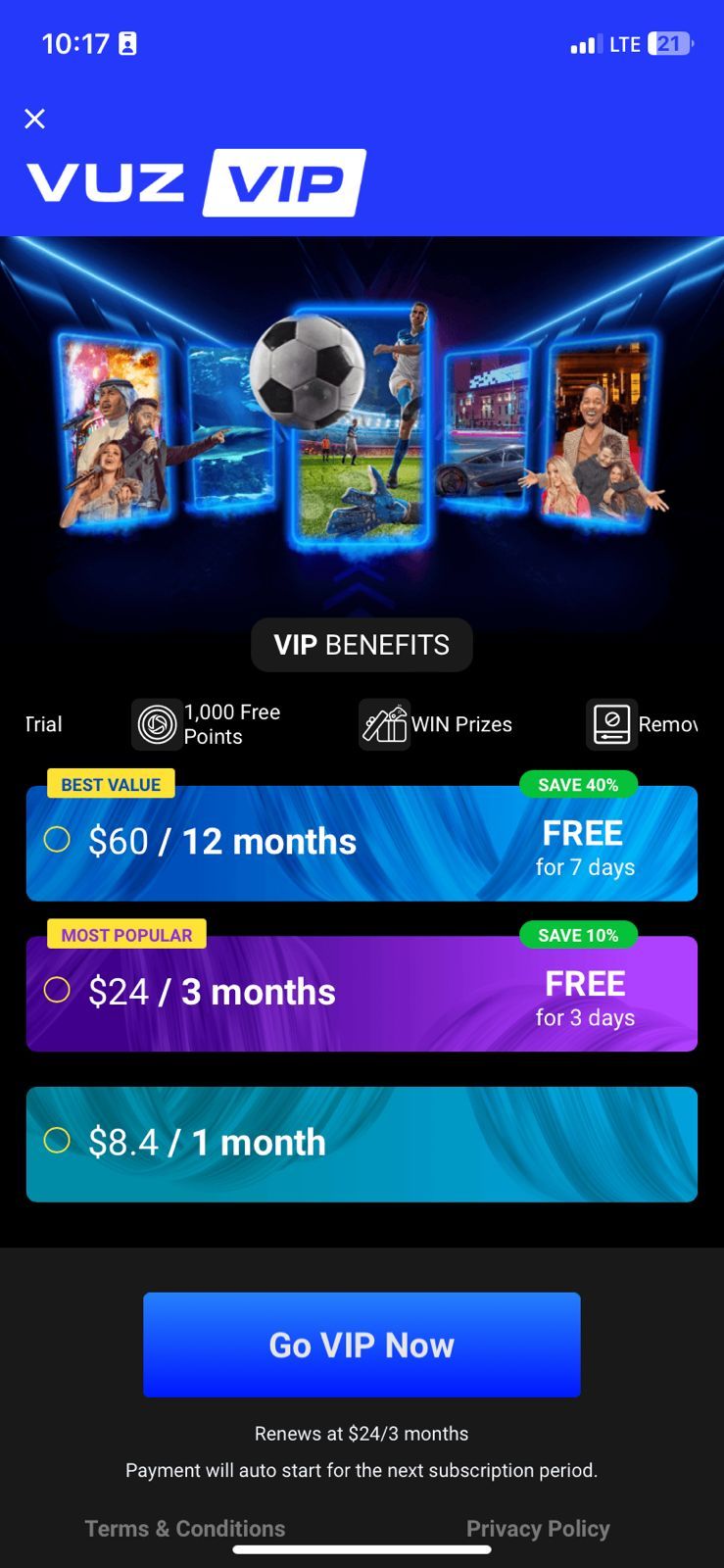
Key Benefits of VUZ VIP: Ad-Free 360° Videos, Exclusive Live Events & VR Experience
Upgrading your account to VIP removes standard platform limitations and provides high-tier streaming features:
- 100% Ad-Free Streaming: Enjoy uninterrupted viewing across all 360-degree on-demand videos and live interactive feeds.
- Multi-Angle Camera Control: Switch between backstage, VIP, and stage views during concerts and sporting events in real time.
- VR Headset Compatibility: Enable full VR mode to watch events through compatible mobile VR headsets and goggles.
- Exclusive Live Rooms: Gain entry to VIP-only live streams, creator Q&A sessions, and celebrity meet-ups.
- Ultra High Definition: Stream 360° video in high bitrate formats for clearer visuals on high-resolution smartphone screens.
- Platform Perks: Receive priority placement in interactive live chats and platform events.
360VUZ Free vs. 360VUZ VIP (JO)
| Feature | Standard Free Account | 360VUZ VIP (Jordan) |
|---|---|---|
| Video Playback | Standard 360° (Ad-supported) | Ad-Free High Bitrate 360° & VR |
| Live Multi-Angle Feeds | Limited / Single Angle | Full Multi-Camera Switching |
| VIP Live Events | Locked | Full Unrestricted Access |
| VR Headset Optimization | Basic | Full Immersive Mode Support |
| Interactive Chat Badges | Standard | VIP Supporter Badge |
Jordan Account Region Compatibility and Verification Rules
Before you buy 360VUZ VIP Jordan vouchers, verify that your user profile matches the Jordan region requirements:
- Account Registration Origin: Your 360VUZ profile must be registered under the Jordan region. This is automatically set if you registered using a Jordan mobile number (+962) or created your profile while located in Jordan.
- App Store Alignment: Ensure your Google Play Store or Apple App Store region was set to Jordan when downloading the app, or download the latest version directly from official app marketplaces.
- Regional Lock: Digital codes designated for Jordan (JO) cannot be applied to profiles registered in other regions (such as Saudi Arabia, UAE, or Egypt). Always ensure you select the Jordan product variant on BitTopup.
How to Recharge 360VUZ VIP Subscription (JO) on BitTopup
To complete your 360VUZ VIP recharge Jordan order on BitTopup, follow these steps:
- Select the desired 360VUZ VIP Subscription (JO) duration on this page.
- Review the live checkout total. Current rates and localized payment fees are displayed in real time on the checkout interface.
- Enter your contact email address to receive your order receipt and digital voucher code.
- Select your preferred payment method from the available checkout options.
- Complete the secure payment verification.
- Retrieve your 360VUZ VIP voucher code immediately on the confirmation page and via email.
How to Find Your 360VUZ Account Details and User ID
To ensure your account is ready for activation, you can check your profile details in the app:
- Open the 360VUZ (VUZ) app on your iOS or Android device.
- Tap the Profile icon located in the bottom navigation bar.
- Your registered username, phone number, and User ID (UID) are displayed at the top of your profile screen.
- Verify that your profile reflects your Jordan phone number or registered email before redeeming your code.
How to Redeem Your 360VUZ VIP Code in the VUZ App
Once you receive your digital code from BitTopup, redeem it through the official app or web portal:
In-App Redemption (Android / Web):
- Launch the 360VUZ application and log in to your account.
- Tap your Profile icon and select Settings or Subscription.
- Tap on Redeem Voucher or Promo Code.
- Paste the 360VUZ Jordan subscription code provided by BitTopup.
- Tap Apply or Confirm.
- Your account status will immediately update to VIP, unlocking all premium content.
Web Redemption:
- Visit the official 360VUZ redemption portal on your mobile or desktop browser.
- Log in with your Jordan-registered account credentials.
- Enter your digital VIP voucher code and click Redeem.
- Open your mobile app to enjoy your VIP benefits instantly.
Troubleshooting Common 360VUZ Subscription & Activation Errors
- Error: "Invalid Code or Code Expired": Carefully copy and paste the voucher without extra spaces before or after the code string. Ensure capital letters match the exact code delivered.
- Error: "Region Mismatch": This occurs if your 360VUZ account was created in a different country. You must redeem the JO voucher on an account registered with Jordan regional settings.
- VIP Status Not Showing After Redemption: Force close the 360VUZ application, clear your app cache, and reopen the app. If the status does not refresh, log out of your account and log back in to sync with the server.
- Payment or Code Delivery Delays: If your code delivery is delayed, check your spam or promotions folder for the confirmation email from BitTopup, or view your order history directly in your BitTopup dashboard.
Why Choose BitTopup for Jordan 360VUZ VIP Recharges
- No Account Sharing Required: You never need to provide your 360VUZ password or sensitive account access. BitTopup delivers digital voucher codes directly to you for self-redemption.
- Dedicated Regional Support: Specifically configured Jordan (JO) subscription products ensure seamless compatibility with Jordan-registered user accounts.
- Transparent Pricing: All costs and processing terms are shown clearly on the live checkout screen before you pay.
- Immediate Delivery: Receive your activation code immediately after payment confirmation.
Supported Payment Options for Jordan 360VUZ VIP Recharge
BitTopup supports a wide variety of secure payment methods to make buying your Jordan 360VUZ VIP pass convenient. You can pay using major credit and debit cards, international digital payment solutions, and popular regional checkout channels. The available payment options and exact local currency conversions are displayed on the checkout page.
Frequently Asked Questions
Can I use a 360VUZ VIP (JO) subscription outside of Jordan?
Yes, once the subscription is activated on your Jordan-registered account, you can stream content while traveling. However, you must activate the voucher on an account with Jordan regional settings.
What exclusive features do I get with a 360VUZ VIP membership?
You receive completely ad-free streaming, 360° VR viewing mode, multi-angle camera switching during live concerts and sports, access to VIP-only live rooms, and priority chat badges.
How do I activate my 360VUZ VIP subscription after purchasing?
Copy the digital voucher code from your BitTopup order page or confirmation email. Open the 360VUZ app, navigate to your Profile > Subscription / Redeem section, enter the code, and confirm.
Do I need to share my 360VUZ account password to recharge?
No. BitTopup operates with complete security. You only receive a digital redemption code, meaning you never share your login details or password with anyone.
On which devices can I watch 360VUZ VR and 360-degree content?
You can use the 360VUZ app on supported iOS and Android smartphones and tablets, as well as compatible mobile VR headsets and supported web browsers.
What should I do if my 360VUZ VIP activation fails or does not update?
Double-check that your account region is set to Jordan and that no spaces were copied with the code. If your code is valid but the app does not show VIP status, restart the app or log out and back in. For code-related issues, contact BitTopup 24/7 customer support with your order number.