



iTunes Gift Card (CN) Top Up: What It Is and Available CNY Denominations
An iTunes Gift Card (CN) is a prepaid digital card used to credit Chinese Yuan (CNY / RMB) directly to your Mainland China Apple ID balance. Once loaded, the balance can be spent across the Mainland China App Store, Apple Music, and within supported iOS applications and mobile games.
Because payment methods on the China App Store are typically restricted to domestic Chinese payment networks, digital gift cards offer an accessible, safe, and reliable way for international users and local gamers alike to add funds without linking a Chinese bank card.
Available CNY Denominations
BitTopup provides a range of digital code denominations to match your spending needs. Current rates and availability are displayed live on the checkout screen.
| Card Value (CNY) | Primary Use Case | Storefront Compatibility |
|---|---|---|
| 50 CNY | App purchases, monthly subscriptions, basic microtransactions | Mainland China App Store Only |
| 100 CNY | Battle passes, monthly passes in mobile games | Mainland China App Store Only |
| 200 CNY | Medium currency packs, premium digital content | Mainland China App Store Only |
| 500 CNY | Premium game pulls, bundles, expansion packs | Mainland China App Store Only |
| 1000 CNY | Large in-game top-ups, long-term store credit | Mainland China App Store Only |
Finding Your Mainland China Apple ID Account Details
Before you purchase an iTunes Gift Card (CN), ensure that the account you plan to use is officially set to the Mainland China region. Codes cannot be credited across different App Store regions.
To check your current Apple ID storefront region:1. Open the App Store on your iPhone or iPad.2. Tap your Profile icon in the upper right corner.3. Tap your Name / Apple ID email to open Account Settings.4. Select Country/Region to verify that your account is registered to China mainland (中国大陆).
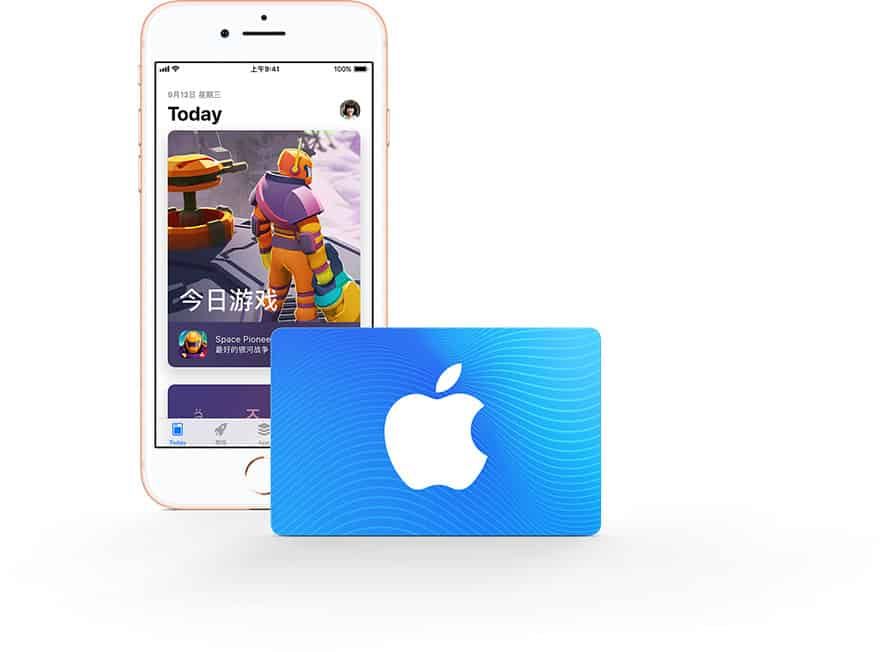
Step-by-Step Guide: How to Redeem a China iTunes Card on iOS and Mac
Redeeming your digital code takes only a minute once you receive the 16-digit code from BitTopup.
On iPhone, iPad, or iPod Touch
- Open the App Store on your device.
- Tap your Profile icon at the top right of the screen.
- Tap Redeem Gift Card or Code (兑换充值卡或代码).
- Choose Enter Code Manually (手动输入代码).
- Type or paste the 16-digit alphanumeric redemption code received from BitTopup.
- Tap Redeem (兑换) in the top-right corner to finalize the balance transfer.
On Mac (macOS)
- Open the App Store on your Mac.
- Click your name or the sign-in button in the lower left corner.
- Click Redeem Gift Card in the upper right corner.
- Enter the 16-character code into the field and click Redeem.
China Apple ID Real-Name Identity Verification Requirements
Due to cybersecurity and financial compliance regulations in Mainland China, Apple requires real-name identity verification (实名认证) for Apple IDs making first-time balance top-ups or redemptions.
What to Expect During First-Time Redemption
- When entering a gift card code for the first time on a China Apple ID, the system may display a verification prompt asking for a valid Chinese Resident Identity Card name and number, along with a domestic mobile phone verification code.
- If your account has already completed real-name verification, the gift card amount will be credited to your balance instantly.
- If your account is unverified, you must complete the identity verification prompt before the system credits the voucher to your balance.
Make sure your account is properly prepared or verified before purchasing to ensure a smooth redemption process.
Supported iOS Games & In-App Purchases
Adding funds to your Mainland China Apple ID unlocks direct in-app purchases across the entire Mainland China iOS ecosystem. Many Chinese game releases require balance or direct App Store payments.
Popular Supported Titles and Services
- Honor of Kings (王者荣耀): Purchase Vouchers (点券) for skins, battle passes, and heroes.
- Game of Peace (和平精英): Top up Unknown Cash / points for seasonal gear and crates.
- Genshin Impact & Honkai: Star Rail (CN Server): Purchase Genesis Crystals, Oneiric Shards, and Blessings directly via the iOS client.
- Identity V, Arknights, Naraka: Bladepoint Mobile: Fund in-game purchases smoothly through your Apple balance.
- Digital Subscriptions: Pay for Apple Music (China), iCloud storage upgrades, QQ Music, bilibili memberships, and reading apps.
When purchasing in-game items, select your Apple ID balance as the primary payment method during the iOS in-app checkout prompt.
Region Lock Policy: Mainland China vs. Other Storefronts
Apple enforces strict geographic restrictions on all iTunes and App Store gift cards.
- Mainland China Only: iTunes Gift Card (CN) codes are denominated in CNY and work exclusively on Apple IDs registered to the China Mainland storefront.
- Incompatible Storefronts: These codes cannot be redeemed on Hong Kong (HKD), Taiwan (TWD), United States (USD), Japan (JPY), or any other regional Apple accounts.
- Currency Conversion: Apple does not convert gift card currencies across borders. You cannot move a CNY balance from a Chinese account to an account registered in another country.
Verify that your account region matches before ordering.
Troubleshooting Common iTunes China Card Redemption Errors
If you run into an issue while redeeming your card, consult the following solutions:
1. 'The Code Is Invalid'
Double-check the code for typos. Certain characters can look similar: uppercase 'O' and zero '0', uppercase 'I' and the number '1', or 'B' and '8'. Copy and paste directly from your BitTopup order page to avoid manual typing mistakes.
2. 'The Code Has Already Been Redeemed'
Sign out of the App Store, sign back in, and check your Apple ID balance. In many cases, the code redeemed successfully on the first tap even if an error message displayed due to a slow network connection.
3. 'This Code Must Be Redeemed in the Chinese Storefront'
Your active Apple ID is set to a different country (such as the US, Hong Kong, or Japan). Switch your App Store account to a Mainland China Apple ID before attempting redemption.
4. 'Your Account Has Been Disabled in the App Store and iTunes'
This indicates an account security block from Apple. Contact Apple Support directly to resolve account verification holds.
Safety Precautions: Protect Your Digital Gift Cards
Digital gift card codes function like cash. Follow these essential security rules:
- Never Share Your Code: Do not send your 16-digit code to unverified third parties, social media brokers, or trade chats.
- No Password Sharing Required: BitTopup delivers digital codes directly to your account dashboard. You do not need to share your Apple ID password, verification codes, or personal account access with anyone to receive your product.
- Redeem Promptly: Apply the code to your Apple balance as soon as it is delivered to keep your funds secure inside your personal Apple ID.
Why Choose BitTopup for China iTunes Gift Cards
BitTopup provides a direct, transparent way to buy digital gift cards:
- Direct Digital Code Delivery: Receive clean, authentic 16-character codes directly in your order history.
- Transparent Checkout: All card denominations, exchange rates, and applicable fees are clearly displayed before payment.
- Broad Payment Support: Pay securely using regional and international payment methods without needing a Chinese domestic bank card.
- Customer Support: Access customer assistance to help guide you through redemption steps and resolve order questions.
Frequently Asked Questions (FAQ)
How to redeem a China iTunes card on my Apple ID?
Open the App Store on your iOS device, tap your profile icon at the top right, select Redeem Gift Card or Code, choose manual entry, type the 16-character code provided in your BitTopup order, and confirm.
Why does redeeming an iTunes Gift Card (CN) require China national identity verification?
Under Chinese internet and financial regulations, Apple accounts in Mainland China must complete real-name verification (实名认证) before processing prepaid voucher top-ups. This is an official system-level requirement enforced by Apple for the China storefront.
Can I use an iTunes Gift Card (CN) on an Apple ID registered in another country?
No. Apple gift cards are strictly region-locked. iTunes Gift Card (CN) codes only work on Apple accounts registered to Mainland China.
What games and in-app items can I purchase with China iTunes gift card credit?
You can use your balance to purchase any app, in-game currency, monthly subscription, or item available on the Mainland China App Store, including games like Honor of Kings, Game of Peace, Genshin Impact (CN), and Apple Music China.
How can I check my iTunes gift card balance after redemption?
Open the App Store on your iPhone or iPad, tap your profile icon at the top right, and look directly beneath your name and Apple ID email. Your current CNY balance will be displayed on screen.
Can an iTunes Gift Card (CN) be refunded or exchanged after purchase?
Because digital codes are displayed immediately upon order completion and cannot be revoked once viewed, digital gift card sales are final. Confirm your Apple ID region is set to China Mainland prior to finalizing your purchase.