





BitTopup Logohow to top-up in bittopup
ค้นหา
วิธีเติมเงิน iTunes Gift Card (SA)

iTunes Gift Card (SA)

Excellent
Trustpilot
SAUDI ARABIASAUDI ARABIA
Instant Deliveryจัดส่งทันที
Safe & Secure paymentชำระเงินปลอดภัยและมั่นใจได้

Enjoy instant SAR balance with secure iTunes Gift Card delivery on BitTopup.

เลือกมูลค่า

iTunes Gift Card 50 SAR SA

฿ 401.40

ยอดรวม · x1

iTunes Gift Card (SA) คู่มือการเติมเงิน

Overview of iTunes Gift Card (SA) Recharge and Eligible Services

An iTunes Gift Card (SA) is a prepaid digital voucher dedicated to Apple Accounts configured to the Saudi Arabia region. When redeemed, the card adds funds directly to your Apple Account balance in Saudi Riyals (SAR). This balance allows you to pay for digital media, cloud storage, mobile games, and app subscriptions across all Apple devices without needing a local credit card linked to your profile.

Using a prepaid digital voucher provides complete control over your spending. Parents can manage digital allowances for family members, while gamers and mobile app users can fund in-app purchases directly. Because transactions pull directly from your SAR credit pool, you avoid foreign exchange conversion fees and international transaction surcharges on the Saudi App Store.

Important Region Compatibility: Saudi Arabia Apple ID Verification

Apple enforces strict regional boundaries on all gift cards and account balances. An iTunes Gift Card issued for Saudi Arabia (SAR) can only be redeemed on an Apple ID registered in Saudi Arabia. It will not work on accounts registered in the United States, United Arab Emirates, United Kingdom, or any other country.

Before purchasing or attempting to redeem your digital code, verify your Apple Account region:

  1. Open the App Store on your iPhone or iPad.
  2. Tap your Profile icon in the top right corner of the screen.
  3. Tap your name and Apple ID email address at the top of the account menu.
  4. Select Country/Region to view your active storefront setting.
  5. Confirm that the store region lists Saudi Arabia.
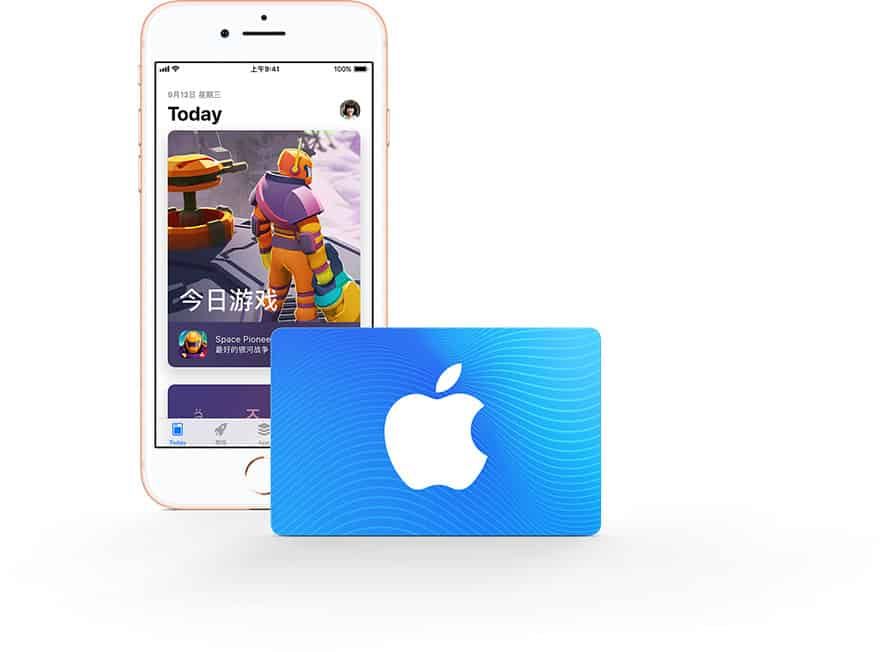
How to recharge iTunes Gift Card (SA)

If your Apple Account is set to a different country, you must switch your region to Saudi Arabia or create a secondary Apple ID dedicated to the Saudi App Store before redeeming this card. Note that switching store regions requires spending any remaining account balance and canceling active subscriptions first.

Step-by-Step Guide: How to Recharge Your Apple Account with a Digital SA Code

Once you receive your 16-digit alphanumeric digital code from BitTopup, follow these device-specific instructions to complete your recharge.

How to Redeem on iPhone, iPad, or iPod Touch

  1. Launch the App Store app.
  2. Tap your Profile icon in the upper-right corner.
  3. Tap Redeem Gift Card or Code.
  4. Choose Enter Code Manually.
  5. Type or paste the 16-digit code received in your BitTopup order details.
  6. Tap Redeem in the top right corner. The SAR credit will immediately update your Apple Account balance.

How to Redeem on Mac (macOS)

  1. Open the App Store on your Mac.
  2. Click your name or the Sign In button in the lower-left sidebar.
  3. Click Redeem Gift Card in the top right of the account window.
  4. Enter your 16-digit iTunes SA code.
  5. Click Redeem to confirm the balance addition.

How to Redeem on Windows PC

  1. Open Apple Music or iTunes for Windows.
  2. From the top menu bar, select Account > Redeem.
  3. Sign in with your Saudi Apple ID if prompted.
  4. Enter your digital redemption code and click Redeem.

What You Can Purchase with Saudi iTunes Credit

Redeeming a Saudi Apple voucher provides full access to digital products and services across the Saudi Arabian Apple ecosystem. Your SAR balance can be used across multiple categories:

CategoryEligible Purchases (Saudi Arabia Region)Payment Currency
Gaming & Mobile AppsPaid App Store downloads, in-game currencies (PUBG UC, Roblox Robux, Genshin Crystals)SAR (Saudi Riyal)
Cloud StorageiCloud+ monthly storage subscriptions (50 GB, 200 GB, 2 TB, 6 TB, 12 TB)SAR (Saudi Riyal)
Digital StreamingApple Music individual/family plans, Apple TV+ subscriptions, Apple ArcadeSAR (Saudi Riyal)
Digital MediaMovie rentals and purchases via the Apple TV app, Apple Books purchasesSAR (Saudi Riyal)

In-App Purchases and Gaming

When playing games downloaded from the Saudi App Store, in-app purchases automatically deduct funds from your Apple Account balance first. If your purchase total is equal to or less than your available SAR balance, no secondary payment method is charged.

Recurring Subscriptions and iCloud+

You can maintain ongoing subscriptions like iCloud+ or Apple Music using prepaid balance. Apple automatically deducts the monthly fee from your SAR balance on the renewal date as long as sufficient funds remain in your account.

Troubleshooting Common Apple Gift Card Redemption Errors in 2026

If you run into an issue while redeeming your code, refer to the following solutions for standard Apple App Store error prompts:

  • "This code is not valid in your country/region": This error indicates that your Apple ID is not set to Saudi Arabia. Verify your account region in App Store account settings. You cannot redeem a SAR card on a US, UK, or other foreign Apple ID.
  • "This code has already been redeemed": Sign out of the App Store and sign back in to force a refresh of your cached balance. If the balance remains unchanged, review your purchase history to see if the funds were credited to another family member under your Apple Family Sharing group.
  • "Code is invalid": Double-check for typographical mistakes. Common misreads include the letter 'O' versus the number '0', the letter 'I' versus the number '1', or the letter 'B' versus the number '8'. We recommend copying and pasting the exact digital string from your BitTopup order dashboard directly into the redemption field.
  • "Card has not been properly activated": Contact BitTopup customer support with your order ID so our team can review the code state with the provider immediately.

Safe and Secure Checkout: Why Recharge iTunes Gift Cards via BitTopup

Recharging your Saudi Apple Account through BitTopup offers a reliable, secure alternative to linking personal bank cards to online storefronts:

  • Zero Account Risk: BitTopup delivers digital redemption codes directly to your screen and email. We never ask for your Apple ID password, verification codes, or login credentials.
  • Fast Digital Delivery: Your 16-digit voucher code is generated directly in your order center upon successful payment completion, allowing you to top up your balance without delays.
  • Live Competitive Pricing: Clear pricing is displayed at live checkout, ensuring transparency before you confirm your order.
  • Dedicated 24/7 Support: Our customer service team is available around the clock to assist you with order tracking, code delivery, and redemption queries.

Frequently Asked Questions

Can I use a Saudi Arabia (SA) iTunes gift card on an Apple ID registered in another country?

No. Apple gift cards are strictly region-locked. A Saudi Arabia (SA) card functions exclusively on Apple Accounts set to the Saudi Arabia storefront in SAR currency. It cannot be redeemed on US, UK, UAE, or other international accounts.

How do I recharge my Apple Account balance with an iTunes Gift Card (SA)?

Open the App Store on your iOS device, tap your profile icon at the top right, select "Redeem Gift Card or Code", choose "Enter Code Manually", input your 16-digit digital code from BitTopup, and tap "Redeem".

Do Saudi Apple iTunes gift cards have an expiration date?

No. Apple iTunes digital codes do not expire. Once purchased, you can redeem the code whenever you choose. After redemption, the SAR funds stay in your Apple Account balance until completely spent.

Can I convert an iTunes gift card to cash or transfer the balance to another account?

No. Once a gift card is redeemed to an Apple ID, the SAR balance is permanently tied to that specific account. It cannot be transferred to another Apple Account, refunded, or exchanged for physical cash.

What can I buy with an Apple Gift Card (SA) balance?

You can purchase iOS and iPadOS apps, in-app currency and items, paid game downloads, iCloud+ monthly storage plans, Apple Music, Apple TV+, Apple Arcade subscriptions, and digital movies on the Saudi Apple storefront.

What should I do if my iTunes Gift Card code shows as invalid or already redeemed?

First, verify that your Apple ID region is set to Saudi Arabia. Copy and paste the code directly to avoid mistyped characters. If the balance does not update after signing out and back in to the App Store, contact BitTopup 24/7 customer support with your order number for verification.


iTunes Gift Card (SA) ข่าวสารแนะนำ

สินค้าแนะนำ

iTunes Gift Card (SA) คำถามที่พบบ่อยเกี่ยวกับการเติมเงิน

ใช้เวลานานเท่าใดกว่าที่คำสั่งซื้อจะเสร็จสมบูรณ์?
โดยปกติแล้ว คำสั่งซื้อจะเสร็จสมบูรณ์ภายในไม่กี่นาที หากมีความล่าช้าใดๆ โปรดติดต่อฝ่ายสนับสนุนลูกค้าของเรา
BitTopup คืออะไร?
BitTopup คือแพลตฟอร์มออนไลน์สำหรับเติมเกมและบริการต่าง ๆ ได้อย่างรวดเร็วและปลอดภัย
เวลาทำการของฝ่ายบริการลูกค้า?
ฝ่ายบริการลูกค้าของ BitTopup พร้อมให้บริการตลอด 24 ชั่วโมงทุกวัน
ฉันจะแลกรับโค้ด iTunes Gift Card (SA) ได้อย่างไร?
ไปที่หน้าแลกรับอย่างเป็นทางการ กรอกโค้ดจากคำสั่งซื้อของคุณ จากนั้นยอดคงเหลือ/ไอเทมจะเข้าบัญชีทันที
iTunes Gift Card (SA) รองรับภูมิภาคใดบ้าง?
สินค้านี้รองรับบัญชีภูมิภาค SAUDI ARABIA โปรดตรวจสอบภูมิภาคบัญชีของคุณก่อนทำการสั่งซื้อ
ฉันสามารถชำระเงินด้วยคริปโตได้หรือไม่?
ได้ เรายอมรับ Bitcoin, ETH, USDT และคริปโตเคอร์เรนซียอดนิยมอื่นๆ พร้อมการยืนยันทันที
หากเติมเงินแล้วไม่เข้าต้องทำอย่างไร?
ติดต่อฝ่ายสนับสนุนลูกค้าตลอด 24 ชั่วโมงทุกวันพร้อมแจ้งหมายเลขคำสั่งซื้อของคุณ แล้วเราจะส่งรหัสให้ใหม่หรือคืนเงินให้ทันที

iTunes Gift Card (SA) รีวิวจากลูกค้าเกี่ยวกับการเติมเงิน

รีวิวทั้งหมด: 915

คะแนนเฉลี่ย

how to top-up in bittopup

4.6

customer avatar
A almutairi2026/09/25
บริการดีมากครับ
customer avatar
Natalia2026/09/24
ไม่ได้คาดคิดเลยว่าจะใช้งานได้ดีขนาดนี้ ฉันใช้ส่งของขวัญ welkins ให้ผู้เล่นคนอื่นแล้วชอบผลลัพธ์มาก ฝ่ายบริการลูกค้าก็รวดเร็วด้วย หากคุณต้องการส่งของขวัญให้ใคร แพลตฟอร์มนี้ยอดเยี่ยมมากค่ะ
customer avatar
Oso2026/09/25
รวดเร็วทันใจ แอปบันทึกประวัติได้ดีมากสำหรับเอาไว้ทำบัญชี และส่วนลดก็ถือว่าคุ้มค่าสู้เจ้าอื่นได้สบาย
customer avatar
Ava Brown2026/09/26
บัตรของขวัญ Apple ใช้งานได้ไม่มีปัญหาเลย รหัสส่งตรงเข้าอีเมลของฉันทันทีหลังชำระเงิน
customer avatar
Muksal Mina2026/09/27
น่าเชื่อถือ
customer avatar
Huang Dacres2026/09/25
การรับเครดิตง่ายมาก! ขั้นตอนรวดเร็วและบริการก็รู้สึกเป็นกันเองสุดๆ
customer avatar
Bilal Lakhal2026/09/27
ชอบมาก เร็วมาก
customer avatar
Farhan Nafis2026/09/28
ดี โอเค เยี่ยมเลย
customer avatar
ZarGa2026/09/25
บริการรวดเร็วมาก ฉันมีปัญหานิดหน่อยกับรหัสแลกรับ แต่ปรากฏว่ารหัสถูกส่งมาแล้วและไปอยู่ในโฟลเดอร์สแปม หลังจากติดต่อฝ่ายสนับสนุน ปัญหาก็ได้รับการแก้ไขโดยมี Anna คอยให้คำแนะนำ
customer avatar
Hlaine Aykari Phyoe2026/09/28
ช่วยด้วย ฉันต้องการ PUBG Global UC
customer avatar
Jahan zaib2026/09/26
บริการดีมาก
customer avatar
Silver Tex2026/09/26
เติมเงินปลอดภัยและรวดเร็ว
customer avatar
Айзирек Тиленбаева2026/09/26
สุดยอดเลย!
customer avatar
Adolfo Davila2026/09/27
ชอบมากเลยค่ะ เป็นช่องทางเติมเงินเข้าแอปที่ปลอดภัย ไม่มีขั้นตอนยุ่งยากหรือล่าช้า และมั่นใจได้เลยว่าจะไม่โดนโกง
customer avatar
Amil Darmawi2026/09/25
ฉันเติมเงิน Honor of Kings และได้รับเพชรทันที ราบรื่นและรวดเร็วมาก ไม่มีปัญหาใดๆ เลย
customer avatar
Jarrett Meyer2026/09/27
ฉันใช้ BitTopUp มาสองสามปีแล้ว และอยากจะบอกสามเรื่องคือ: ไม่เคยมีปัญหาเรื่องการเติมเงินเลย, ความเร็วในการจัดส่งชนะทุกเว็บที่เคยลองมา, และมันง่ายมากๆ แค่คลิกไม่กี่ทีก็เรียบร้อย ช่วยให้ชีวิตง่ายขึ้นเยอะ
customer avatar
Oussama Zaouali2026/09/25
บริการดี
customer avatar
tumbles2026/09/27
ง่ายและรวดเร็วมาก
customer avatar
Kiska Myrr2026/09/24
ชอบทุกอย่างเลย
customer avatar
Madni Shahzad2026/09/26
คำสั่งซื้อของฉันถูกยกเลิกเนื่องจากปัญหาบางอย่าง และฉันได้รับเงินคืนแล้ว
iTunes Gift Card (SA) รีวิวทั้งหมด

ทำไมต้องเลือกเรา?

ธุรกรรมปลอดภัย 100%

ทุกการเติมเงินได้รับการปกป้องด้วยระบบรักษาความปลอดภัยในการชำระเงินที่เข้ารหัสตามมาตรฐานอุตสาหกรรม ซึ่งจะรักษาข้อมูลส่วนตัวและข้อมูลการชำระเงินของคุณไว้เป็นความลับอย่างสมบูรณ์ ช้อปได้อย่างมั่นใจ ปลอดภัย 100% ทุกครั้ง

บริการลูกค้าตลอด 24 ชั่วโมงทุกวัน

ทีมสนับสนุนที่เป็นมิตรของเราพร้อมให้บริการตลอด 24 ชั่วโมงเพื่อช่วยเหลือคุณทั้งก่อน ระหว่าง และหลังการซื้อ รับความช่วยเหลือที่รวดเร็วและเชื่อถือได้ทุกเมื่อที่คุณต้องการ ไม่ว่าจะเป็นกลางวันหรือกลางคืน

รับประกันคืนเงินเต็มจำนวน

เพลิดเพลินกับราคาที่คุ้มค่าที่สุดพร้อมการจัดส่งที่รวดเร็วและเชื่อถือได้ หากคำสั่งซื้อของคุณไม่ได้รับการจัดส่งหรือไม่สามารถใช้งานได้ เรารับประกันการคืนเงิน 100% เงินของคุณจะได้รับการคุ้มครองเสมอ

ช่องทางการชำระเงินที่รองรับ

PM_PIX - ช่วยเหลือด้านการชำระเงิน | BitTopupWG_PIX - ช่วยเหลือด้านการชำระเงิน | BitTopupPMKakaoPay - ช่วยเหลือด้านการชำระเงิน | BitTopupPMTNG - ช่วยเหลือด้านการชำระเงิน | BitTopupWG_TNG - ช่วยเหลือด้านการชำระเงิน | BitTopupPMGCASH - ช่วยเหลือด้านการชำระเงิน | BitTopupPM_WALLET_NAVERPAY - ช่วยเหลือด้านการชำระเงิน | BitTopupPM_WALLET_PMPROMPTPAY - ช่วยเหลือด้านการชำระเงิน | BitTopupAlipay HK - ช่วยเหลือด้านการชำระเงิน | BitTopupDANA - ช่วยเหลือด้านการชำระเงิน | BitTopupAM_SBP - ช่วยเหลือด้านการชำระเงิน | BitTopupPM_OXXO - ช่วยเหลือด้านการชำระเงิน | BitTopupOVO - ช่วยเหลือด้านการชำระเงิน | BitTopupPMToss - ช่วยเหลือด้านการชำระเงิน | BitTopupWG_PAY_NOW - ช่วยเหลือด้านการชำระเงิน | BitTopupWG_BLIK - ช่วยเหลือด้านการชำระเงิน | BitTopupPM_CARD_SA - ช่วยเหลือด้านการชำระเงิน | BitTopupWG_PAYU - ช่วยเหลือด้านการชำระเงิน | BitTopupPM_WALLET_JKOPAY - ช่วยเหลือด้านการชำระเงิน | BitTopupWG_STCPAY - ช่วยเหลือด้านการชำระเงิน | BitTopupPM_WALLET_SAMSUNGPAY - ช่วยเหลือด้านการชำระเงิน | BitTopupPM_7_ELEVEN - ช่วยเหลือด้านการชำระเงิน | BitTopupPM_WALLET_WECHATPAYHK - ช่วยเหลือด้านการชำระเงิน | BitTopupPM_NET_BANKING_FPX - ช่วยเหลือด้านการชำระเงิน | BitTopupPM_WALLET_QRIS - ช่วยเหลือด้านการชำระเงิน | BitTopupAM_CARD_KZ - ช่วยเหลือด้านการชำระเงิน | BitTopupAM_CARD_BY - ช่วยเหลือด้านการชำระเงิน | BitTopupWG_SADAD - ช่วยเหลือด้านการชำระเงิน | BitTopupWG_MADA - ช่วยเหลือด้านการชำระเงิน | BitTopupAM_TBANK - ช่วยเหลือด้านการชำระเงิน | BitTopupAM_SBERPAY - ช่วยเหลือด้านการชำระเงิน | BitTopupPM_REALTIME_PAYMENT - ช่วยเหลือด้านการชำระเงิน | BitTopupPM_WALLET_GASH - ช่วยเหลือด้านการชำระเงิน | BitTopupPM_OKMART - ช่วยเหลือด้านการชำระเงิน | BitTopupPM_HILIFE - ช่วยเหลือด้านการชำระเงิน | BitTopupPM_FAMILYMART - ช่วยเหลือด้านการชำระเงิน | BitTopupPM_CARD_SA_CD - ช่วยเหลือด้านการชำระเงิน | BitTopupAM_CARD - ช่วยเหลือด้านการชำระเงิน | BitTopupPM_CARD_EU - ช่วยเหลือด้านการชำระเงิน | BitTopupPM_CARD_KNET - ช่วยเหลือด้านการชำระเงิน | BitTopupBIN_DO_PAY_ME - ช่วยเหลือด้านการชำระเงิน | BitTopupPM_CARD_JP - ช่วยเหลือด้านการชำระเงิน | BitTopupBIN_DO_OCTOPUS - ช่วยเหลือด้านการชำระเงิน | BitTopupPM_CARD_US - ช่วยเหลือด้านการชำระเงิน | BitTopupPM_CARD - ช่วยเหลือด้านการชำระเงิน | BitTopupPM_WALLET_SHOPEEPAY - ช่วยเหลือด้านการชำระเงิน | BitTopupPM_WALLET_PAOTANGPAY - ช่วยเหลือด้านการชำระเงิน | BitTopupPM_WALLET_LINEPAY - ช่วยเหลือด้านการชำระเงิน | BitTopupPM_WALLET_TRUEMONEY - ช่วยเหลือด้านการชำระเงิน | BitTopupD_LOCAL_MX_IO - ช่วยเหลือด้านการชำระเงิน | BitTopupD_LOCAL_MX_BQ - ช่วยเหลือด้านการชำระเงิน | BitTopupD_LOCAL_MX_SE - ช่วยเหลือด้านการชำระเงิน | BitTopupD_LOCAL_MX_SM - ช่วยเหลือด้านการชำระเงิน | BitTopupD_LOCAL_MX_BV - ช่วยเหลือด้านการชำระเงิน | BitTopupD_LOCAL_PK_HB - ช่วยเหลือด้านการชำระเงิน | BitTopupD_LOCAL_PK_JK - ช่วยเหลือด้านการชำระเงิน | BitTopupD_LOCAL_PK_ES - ช่วยเหลือด้านการชำระเงิน | BitTopupD_LOCAL_PK_IO - ช่วยเหลือด้านการชำระเงิน | BitTopupPMPayco - ช่วยเหลือด้านการชำระเงิน | BitTopupGOPAY - ช่วยเหลือด้านการชำระเงิน | BitTopupPMPAYMAYA - ช่วยเหลือด้านการชำระเงิน | BitTopupPMGRABPAYPH - ช่วยเหลือด้านการชำระเงิน | BitTopupPMGRABPAYMY - ช่วยเหลือด้านการชำระเงิน | BitTopupPMBOOST - ช่วยเหลือด้านการชำระเงิน | BitTopupWG_PAYTM - ช่วยเหลือด้านการชำระเงิน | BitTopupPM_BANK_TRANSFER_PSE - ช่วยเหลือด้านการชำระเงิน | BitTopupPM_BANK_TRANSFER_EFECTY - ช่วยเหลือด้านการชำระเงิน | BitTopupWG_BPI - ช่วยเหลือด้านการชำระเงิน | BitTopupWG_GCASH - ช่วยเหลือด้านการชำระเงิน | BitTopupWG_BANCOMAT_PAY - ช่วยเหลือด้านการชำระเงิน | BitTopupWG_iDEAL - ช่วยเหลือด้านการชำระเงิน | BitTopupWG_BANCONTACT - ช่วยเหลือด้านการชำระเงิน | BitTopupPM_CARD_APPLE_US - ช่วยเหลือด้านการชำระเงิน | BitTopupPM_APPLEPAY - ช่วยเหลือด้านการชำระเงิน | BitTopupD_LOCAL_PH_PM - ช่วยเหลือด้านการชำระเงิน | BitTopupD_LOCAL_PH_GY - ช่วยเหลือด้านการชำระเงิน | BitTopupWG_BHIM - ช่วยเหลือด้านการชำระเงิน | BitTopupPM_WALLET_STCPAY - ช่วยเหลือด้านการชำระเงิน | BitTopupPM_GOOGLEPAY_US - ช่วยเหลือด้านการชำระเงิน | BitTopupPM_GOOGLEPAY - ช่วยเหลือด้านการชำระเงิน | BitTopupD_LOCAL_TH_TK - ช่วยเหลือด้านการชำระเงิน | BitTopupGATE_IO_PAY - ช่วยเหลือด้านการชำระเงิน | BitTopupBINANCE_PAY - ช่วยเหลือด้านการชำระเงิน | BitTopupWG_PHONE_PE - ช่วยเหลือด้านการชำระเงิน | BitTopupPAY_LOCO_ESumLifeET - ช่วยเหลือด้านการชำระเงิน | BitTopupPAY_LOCO_ESumFamilyMart - ช่วยเหลือด้านการชำระเงิน | BitTopupPAY_LOCO_ESum711 - ช่วยเหลือด้านการชำระเงิน | BitTopupBIT_WALLET - ช่วยเหลือด้านการชำระเงิน | BitTopup

10 Years Trusted Game & Live Streaming Top-Up Platform

Since 2016 | 5,000,000+ Users Worldwide

KAMAGEN LIMITED

Registration No. 76888246

Room 1508, 15/F, Grand Plaza Office Tower II, 625 Nathan Road, Mong Kok, Kowloon, Hong Kong

BUSINESS COOPERATION: ibittopup@gmail.com

© 2016-2026 BitTopup. All Rights Reserved.

Trusted & Verified by

ScamAdviser review of BitTopupGridinsoft review of BitTopupTrustpilot review of BitTopup
customer service































































































