Agent vs Regular Account Registration
Regular accounts allow watching broadcasts and sending gifts. Agent accounts grant broadcaster recruitment, commission tracking, and agency dashboard access. Both share the same phone database.
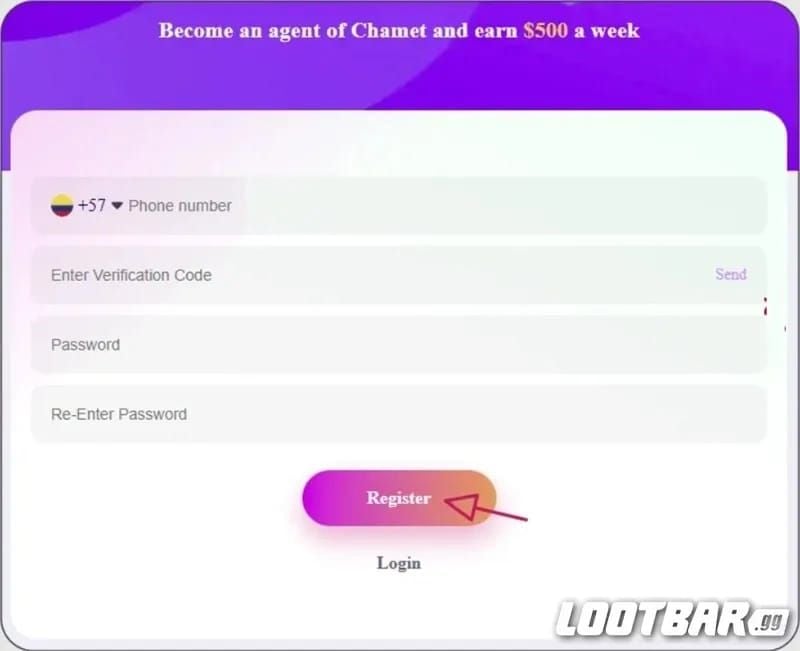
Critical distinction: Chamet prohibits binding existing hostess accounts to agencies and forbids rebinding active hostess accounts. Agent registration requires username, password, agency name, region, and cell phone number with SMS verification.
Why First-Time Applicants Get This Error
Phone number recycling: Your new number may have belonged to a previous Chamet user. Carriers reassign disconnected numbers after 90-180 days, but Chamet retains them permanently.
Incomplete registrations: If you entered your number during signup but abandoned before completion, the system cached it. Server-side records persist even after clearing app data.
Borrowed phones: Family or colleagues may have registered your number without your knowledge.
5 Root Causes
Cause 1: Incomplete Registration Cache
Chamet captures phone numbers when you click Send for verification code—not at registration completion. Partial registrations remain in the database for security auditing, even if you never entered the OTP.
Cause 2: Former Regular Account
If you created a regular account months or years ago, it still exists on Chamet's servers. Uninstalling the app removes software from your device but leaves your account active server-side.
Cause 3: Database Sync Delays (24-48 Hours)
Chamet operates distributed databases across regions. Account changes (deactivations, phone updates, deletions) must propagate across all nodes—typically 24-48 hours, longer during high traffic.
If you recently deactivated an account or requested unlinking, the agent registration portal might query an outdated database node.
Cause 4: Phone Format Recognition Issues
International formatting creates conflicts. A number entered as +1-555-123-4567 might store as 15551234567, while 555-123-4567 with separate country code could normalize differently.
Regional differences in handling leading zeros, area codes, and country prefixes contribute to unpredictability.
Cause 5: Shared Devices or Recycled Numbers
Chamet tracks device identifiers (IMEI, hardware signatures). Registration on devices previously used for Chamet—by you or others—may trigger duplicate flags.
Recycled carrier numbers from previous owners remain in the database permanently. The system can't distinguish between original owners and subsequent recipients.
Verify Your Account Status
Method 1: Test Login Screen
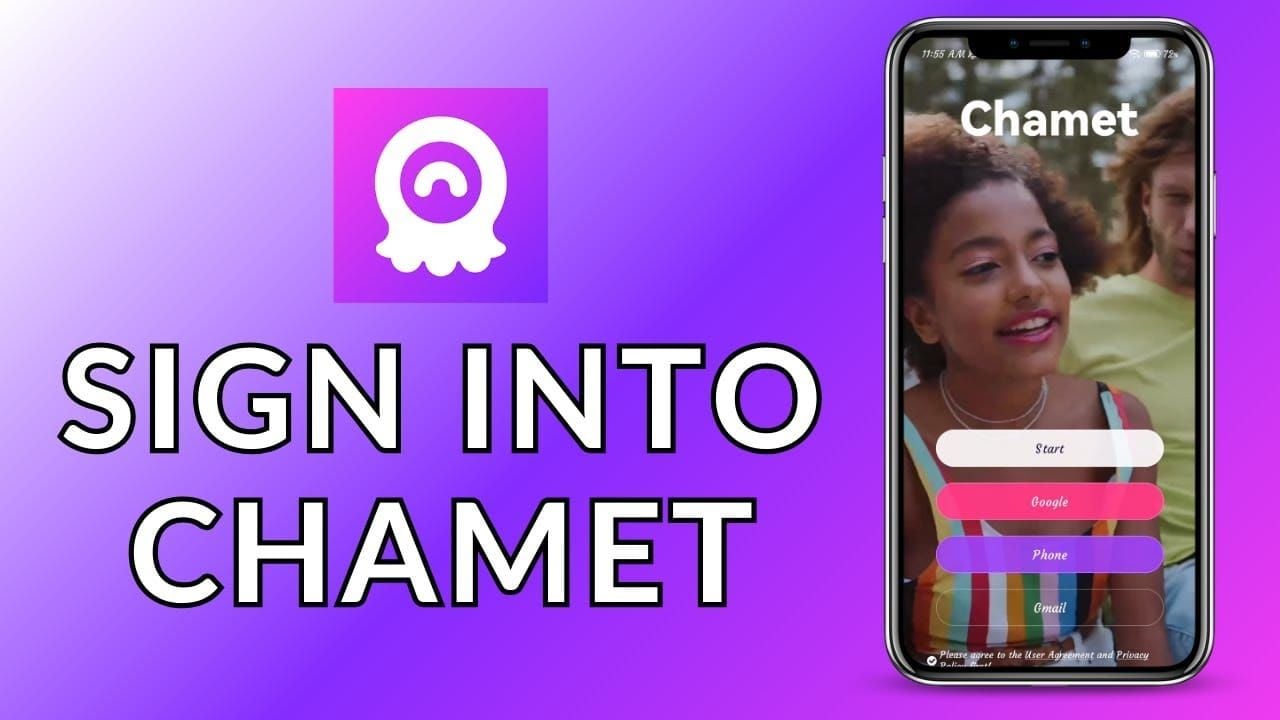
Download Chamet, navigate to login, enter your phone number with correct country code, and request verification code.
If OTP arrives successfully, your number is registered. Enter the code to access the account and see if it's regular, incomplete, or existing agent.
If system returns phone number not registered, the issue is formatting or sync delays, not true duplicate.
Method 2: Password Recovery
Access Forgot Password, enter your phone number. The system indicates if an account exists and may display partial info (registration date, username, account type).
Method 3: Check Email History
Search inbox and spam for Chamet emails with keywords: verification,welcome,registration. Email confirmations remain even if you deleted the app, providing timestamps and account recovery links.
Account Status Types
Active: Fully functional, regular login activity, no violations
Suspended: Temporarily disabled for policy violations, payment disputes, security concerns
Dormant: No recent activity but technically active
The error appears regardless of status because phone binding persists across all states.
Step-by-Step Solutions
Solution 1: Recover and Convert Existing Account
Log in using verification, navigate to account settings. Access agent registration portal while logged in—the system may allow agent application without creating separate account.
If in-app application isn't available, contact support to request agent permission addition. This typically takes 24-72 hours for review and approval.
Solution 2: Request Phone Unlinking
Prepare: current phone number, approximate registration date, associated emails, proof of ownership (carrier bills).
Submit support ticket clearly stating you need phone unlinking for agent registration. Include error screenshots and carrier documentation showing your name and number.
Support responds within 48-72 hours. They may request video selfie with ID and current date paper, or send verification code. Unlinking takes additional 24-48 hours to propagate. Wait 72 hours after confirmation before retrying registration.
Solution 3: Email Registration
Look for Email Registration option in agent portal. Enter email address, create password, receive verification link instead of SMS code.
System still requires phone for security and 2FA, but primary identifier becomes email. This bypasses already exists error tied to phone-based registration.
Limitations: Some features may need phone verification later, commission payouts often require phone confirmation.
Solution 4: Wait for Cache Clearance
If you recently attempted registration, contacted support, or made account changes, wait 72-96 hours for database sync.
During waiting period, avoid all Chamet activities—don't download app, visit website, or attempt login. After waiting, try registration on different device if possible, or clear all app data.
Use stable internet (don't switch WiFi/mobile) during registration. This resolves ~30% of errors from technical issues.
Solution 5: Secondary Phone Number
Obtain alternative number through second personal line, business phone, or virtual service with real SMS capability.
Test new number on login screen first. Ensure correct country code matches number format.
Complete registration with new number. After success, add original number as secondary contact (though it can't become primary identifier if still bound elsewhere).
For agent operations, top up chamet app through BitTopup provides fast transactions with excellent customer service.
Contact Chamet Support
Prepare Required Info
- Full name (as on government ID)
- Phone number with error
- Exact error message/screenshot
- Approximate date of any previous account creation
- Email addresses used with Chamet
- Device model and OS version
- Timeline of events
- Proof of phone ownership (carrier bills within 30 days)
Submit Support Ticket
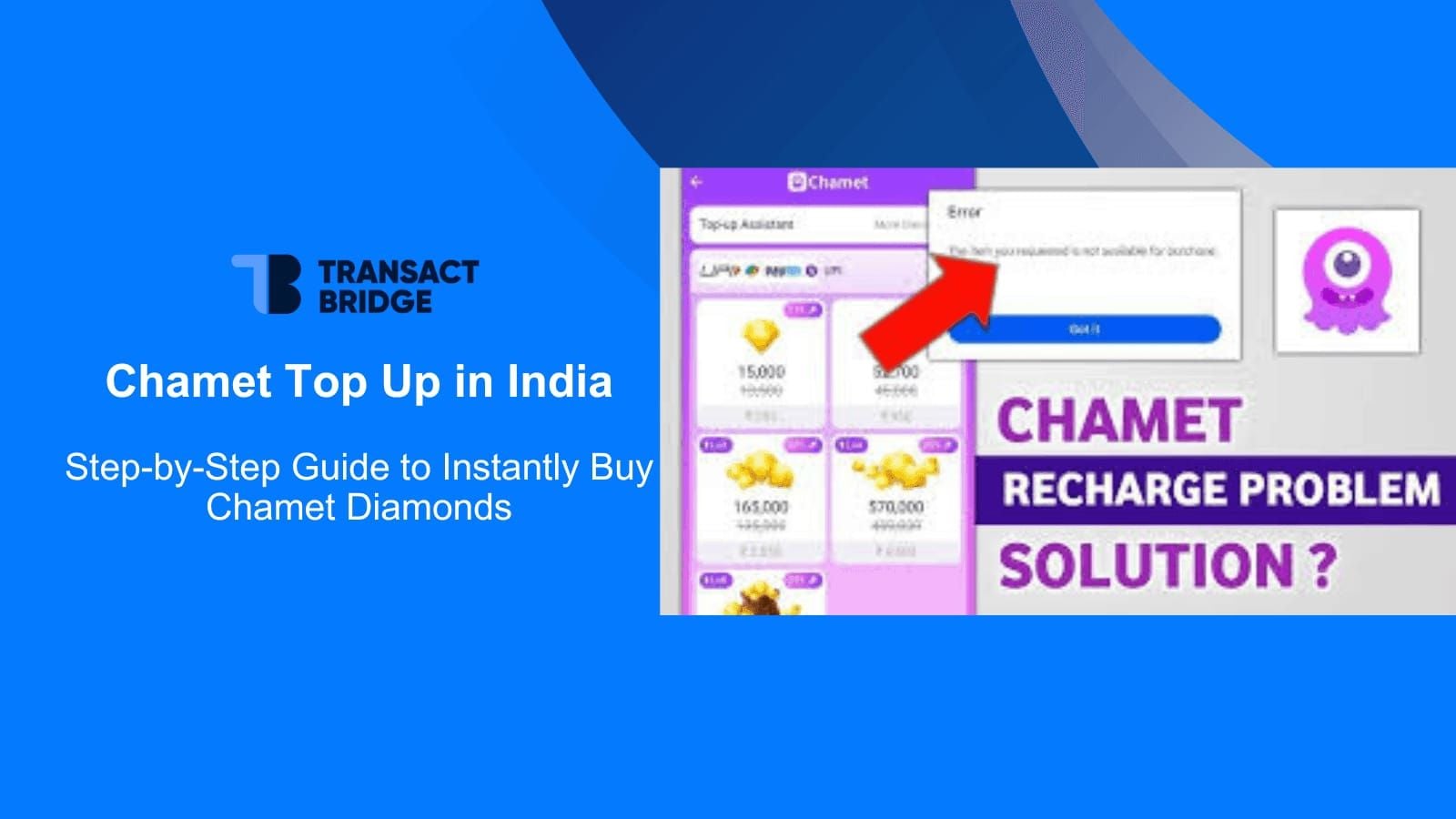
Access Help Center in app Settings/Profile. Select Registration Issues category.
First sentence: I cannot complete agent registration because system shows phone number already exists, but I've never registered for Chamet.
Provide timeline, documentation in organized paragraphs. Attach screenshots of error, phone entry screen, recovery attempts.
Include preferred contact method and availability.
Response Times
Initial response: 24-48 hours
Phone unlinking: 3-7 business days after verification
Account conversion: 2-4 business days
Complex cases: 10-14 business days
Escalation
If unresolved within stated timeline, reply requesting escalation to senior specialist. Reference ticket number, summarize lack of resolution.
After 7-10 days without resolution, escalate through official social media or community forums.
Consider alternative registration methods rather than waiting indefinitely.
Common Misconceptions
Myth 1: Need Brand New Phone Number
False. Brand new requirement applies to recruiting hostesses under your agency, not your agent account. Your agent account can use any number not currently bound to another Chamet account.
Myth 2: Deleting App Removes Phone Number
False. Uninstalling removes software from device, not server-side data. Account profile, phone binding, and history reside on Chamet's servers independently.
Proper deletion requires explicit action through account management or support. Even then, platform may retain phone records for security.
Myth 3: VPN Bypasses Error
False. Chamet maintains unified global database. Phone validation checks entire platform regardless of regional server or IP location.
VPN may trigger fraud detection due to mismatches between phone country code and IP location, creating additional complications.
One-Phone-One-Agent Policy Truth
Policy prevents fraudulent networks, ensures accountability through phone verification, and protects against account takeover.
Applies uniformly across all account types. Prevents binding existing hostess accounts to agencies since hostess phone is already bound to broadcaster account.
Prevention Best Practices
Maintain Account Records
Create secure document with: username, registration phone, email, registration date, account type. Update when making changes.
Store verification codes and confirmation emails. Include screenshots of successful registration and dashboard access.
Quarterly login checks ensure you haven't forgotten passwords or lost access.
Understand Account Transitions
Single account can hold multiple permission levels. Before creating new agent account, investigate upgrading existing account.
Contact support about adding agent permissions to current account. Some states (suspended, banned) cannot convert until underlying issues resolve.
Email vs Phone Registration
Choose email when: phone unlinking exhausted, operating in regions with frequent recycling conflicts, need urgent establishment.
Phone registration preferable for: faster payment verification, easier recovery, reliable 2FA.
Document Registration Process
Before starting: note date, time, device, OS, app version, connection type.
Screenshot each screen. If errors occur, capture exact message with codes.
Record all troubleshooting steps and outcomes. Prevents repeating ineffective solutions.
Alternative Registration Pathways
Email Registration Walkthrough
Access agent portal, look for Alternative Registration Methods or Register Without Phone Number. If not visible, contact support about email registration availability.
Enter exclusive email (avoid shared/temporary). Create strong password (8-16 characters, mixed case, numbers, symbols). Enter agency name, region, business info.
Check inbox/spam for verification message. Click link within 24 hours. System may still request phone for secondary verification—use number not bound to another account.
Complete profile with ID verification, business registration if applicable, payment info.
Business vs Personal Numbers
Business numbers offer: professionalism, separation of communications, tax benefits, continuity if personal number changes.
Obtain through traditional carriers or VoIP services with SMS capability. Test SMS functionality before registration.
Personal numbers acceptable if you prefer simplicity and don't need separation.
Regional Differences
Requirements vary by region: some need business registration docs, others accept individual applications.
Phone format requirements differ by country. Country code must match number's actual origin.
Payment processing varies regionally—some require tax IDs, business licenses, banking info.
Timeline Comparison
Phone-based: 5-10 minutes when no conflicts; days/weeks with errors
Email-based: 15-30 minutes initial + 24-48 hours approval
Support-assisted: 3-7 days straightforward; 10-14 days complex
After Resolving Error
Complete Agent Application
Log in, navigate to agent section. Enter agency name (professional, memorable, non-generic), operational region, contact info.
Upload required documentation. Submit comprehensive business info even if optional—accelerates approval.
Document Verification
Prepare current government photo ID (passport, national ID, driver's license). Ensure clear, well-lit photos showing all details.
Some regions require business registration certificates, tax docs, professional licenses.
Upload in specified formats (JPEG/PNG for images, PDF for multi-page). Follow file size restrictions.
Approval Timeline
Standard approval: 2-5 business days after complete submission. Manual review ensures quality control.
Weekday submissions process faster than weekend/holiday. Monitor email and in-app notifications for verification requests.
Incomplete applications extend timeline 3-7 days per revision cycle.
Access Dashboard
Upon approval, receive email and in-app confirmation. Navigate to Agent Center or Agency Dashboard.
Complete orientation tutorial. Explore: broadcaster recruitment tools, commission tracking, payment management, performance analytics.
Configure payment preferences immediately: enter banking info, select payment method, verify details. Errors cause payout delays.
Real User Cases
Case 1: Forgotten Test Account
User encountered error despite certainty of never using Chamet. Login test revealed account from 8 months prior—downloaded app, created account, watched one broadcast, uninstalled same day.
Solution: Recovered dormant account via password reset, contacted support for agent upgrade. Support verified no violations, approved agent permissions within 48 hours. Full agent approval in 3 days.
Case 2: Recycled Number
User obtained new carrier number, immediately hit already exists error. Testing showed active account with recent logins. Recycled number from previous owner.
Solution: Contacted support with carrier statements and phone screenshots. Support verified different devices/IPs, confirmed recycling scenario. Unlinked from previous owner (contacted to update info), cleared for new registration.
Process: 9 business days from support contact to successful registration.
Case 3: System Cache
User attempted registration, got error. Support confirmed no account exists. Waited 48 hours as suggested, second attempt succeeded immediately.
Investigation: Previous incomplete registration on different device cached number but didn't create full account. 48-hour wait cleared registration cache.
Key Lessons
- Verify actual status through login testing before contacting support
- Document thoroughly (screenshots, timestamps, detailed descriptions)
- Allow adequate time for sync, processing, verification
- Recognize when to pursue alternatives rather than persist with blocked methods
- Flexibility separates successful agents from those stuck in limbo
Maximize Agent Success
Essential First Steps
Complete profile comprehensively: professional photo, compelling agency description, all contact methods. Broadcasters evaluate agencies before accepting—incomplete profiles reduce acceptance.
Review agent policies, commission structures, support requirements. Understand obligations, prohibited practices, calculation methods.
Develop recruitment strategy: identify target demographics, prepare pitch, create support resources.
Commission Structures
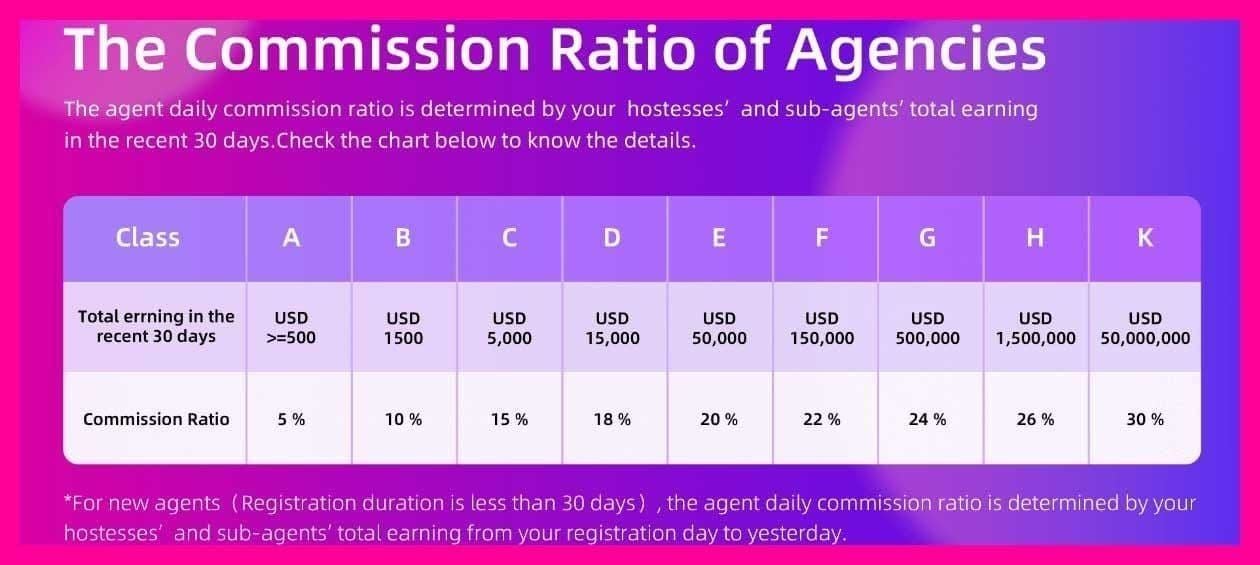
Agents earn percentage of broadcaster revenue. Rates vary by region, performance tiers, promotions. Check dashboard documentation for exact rates.
Payment cycles typically monthly. Minimum payout thresholds apply. Review region-specific requirements.
Configure multiple payment methods if available. Verify info quarterly.
Build Broadcaster Network
Recruit strategically, not randomly. Watch streams, identify talented performers. Personalize invitations explaining specific benefits.
Provide genuine value: training, technical support, promotional assistance, performance coaching. Develop resources (streaming tips, engagement strategies, troubleshooting).
Track performance through dashboard analytics. Identify top performers for additional support, struggling broadcasters needing intervention.
Leverage BitTopup
Professional operations require efficient resource management. BitTopup offers comprehensive Chamet recharge with competitive pricing, fast delivery (minutes), secure processing.
Excellent customer service resolves issues quickly. Wide coverage and high ratings provide confidence for smooth operations supporting multiple broadcasters.
FAQ
Why does Chamet say my number exists when applying first time?
Previous forgotten registration, incomplete attempt that cached number, recycled number from previous owner, or device-based conflict. Test on login screen to verify actual account, then pursue recovery or unlinking.
Can I use same number for regular and agent account?
No—one account per phone policy. Contact support to add agent permissions to existing regular account, converting it while maintaining same number.
How long to resolve phone number error?
Account recovery: 2-4 days. Phone unlinking: 3-7 days straightforward, 10-14 complex. Database sync: 48-72 hours automatic. Email/secondary number: 15-30 min + 2-5 days approval.
How to check if number is registered?
Attempt login—if OTP arrives, it's registered. Use password recovery to check account existence. Search email for Chamet registration confirmations.
Can I unlink phone from old account?
Yes. Contact support with carrier bills and screenshots. Support verifies identity, processes unlinking (3-7 days), then wait 48-72 hours for sync before retrying.
Alternative registration without phone?
Email-based registration uses email as identifier, still requires phone for secondary verification (use unbound number). Some regions accept business documentation—contact support for location options.
Successfully registered as Chamet Agent? Power up earnings with BitTopup—fastest, most secure Chamet Coins and Diamonds purchase. Instant delivery, competitive rates, 24/7 support. Maximize commissions today!