Processing Timeline: Settlement to Bank Transfer
After Thursday 06:00 UTC+8 settlement:
- USDT-TRC20: 24-48 hours
- E-wallets (GCash, PayMaya): 1-2 business days
- Bank transfers: 1-7 business days
New accounts add 24-48 hours verification before first withdrawal. Verification upgrades require 3-5 business days.
Withdrawal Limits by Verification Status
- Basic verification: $50 daily limit
- Semi-verified: $5,000 daily limit
- Fully-verified: $10,000 daily limit
First-time withdrawals require face verification completion, adding 24-48 hours. Recurring withdrawals from verified accounts process immediately.
Time Zone Conversions
06:00 UTC+8 settlement time:
- Philippines (UTC+8): 06:00 Thursday
- India (UTC+5:30): 03:30 Thursday
- Middle East (UTC+3): 01:00 Thursday
- Eastern US (UTC-5): 17:00 Wednesday
Submit withdrawals Wednesday evening UTC+8 for front-of-queue positioning. Off-peak hours (06:00-10:00 UTC+8 weekdays) process faster.
Understanding Chamet's Face Verification System
Face verification prevents multi-account fraud and unauthorized withdrawals. Multi-account detection causes 40% of failures, user ID errors another 40%.
Minimum Requirements
- Minimum withdrawal: 100,000 Beans ($10 USD)
- Button activation: 1,200+ Beans
- Conversion rate: 10,000 Beans = $1 USD
- System fee: $1.20 + $1-2 blockchain fees (USDT-TRC20)
Two-Stage Verification Process
Stage 1 - Liveness detection:
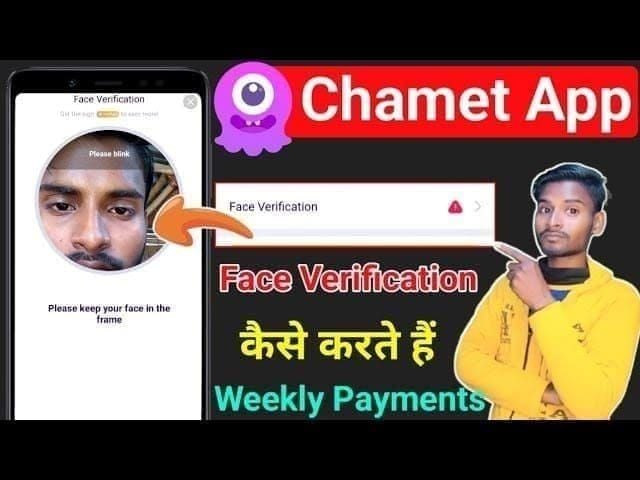
- Nods: Chin down, then up
- Blinks: Close eyes 1 full second
- Mouth open: Show teeth clearly
- Head shakes: 30-degree rotation left, then right
Stage 2 - Document validation:
- Government IDs valid 30+ days beyond submission
- Proof of address dated within 3 months
- Age verification confirms 18+
Processing Timeline
- Automated liveness check: Instant to 5 minutes
- Document validation: 2-12 hours
- Manual review (if flagged): 24-48 hours (new accounts), 3-5 days (upgrades)
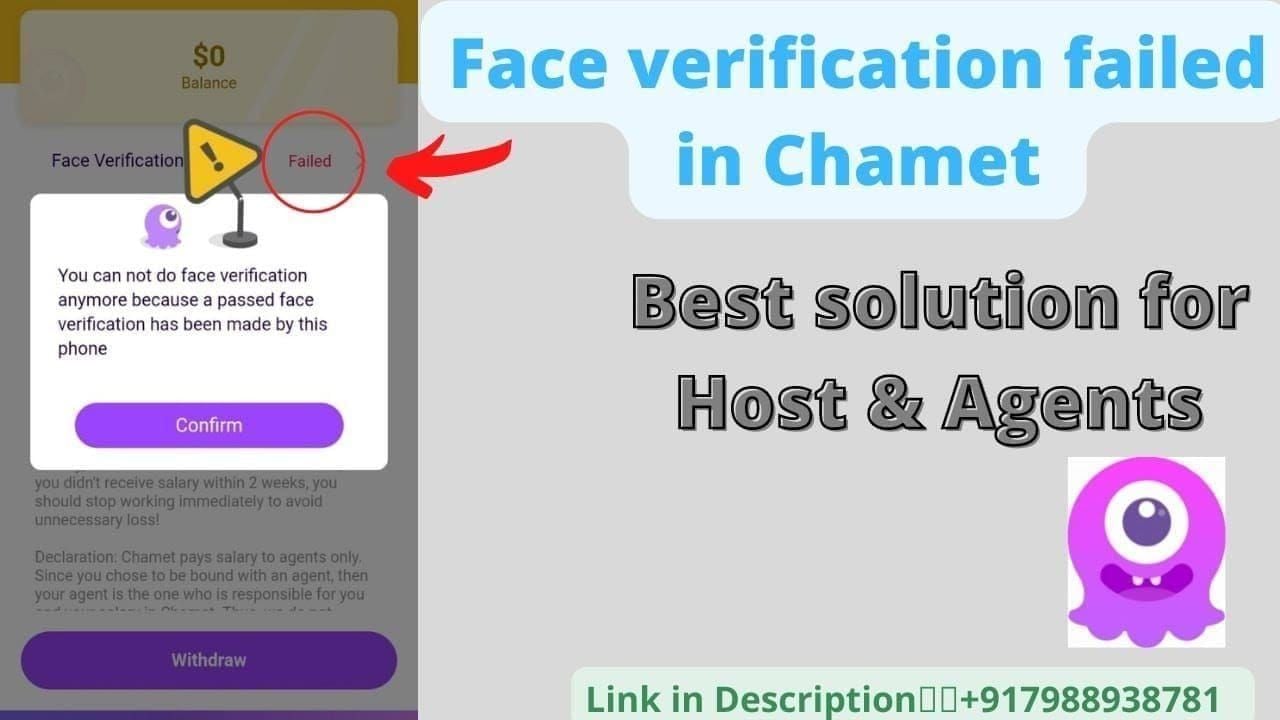
Failed attempts trigger 24-hour resubmission wait. Three consecutive failures escalate to manual review, adding 3-5 business days.
Payment Method Requirements
USDT-TRC20 wallets require 34-character string starting with T. User IDs must match 8-12 digit registered sequence.
Regional payment limits:
- GCash basic: PHP 8,000 monthly
- GCash verified: PHP 100,000 monthly
Buy Chamet recharge for diamonds on BitTopup for competitive pricing and fast delivery.
Top 7 Reasons Withdrawals Get Stuck
1. Verification Photo Quality Issues
Poor lighting causes most rejections. Requirements:
- Diffused natural light
- Device at eye level, 12-18 inches from face
- Minimum 5-megapixel front camera with autofocus
- No direct sunlight or dim indoor lighting
2. Mismatched Identity Documents
System performs exact character matching. John Smith ≠ J. Smith. Address discrepancies between proof of address and profile trigger rejections.
3. Incomplete Account Profile
Required fields:
- Full legal name matching government ID
- Complete residential address with postal code
- Valid phone number with country code
- Date of birth confirming 18+
- Email address
4. Minimum Diamond Threshold Not Met
Withdrawal buttons inactive until 1,200+ Beans, but actual minimum is 100,000 Beans. Sub-threshold balances can't process.
5. Payment Method Configuration Errors
USDT-TRC20 requires exact 34-character string starting with T. Single character errors, extra spaces, or wrong blockchain (TRC20 vs. ERC20) cause failures.
Bank accounts demand exact name matching between Chamet profile and account holder.
6. Account Status Restrictions
Flags blocking withdrawals:
- Sudden earning spikes inconsistent with history
- Multiple login locations within short timeframes
- Viewer complaint patterns
- Duplicate device fingerprints
7. Technical Glitches During High-Traffic Periods
Thursday morning UTC+8 experiences peak load. Server congestion causes timeout errors, incomplete submissions, and upload failures. January 8, 2026 settlement faces particularly high traffic.
Face Verification Photo Requirements Checklist
Lighting and Background
- Position facing window during daytime
- Stand 3-6 feet from window for diffused light
- Solid neutral background (white, beige, light gray)
- No busy patterns, posters, or other people
Facial Expression and Positioning
- Neutral expression, eyes open, mouth closed
- Face centered in frame
- Equal space on left and right sides
- Top of head near upper edge, chin in lower third
Document Clarity
- All four corners visible
- No fingers obscuring text or images
- Angle document 10-15 degrees to avoid glare
- All text sharp and readable at 100% zoom
- Rest phone/document on stable surface
Common Rejection Reasons
- Insufficient lighting: Shadows covering 25%+ of face
- Wrong orientation: Horizontal IDs photographed vertically
- Expired documents: IDs expiring within 30 days
- Filtered photos: Beauty filters or color adjustments trigger manipulation detection
15-Step Fix Checklist for Stuck Withdrawals
Steps 1-5: Verification Status and Photo Quality
Step 1: Force-close Chamet app. Android: Settings > Apps > Chamet > Force Stop, wait 15 seconds. iOS: Swipe up, swipe Chamet upward, wait 15 seconds.
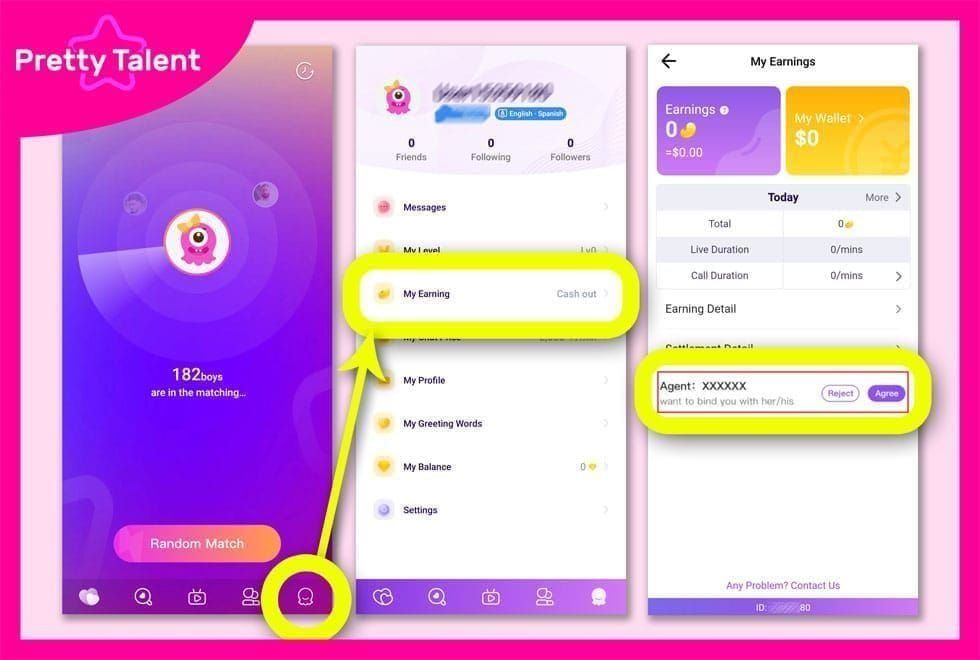
Step 2: Clear app cache. Android: Settings > Apps > Chamet > Storage > Clear Cache. iOS: Settings > General > iPhone Storage > Chamet > Offload App, reinstall.
Step 3: Verify battery exceeds 50% charge.
Step 4: Confirm minimum 500MB free storage.
Step 5: Retake verification photos during off-peak hours (06:00-10:00 UTC+8 weekdays).
Steps 6-10: Account Settings and Payment Validation
Step 6: Compare Chamet profile name character-by-character against government ID. Correct spelling variations, middle name discrepancies, punctuation differences.
Step 7: Validate USDT-TRC20 wallet address by copying from wallet app and pasting into Chamet. Don't manually type.
Step 8: Confirm user ID matches 8-12 digit sequence in account settings.
Step 9: Check Bean balance against 100,000 minimum threshold.
Step 10: Review verification tier and daily limits. If withdrawal exceeds tier limit, submit upgrade request first.
Steps 11-15: Technical Troubleshooting and Support
Step 11: Test network stability. Verification uploads require minimum 5 Mbps upload speed. Switch between mobile data and WiFi if needed.
Step 12: Update Chamet app to latest version.
Step 13: Submit withdrawal Wednesday evening UTC+8 for front-of-queue positioning.
Step 14: Document issue with screenshots: verification completion, Bean balance, error messages.
Step 15: Contact Chamet support at +628111446644 weekdays (09:00-17:00) or Saturday (10:00-15:00). Escalate if no resolution within 7 business days.
If Checklist Doesn't Resolve Issue
Prepare for support contact:
- User ID (8-12 digits)
- Exact date/time of verification completion
- Current Bean balance
- Withdrawal amount requested
- Payment method configured
- Screenshots of errors
Support response: 3-5 business days during settlement periods.
Technical Troubleshooting
App Version Updates
Chamet releases bi-weekly updates. Outdated versions increase failure rates 35% during settlements.
Check version: Android - Settings > Apps > Chamet > App Details. iOS - Settings > General > iPhone Storage > Chamet.
Cache Clearing
Cache files exceeding 200MB corrupt uploads. Clear monthly, especially before settlement dates.
Network Requirements
Verification uploads transmit 5-8MB per submission. WiFi provides more stable speeds than mobile data. Public WiFi with captive portals may block verification servers.
Device-Specific Issues
- Devices with <2GB RAM crash during photo capture
- Android 8.0 or earlier, iOS 12 or earlier lack required security certificates
- Update to Android 9.0+ or iOS 13+
Diamond Balance and Withdrawal Thresholds
Minimum Withdrawal by Region
Universal minimum: 100,000 Beans ($10 USD)
Regional practical minimums:
- USDT-TRC20: 100,000 Beans
- GCash Philippines: 150,000 Beans
- Bank transfers: 200,000 Beans
Diamond-to-Cash Conversion
- Earning rate: 10,000 Beans = $1 USD
- System fee: $1.20 flat per withdrawal
- Blockchain fees: $1-2 (USDT-TRC20)
- Net conversion: 100,000 Beans = $7.80-$8.80 after fees
Fee Optimization
- Weekly 100,000 Bean withdrawals: $4.80 monthly fees
- Monthly 400,000 Bean withdrawal: $1.20 monthly fees
Blockchain fees fluctuate: $1 off-peak weekdays, $2 peak periods (weekends, settlement dates).
Maintaining Account Activity
Consistent broadcast schedules process withdrawals 40% faster. System prioritizes active accounts during high-traffic periods.
BitTopup provides instant Chamet diamond delivery with competitive pricing, maintaining active status between earning cycles.
Prevention Strategies
Maintaining Updated Documents
Set calendar reminders 45 days before ID expiration. Proof of address requires 3-month freshness (utility bills, bank statements, government correspondence).
Optimal Withdrawal Times
- Wednesday evening UTC+8: Front of Thursday queue
- Off-peak hours (06:00-10:00 UTC+8 weekdays): 60% lower system load
Account Health Indicators
Monitor:
- Verification status: Confirm Fully Verified 48 hours before settlement
- Bean balance trends: Track daily earning rates
- Payment method validation: Test small withdrawals monthly
- App version: Update within 48 hours of releases
Policy violation emails arrive 7-14 days before restrictions activate. Monitor registered email daily.
Using BitTopup for Account Health
Regular diamond top-ups demonstrate platform engagement, improving account standing. Strategic purchases before settlements signal legitimacy, reducing fraud detection flags.
When to Contact Support
Fix Independently
- Photo quality rejections
- App cache corruption
- Network timeout errors
- Payment method configuration mistakes
- Insufficient Bean balance
Resubmitting with corrections resolves 85% within 24-48 hours.
Require Support Intervention
- Verification approved but withdrawal stuck 7+ business days
- Three consecutive rejections with no clear reason
- Account flagged/restricted status
- Payment processed but funds never arrived after 10 business days
- System errors with technical codes
Documentation for Support
- User ID (8-12 digits)
- Timeline: Verification submission, approval, withdrawal request dates
- Screenshots: Verification status, errors, Bean balance, payment configuration
- Transaction details: Amount, payment method, processing status
- Previous troubleshooting steps completed
Organized documentation reduces resolution from 7-10 days to 3-5 days.
Response Times
- Normal periods: 24-48 hours initial, 3-5 days resolution
- Settlement periods (1st-7th of month): 48-72 hours initial, 5-10 days resolution
- Holiday periods: Add 1-3 business days
Phone support: +628111446644, weekdays 09:00-17:00, Saturdays 10:00-15:00 UTC+8. Thursday mornings: 15-30 minute wait vs. 5-10 minutes off-peak.
FAQ
What are the exact Chamet settlement dates for January 2026?
Settlements process every Thursday at 06:00 UTC+8. January 2026: 8th, 15th, 22nd, 29th. Each covers previous Monday-Sunday earnings. January 8 carries highest delay risk due to Jan 1 holiday.
Why is my withdrawal stuck after face verification?
70% of withdrawals stuck due to photo quality issues, mismatched identity documents, or incomplete profiles. Most common: insufficient lighting, name spelling variations, or Bean balance below 100,000 minimum.
How long does face verification take?
New accounts: 24-48 hours. Verification upgrades: 3-5 business days. Failed attempts trigger 24-hour resubmission wait. Three failures escalate to manual review adding 3-5 days.
What's the minimum withdrawal amount?
100,000 Beans ($10 USD). Withdrawal button appears at 1,200+ Beans. Conversion: 10,000 Beans = $1 USD. Fees: $1.20 system + $1-2 blockchain (USDT-TRC20).
How long do withdrawals take in 2026?
USDT-TRC20: 24-48 hours. E-wallets: 1-2 business days. Bank transfers: 1-7 days. New accounts add 24-48 hours. Verification upgrades add 3-5 business days.
Why does Chamet reject my verification photo?
Common reasons: poor lighting creating shadows, blurry images from camera shake, busy backgrounds, document glare obscuring text. Use diffused natural light and neutral solid-color backgrounds.