


Fix PUBG UC 'Country Not Supported' Error: 5 Proven Methods
Can't buy PUBG Mobile UC through Google Play? This guide covers proven fixes including cache clearing, regional settings, and alternative platforms. Learn to bypass restrictions, understand the 60-day cooldown, and access instant UC delivery for Christmas 2025 events.








What Triggers Google Play Regional Restrictions
The error occurs when your Google Play payment profile country doesn't match your gift card's region or when purchasing from restricted territories. Google Play requires perfect alignment between billing address, payment method region, and gift card country of origin.
India and Pakistan block UC purchases entirely. Russia restricts mismatched currency transactions. China, Japan, South Korea, Taiwan, and Vietnam servers reject gift card redemptions completely.
The system checks: billing address, IP address, gift card country code, and account home region. Any mismatch triggers the error.
PUBG Mobile UC global top up through BitTopup bypasses these restrictions entirely—no regional limits, competitive pricing, instant delivery.
Why PUBG Mobile UC Redemption Gets Blocked
PUBG Mobile enforces server-specific restrictions beyond Google Play's limits. Gift cards don't work on China, Japan, South Korea, Taiwan, and Vietnam servers due to different payment infrastructure.
Account region switching triggers a mandatory 60-day cooldown. During this period, UC purchases often fail or delay. The cooldown prevents regional pricing exploitation but blocks legitimate players.
Without proper account linking (Settings > Account > Link Account), the payment gateway can't verify transactions and auto-rejects them.
Impact on Christmas 2025 Events
Christmas events demand immediate UC availability. Lucky Spin runs 14-21 days—payment errors mean missing permanently unavailable rewards.
Royale Pass Month 16 requires upfront UC for progressive rewards. Launch day errors cause tier progression delays and missed early-bird bonuses.
Christmas Crates use probability mechanics where early purchases improve odds. Even 24-48 hour delays can mean missing exclusive weapon skins entirely.
Real Player Experiences
Motorola Z3 users on Android 6.0 successfully validated the Google Play region change method. However, it requires technical comfort many casual players lack.
Community reports show 24-48 hour waiting periods after region changes frequently resolve temporary blocks. Rushing purchases immediately after changes causes repeated errors.
Most consistent feedback: Google Play's regional enforcement is unpredictable. Identical configurations work for some users, fail for others in the same area due to dynamic fraud detection algorithms.
Complete Troubleshooting Guide
Step 1: Verify Google Play Account Region
Navigate to Settings > Apps > Google Play Store > Storage, tap Clear Storage. This resets configuration to factory defaults, eliminating corrupted regional data.
Boot VPN before opening Google Play. Choose US server, click CONNECT. Verify VPN activation via key icon in status bar and CONNECT button showing DISCONNECT.
Open Google Play with VPN active. Check for key icon (top right) and US location lightning bolt (left). Pick any paid app—green buy bar with USD pricing confirms successful region spoofing.
Disconnect VPN, clear Play Store storage/cache again, reconnect to UK server (or target region). Update billing address to match exactly, including postal codes and regional formatting.
Step 2: Check Gift Card Regional Compatibility
Google Play Gift Cards come in 5, 10, 25, 50, 100 USD denominations. Payment profile country must exactly match gift card's country of origin. US card requires US billing address—no exceptions.
Redeemed credit never expires. Failed redemption doesn't risk losing card value—code stays valid until properly redeemed.
To redeem: Open Google Play > profile icon > Payments & subscriptions > Redeem gift code. Enter complete code exactly, including dashes. Success shows immediate balance update.
Step 3: Clear Cache and Update PUBG Mobile
Clear PUBG Mobile's internal cache via device application manager. Note: clearing data requires re-downloading game resources.
Update PUBG Mobile to latest version. Payment gateway integrations receive backend updates not shown in patch notes but affecting transaction processing.
Navigate to Settings > Account > Link Account to establish Google Play connection. Without this, the game can't communicate purchase requests.
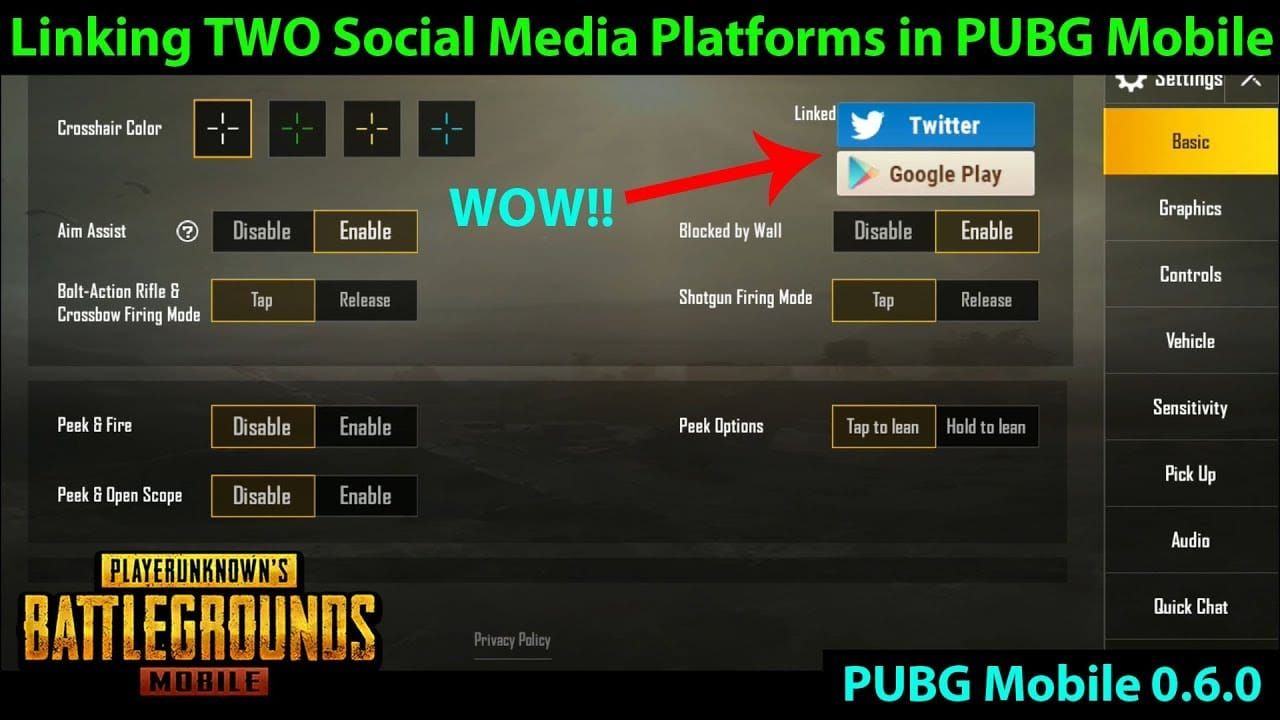
After linking, wait 24-48 hours before attempting UC purchases if you've recently changed regions. This allows backend server synchronization.
Step 4: Contact Support vs Alternatives
Google Play support provides generic troubleshooting without addressing underlying regional restrictions. They lack authority to override geographical commerce limitations.
PUBG Mobile customer service can verify region-specific flags but can't modify Google Play's payment rules. They can confirm 60-day cooldown status and exact timestamps.
Most efficient solution: PUBG Mobile direct top up through BitTopup. Bypasses Google Play entirely, eliminates regional verification, provides instant UC delivery with multiple global payment methods.
Why BitTopup is the Superior Solution
No Regional Restrictions
BitTopup operates independently from Google Play's regional infrastructure. Processes transactions through global payment gateways without country-specific restrictions. India, Pakistan, Russia, and other restricted regions access identical UC packages without VPN or billing address manipulation.
Payment verification focuses on transaction security, not geographical compliance. Physical location, IP address, and billing country don't need perfect alignment.
UC delivers directly to your PUBG Mobile account using Player ID, bypassing Google Play's redemption infrastructure entirely.
Instant Delivery for Christmas Events
Automated delivery processes UC transfers within minutes of payment confirmation. Critical for Lucky Spin's guaranteed reward thresholds requiring specific UC expenditure within event windows.
Redundant server infrastructure maintains sub-5-minute delivery times even during Christmas event peak demand.
Real-time order tracking provides transparency: payment cleared, UC transfer initiated, currency in account. Eliminates anxiety about transaction success.
Multiple Payment Methods
Supports credit cards, debit cards, digital wallets, cryptocurrency, and regional payment systems Google Play doesn't accommodate. Partnerships span 200+ countries.
Cryptocurrency options bypass traditional banking restrictions entirely. Players in countries with strict capital controls can use Bitcoin, Ethereum, or other supported cryptocurrencies.
Dynamic currency conversion shows transparent pricing in local currency before purchase, including all processing fees.
Enhanced Security
Two-factor authentication and email verification for all transactions. Prevents unauthorized UC purchases even if someone accesses your platform credentials.
Never requests PUBG Mobile account password—only Player ID (publicly visible information). Eliminates phishing risks.
Transaction history archiving provides permanent records: timestamps, UC quantities, payment methods, delivery confirmations. Invaluable for budget tracking and dispute resolution.
How to Purchase UC Through BitTopup
Finding Your Player ID
Launch PUBG Mobile, tap profile icon (top-left). Player ID appears below in-game name as 10-12 digit numerical string.

Copy Player ID by long-pressing until copy function activates. Manual typing introduces transcription errors.
Verify Player ID matches current server region. If you've recently changed servers, confirm ID corresponds to active account.
Selecting the Right UC Package
Lucky Spin requires 1,800-2,400 UC for guaranteed legendary item. 3,000 UC package provides buffer for multiple attempts.
Royale Pass costs 600 UC (Elite Pass) or 1,800 UC (Elite Pass Plus with 25 instant rank advancements). Plus version proves cost-effective for players who won't complete all 100 tiers through gameplay.

Christmas Crates operate on 10-pull mechanics. 6,000 UC package enables six 10-pull attempts, statistically sufficient for at least one epic-tier item.
Completing Payment Securely
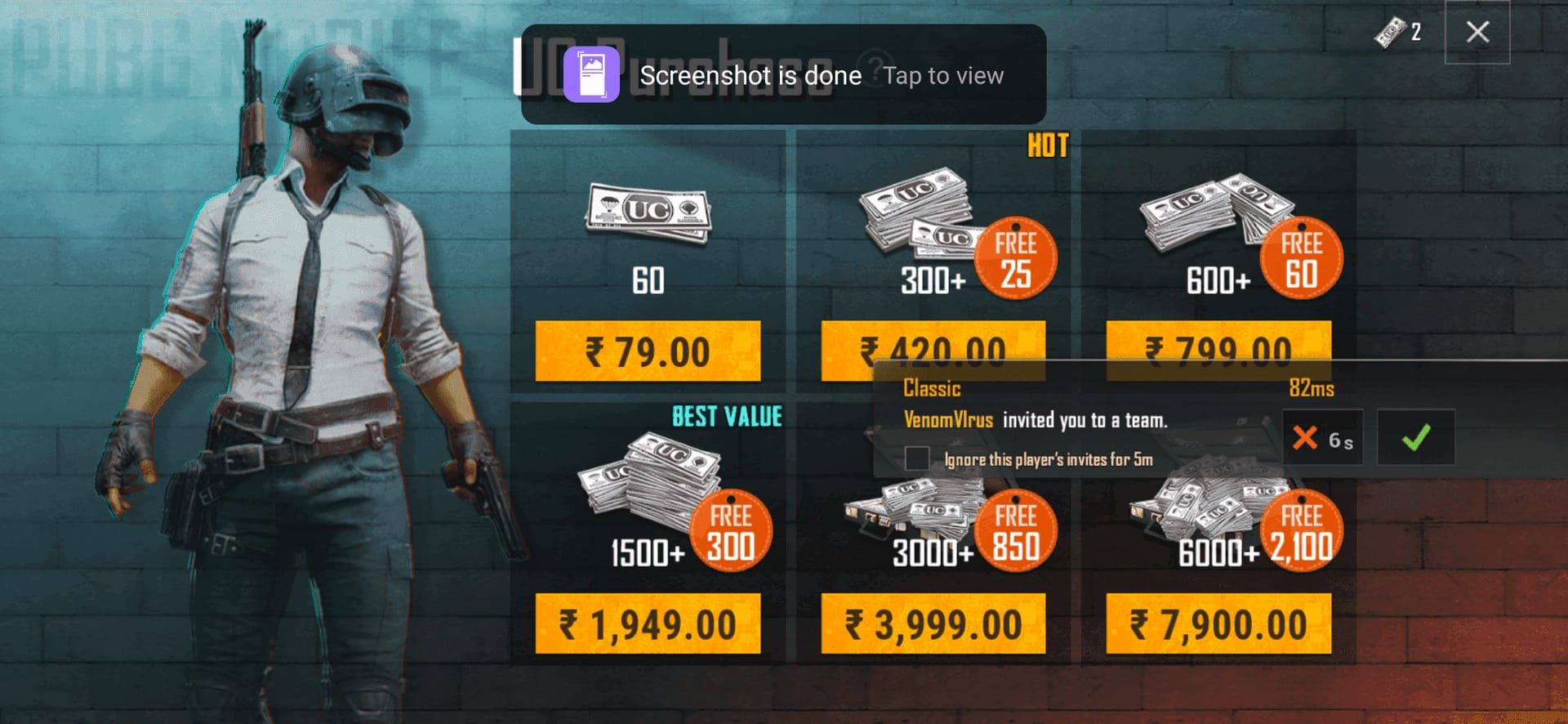
Navigate to BitTopup's PUBG Mobile UC section, select package. Enter Player ID, double-check accuracy. Select payment method from available options.
Review order summary: UC quantity, total cost in local currency, processing fees. BitTopup shows all costs upfront—no hidden fees.
Complete payment using selected method's standard authentication. Credit cards require CVV; digital wallets redirect to authentication interfaces; cryptocurrency generates unique wallet addresses with QR codes.
Verifying UC Delivery
After payment confirmation, estimated delivery shows 2-10 minutes. Order status updates in real-time through verification, processing, delivery stages.
Launch PUBG Mobile, check UC balance (top-right corner). Should reflect previous balance plus purchased UC. If not immediate, force-close app and relaunch.
Transaction confirmation emails include order numbers, timestamps, UC quantities, delivery confirmations. Save as purchase records.
Christmas 2025 UC Requirements
Lucky Spin: Cost and Rewards
Escalating cost structure: first spin 60 UC, subsequent spins 100 UC, then 150 UC, capping at 300 UC after fifth attempt. Guaranteed legendary requires 8-10 spins, approximately 1,800-2,400 UC total.
Probability mechanics favor early draws for common/rare items, reserving legendary for later spins. 3,000 UC package provides comfortable margin.
Daily spin discounts sometimes reduce first-spin costs to 30 UC. However, budget for full-price spins to avoid disappointment.
Royale Pass Month 16
Elite Pass (600 UC) unlocks progressive rewards across 100 tiers, including UC rebates totaling 300-400 UC. Active players completing all tiers effectively pay 200-300 UC net cost.
Elite Pass Plus (1,800 UC) provides immediate 25-rank advancement. Suits players with limited playtime who can't complete 100 tiers through daily missions.
Individual rank advancement costs 120 UC per tier. Elite Pass Plus becomes cost-effective if you need 15+ advancements (15 × 120 = 1,800 UC).
Christmas Crates: Optimal Strategy
10-pull mechanics with guaranteed epic-tier items every 10 pulls. Single pulls cost 60 UC (0.5% legendary rate), 10-pull bundles cost 540 UC (10% discount) with guaranteed epic minimum.
Probability doesn't reset between 10-pull sessions—legendary pity counter accumulates. Most crates guarantee legendary within 100 pulls maximum (5,400 UC). Statistical averages suggest legendary around 60-70 pulls (3,240-3,780 UC).
Bundle Deals and Seasonal Discounts
Christmas events typically feature limited-time UC bonus packages: buy 3,000 UC get 300 bonus, or 6,000 UC for 800 bonus. Promotions usually last 72 hours from event launch. Bonus percentages (10-13%) effectively discount subsequent purchases.
Combo packages bundling UC with exclusive items sometimes offer better value. Evaluate whether you want bundled items before assuming bundles provide superior value.
Regional pricing variations mean identical UC packages cost different amounts based on server region. Global version Southeast Asia often sees 15-20% lower prices vs North American servers.
Comparing Purchase Methods
Processing Time
Google Play redemption requires multiple steps: purchasing gift card, redeeming code, linking account, completing in-game purchase. Total time: 10-45 minutes under optimal conditions.
BitTopup's streamlined process completes in 5-10 minutes average. Select UC, enter Player ID, complete payment, receive UC directly.
Failed Google Play transactions require 24-72 hours for refund processing. BitTopup's real-time verification allows instant reattempts with alternative payment methods.
Regional Availability
Google Play enforces strict limitations: India and Pakistan face complete blocks, Russia restricts mismatched currency, China/Japan/South Korea/Taiwan/Vietnam servers reject gift cards entirely.
BitTopup operates without geographical restrictions, serving all regions through globally accessible payment infrastructure.
Account region changes trigger 60-day cooldowns where Google Play purchases often fail. BitTopup's direct delivery bypasses this—UC transfers succeed regardless of recent region changes.
Payment Options
Google Play accepts credit cards, debit cards, PayPal (select regions), Google Play gift cards. Limited selection excludes players in underserved markets.
BitTopup supports 200+ payment methods including Alipay, WeChat Pay, GrabPay, GCash, Paytm, and country-specific digital wallets. Cryptocurrency support provides additional privacy options.
Google Play's currency conversion includes undisclosed markups. BitTopup displays transparent conversion rates with itemized fees, often resulting in 5-8% savings.
Customer Support
Google Play operates through automated systems and generic articles. Escalating to human representatives takes 5-7 business days. Support lacks authority to override regional restrictions.
BitTopup provides 24/7 live support via chat, email, tickets. Representatives possess authority to investigate issues, manually process deliveries, resolve discrepancies in real-time. Average response under 30 minutes.
BitTopup's refund policy clearly outlines circumstances and timeframes (24-48 hours). Google Play often denies refunds for digital currency, citing non-returnable nature.
Common Misconceptions
Myth: VPNs Permanently Solve Restrictions
VPNs temporarily mask IP address for initial region changes but don't permanently resolve account regional settings. Once configured, disconnecting VPN doesn't revert settings.
Google Play's fraud detection flags frequent region changes or VPN usage during transactions. Triggers additional verification, temporary blocks, or account reviews.
Double-clear method requires repeating entire process for each purchase session—impractical for frequent UC purchases.
Myth: Alternative Methods Risk Bans
PUBG Mobile's terms prohibit account sharing, unauthorized software, gameplay manipulation—not legitimate UC purchases through authorized resellers. BitTopup operates as authorized digital currency retailer.
Platform uses Player ID for delivery, same identifier PUBG Mobile provides for official top-ups. Delivery mechanism mirrors official processes. No evidence of account penalties from legitimate third-party platforms.
Bans occur from stolen payment methods, fraudulent chargebacks, or illegal generators. Legitimate purchases through established platforms carry zero ban risk.
Myth: All UC Packages Have Same Regional Pricing
PUBG Mobile implements regional pricing adjusting UC costs based on local economic conditions. 60 UC costs ~$0.99 USD in North America, ~$0.79 USD in Southeast Asia. 6,000 UC package shows 15-20% price differences between regions.
Google Play's currency conversion adds variable layer with undisclosed markups. Using USD credit card for EUR-priced UC inflates costs by 8-12%.
BitTopup's transparent regional pricing displays costs in local currency with itemized fees, often 5-10% below official regional pricing.
Truth: Official vs Third-Party Safety
Official methods provide direct transaction relationships with dispute resolution through corporate channels. However, they impose regional restrictions, payment limitations, processing delays.
Reputable third-party platforms like BitTopup operate under business licenses requiring compliance with digital commerce regulations and consumer protection laws. Encryption standards, payment partnerships, privacy policies meet/exceed industry benchmarks.
Security depends on platform selection, not official vs third-party categorization. BitTopup's longevity and user base demonstrate sustained trustworthiness.
Advanced Tips for Peak Seasons
Timing Your Purchase
Christmas events launch at 00:00 UTC but server synchronization means some regions see events 1-2 hours earlier/later. Purchase UC 12-24 hours before official launches to ensure availability.
Lucky Spin probability doesn't favor early participants—rates remain constant. However, early UC purchase provides flexibility to spread attempts across multiple days, taking advantage of daily discount spins.
Royale Pass missions include time-gated challenges requiring specific items within limited windows. Day-one UC availability enables immediate Elite Pass purchase, unlocking missions as they become available.
Managing Multiple Accounts
Players maintaining accounts across different regions can optimize by concentrating spending on accounts with favorable regional pricing. Southeast Asian servers typically offer 15-20% lower UC costs vs North American servers.
60-day region change cooldown prevents rapidly shifting accounts to exploit pricing differences. Must commit to regional selections for extended periods.
BitTopup's Player ID-based delivery enables purchasing UC for multiple accounts through single platform account. Save different Player IDs for quick checkout selection.
Tracking UC Spending
Maintain spreadsheet tracking UC purchases, quantities, costs, purposes (Royale Pass, Lucky Spin, crates). Reveals spending trends and identifies efficiency improvement areas.
Calculate cost-per-item metrics. If Lucky Spin legendary costs 2,000 UC average while direct bundles cost 2,400 UC, Lucky Spin provides better value. However, if poor luck requires 3,000+ UC, direct purchases become more cost-effective.
Set monthly UC budgets based on entertainment spending capacity. PUBG Mobile's event frequency creates psychological pressure to overspend. Firm budgets prevent impulse purchases.
Preparing for Future Issues
Google Play's regional policies evolve based on regulatory changes. Regions with unrestricted access may face future limitations. Maintaining flexibility through alternative platforms ensures continued UC access.
Save multiple payment methods in BitTopup profile—credit cards, digital wallets, cryptocurrency. Diversification prevents single points of failure.
Monitor PUBG Mobile's official announcements regarding regional server changes, payment updates, policy modifications. Early awareness enables proactive strategy adjustment.
Account Security Best Practices
Verifying Legitimate Platforms
Legitimate platforms display clear business registration, physical addresses, customer service contacts. BitTopup provides transparent company details, regulatory compliance documentation, verifiable business licenses.
Check secure connection indicators—HTTPS protocol, valid SSL certificates. Browsers display padlock icons confirming encrypted connections. Platforms lacking SSL expose financial information to interception.
Research platform reputation through independent review sites, gaming forums, social media. Established platforms accumulate extensive user feedback over years.
Protecting Your Player ID
Player ID is publicly visible—no security risk when shared with legitimate platforms. Never provide PUBG Mobile account password, email, or linked social media credentials. Legitimate platforms only require Player ID.
Enable two-factor authentication: Settings > Account > Security. Prevents unauthorized access even if someone obtains password.
Use unique passwords for PUBG Mobile, email, payment platforms. Password reuse creates cascading security failures. Password managers generate/store complex unique passwords.
Recognizing Scams
Free UC generators claiming unlimited currency through exploits are universally fraudulent. PUBG Mobile's server-side currency tracking makes client-side manipulation impossible. These scams install malware, steal credentials, or demand payment for non-existent services.
Phishing websites use similar URLs with slight variations (bitt0pup.com with zero replacing 'o'). Always verify exact URL. Bookmark legitimate URLs, access through saved bookmarks vs search results.
Unsolicited messages offering discounted UC through private transactions represent scams. Legitimate platforms conduct business through official websites with transparent pricing.
If UC Doesn't Appear
Wait 10-15 minutes before assuming failure—automated systems occasionally experience brief delays. Force-close PUBG Mobile, relaunch to trigger server synchronization.
Check email for transaction confirmation from BitTopup. Includes order numbers, processing status, estimated delivery. If email indicates success but UC hasn't appeared, contact support with order number and Player ID.
Verify correct Player ID during purchase. Transposed digits send UC to different accounts. BitTopup customer service can verify which Player ID received UC and assist with resolution.
Maximizing UC Value
Priority Spending
Royale Pass provides highest UC-to-content ratio: 100+ items including exclusive skins, emotes, UC rebates for 600 UC. Active players receive 300-400 UC back, reducing net cost to 200-300 UC.
Permanent weapon skins from Lucky Spin or bundles provide long-term value. Temporary items offer immediate gratification but zero lasting value. Prioritize permanent cosmetics.
Guaranteed acquisition methods justify premium pricing over probability systems when guaranteed item matches preferences. 2,400 UC direct bundle for desired legendary provides better value than 3,000+ UC Lucky Spin with no guarantee.
UC Banking Strategy
Purchase UC during bonus promotions even if not needed immediately. 10-13% bonus UC from limited-time offers provides permanent value since UC never expires.
Avoid excessive stockpiling encouraging impulsive spending. Maintain target reserve (1,000-2,000 UC) sufficient for one major event, replenishing after significant expenditures.
Track PUBG Mobile's event calendar to anticipate major UC requirements. Royale Pass launches monthly, Lucky Spin 2-3 times monthly, seasonal events demand larger investments.
Free UC Opportunities
Royale Pass free tier provides 50-100 UC across 100 tiers without Elite Pass purchase. Accumulates over seasons, eventually funding Elite Pass through free-to-play progression.
Google Opinion Rewards provides Google Play credits through surveys, typically $0.10-$0.50 per survey. Active users accumulate $5-$15 monthly.
Seasonal login events occasionally reward 20-60 UC for consecutive daily logins. Minor amounts accumulate over time to offset larger package costs.
Calculating Crate ROI
Christmas Crates with 0.5% legendary rates require average 200 pulls for statistical acquisition (12,000 UC singles or 10,800 UC 10-pulls). Guaranteed pity caps maximum at 100 pulls (6,000 UC).
Compare crate costs against direct bundles. If crate legendary costs 6,000 UC max while direct bundle offers same item for 2,400 UC, bundle provides superior value unless you want multiple crate items.
Factor duplicate conversion rates. PUBG Mobile converts duplicates to silver fragments at 10-20% original UC value. If you spend 6,000 UC and receive 4,000 UC worth of duplicates, effective legendary cost becomes 5,200 UC after accounting for silver fragment value.
FAQ
Why does Google Play say my country is not supported? Google Play requires payment profile country to match gift card region exactly. India, Pakistan, Russia face additional blocks due to regulatory policies. Error occurs when billing address, payment method region, or gift card country don't align.
How do I redeem UC if Google Play doesn't work? Use BitTopup to purchase UC directly through Player ID, bypassing Google Play. Navigate to BitTopup's PUBG Mobile section, select UC package, enter Player ID (found in-game under profile), complete payment, receive UC within 5-10 minutes.
What's the safest way to buy UC for Christmas events? BitTopup provides secure purchases through encrypted payment processing, two-factor authentication, direct delivery to Player ID without requiring account passwords. Established reputation, transparent pricing, 24/7 support, compliance with digital commerce regulations ensure safe transactions.
Can I change Google Play country to redeem gift cards? Yes, but requires clearing Google Play cache, using VPN to access target region, updating billing address to match, clearing cache again. Process works but demands technical steps and doesn't guarantee permanent success. PUBG Mobile enforces 60-day cooldowns after region changes, potentially blocking UC purchases.
How much UC do I need for Christmas 2025 events? Budget 600 UC minimum for Royale Pass Elite, 1,800-2,400 UC for Lucky Spin legendary guarantee, 3,000-6,000 UC for Christmas Crate participation. Total recommended: 3,000 UC for selective participation to 8,000+ UC for comprehensive engagement.
Will alternative UC purchase methods ban my account? No. Legitimate platforms like BitTopup deliver UC through official channels using Player ID, creating transactions indistinguishable from direct in-game purchases. Bans result from stolen payment methods, fraudulent chargebacks, or illegal generators—not legitimate purchases through authorized retailers.
Skip the Country Not Supported hassle! Get instant PUBG Mobile UC delivery through BitTopup with zero regional restrictions. Secure payment, instant delivery, 24/7 support. Claim your Christmas UC now!
Recommended Articles








Recommended Products



Table of Contents
- Understanding the 'Country Not Supported' Error
- What Triggers Google Play Regional Restrictions
- Why PUBG Mobile UC Redemption Gets Blocked
- Impact on Christmas 2025 Events
- Real Player Experiences
- Complete Troubleshooting Guide
- Step 1: Verify Google Play Account Region
- Step 2: Check Gift Card Regional Compatibility
- Step 3: Clear Cache and Update PUBG Mobile
- Step 4: Contact Support vs Alternatives
- Why BitTopup is the Superior Solution
- No Regional Restrictions
- Instant Delivery for Christmas Events
- Multiple Payment Methods
- Enhanced Security
- How to Purchase UC Through BitTopup
- Finding Your Player ID
- Selecting the Right UC Package
- Completing Payment Securely
- Verifying UC Delivery
- Christmas 2025 UC Requirements
- Lucky Spin: Cost and Rewards
- Royale Pass Month 16
- Christmas Crates: Optimal Strategy
- Bundle Deals and Seasonal Discounts
- Comparing Purchase Methods
- Processing Time
- Regional Availability
- Payment Options
- Customer Support
- Common Misconceptions
- Myth: VPNs Permanently Solve Restrictions
- Myth: Alternative Methods Risk Bans
- Myth: All UC Packages Have Same Regional Pricing
- Truth: Official vs Third-Party Safety
- Advanced Tips for Peak Seasons
- Timing Your Purchase
- Managing Multiple Accounts
- Tracking UC Spending
- Preparing for Future Issues
- Account Security Best Practices
- Verifying Legitimate Platforms
- Protecting Your Player ID
- Recognizing Scams
- If UC Doesn't Appear
- Maximizing UC Value
- Priority Spending
- UC Banking Strategy
- Free UC Opportunities
- Calculating Crate ROI
- FAQ
Recommended Products



Recommended Articles

Free Fire Event 2026 Stage Missions: Complete Every Step Fast

MangaToon UID vs In-App Top-Up: Which Saves You More in 2026?

Lineage M Best Settings Guide for 60 FPS and 24/7 Battery

Cheapest Ways to Buy PUBG G-Coin in 2026 Without Overpaying

How to Fix Steam Wallet Code Currency Mismatch on Your Account

The Best TWD Survivors Gathering Route for Fast Resources in 2026

Fix: PUBG Crashes on Launch with Black Screen Steam (2026 Guide)

Nintendo eShop Sale 2026 Dates: Brazil Deals and Savings Guide



























































































