


Hide StarMaker Total Spend: 2025 Privacy Guide (5 Methods)
StarMaker doesn't offer a direct feature to hide your 2025 Total Spend statistics. Unlike duet permissions with granular controls, spending data visibility isn't independently adjustable. However, you can implement alternative privacy strategies including profile visibility adjustments, family tab management, and subscription controls to limit overall exposure. This guide explores all available StarMaker privacy options and expert strategies for maintaining financial discretion.


What Is the '2025 Total Spend' Feature
The 2025 Total Spend counter shows cumulative StarMaker Coins spent during the calendar year. It appears on profiles alongside recordings, followers, and gifts received. The tracker automatically calculates every coin transaction: gifts sent, virtual items purchased, and premium features activated.
This spending data integrates with your profile statistics system. Your SID (10-digit number at bottom-right of Me tab) connects all transaction data to your public profile. Unlike platforms with granular financial privacy controls, StarMaker's spending statistics function as part of broader profile visibility rather than independently controllable elements.
For users who regularly starmaker coins recharge, understanding this display is crucial for maintaining financial discretion.
How StarMaker Calculates Spending Data
StarMaker uses straightforward calculation: 1 gift = 1 family point. Every coin expenditure—virtual roses during live streams, VIP subscriptions, profile customization—contributes to your total spend counter. The system updates in real-time, reflecting transactions within minutes.
Subscription purchases ($7.99 for 1 Week to $59.99 for 1 Year) convert to coin equivalents and add to your cumulative total. This transparency serves StarMaker's community engagement model, where visible spending correlates with user status and influence.
Version 9.22.5 (released December 23rd) maintained existing spending display without introducing new privacy toggles for financial data.
Why Users Want to Hide Spending Statistics
Privacy-conscious users cite several reasons:
- Avoid unwanted attention: High-spending users prefer discretion to prevent solicitation or judgment
- Social pressure: Visible spending creates comparison dynamics within family groups
- Professional complications: Creators find visible spending on other performers creates uncomfortable fan dynamics
- Security concerns: Spending patterns reveal financial capacity to strangers, enabling potential scams
The gap between user demand for spending privacy and StarMaker's current features represents a significant platform limitation. While duet permissions offer four levels (Everyone, Followers Only, Friends Only, Off), no equivalent exists for financial data.
What Information Is Public by Default
StarMaker profiles display publicly:
- Username, profile picture, bio
- Total recordings, follower/following counts
- Received gifts and spending statistics
- Activity feed (recent songs, gifts sent, users followed)
- Family tab (affiliation, tag, contribution rankings based on past 7 days)
- Subscription status via VIP badges and premium features
Family rankings inherently reveal spending patterns since gift-giving directly impacts family points.
StarMaker Profile Privacy Options and Limitations
Available Privacy Controls
StarMaker provides limited controls focused on interaction permissions rather than information visibility.
Duet Permissions (most robust feature):
- Open settings through profile page

- Navigate to Privacy/Collaboration settings
- Locate Who Can Duet With Me
- Select permission level and confirm
Four duet permission levels:
- Everyone: Recommended for first 2-3 weeks while building 100-200 followers (maximizes discovery)
- Followers Only: Works for profiles under 500 followers (reduces bot invites by 70-85% within 48 hours)
- Friends Only: For 1,000-5,000 followers wanting tighter control; also recommended for 10,000+ followers
- Off: Blocks ~80% of automated attacks
Managing Profile Visibility Through Interaction Controls
Blocking: Access any user's profile → three-dot menu → Block User. Blocked users can't view your profile, send messages, or interact with content.
Reporting: Settings > Help & Support > Report Abuse for serious violations or harassment.
Pro tip: Limit follower lists, curate who you follow back, and maintain strict boundaries around gift-giving relationships to minimize attention to financial activity.
Family Tab Privacy Implications
Family rankings calculate based on past 7 days of activity (1 gift = 1 family point), making spending patterns visible to all family members regardless of broader privacy settings.
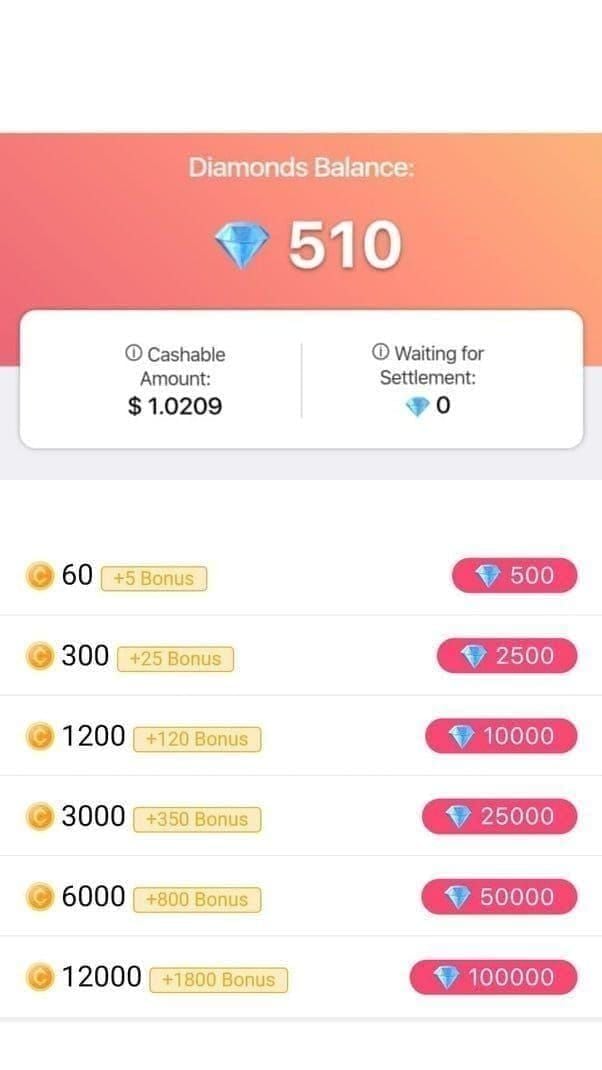
Family requirements:
- Captain status: Level 5
- Family leadership: Account level 25+
- Captain inactivity flag: 7 consecutive days without contribution
- Family tags: Modifiable once per month, max 7 characters
Membership mechanics:
- Self-removed members: Can rejoin after 4 days
- Kicked members: 24-hour waiting period
- Applicants: One submission per 24 hours
- Family transfer: 7-14 days processing
Users prioritizing spending privacy often avoid family participation entirely.
Subscription Management
Manage subscriptions: Settings > iTunes Store > Apple ID > View Apple ID > Subscriptions. Cancel at least 24 hours before expiration to prevent auto-renewal.
Subscription tiers:
- $7.99 weekly
- $14.99 monthly
- $59.99 yearly
All create visible profile enhancements signaling subscriber status. Users seeking maximum financial privacy sometimes avoid subscriptions, relying on strategic coin purchases.
When you top up starmaker coins, using secure third-party platforms like BitTopup provides transaction privacy that in-app purchases may not offer.
What You Can and Cannot Control
Profile Elements You Can Make Private
- Duet permissions: Restrict who can initiate collaborative recordings
- Follower/following lists: Manage through selective acceptance and blocking
- Recording privacy: Limit song visibility to followers or friends
Statistics That Remain Visible
These display publicly regardless of settings:
- Total spend statistics
- Follower counts
- Total recordings
- Received gifts
- SID (10-digit number, permanent and unchangeable)
- Account age indicators and achievement badges
- Family affiliation and rankings
- Family tag and contribution rank
VIP Status Display vs Spending Statistics
VIP subscription manifests through profile badges, special effects, and enhanced features rather than explicit spending numbers. However, these visual indicators communicate financial investment clearly.
The relationship:
- VIP badge = ongoing subscription commitment
- Spending statistics = cumulative coin expenditure
- Can have high spending without VIP (through gifts)
- Can have VIP with low spending (subscription-only)
Understanding this helps make strategic choices. Avoiding VIP eliminates one visible spending indicator but doesn't hide spending statistics.
Profile Visibility Levels
StarMaker doesn't offer traditional public vs private profile modes. Visibility operates on a spectrum controlled through interaction permissions and content sharing.
Most private achievable configuration:
- Off duet permissions
- Minimal follower acceptance
- No family membership
- Follower-only recording visibility
- Strategic blocking of overly interested users
This doesn't hide spending statistics but minimizes the audience who can view them.
Common Misconceptions
Myth: Private Profiles Hide Spending Data
False. Even with most restrictive settings (Off duet permissions, minimal public recordings), spending statistics remain visible to anyone accessing your profile. StarMaker's privacy controls focus on interaction permissions, not information visibility.
Myth: Deleting and Recreating Accounts Resets Spending
Technically true but impractical. You lose all recordings, followers, achievements, and community connections. StarMaker likely maintains transaction records for business/legal purposes regardless of account status. Creating new accounts to evade spending visibility may violate platform policies.
Myth: Third-Party Apps Can Hide Spending
False and dangerous. Spending data displays server-side—client-side modifications don't affect what others see. Using unauthorized tools violates terms of service and risks account suspension, theft, unauthorized purchases, and data exposure.
Truth: Data Storage vs Display Settings
Privacy settings control display (what users see), not data storage. StarMaker maintains comprehensive transaction records for business operations and legal compliance regardless of privacy settings. Platform administrators retain access to this data.
If your concern is preventing other users from seeing spending, potential future privacy features might help. If your concern is preventing StarMaker from knowing spending patterns, only reducing actual spending accomplishes that.
Best Practices for Financial Privacy
Strategic Spending Approaches
Spread spending across smaller transactions: Ten 1,000-coin gifts over time vs one 10,000-coin gift creates less dramatic spending profile.
Focus on subscriptions vs gifts: VIP badge signals commitment without revealing specific amounts. Provides premium features with relative discretion compared to high-visibility gift-giving.
Selective family participation: Contribute enough to avoid 7-day inactivity flag while avoiding top rankings. Balances community connections with spending discretion.
Regular Privacy Audits
Conduct monthly privacy audits as StarMaker updates regularly (version 9.22.5 released December 23rd):
- Review duet permissions match current preferences and follower count
- Verify blocked user lists include all restricted accounts
- Check recording visibility settings
- Examine family participation alignment with privacy goals
- Review follower/following lists, remove unnecessary accounts
Balancing Community Participation with Discretion
Create separate engagement strategies for different platform areas:
- Maintain public recordings while keeping duet permissions restricted
- Participate in family activities while avoiding high-profile gift-giving
- Communicate privacy preferences to close platform friends and family
Direct communication about privacy boundaries often strengthens relationships rather than damaging them.
Secure Top-Up Methods
In-app purchases create transaction records tied to primary payment methods and app store accounts. Third-party platforms like BitTopup offer enhanced transaction privacy through separation of StarMaker account from primary payment methods.
Best practices:
- Avoid saving payment information in apps/browsers
- Manual entry for each transaction provides maximum control
- Enable two-factor authentication on all accounts (email, payment platform, StarMaker)
Alternative Privacy Strategies
Minimizing Profile Discoverability
- Avoid real names or easily identifiable usernames
- Choose generic profile pictures not appearing in other social media
- Limit follower count by accepting requests selectively (minimum 50 meets feature requirements)
- Reduce platform activity footprint: limit public recordings, avoid trending hashtags, minimize participation in platform-wide events
Managing Gift-Giving Visibility
- Send gifts during less active platform hours
- Focus on performers with large audiences where contributions blend in
- Support performers through methods outside StarMaker when possible
Creating Boundaries Around Financial Discussions
- Politely decline to share specific spending amounts or coin balances
- Explain privacy preferences directly: I prefer to keep my spending private
- Report users who harass about spending (Settings > Help & Support > Report Abuse)
FAQ
Can I hide spending statistics from specific users while keeping them visible to others?
No. StarMaker doesn't offer granular control. Spending displays consistently to all users accessing your profile. Your only options: block specific users or reduce overall profile discoverability.
Will StarMaker add a feature to hide spending statistics?
StarMaker hasn't announced plans for spending visibility controls. The platform emphasizes community transparency through visible engagement metrics. Base privacy strategies on currently available features, not anticipated changes.
Does hiding my profile from search engines affect spending visibility?
Search engine visibility settings only affect external search discoverability, not what displays to app users. Spending statistics remain visible to all StarMaker users regardless of search engine indexing.
Can I request support to manually hide my spending data?
No. Customer support can't override platform-wide display settings for individual accounts. They can't create custom privacy configurations unavailable to other users.
How long does spending data remain visible after I stop using StarMaker?
Indefinitely, as long as your account exists. Inactive accounts retain all profile information including spending data. Only permanent account deletion removes your profile from public view (though StarMaker likely retains internal records).
Will using a VPN hide my spending statistics?
No. VPNs affect network connection and geographic data but don't modify profile information display. Spending statistics are account-based data appearing consistently regardless of connection method, IP address, or location.
Protect your StarMaker financial privacy with secure coin purchases! BitTopup offers fast, secure, and discreet StarMaker Coins recharge with competitive pricing and excellent customer support. Enjoy guaranteed privacy protection, multiple payment options, and instant delivery. Visit BitTopup now for exclusive deals on StarMaker Coins!
Recommended News








Recommend products




Table of Contents
- Understanding StarMaker's 2025 Total Spend Display
- What Is the '2025 Total Spend' Feature
- How StarMaker Calculates Spending Data
- Why Users Want to Hide Spending Statistics
- What Information Is Public by Default
- StarMaker Profile Privacy Options and Limitations
- Available Privacy Controls
- Managing Profile Visibility Through Interaction Controls
- Family Tab Privacy Implications
- Subscription Management
- What You Can and Cannot Control
- Profile Elements You Can Make Private
- Statistics That Remain Visible
- VIP Status Display vs Spending Statistics
- Profile Visibility Levels
- Common Misconceptions
- Myth: Private Profiles Hide Spending Data
- Myth: Deleting and Recreating Accounts Resets Spending
- Myth: Third-Party Apps Can Hide Spending
- Truth: Data Storage vs Display Settings
- Best Practices for Financial Privacy
- Strategic Spending Approaches
- Regular Privacy Audits
- Balancing Community Participation with Discretion
- Secure Top-Up Methods
- Alternative Privacy Strategies
- Minimizing Profile Discoverability
- Managing Gift-Giving Visibility
- Creating Boundaries Around Financial Discussions
- FAQ
Recommend products




Recommended News

StarMaker Redeem Codes: The Truth About Voucher Drops and Aggregator Lists

How to Get Free WeSing Kcoin from Ads and Daily Tasks

Heroes Evolved Leaked Heroes 2026: Real Kits or Scrap Assets?

Zenless Zone Zero Controller Not Working: Fixes and Best Keybinds

Free Fire EU Event Schedule 2026 Reset Times and What to Skip

How to Redeem Codes in Bleach Soul Resonance iOS Step by Step

Cheap StarMaker Coins for SupernovaX 2026 Auditions (12-23% Off)

SUGO Coins Missing After Recharge? Fix It & Avoid Bans in 2026




























































































