


How to Transfer StarMaker Family Captain (7-Day Inactive Guide)
When a StarMaker Family Captain goes inactive for 7+ days, families struggle to maintain momentum. This guide covers the exact transfer process, eligibility requirements, and timeline for reclaiming leadership—plus strategies to prevent future abandonment.


What is a Family Captain and Why It Matters
The Family Captain is the primary administrator controlling member approval, officer appointments, and family tag modifications (once monthly, 7-character max). Success depends on captain engagement because families rank on stars and gifts from the past 7 days—every gift equals 1 family point from Covers, Live streams, and Party Rooms.
Without active leadership coordinating efforts, families drop rankings fast and member morale tanks.
For strategic family support, starmaker coins recharge through BitTopup provides fast, secure access to gifting resources that drive rankings.
Exclusive Captain Powers
Captains bypass standard joining restrictions with direct invitations granting instant approval (no 24-hour wait). They appoint Vice Captains and Officers, manage removals (self-removed members can rejoin in 4 days; kicked members wait 24 hours), and control the family tag.
The one-action-per-24-hours submission limit means captains must plan administrative tasks strategically.
How Captain Activity Impacts Success
Active captains coordinate gifting to maximize the 7-day point window. Leadership visibility directly affects retention—regular chat participation, event organization, and contributor recognition boost engagement. Captain inactivity creates uncertainty, driving productive members elsewhere.
When Does Transfer Become Necessary?
The 7-Day Inactivity Threshold
StarMaker flags captain absence at 7+ consecutive days—aligning with the ranking calculation window. This threshold makes transfer requests possible, not automatic. You must actively submit requests through support channels.
Warning Signs of Abandonment
- Declining family chat participation despite platform activity
- Unprocessed member applications beyond reasonable timeframes
- Unresponsive to Vice Captain/Officer communications
- Personal activity (covers, streams) continues but family duties ignored
Impact of Inactive Captains
Recruitment disadvantages: No instant-approval invitations means losing high-value members to competitors.
Declining contributions: Without recognition and coordination, members reduce gifting. The ecosystem generating family points stalls.
Ranking deterioration: Zero strategic coordination during the 7-day evaluation window = rapid position drops.
Top up starmaker coins via BitTopup enables quick resource access for member rewards during leadership transitions.
Eligibility Requirements for Captain Transfer
Minimum Activity and Contribution
- Account level 25+ (baseline; captain candidates need substantially higher)
- 25+ cover posts minimum (captain aspirants should show multiples)
- Consistent gifting history demonstrating ranking mechanics understanding
- Preferably Level 5 Captain status or officer experience
Officer vs Regular Member Rights
Family Officers (Vice Captains, appointed officers) get preferential positioning—they already demonstrate leadership capability. Vice Captains occupy natural succession positions.
Regular members face higher scrutiny. They need exceptional contributions, consistent activity, and clear leadership capability to overcome lack of formal role designation.
Account Standing Considerations
- No violations, warnings, or restrictions (error code 103003 = auto-disqualification)
- VIP status/spending history signals commitment (not required but helpful)
- Sufficient family tenure (recent joiners within first 7 days lack context)
Step-by-Step Transfer Process
Step 1: Verify Captain Inactivity
- Access Family tab (Me > swipe left > Family on Android 7.3.4+/iOS 7.4.3+)
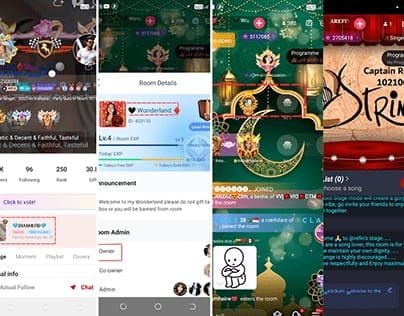
- Check captain's last activity timestamp—confirm 7+ days
- Document unanswered chats, pending applications, missed events
- Screenshot management panel showing unaddressed tasks
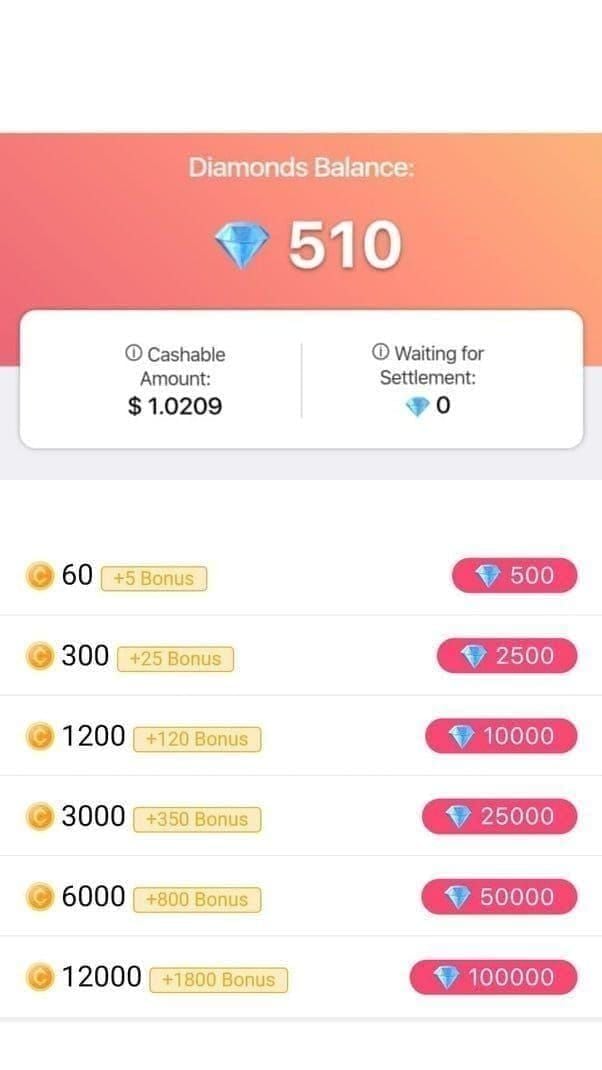
- Verify genuine abandonment vs temporary absence (check their profile for other platform activity)
Step 2: Access Family Management Settings
Navigate to Family Management Panel (Me > swipe left > Family > settings). Review your position in officer hierarchy—Vice Captains/Officers find options more accessible than regular members.

Check for existing succession plans the captain may have established.
Step 3: Submit Transfer Request
Contact StarMaker support (no automated transfer button exists) with:
- Family name/ID (format: 101096)
- Your account info
- Documented captain inactivity evidence (exact dates)
- Your qualifications: contribution metrics, current role, activity history, vision
- Screenshots: inactive captain, pending tasks, your engagement
Submit through official channels. The 24-hour submission limit means one comprehensive request beats multiple incomplete ones.
Step 4: Waiting Period
Expect 7-14 days for review. Support attempts to contact the current captain to verify abandonment vs temporary absence.
During this period:
- Maintain activity levels
- Continue contributions
- Monitor notifications for status updates
Step 5: Confirm Transfer and Take Control
Upon approval:
- Access Family Management Panel to verify captain status
- Review all settings, pending applications, officer appointments
- Announce transition in family chat transparently
- Acknowledge previous captain's contributions
- Outline your vision and immediate actions
- Review family tag (remember: one change per month), officer structure, membership standards
Timeline: How Long Does Transfer Take?
Typical Processing Time
7-14 days from submission to resolution. The family captain reachable in 7 days guideline suggests support allocates ~1 week for captain contact attempts.
Complex cases (disputed transfers, multiple candidates, responsive captains) extend beyond standard timelines.
Factors Affecting Speed
Expedites:
- Complete initial submission with all evidence
- Officer status (especially Vice Captain)
- Clean account history
Delays:
- Incomplete submissions requiring follow-up
- Account standing issues/violations
- Captain responds during verification
If Denied
Denials include reasoning:
- Insufficient inactivity evidence (under 7 days)
- Qualification gaps (low contributions, recent joining, account issues)
- Captain provided valid explanation and resumed activity
Address deficiencies before resubmitting. Consider alternatives if transfers remain unavailable.
Alternative Solutions
Creating New Family vs Waiting
New family pros: Immediate control, fresh start New family cons: No ranking history, reputation, or member base
Decision depends on family value. Strong rosters and high rankings justify transfer efforts. Minimal membership and low rankings don't.
Migration strategy: Coordinate exodus to new family while maintaining transfer request. If transfer succeeds, reactivate original; if not, new family has momentum.
Coordinating with Officers
Distributed leadership sustains function during captain absence. Vice Captains should assume visible roles—communication, recognition, gifting coordination—even without formal authority.
Officer consensus on transfer candidates prevents internal conflict. Rally behind single strongest request.
Escalating to Support
Escalate when:
- No response beyond 14 days
- Denials contradict documented evidence
Structure professionally: reference original submission, include ticket numbers, present additional evidence. Weekly status inquiries for pending requests; bi-weekly follow-ups on denials with new info.
Common Mistakes and Misconceptions
Myth: Automatic Transfer After 30 Days
False. No automatic transfer exists. The 7-day threshold makes requests viable, not automatic. This myth causes passive waiting while families deteriorate. You must take deliberate action through support channels.
Mistake: Not Meeting Activity Requirements
Many requests fail because candidates show minimal contributions, recent joining, or sporadic activity. Successful candidates rank among top family contributors and ideally have officer experience.
Misconception: Any Member Can Transfer Anytime
Transfer requires specific conditions:
- Documented 7+ day captain inactivity
- Candidate qualifications meeting leadership standards
- Legitimate family need (not personal ambition)
Recent joiners (within 7 days) lack necessary tenure. Requests during active captain periods face denial and possible removal.
Preventing Future Abandonment
Establish Succession Plans
- Designate Vice Captains based on capability, activity, and values alignment
- Document succession expectations in family rules
- Rotate responsibilities across multiple officers to develop backup leaders
Set Activity Expectations
- Define explicit minimums: daily chat, weekly contributions, monthly events
- Implement regular officer check-ins (weekly/bi-weekly)
- Create escalation protocols before reaching 7-day threshold
Communication Protocols
- Officer-only chats for strategic discussions
- Regular all-hands family meetings (monthly/bi-monthly)
- Transparency in leadership decisions and reasoning
Using BitTopup for Engagement
Strategic resource management through BitTopup enables reward programs without excessive personal spending. Fast delivery supports time-sensitive activities. Cost-effective access reduces captain burnout from constant personal spending.
Best Practices for New Captains
Announce Leadership Change
- Acknowledge previous captain positively
- Explain circumstances (extended inactivity)
- Outline immediate priorities and vision
- Invite member feedback
Review Settings
Within 48 hours:
- Audit family tag, membership requirements, officer appointments
- Process pending applications promptly (remember: applicants limited to once per 24 hours)
- Consider tag modification carefully (once per month limit)
Re-energize Activity
- Launch signature initiative within first week (campaign, event, recognition program)
- Recognize members who sustained activity during vacancy
- Implement regular engagement touchpoints (weekly events, daily chat topics, monthly competitions)
The 7-day rolling window makes weekly cycles effective for coordinated contribution patterns.
Leverage BitTopup for Growth
- Develop sustainable monthly budgets for rewards and events
- Create transparent resource allocation systems
- Time top-ups strategically around events and ranking cycles
- BitTopup's fast delivery enables last-minute resource access
Maximizing Success with Active Leadership
Key Metrics to Monitor
- Daily ranking position: Track absolute points and relative positioning
- Member contributions: Identify top performers, emerging contributors, declining participants (1 gift = 1 point)
- 7-day window composition: Analyze timing patterns for strategic coordination
Reward Systems
- Tiered recognition (top gifter, most improved, most consistent, best newcomer, most supportive)
- Predictable schedules (weekly announcements, monthly rewards, quarterly celebrations)
- Balance individual and collective rewards
Strategic Top-Up Planning
- Plan ahead of major events and competitive periods
- Coordinate member contributions with captain resources for multiplied impact
- Evaluate ROI: track ranking improvements, retention, recruitment success
FAQ
How long must a captain be inactive before transfer is possible?
7+ consecutive days. This makes requests viable but doesn't trigger automatic transfers. You must submit requests through support with documented evidence.
Can any family member request transfer?
No. Requirements: account level 25+, substantial contribution history, preferably officer status. Regular members need exceptional activity. Recent joiners (within 7 days) lack sufficient tenure.
What happens to family progress during transfer?
Progress, ranking history, and achievements remain intact. Transfer changes administrative control only—no reset of level, points, or roster. Performance typically declines during inactive period and processing time.
How long does transfer take?
7-14 days typically. Complex cases may extend longer. Incomplete submissions add days.
Can the original captain reclaim leadership after transfer?
Not automatically. They'd need the new captain to be inactive 7+ days and submit their own transfer request. The new captain holds full authority including power to remove the former captain.
Does requesting transfer cost diamonds or coins?
No. Transfer requests are free administrative actions through support. However, active leadership often involves resource use for rewards—BitTopup provides cost-effective StarMaker coins for family management.
Recommended Articles








Recommended Products




Table of Contents
- Understanding the Family Captain Role
- What is a Family Captain and Why It Matters
- Exclusive Captain Powers
- How Captain Activity Impacts Success
- When Does Transfer Become Necessary?
- The 7-Day Inactivity Threshold
- Warning Signs of Abandonment
- Impact of Inactive Captains
- Eligibility Requirements for Captain Transfer
- Minimum Activity and Contribution
- Officer vs Regular Member Rights
- Account Standing Considerations
- Step-by-Step Transfer Process
- Step 1: Verify Captain Inactivity
- Step 2: Access Family Management Settings
- Step 3: Submit Transfer Request
- Step 4: Waiting Period
- Step 5: Confirm Transfer and Take Control
- Timeline: How Long Does Transfer Take?
- Typical Processing Time
- Factors Affecting Speed
- If Denied
- Alternative Solutions
- Creating New Family vs Waiting
- Coordinating with Officers
- Escalating to Support
- Common Mistakes and Misconceptions
- Myth: Automatic Transfer After 30 Days
- Mistake: Not Meeting Activity Requirements
- Misconception: Any Member Can Transfer Anytime
- Preventing Future Abandonment
- Establish Succession Plans
- Set Activity Expectations
- Communication Protocols
- Using BitTopup for Engagement
- Best Practices for New Captains
- Announce Leadership Change
- Review Settings
- Re-energize Activity
- Leverage BitTopup for Growth
- Maximizing Success with Active Leadership
- Key Metrics to Monitor
- Reward Systems
- Strategic Top-Up Planning
- FAQ
Recommended Products




Recommended Articles

StarMaker Redeem Codes: The Truth About Voucher Drops and Aggregator Lists

How to Get Free WeSing Kcoin from Ads and Daily Tasks

Heroes Evolved Leaked Heroes 2026: Real Kits or Scrap Assets?

Zenless Zone Zero Controller Not Working: Fixes and Best Keybinds

Free Fire EU Event Schedule 2026 Reset Times and What to Skip

How to Redeem Codes in Bleach Soul Resonance iOS Step by Step

Cheap StarMaker Coins for SupernovaX 2026 Auditions (12-23% Off)

SUGO Coins Missing After Recharge? Fix It & Avoid Bans in 2026



























































































