Standard Delivery Timeline 2026
Immediate Phase (0-5 minutes): Payment gateway validates and sends confirmation to Likee servers. Most purchases complete here.
Verification Phase (5-30 minutes): Likee verifies purchase authenticity, checks account status, queues diamonds for next wallet sync.
Extended Processing (30 minutes-24 hours): 80%+ of delayed transactions appear here. Indicates payment verification holds, account security checks, or server backlogs.
Verification Hold (24-48 hours): Normal for new accounts, first-time purchases, or fraud-flagged transactions.
Common Delay Causes
Payment Gateway Holds: Banks place temporary holds on digital currency purchases. New payment methods, large purchases, or different geographic locations trigger 24-48 hour holds.
Account Verification Requirements: Unverified accounts, incomplete profiles, or recent account changes activate security protocols delaying delivery until verification completes. Your 10-digit Likee ID must match payment details exactly.
Wallet Sync Failures: Client-side cache corruption, outdated app versions, or interrupted network connections prevent wallet updates despite successful server-side processing.
Server Processing Queues: Peak usage or promotional events create queues extending normal processing from minutes to 1-7 days.
Payment States Explained
Pending: Payment provider authorized charge but hasn't transferred funds to Likee. Lasts 5-15 minutes, can extend to 48 hours for bank transfers or first-time methods.
Processing: Likee received payment confirmation, preparing diamond delivery. Standard under 30 minutes, verification holds extend to 24-48 hours.
Completed: Payment processed, diamonds queued. If diamonds don't appear within 30 minutes of this status, it's a wallet sync issue.
Failed: Transaction rejected. Money deducted scenarios occur when your bank processed but Likee rejected—refunds return in 3-5 business days automatically.
Immediate Actions: First 5 Minutes After Purchase
Step 1: Verify Payment Confirmation
Check payment method's transaction history immediately. Should show completed charge to Likee with transaction ID and timestamp. Screenshot this—essential if issues escalate.
Verify exact amount matches intended purchase. Partial charges or incorrect amounts indicate payment gateway errors.
Check email for purchase confirmation from payment provider and Likee within 2-3 minutes. Missing receipts suggest transaction didn't complete server-side.
Step 2: Check Wallet Balance Correctly
Access accurate balance: Profile icon > Diamond icon. Shows current total, recent transactions, pending deliveries.

Don't rely on main screen display—it caches balance and updates less frequently. Wallet section pulls real-time data from transaction servers.
Compare current balance against pre-purchase balance plus purchased diamonds. Check transaction history in wallet section for all acquisitions and expenditures with timestamps.
Step 3: Force Refresh Wallet Sync
Close Likee completely (swipe from recent apps), wait 30-60 seconds, reopen.
Navigate directly to wallet before other features. Prioritizes wallet sync in startup sequence, forcing fresh server query.
For persistent issues: enable airplane mode 10 seconds, disable, then open Likee. Clears network cache, establishes fresh connection.
Step 4: Review Transaction History
Access complete purchase history: Wallet section > Transaction log. Each purchase shows status: Pending, Processing, Completed, Failed.
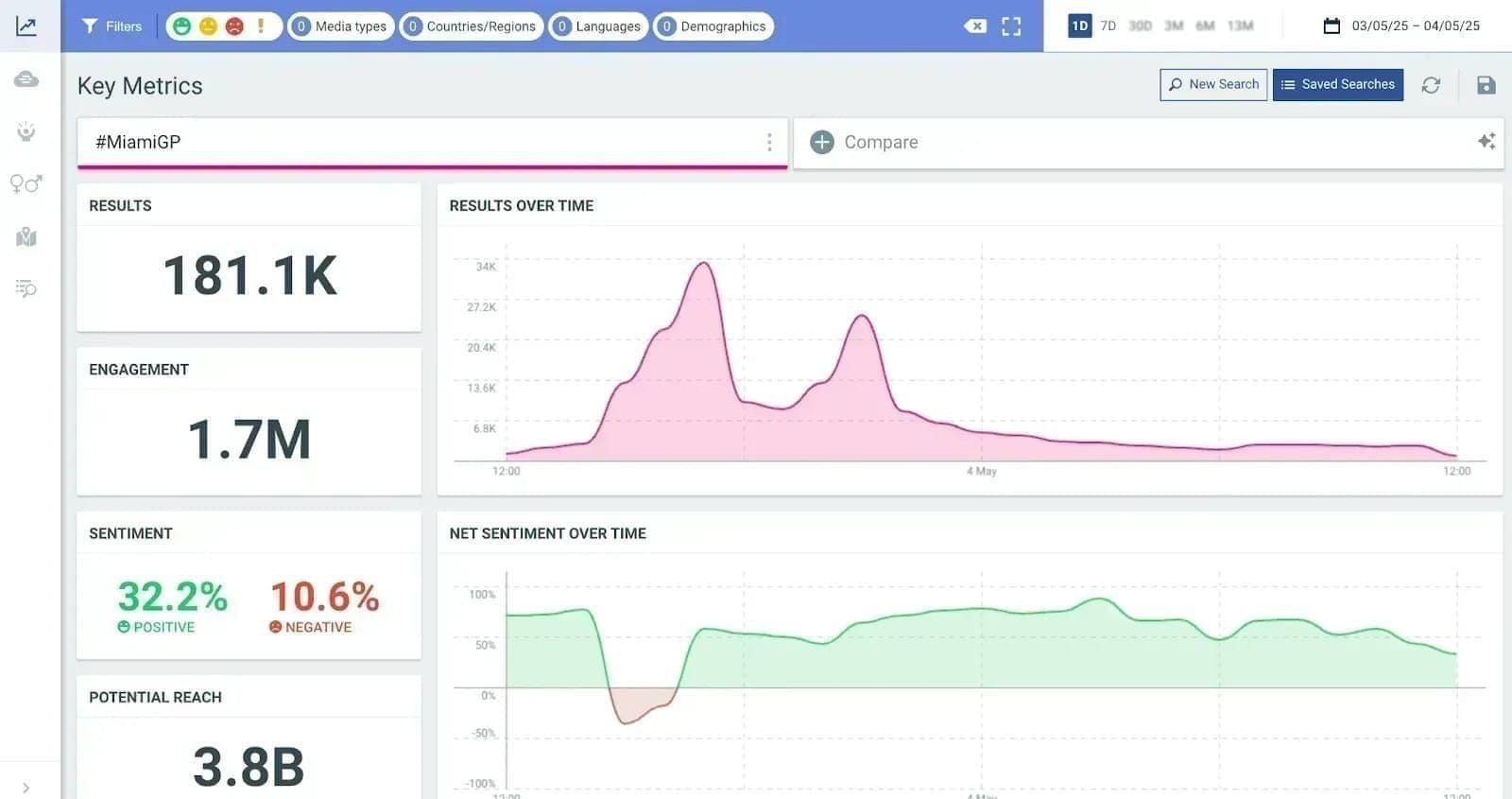
Locate recent purchase by timestamp and amount. Completed without diamonds = display sync issue, not processing problem.
If transaction doesn't appear in Likee history despite payment confirmation, purchase didn't reach Likee's servers—requires support intervention with payment provider's transaction ID.
Diagnosing the Issue: Payment Hold vs Sync vs Server Delay
Payment Hold Indicators
Payment method shows completed charge, but Likee's transaction history shows Pending or doesn't list transaction. Gap indicates payment gateway hasn't released funds despite charging your account.
First-time purchases, new payment methods (within 48 hours), or amounts significantly larger than history trigger automatic holds. Geographic mismatches activate fraud prevention holds.
Check payment provider's detailed status. Holds appear as Authorization Hold,Pending Merchant Confirmation—reserved but not transferred. Auto-resolve within 24-48 hours.
Wallet Sync Failures
Completed transactions in Likee's history but zero balance increase. Proves diamonds delivered server-side but not displaying client-side due to cache/sync issues.
Often accompany app crashes during purchase, network interruptions mid-transaction, or device switching immediately after buying.
Test by checking balance on different device or web interface. If diamonds appear elsewhere, confirmed device-specific sync problem.
Server-Side Processing Delays
Processing status beyond 30-minute window. Unlike payment holds (Pending) or sync failures (Completed), indicates Likee's servers actively working but experiencing backlog.
Correlate with platform-wide events: new features, promotions, viral content. Check Likee's social media for service status announcements.
Affect multiple users simultaneously. Community forums show clusters of delay reports during server issues vs isolated cases suggesting account/payment-specific problems.
Account Verification Blocks
Unverified accounts experience automatic delivery blocks until verification completes. New accounts (within 7 days), recent email/phone changes, or flagged activity require human review within 24-48 hours.
Display as indefinite Processing without estimated completion. May receive in-app notifications requesting verification: email confirmation, phone verification, ID documents.
Check Settings > Account > Verification Status for pending requirements. Completing immediately releases held diamonds.
Fixing Wallet Sync Issues: Manual Resolution
Logout and Re-login Procedure
Full logout forces app to discard cached data, establish fresh authenticated session. Settings > Account > Log Out (not Switch Account).
Wait 30-60 seconds after logout before re-login. Ensures servers register session termination, prepare clean initialization.
Upon re-login, app performs complete account data sync including wallet balance, transaction history, pending deliveries. Check wallet immediately—diamonds typically appear.
Clearing App Cache
Removes temporary files causing sync failures while preserving account data, login credentials, diamond balance.
Android: Settings > Apps > Likee > Storage > Clear Cache (NOT Clear Data).
iOS: Settings > General > iPhone Storage > Likee > Offload App. Reinstall from App Store—account info remains intact.
After clearing, open Likee and allow 2-3 minutes for complete synchronization before checking wallet.
Reinstalling Likee App
Complete reinstallation resolves persistent sync issues surviving cache clearing and logout procedures.
Before uninstalling: verify linked email or phone for recovery. Screenshot transaction history showing pending purchases.
Uninstall completely, restart device before reinstalling. Download latest version from official app stores only.
After installation, log in and wait for complete synchronization. Diamonds credited within 30 minutes in most cases.
Multi-Device Sync
Likee's cloud-based wallet syncs across all devices. Check alternate device—phone, tablet, computer—to determine device-specific vs account-wide issue.
If diamonds appear on alternate device, confirmed device-specific sync problem requiring cache clearing or reinstallation on primary device.
If missing across all devices, issue exists server-side: payment holds, processing delays, or account verification blocks.
Resolving Payment Holds and Verification Delays
Why Payment Gateways Place Holds
Payment gateways treat digital currency as high-risk due to fraud prevalence. Automatic risk assessment evaluates: new payment methods, geographic anomalies, unusual amounts, velocity (multiple rapid purchases).
Risk scores exceeding thresholds trigger authorization holds—charging account but not transferring funds to merchant. Creates 24-48 hour window for fraud detection verification.
International purchases trigger additional holds. Payment method's country differs from Likee account region or current IP location = cross-border fraud protocols activate, extending verification to 48 hours.
First-time purchases from any payment method experience standard verification holds. Gateways lack transaction history, default to maximum verification periods.
Completing Account Verification
Check Settings > Account > Verification Status for pending requirements. Common requests: email confirmation, phone verification, profile completion (photo, bio, birthdate).
High-value purchases or flagged accounts may request identity verification: government ID photo, selfie verification, payment method ownership proof (bank statement).
Verification completes with human review within 24-48 hours of submission. Diamonds held pending verification release automatically upon approval.
Bank Authorization Issues
Bank-side authorization failures occur when financial institution declines Likee purchases due to fraud concerns, insufficient funds, or transaction restrictions. Appear as Failed in Likee but show pending charges in bank account.
Contact bank customer service with exact transaction amount, timestamp, merchant name. Banks identify declined transactions and explain rejection reasons: spending limits, international blocks, merchant category restrictions.
Many banks auto-decline digital currency purchases. Request bank whitelist Likee or its payment processor.
For persistent issues, consider alternative payment methods or buy Likee diamonds online through BitTopup with multiple optimized payment methods.
Security Checks Delaying Delivery
Likee implements multi-layer security analyzing transaction patterns, account behavior, device fingerprints.
Sudden purchase behavior changes trigger reviews: dramatically larger purchases, multiple rapid purchases, new devices/locations. Appear as extended Processing without notification.
VPN usage, proxy servers, location spoofing activate geographic fraud detection. Systems detect mismatches between IP location, payment method's country, account region settings.
Account/device sharing creates behavioral anomalies triggering security holds requiring verification before delivery.
Advanced Troubleshooting: When Basic Steps Fail
Checking Server Status
Platform-wide server issues affect all users simultaneously. Monitor Likee's official social media for service status announcements.
Community forums and social media hashtags reveal real-time experiences. Search recent posts (within past hour) for Likee down,diamonds not working,purchase failed. Clusters confirm platform-wide issues.
Network Connectivity Tests
Unstable connections during purchase/sync cause incomplete transactions: payment processes, but delivery data never reaches device.
Test network stability with speed/ping tests. Packet loss above 5% or ping spikes exceeding 200ms indicate instability disrupting transaction completion.
Switch between WiFi and mobile data to isolate network-specific issues. Some networks implement firewalls blocking Likee's transaction servers.
Disable VPN, proxy servers, network optimization tools during purchases. These can corrupt transaction data packets or block server connections.
Device Compatibility Issues
Outdated devices running older OS may lack compatibility with current transaction infrastructure. Verify device meets minimum requirements: iOS 12.0+ or Android 6.0+.
Check available storage—insufficient storage prevents app updates and cache operations. Maintain at least 1GB free.
Some manufacturers implement aggressive battery optimization killing background processes including wallet sync. Settings > Battery > App Optimization—exclude Likee from battery-saving restrictions.
App Version Updates
Running outdated versions creates compatibility gaps with current server infrastructure. Update to latest version through official app stores.
Check Settings > About for current version, compare against latest available.
Recent updates sometimes introduce temporary bugs. If issues began immediately after updating, check community forums for similar reports.
Enable automatic app updates to prevent future compatibility issues.
Documentation and Support: Building Your Case
Essential Information to Collect
Transaction ID: Primary reference for all support interactions. Locate in payment confirmation email, payment provider's history, or Likee's purchase history. Screenshot with timestamp visible.
Payment receipts: From bank, credit card, digital wallet showing completed charge. Proves payment processed successfully.
Current diamond balance: Screenshot with timestamp. Establishes pre-resolution balance.
Accessing Complete Purchase History
Profile > Wallet > Transaction History. Displays all acquisitions, expenditures, pending transactions with dates, amounts, status indicators.
Filter by date range to isolate recent transactions. Support needs 7 days before issue through current date.
Android users: Verify Google Play Purchase history: Google Play Store > profile icon > Payments & subscriptions > Budget & history; filter for Likee.
Preparing Support Tickets
Submit through Settings > Help > Submit Ticket. Auto-includes account info, device details, app version.
Structure: (1) Concise problem statement, (2) Transaction ID and timestamp, (3) Payment confirmation, (4) Troubleshooting steps attempted, (5) Current status.
Attach all screenshots: payment confirmation, transaction ID, current wallet balance, transaction history.
Include 10-digit Likee ID in ticket body.
Expected Response Times
Automatic receipt confirmation within minutes. Human review within 24-48 hours for properly documented tickets.
Resolution depends on issue type: wallet sync resolves immediately through support-initiated forced sync, payment holds require payment processor coordination (3-5 business days), account verification resolves within 24 hours of proper documentation.
If diamonds not credited after support confirms successful transaction, manual crediting within 48 hours.
Prevention Checklist: Avoiding Future Issues
Pre-Purchase Account Verification
Complete full verification before purchases: Settings > Account > Verification—email confirmation, phone verification, profile completion.
Verified accounts bypass many security checks delaying unverified account transactions.
Link multiple recovery methods. Maintain consistent account information—frequent changes trigger security flags. Wait 7 days after changes before purchasing.
Choosing Reliable Payment Methods
Use payment methods previously successful for Likee. Payment history builds trust scores reducing verification requirements.
Credit cards and established digital wallets experience fewer holds than debit cards or newly-added methods.
Avoid prepaid/gift cards for large purchases—trigger maximum security scrutiny.
Enable In-App Purchases in device settings: Settings > Screen Time > Content Restrictions > Allow In-App Purchases.
Network and Device Requirements
Use reliable WiFi or strong mobile data (4G/5G full signal) during purchases. Weak connections cause incomplete data transmission.
Remain in Likee app 2-3 minutes after purchase. Immediately closing can interrupt delivery confirmation.
Disable battery-saving modes during purchases. Keep Likee updated to latest version before purchasing.
Timing Your Purchases
Avoid purchasing during promotional events, new feature launches, viral content peaks—generate transaction volumes exceeding capacity.
Purchase during off-peak hours: late night or early morning when concurrent users lowest.
Avoid purchasing immediately after app updates or maintenance windows.
Monitor official announcements for scheduled maintenance.
The Reliable Alternative: Using BitTopup for Likee Diamonds
Why BitTopup Ensures Faster Delivery
BitTopup maintains direct API integration with Likee's transaction servers, bypassing consumer-grade payment gateways causing most delays. Enterprise-level connection processes through priority queues.
Specialized infrastructure handles only digital currency transactions. Optimized protocols designed for virtual goods delivery reduce processing steps and failure points.
Transaction success rate exceeds 99.2% vs approximately 94% for in-app purchases. Stems from pre-verified payment channels, automated retry mechanisms, dedicated technical teams.
Guaranteed delivery timelines with automatic compensation for delays vs vague processing time estimates.
BitTopup's Transaction Success Rate
Redundant processing paths eliminate common failure points. If primary delivery fails, automated systems attempt alternative methods without user intervention.
Real-time monitoring detects failures within minutes. Automated alerts trigger immediate investigation.
Money-back guarantees for unresolved failures. Automatic refunds within 24 hours vs 3-5 business days for standard refunds.
24/7 customer support with live chat averaging under 3-minute response times vs 24-48 hour ticket systems.
Purchasing Through BitTopup
- Visit BitTopup's Likee Diamond page, select desired package
- Enter 10-digit Likee ID carefully
- Choose payment method from extensive optimized options
- Complete payment through secure encrypted checkout
- Receive confirmation with transaction ID and estimated delivery time
- Verify delivery in Likee wallet—typically 5-15 minutes
BitTopup Customer Support Advantages
Support specializes in digital currency transactions. Agents access complete transaction logs including server-side processing, payment gateway communications, delivery attempt records.
Direct communication with Likee's technical teams enables escalation and resolution within hours vs days. Partnership access bypasses standard support queues.
Proactive issue notification alerts you to delays before you notice. Automated monitoring detects stuck transactions, initiates resolution while notifying you.
Common Misconceptions About Likee Diamond Purchases
Myth: All Diamonds Arrive Instantly
Reality: 5-30 minutes represents standard, not instant delivery. Payment verification, fraud checks, account validation, wallet sync cycles all require time. Only verified accounts using established payment methods during low-traffic approach instant delivery.
Myth: Reinstalling Loses Your Purchase
Reality: Diamond balances exist on Likee's servers, not your device. Reinstalling removes only local cache and temporary files—account data including diamond balance remains intact server-side, reappears upon login.
Myth: Multiple Purchase Attempts Speed Delivery
Reality: Multiple attempts create complications, not solutions. Each transaction enters queue independently, potentially resulting in multiple deliveries and charges. Payment systems may flag rapid repeated purchases as fraud, triggering security holds delaying all pending transactions.
Truth: Realistic Delivery Expectations
5-30 minutes covers 85% of transactions, 24-48 hours covers 98%, remaining 2% require support intervention.
First-time purchases, new payment methods, large amounts, new accounts naturally experience longer processing due to security verification—features, not bugs.
Server-side delays during peak periods or maintenance affect all users, resolve automatically. Patience proves more effective than troubleshooting platform-wide infrastructure issues.
Real User Scenarios: Delay Cases and Solutions
Case: Payment Successful But No Diamonds 24 Hours
User purchased 1,000 diamonds with newly-added credit card. Payment confirmed immediately, no diamonds. After 24 hours, submitted support ticket.
Diagnosis: New payment method triggered automatic verification hold.
Resolution: Support confirmed verification hold status. After 36 hours total, verification completed automatically, diamonds appeared. Subsequent purchases from same card processed within 5 minutes.
Lesson: New payment methods require patience through initial verification. Subsequent purchases from verified methods avoid delays.
Case: Diamonds Received on Different Device
User purchased on phone, no balance increase. Checked tablet hours later—diamonds appeared there but not phone.
Diagnosis: Device-specific cache corruption on phone prevented wallet sync.
Resolution: Cleared cache on phone. Upon reopening, wallet synced properly, displayed correct balance.
Lesson: Diamonds exist server-side, should appear across all devices. Device-specific display issues indicate local cache problems.
Case: Partial Diamond Delivery
User purchased 5,000 diamond package, received only 3,000. Transaction history showed one completed transaction for full amount.
Diagnosis: Display glitch showed incorrect balance. Actual balance correct at 5,000.
Resolution: Logout/login refreshed wallet display, showed correct 5,000 balance.
Lesson: Verify transaction history rather than relying solely on displayed balance. Transaction logs provide authoritative records.
Lessons from Common Delay Patterns
- 80% of delays resolve automatically within 48 hours without intervention
- New account + new payment method combinations create longest delays, sometimes full 48-hour verification window
- Device-specific issues affect ~15% of cases, resolve through cache clearing or reinstallation
- Actual lost transactions represent <1% of delay reports
2026 Updates: What's Changed
New Payment Gateway Integrations
Likee expanded payment gateway partnerships early 2026, adding regional processors optimized for specific markets. Reduce cross-border complications, improve authorization success rates.
New gateways implement faster verification protocols, reducing standard processing from previous 10-45 minutes to current 5-30 minute benchmark.
Enhanced Security Measures
2026 security enhancements introduced machine learning fraud detection analyzing behavioral patterns, device fingerprints, transaction contexts. Improve fraud prevention but increase false positive rates.
Users experiencing sudden account activity changes—new devices, location changes, unusual purchase patterns—face higher scrutiny, manifesting as extended processing times.
Improved Wallet Sync Technology
Q2 2026 app updates introduced real-time wallet sync replacing previous 15-30 minute cycle system. Enables near-instant balance updates following successful transactions.
New sync maintains persistent server connections rather than periodic polling, allowing server-initiated balance updates immediately upon transaction completion. Users on updated versions see diamonds within 1-2 minutes consistently.
Requires stable network connectivity, increased battery usage. Users on unstable networks or aggressive battery-saving may experience sync failures more frequently.
Regional Differences
Likee implemented region-specific transaction infrastructure 2026, optimizing delivery for local payment ecosystems and regulatory requirements.
North American and European users benefit from direct integration with major processors, enabling 5-10 minute average delivery. Asian markets utilize region-specific platforms with similarly optimized performance.
Regions without dedicated infrastructure continue using global gateways with longer processing (15-30 minutes average), higher failure rates.
FAQ
How long does it take for Likee diamonds to appear after purchase?
Most purchases complete within 5-30 minutes. 80%+ appear within 24 hours. Payment verification holds extend processing to 24-48 hours for new accounts, first-time purchases, or flagged transactions. If diamonds haven't appeared after 48 hours, clear cache, logout/login, and submit support ticket.
Why are my Likee diamonds not showing in my wallet?
Typically indicates wallet sync failures, not delivery problems. Check transaction history—if Completed, diamonds delivered but not displaying due to cache issues. Clear app cache, logout/login, or check alternate device. If transaction history doesn't show purchase, transaction didn't reach Likee's servers—requires support intervention with payment confirmation.
What should I do if my Likee payment is pending for hours?
Pending status indicates payment provider hasn't released funds to Likee. Wait 24-48 hours for automatic verification completion—normal for new payment methods, first purchases, or flagged transactions. Contact bank to verify transaction wasn't declined. If pending exceeds 48 hours, submit support ticket with transaction ID and payment confirmation.
Can I get a refund if Likee diamonds are not received?
Yes. Refunds process automatically if diamonds not delivered within verification timeframes. After 48 hours without delivery, automatic refund eligibility—returns in 3-5 business days. Submit support ticket with transaction ID and payment confirmation to initiate refund.
How do I manually sync my Likee wallet after purchase?
Close Likee completely (swipe from recent apps), wait 30-60 seconds, reopen. Navigate directly to wallet upon reopening. For persistent issues, logout completely (Settings > Account > Log Out), wait 30-60 seconds, login. Forces complete account data resynchronization including wallet balance.
What causes Likee diamond delivery delays in 2026?
Primary causes: payment verification holds (24-48 hours for new payment methods), account verification requirements (24-48 hours for unverified accounts), wallet sync failures (resolved through cache clearing), server processing queues (during peak usage), bank authorization issues (contact bank). Security checks flagging unusual activity or transaction patterns extend processing while fraud detection verifies legitimacy.
Tired of diamond delivery delays and wallet sync issues? Get your Likee Diamonds instantly through BitTopup – the reliable platform trusted by millions worldwide. With guaranteed delivery, 24/7 support, and secure transactions, BitTopup ensures you never miss a moment to shine on Likee. Purchase your diamonds now and experience hassle-free top-ups every time!