Confirm Code Format
Enter codes exactly as provided—no spaces, dashes, or case changes. System performs case-sensitive validation: ABC123 ≠ abc123. Watch for: 0 vs O, 1 vs I or l. Copy-paste from purchase confirmations to eliminate transcription errors.
Verify Expiration Date
Most codes valid 6-12 months from purchase; promotional codes expire in 30-90 days. Check Profile > Wallet > Transaction Log: green checkmark = completed, clock = pending, red X = failed. Already used errors may indicate successful redemption where confirmation failed.
Check Account Status
Navigate to Settings > Account—confirm phone and email verification complete. Unverified accounts face transaction restrictions. First-time purchases require 24-48 hours verification processing.
Ensure Stable Connection
Wallet syncs every 15-30 minutes. Enable airplane mode for 10 seconds then disable to force connection refresh. Pull down on wallet screen to manually refresh balance. Peak hours (6-10 PM) extend processing 50-100%. Off-peak delivery: 5-10 minutes; peak hours: 30-60 minutes.
Where to Enter Codes: Exact Navigation (2026)
Mobile App Path
- Tap More > Wallet (top left)
- Select your region from dropdown
- Choose Higift as payment method
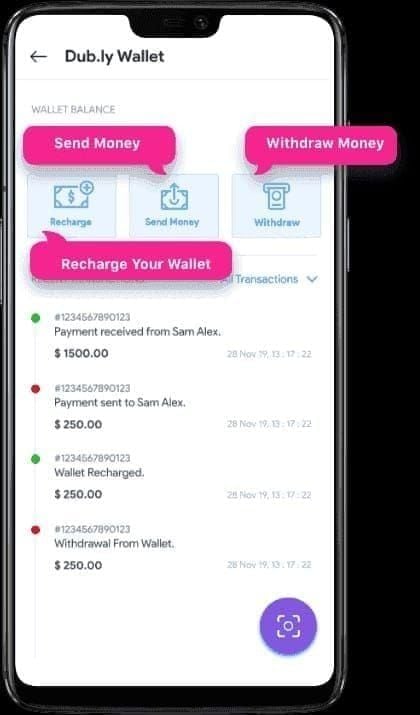
- Enter gift card code
- Click Submit
- Wait 30-60 seconds on confirmation screen—don't navigate away
Web Browser Method
Visit https://likee.video/pay. Enter your 10-digit Likee ID (from Me page beside profile picture). Select region, choose Higift/SEAGM, enter code, submit. Web redemption often processes faster during peak hours.
Alternative: Likee website > menu icon (upper right) > scroll to Top Up > enter Likee ID > select region U.S.A. > HIGIFT payment > enter code > Continue.
Navigation Mistakes to Avoid
Don't confuse Recharge button with gift card redemption—Recharge directs to credit cards/mobile wallets. Look for Higift,Gift Card, or Redemption Code in payment methods. Don't attempt redemption through in-app gift store—that's for real-time purchases, not pre-purchased codes.
Understanding Region Mismatch Errors
Region mismatch occurs when gift card origin differs from account's registered region. Supported regions: Malaysia, Singapore, Indonesia, Thailand, Vietnam, Philippines, Pakistan, Bangladesh. Codes from one region can't redeem in different regions.
Why Region Restrictions Exist
Payment processors issue region-specific codes for local financial regulations and tax compliance. Gift cards represent pre-paid value in specific currencies—cross-region redemption requires real-time exchange calculations causing pricing inconsistencies.
Identify Your Account Region
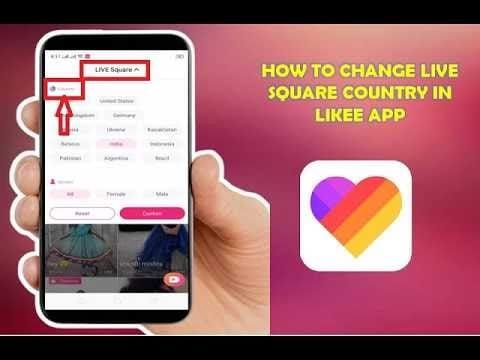
Settings > Account shows registered region as Country or Region. Set during registration based on phone number's country code. Field appears grayed out—permanently locked. VPN can't change registered region.
For guaranteed region compatibility, BitTopup offers region-verified codes matching your account settings with instant delivery and 24/7 support.
Why VPNs Don't Work
VPNs mask IP but can't alter account's registered region in Likee's database. System performs multi-factor verification: registration data, payment origin, transaction history—not just IP. VPN use increases failure rates by triggering security checks, adding 24-48 hour delays or rejection.
Complete Solutions for Redemption Failures
Follow in order, test after each step.
Solution 1: Verify Region Match
Confirm gift card purchased for your account's registered region. Contact provider to verify code's designated region. If wrong region, request exchange within 24 hours with screenshots of account region.
Solution 2: Clear Cache
Android: Settings > Apps > Likee > Storage > Clear Cache
iOS: Settings > General > iPhone Storage > Likee > Offload App, then reinstall
After clearing, log out (Settings > Account > Log Out), wait 60 seconds, log back in.
Solution 3: Check for Typos
Re-enter character by character. Watch: 0 vs O, 1 vs L/I. Copy directly from purchase email. If copying from PDF/image, paste into plain text editor first to strip formatting, then copy to Likee.
Solution 4: Confirm Not Previously Redeemed
Check Profile > Wallet > Transaction Log for matching entries. Green checkmark with timestamp = completed. Wallet sync delays can cause diamonds to appear hours later—80% appear within 24 hours. Wait full 24 hours before concluding failure.
Solution 5: Update App
Check app store for Likee updates. 2026 updates reduce delivery times 40% and improve error messaging. After updating, restart device completely, then attempt redemption.
Error Messages Decoded
Invalid Code Error
System can't find code in database. Causes: typos, wrong redemption interface, fake codes from unauthorized sellers. Verify correct redemption method (some require web, others app). Contact provider within 24 hours with error screenshots.
Region Not Supported
Account region differs from gift card's region. No retry will fix—need region-appropriate code. Verify account region matches gift card's specified region. Contact seller for exchange or refund.
Code Already Used
Code redeemed on your or another account. Check 30-day transaction history sorted by amount/date. If no match, code compromised before receipt—occurs with unauthorized resellers selling same code multiple times.
Expired vs Invalid Code
Code Expired/Validity Period Ended = legitimate code past deadline, can't reactivate. Invalid Code = never valid (fake, typo, wrong interface). Check purchase confirmations for expiration dates.
Step-by-Step Redemption Process
Step 1: Access Profile and Wallet
Open app, tap profile icon (bottom nav). Verify 10-digit Likee ID displays below profile name. Tap More > Wallet. If wallet fails to load, enable airplane mode 10 seconds, retry.
Step 2: Navigate to Redemption
Select account's registered region from dropdown. Scroll payment methods for Higift/SEAGM (appears only after correct region selection). If options missing, verify region selection.
Step 3: Enter Code
Tap code field, enter/paste exactly as provided maintaining case. Double-check each character: 0 vs O, 1 vs L. Use text magnification if needed.
Step 4: Confirm and Verify
Tap Submit/Confirm. Don't navigate away until confirmation or error appears—premature navigation interrupts processing. Confirmation displays credited diamond amount. Pull down to refresh balance. Standard: 5-30 minutes; first-time: 24-48 hours.
If Diamonds Don't Appear
Check transaction log for pending status (clock icon)—persists up to 48 hours. Force close app, reopen after 60 seconds. Enable airplane mode 10 seconds, disable to force network refresh.
After 48 hours, contact Likee support with transaction ID, purchase confirmation, redemption screen, and wallet balance screenshots. Response: 24-48 hours.
Account Region Settings
Locate Region
Settings > gear icon > Account. Region shows as Country/Region/Location. Displays permanent registration country set during creation.
Why Region Can't Change
Locked for regulatory compliance with regional content and payment laws. Prevents exploitation of regional pricing differences. Changing would create legal issues.
Impact on Compatibility
Account region creates whitelist of compatible gift card regions. Only codes for your specific region redeem successfully, regardless of physical location. Diamond pricing, denominations, promotions vary by region.
Don't Create New Accounts
Creating accounts in different regions for region-locked codes violates terms of service. Results in permanent suspension of all associated accounts. Request exchanges/refunds from seller instead.
Prevention Tips
Purchase Region-Appropriate Cards
Screenshot region settings, compare against gift card's region before purchase. Choose codes explicitly marked for your region. Avoid global/multi-region without specific compatibility guarantees.
Verify Seller Reputation
Buy from verified platforms with established reputations, customer protection, thousands of positive reviews, responsive service. Avoid individual sellers on unregulated marketplaces—high risk of used/fake/wrong-region codes.
Redeem Immediately
Redeem within 24-48 hours of purchase. Set reminders for gift codes. Redeem 1-2 weeks before expiration to allow troubleshooting time.
Keep Screenshots
Screenshot code immediately upon receipt. Capture entire confirmation: transaction ID, date, seller info, code. Store in dedicated folder. Include redemption attempt screenshots showing errors.
Use BitTopup
BitTopup provides region-verified Likee gift cards with guaranteed compatibility. Instant delivery eliminates expiration risks. 24/7 support resolves issues immediately with replacement codes or refunds. High ratings and secure transactions ensure zero region mismatch errors.
When to Contact Support
Self-Troubleshoot
Handle independently: typos, cache glitches, network issues, app version problems. Region verification—contact gift card seller, not Likee. Wallet sync delays under 48 hours—wait, don't contact support.
Require Support
Contact for: persistent Invalid Code after verifying accuracy, transactions pending beyond 48 hours, diamonds missing after confirmed redemption, account-specific technical issues preventing wallet access.
Document Errors
Screenshot: error messages with timestamps, transaction log showing pending/failed status, wallet balance before/after attempts. Provide: 10-digit Likee ID, transaction date/time, gift card code (if requested), troubleshooting steps attempted.
Response Times
Standard: 24-48 hours. Complex issues: 3-5 business days. Refunds: 3-5 days after approval. Peak periods extend by 24-48 hours. Submit during off-peak (early morning) for faster response. Follow up after 72 hours.
BitTopup: Your Reliable Solution
Guaranteed Region-Compatible Codes
BitTopup's region verification matches cards to your account before purchase. Separate inventories per region ensure compatibility. Automated detection analyzes account details, recommends appropriate options.
Instant Delivery, Zero Failures
Codes delivered within minutes. Integrates with Likee's verification databases—all codes active and unused. Quality control tests random samples from each batch, maintaining zero redemption failure rate.
24/7 Support
Around-the-clock live chat provides real-time troubleshooting. Instant replacement codes or full refunds for legitimate issues—no lengthy investigations. Customer-first approach prioritizes satisfaction.
Secure Transactions
Sources cards from authorized distributors—every code genuine and unused. PCI-compliant secure payment processing with encrypted connections. High ratings across review platforms confirm reliability.
FAQ
Why is my code not working?
UID mismatches (60-70%), region incompatibility, VPN interference, or previously redeemed codes. Verify 10-digit ID matches entry, disable VPN, clear cache, confirm region match.
Where do I enter codes?
App: More > Wallet > select region > Higift > enter code > Submit. Web: likee.video/pay > enter 10-digit ID > select region > Higift/SEAGM > enter code > submit.
How do I fix region mismatch?
Can't change account region after creation. Purchase region-appropriate cards. Verify region in Settings > Account, buy codes for that region. VPNs don't bypass.
What does invalid code mean?
System can't find code: typos, wrong interface, fake codes. Re-enter carefully, verify correct method, contact seller within 24 hours.
How long for diamonds to appear?
5-30 minutes off-peak. First-time: 24-48 hours. Peak hours: 30-60 minutes. 80% appear within 24 hours. Force refresh: pull down wallet or airplane mode 10 seconds.
Can I use cards from different countries?
No. Cards work only in matching regions: Malaysia, Singapore, Indonesia, Thailand, Vietnam, Philippines, Pakistan, Bangladesh. Account region set at creation, can't change.
Stop wasting time with invalid codes! Get guaranteed region-compatible Likee gift cards from BitTopup—instant delivery, zero errors, 24/7 support. Recharge now!























































































































