What Is UID in MICO Live
Your MICO UID is a permanent numeric identifier under your profile nickname. It serves as the delivery address for all coin purchases. A single mistyped digit redirects your purchase to a different account or causes transaction failure.
UID consists only of continuous digits—no spaces, dashes, or special characters. Any deviation signals an entry error.
How Server Region Affects Coin Delivery
MICO Live operates separate regional servers with distinct coin economies. Your account permanently associates with one server region based on registration location, creating 30% pricing differences.
- Global region: 110 coins per dollar
- MENA region: 143 coins per dollar
- Southeast Asia: 43 coins per 100 rupees
Server region mismatch occurs when payment processes through a different geographic zone than your account region. Transactions complete, but coins can't transfer across regional boundaries.
Payment Region vs Account Region
Payment methods carry geographic identifiers based on issuing bank location or billing address. When payment region conflicts with MICO Live account region, the system flags transactions for manual review or automatic rejection.
Cross-region purchases require:
- Government-issued ID
- Proof of residence (last 3 months)
- SMS verification
- 24-48 hours processing time
5-Minute Quick Fix Checklist
These rapid steps resolve 60% of missing coins cases.
Step 1: Force Close and Restart App
Complete app closure triggers account synchronization with servers, resolving 60% of cases.
- Close MICO Live through device app manager
- Wait 15 seconds
- Reopen app
- Navigate to Profile > Wallet > History
Step 2: Verify Payment Receipt and Transaction ID
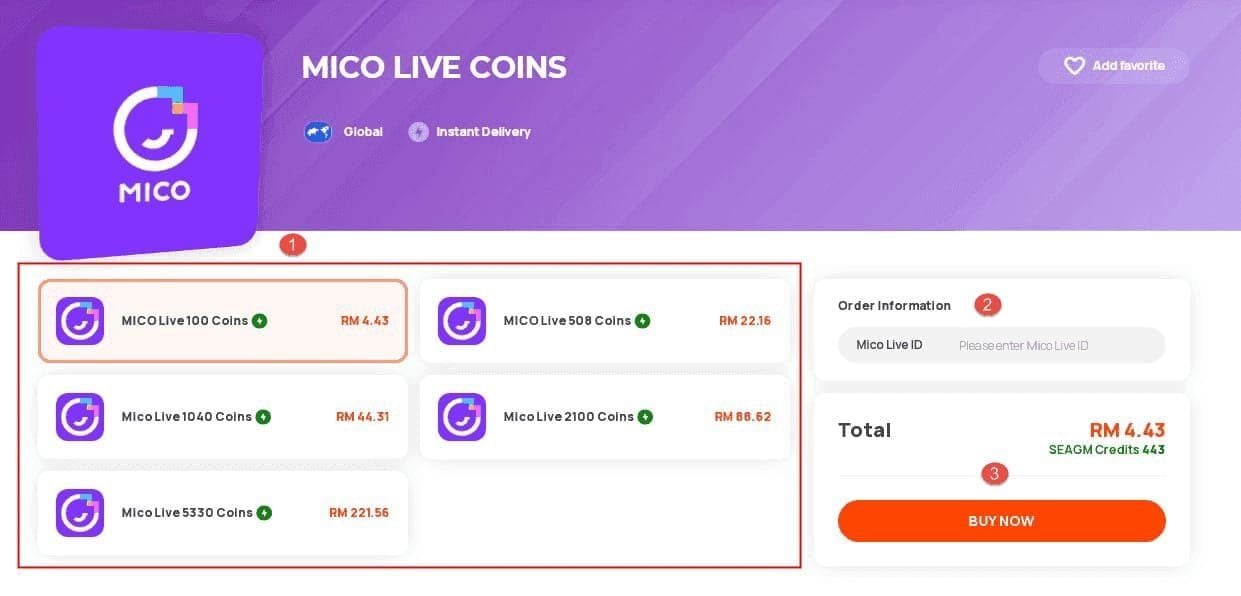
Payment confirmations contain transaction IDs proving successful processing. Compare the UID on your receipt against your MICO Live profile UID. Screenshot both for side-by-side comparison, checking each digit individually.
Step 3: Check Server Status
Scheduled maintenance temporarily suspends coin delivery (30 minutes to 2 hours). Peak usage periods (7-11 PM) add 15-30 minutes to delivery times.
Wait 30 minutes after announced maintenance completion before troubleshooting.
Step 4: Refresh Coin Balance
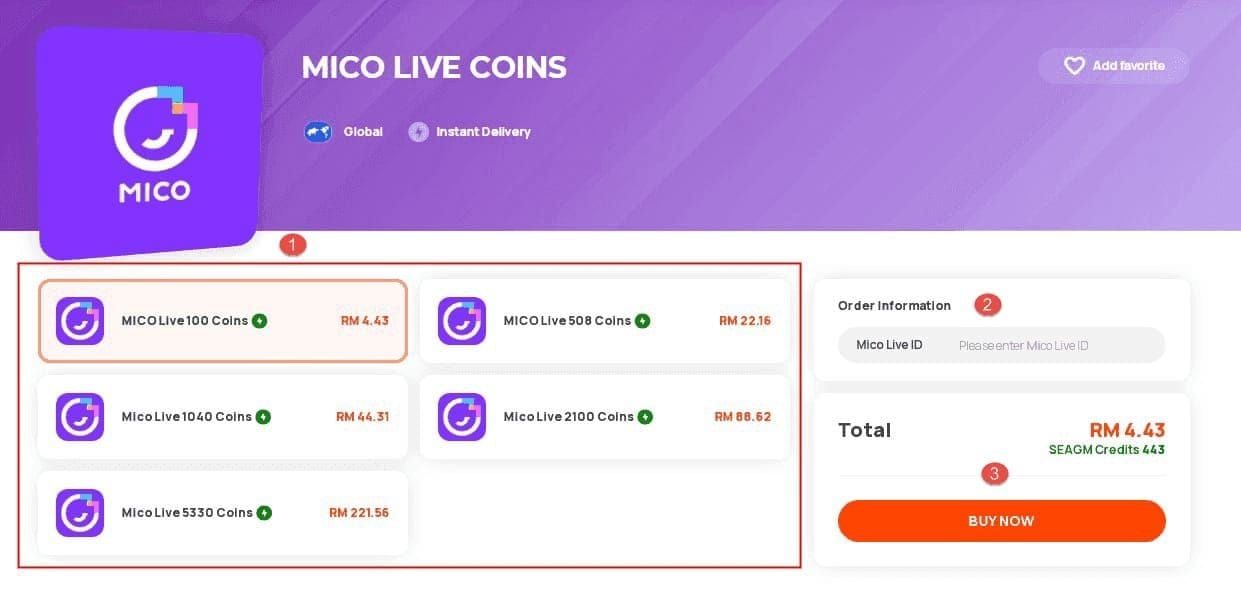
Pull down on wallet screen to force manual refresh. Ensure:
- Stable internet connection
- 500MB+ free storage available
- No switching between WiFi and mobile data during refresh
How to Locate and Verify Your MICO Live UID
Finding Your UID
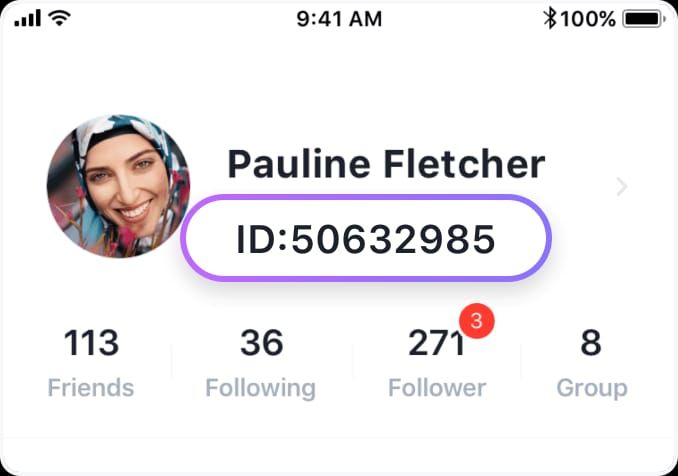
- Tap profile icon (bottom right)
- UID appears as numeric string beneath username
- Long-press UID and tap Copy
UID contains only continuous digits—no letters or special characters.
Confirming UID Matches Receipt
- Paste copied UID into notes app
- Compare digit-by-digit against payment receipt
- Screenshot both for visual comparison
Watch for commonly confused numbers: 0 vs O, 1 vs I, 8 vs B, 5 vs S.
Common UID Entry Mistakes
- Accidental spaces during copy-paste
- Partial UID copying (missing leading/trailing digits)
- Auto-fill populating wrong numbers
Never rely on auto-fill—manually paste or type current account's UID.
Regional Verification: Account and Payment Match
Check Your Account Region
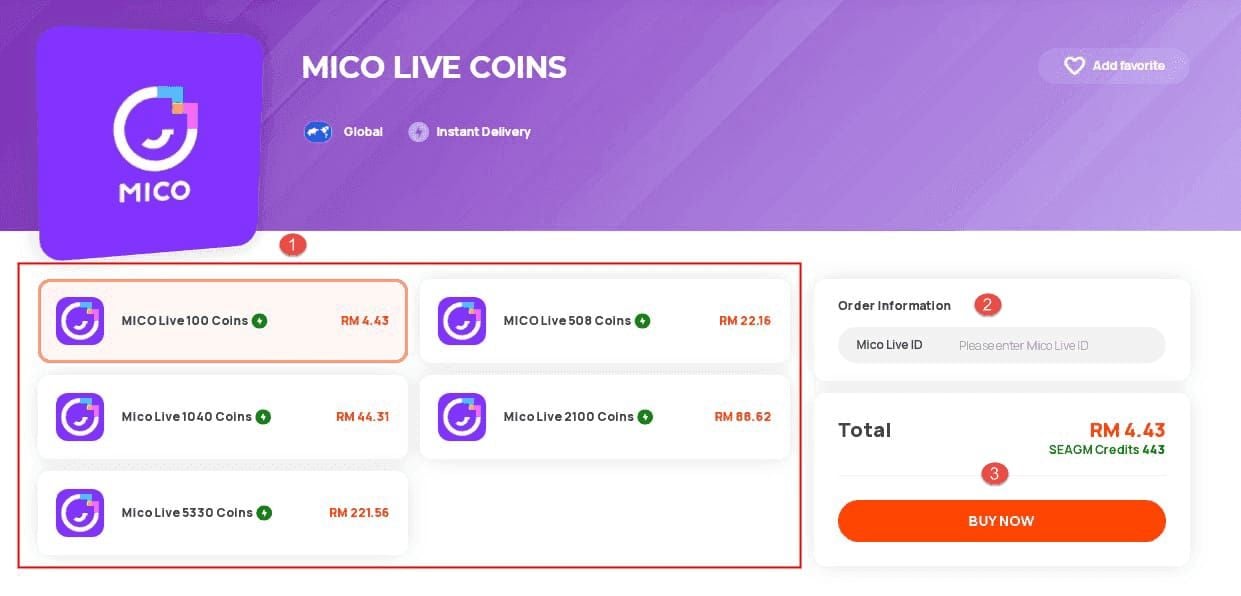
- Tap profile icon (top-left)
- Navigate to Account Settings > Region
- View registered server location
Region changes require government ID, proof of residence, and SMS verification.
Payment Method Region vs Account Region
Payment methods carry geographic identifiers based on card issuing country or wallet registration. When payment originates from different country than account region, transactions require additional verification.
For seamless cross-region transactions, buy MICO Live coins online through verified platforms that handle geographic verification automatically.
Cross-Region Restrictions
MICO Live implements regional pricing to reflect local economic conditions. Cross-region purchases face strict verification to prevent price exploitation.
Payment processing times by method:
- Cryptocurrency: 30 minutes
- Bank transfers: 1-4 hours (strictest verification)
30-Minute Comprehensive Troubleshooting
Diagnostic Step 1: Account Verification
- Confirm correct account login (check username/profile)
- Verify account in good standing (no restrictions)
- Test login by logging out and back in
Diagnostic Step 2: Network and App Version
- Switch between WiFi and mobile data
- Update MICO Live to latest version (2-3 minutes)
- Clear app cache through device settings
Diagnostic Step 3: Payment Gateway Confirmation
Card and wallet payments: 95% delivery within 5 minutes, 100% within 30 minutes.
PayPal and digital wallets: instant to 15 minutes (first-time payments face additional security checks).
Contact payment provider to confirm transaction cleared successfully.
Diagnostic Step 4: Server Synchronization Wait
Set 30-minute timer after payment confirmation. Avoid:
- Logging in/out repeatedly
- Switching devices immediately
- Wait 15 minutes before device changes
Diagnostic Step 5: Support Ticket Submission
After 4 hours without delivery, gather:
- Payment receipt
- Transaction ID
- Account UID
- Current coin balance screenshots
Submit to contact@micous.com with complete documentation. Support investigates within 24-72 hours (90% resolution rate).
Common Causes of Missing Coins
UID Mismatch
Single most common failure cause. Mistyped digit sends coins to wrong account—transactions are final once processed.
Always copy-paste UIDs directly from profile.
Region Lock
VPN usage triggers region mismatch flags. Disable VPNs before purchases.
Submit region change documentation for permanent relocation rather than attempting cross-region purchases.
Server Sync Delays
Standard synchronization cycles: 5-15 minutes. Peak period traffic (7-11 PM) extends by 15-30 minutes—this is normal operation.
Payment Verification Pending
First-time purchases: 15-30 minute verification hold.
Processing times:
- Bank transfers: 1-4 hours (timer starts after platform confirms fund receipt)
- Cryptocurrency: up to 30 minutes for blockchain confirmation
Account Status Issues
Accounts flagged for security review can't receive deliveries until verification completes. Check settings for:
- Pending verification requests
- Security alerts
- Incomplete profile information
- Terms of service violations
Delivery Timeframes: What to Expect in 2026
Standard Delivery Time
- Card/wallet payments: 5 minutes (95% of cases), 30 minutes maximum
- PayPal/digital wallets: instant to 15 minutes
- Cryptocurrency: up to 30 minutes (blockchain confirmation)
Peak Hours Impact
Evening hours (7-11 PM): add 15-30 minutes to standard times. Weekend peaks extend further during high leisure activity.
When to Escalate: 24-Hour Rule
Wait 4 hours after payment before contacting support (accounts for all normal delays). For bank transfers and cryptocurrency: wait 24 hours.
Prevention Strategies
Pre-Purchase Checklist
Complete in under 3 minutes, prevents 90% of failures:
- UID Accuracy: Copy-paste from profile; verify every digit
- Region Alignment: Payment method matches account region
- Account Status: No pending verifications/restrictions
- App Version: Latest MICO Live release
- Storage Space: 500MB+ free
- Network Stability: Reliable WiFi or strong mobile data
- Payment Method: Sufficient funds, not expired
Using Trusted Top-Up Platforms
Verified platforms implement automated verification catching UID and region errors before payment. BitTopup offers competitive pricing, fast delivery, secure transactions, and 24/7 support with automated UID verification and multi-region support.
Keeping Transaction Records
- Screenshot payment confirmation (transaction ID, timestamp, UID, amount)
- Save confirmation emails in searchable folder
- Maintain spreadsheet logging: purchase date, amount, transaction ID, delivery status
When to Contact Support: Escalation Guidelines
Required Information
- Account UID (copy from profile)
- Transaction ID (from confirmation)
- Payment receipt (screenshot/PDF with amount and timestamp)
- Purchase date/time (including timezone)
- Payment method (card type, wallet name, cryptocurrency)
- Current coin balance (screenshot)
- Expected coin amount (based on purchase tier)
Expected Response Times
- Standard missing coins: 24-72 hours initial response (90% resolution)
- Complex payment disputes: 5-7 business days
- Account security issues: 12-24 hours (priority handling)
Alternative Resolution Paths
For urgent needs: make small test purchase first to verify delivery works. For recurring problems: request detailed account review rather than addressing incidents separately.
Document all communication: ticket numbers, representative names, promised timeframes.
FAQ
How long should I wait before reporting missing coins?
Wait 30 minutes for card/wallet payments, 4 hours for cryptocurrency/PayPal, 24 hours for bank transfers. These timeframes account for normal processing delays including peak periods.
Can I get a refund if coins never arrive?
Yes, if investigation confirms system error. Refunds take 5-10 business days. User errors like wrong UID may not qualify since coins delivered to entered account.
Will clearing app cache delete my coin balance?
No. Cache clearing only removes temporary display files on your device. Actual balance exists on MICO Live's servers and remains unaffected.
What if I topped up the wrong account?
Contact support immediately with both UIDs and transaction details. MICO Live can't reverse completed transactions between accounts. Prevention through careful UID verification is essential.
Why do coins appear on one device but not another?
Device synchronization delays cause temporary discrepancies. Wait 15 minutes after purchase before switching devices. Force close and restart app on device showing incorrect balance.
Does using VPN affect coin delivery?
Yes. VPN triggers security flags that delay or block delivery, especially if VPN location conflicts with account region. Disable VPNs before purchases or choose server matching account region.