



PUBG Mobile Ban Code Fix Guide 2026: Solve 10030/10031
Following the V4.2 update (January 6-7, 2026), PUBG Mobile's anti-cheat system has triggered both legitimate bans and false positives. With 2,127,454 accounts banned in December 2026 alone—71% for cheating, 13% for hacked UC, 9% for toxicity—understanding ban codes and appeal processes is critical for competitive players.








Ban Types: Glitches vs Violations
Legitimate violations account for most bans:
- 71% cheating violations
- 13% hacked UC accounts
- 9% toxicity
- 4% boosting services
- 3% exploit abuse
False positives occur from:
- Emulator conflicts (GameLoop/BlueStacks)
- Third-party software running background processes
- Network irregularities mimicking packet manipulation
Ban Pan 3.0 detects 90% of cheaters through behavioral analysis, hardware fingerprinting, and pattern recognition. It monitors headshot percentages, movement patterns, reaction times, and statistical anomalies.
V4.2 Anti-Cheat Changes
Kernel-level monitoring scans memory processes, driver interactions, and system calls in real-time. V4.2 refined algorithms for new weapon recoil patterns—players showing exceptional control on buffed 7.62mm weapons may trigger review flags during the 2-3 week adjustment period.
Prime Eye artifact mechanics (10-minute durations) received anti-cheat exemptions, but simultaneous third-party software usage may still generate flags.
Esports Impact (February 2026)
PUBG Global Series schedules 12 tournaments in 2026, with Nations Cup returning late June. Tournament accounts require 90-day clean records. Any ban during this window—including false positives—needs successful appeal resolution before participation.
Patch 4.0.1 (February 3, 2026) addressed V4.2 stability issues but introduced compatibility conflicts with custom ROMs, rooted devices, and modified system files.
Common Ban Codes and Solutions
Ban Code 10030: Third-Party Software Detection
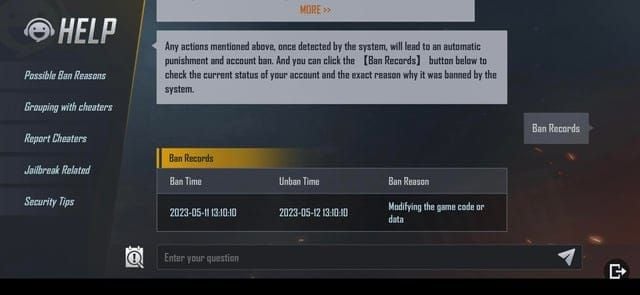
Triggers: Code injection, file modifications, network interception
Immediate fixes:
- Uninstall all apps installed 48 hours before ban
- Document program names, versions, installation dates
- Run antivirus scans with updated definitions
- Generate dxdiag reports and msinfo32 NFO files (convert to PDF)
- Submit clean scan reports with timestamps
Ban Code 10031: Account Suspension
Triggers: Unauthorized access, suspicious login patterns, account sharing
Resolution steps:
- Create 12+ character passwords (uppercase, lowercase, numbers, symbols)
- Enable two-factor authentication on game and email accounts
- Review login history for unfamiliar locations/devices
- Document security breach timeline
- Secure all linked social media accounts
Ban Code 10087: Credit Score Violations
Triggers: Teammate reports, match abandonment, toxic behavior
Duration: 3-30 days based on severity
Recovery: Complete matches without reports, support teammates, avoid confrontational communications. Credit score restores gradually through clean gameplay.
Other Critical Codes
- Error Code 0: General ban (manual review cases)
- Error Code 1: First-time temporary suspension (minor infractions)
- Error Code 5: Permanent 10-year HWID ban (3,650 days)
HWID bans bind penalties to device hardware, preventing new account creation on same device.
V4.2 Balancing and Detection
Weapon Changes Affecting Detection
7.62mm damage increase makes AKM/Beryl M762 more lethal. Players showing perfect recoil control immediately post-update face scrutiny—legitimate skill develops gradually, not instantly.
Shotgun damage reduction changed close-quarters dynamics. Anti-cheat flags players whose effectiveness remains unchanged despite nerfs, suggesting damage modification.
Recoil Pattern Detection
System compares player compensation inputs against weapon-specific recoil vectors. Scripts produce identical sequences with sub-millisecond consistency impossible for humans.
Metro Royale Security
V4.2 implemented server-side validation for all item transactions, preventing client-side manipulation. Enhanced monitoring tracks resource gathering rates against statistical norms.
Risky Sensitivity Settings
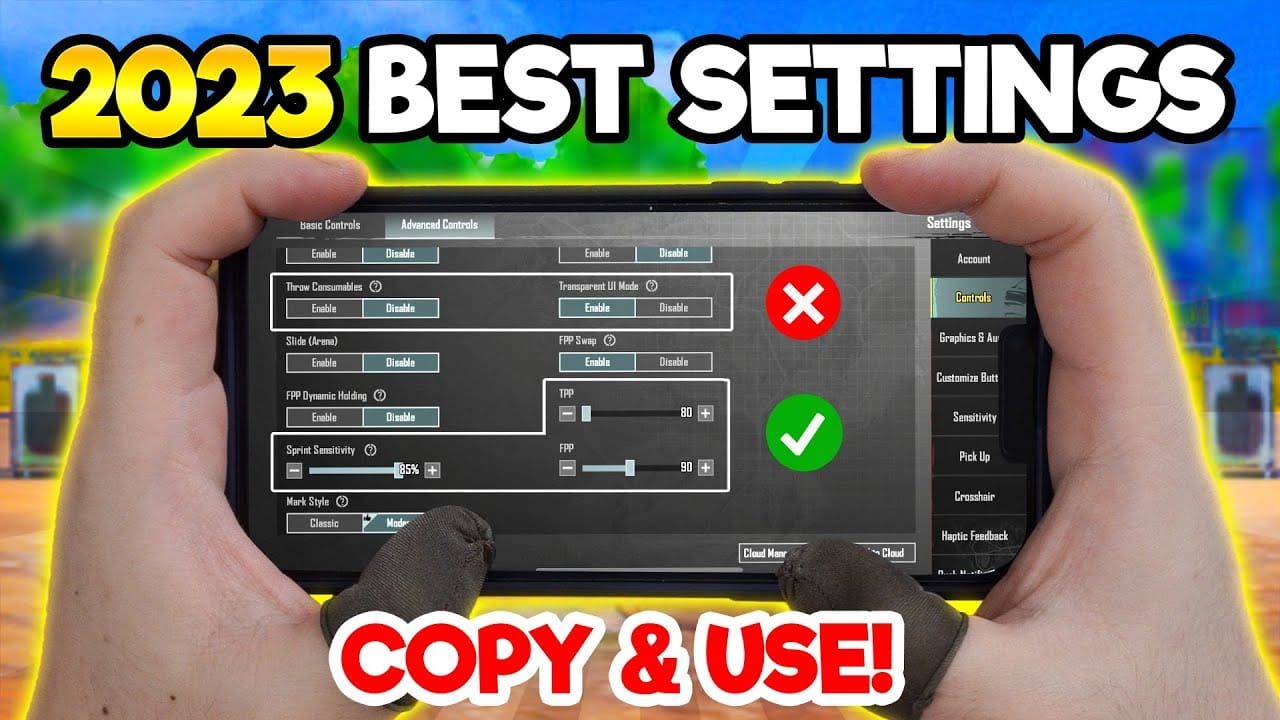
Extremely high sensitivity (400+ DPI, 50+ in-game) with exceptional aim resembles aimbot patterns. Maintain consistent settings rather than frequent adjustments.
Gyroscope controls analyzed for inhuman smoothness. Avoid third-party gyroscope enhancement apps modifying raw sensor data.
Troubleshooting Process
Initial Status Check
- Access in-game settings → review account standing, restrictions, credit score
- Screenshot enforcement history with timestamps
- Verify account linking (Facebook, Google Play, Game Center, Twitter)
- Check login history for unfamiliar devices/locations
Cache Clearing
Android: Settings > Apps > PUBG Mobile > Storage > Clear Cache
iOS: Uninstall/reinstall (preserves cloud saves)
Clear system cache partition via recovery mode. Reset network settings to eliminate cached DNS/proxy/VPN remnants.
File System Scan
- Search for folders containing mod,hack,cheat
- Remove all flagged files
- Run antivirus with timestamped clean reports
- Verify game file integrity through official launcher
- Complete clean reinstall if discrepancies exist
For secure UC purchases avoiding security flags, buy PUBG Mobile UC through BitTopup with competitive pricing and fast delivery.
Network Reset
- Disable all VPN/proxy/DNS modification tools
- Document direct ISP connection
- Update router firmware to manufacturer recommendations
- Test network stability (ping tests, packet loss monitoring)
Account Linking Verification
- Change passwords on all linked accounts
- Enable 2FA on each platform
- Revoke unfamiliar third-party app permissions
- Secure email with activity log review
Mod Detection: Safe vs Risky
Official Customization (Safe)
- In-game settings adjustments
- HUD layout modifications
- Control scheme changes
- Graphics quality selections
Prohibited Modifications
- Third-party tools modifying game files
- Code injection during runtime
- Resource pack replacements (textures/sounds/models)
- GFX tools unlocking hidden settings
GFX Tool Risk
All GFX tool usage triggers detection in 2026. Enhanced kernel-level monitoring identifies tools intercepting rendering calls or modifying shader compilation. Complete removal requires:
- Uninstall tools
- Delete associated folders
- Clear registry entries
- Run system cleanup utilities
Safe Competitive Settings
- Stock device configurations (no root/custom ROMs)
- Disable developer options during gameplay
- Use manufacturer gaming modes (Samsung Game Launcher, ASUS Game Genie)
- Avoid USB debugging, mock locations, background process limits
Ban Appeal Process
Timing
Submit immediately upon ban notification. Wait 5 minutes between attempts to avoid spam flags. Expect extended response times during update releases or ban waves.
Required Evidence
- UID, Character ID, account name
- Device model, OS version
- Violation timeline
- 10-15 minutes POV gameplay recordings with match IDs
- dxdiag full reports
- msinfo32 NFO files (PDF format)
Submission Methods
In-game: Settings > Customer Service > Submit Appeal
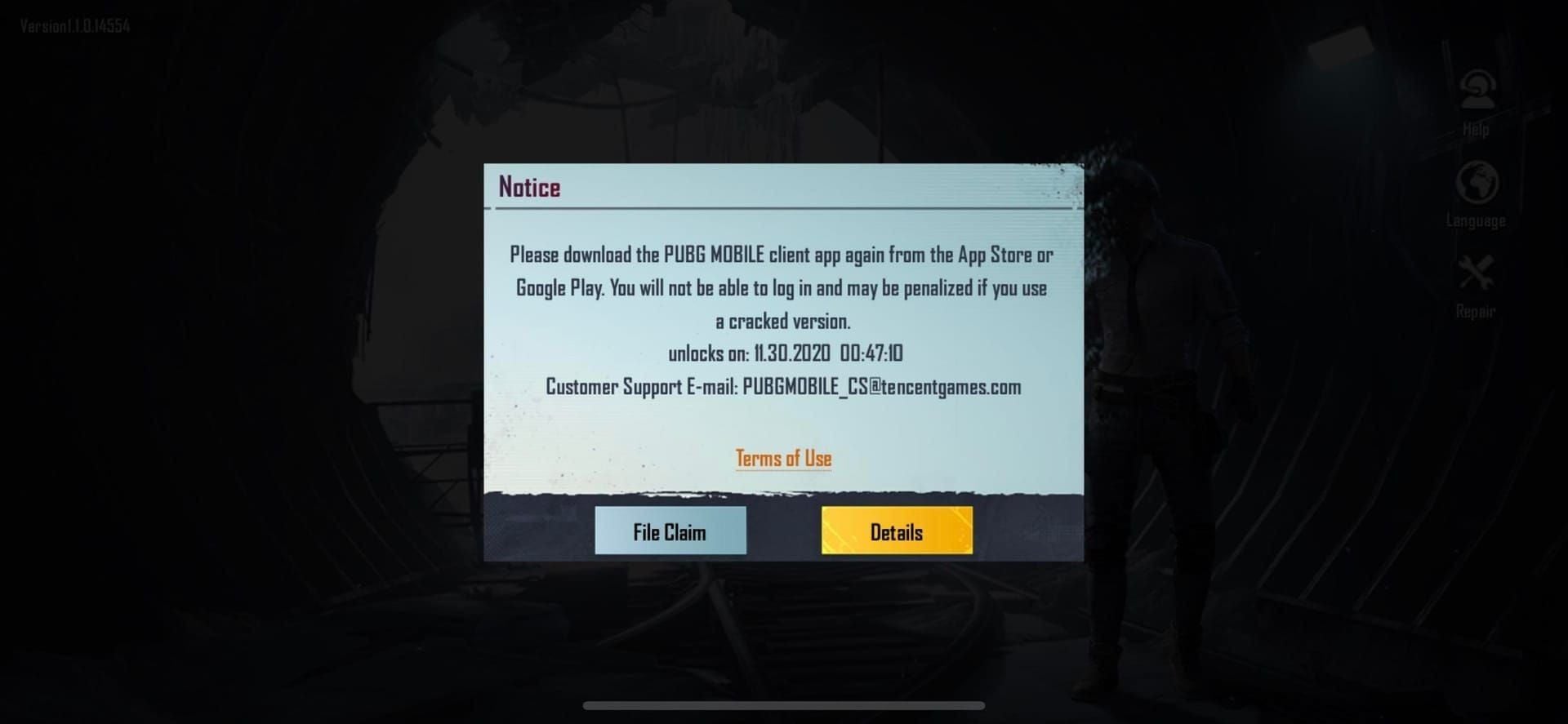
Email: PUBGMOBILE_CS@tencentgames.com Subject: Ban Appeal - [Your UID] Attachments under 25MB
Escalation: service@pubgmobile.com or grievanceofficer@proximabeta.com (after standard channels fail)
Response Timeline
- Simple cases: 24-48 hours (known issues, documented bugs)
- Basic appeals: 3-5 days (standard investigation)
- Complex cases: 1-2 weeks (multiple violations, technical disputes)
If Denied
Request specific violation details (timestamps, match IDs, detection methods). Compile additional evidence addressing denial reasons for secondary appeals. HWID ban denials require device replacement—10-year duration is effectively permanent.
Esports Account Security (PMPL 2026)
Tournament Device Requirements
- Stock configurations (no root/custom firmware)
- Official manufacturer firmware with latest security patches
- Approved streaming: OBS Studio (display capture), manufacturer screen recording
Professional Protection
- Dedicated devices for competitive play only
- Isolated internet connections (no public WiFi/shared networks)
- Detailed activity logs (logins, device changes, modifications)
- 90+ day clean records before competition
- Mandatory 2FA on all accounts
Pre-Tournament Checklist
- Security audit 30 days before participation
- Verify 2FA activation
- Confirm device compliance
- Submit voluntary account reviews
- Backup credentials and recovery codes offline
Prevention Strategies
Daily Best Practices
- Review activity logs daily
- Maintain consistent gameplay patterns (gradual improvement)
- Avoid account sharing/lending/trading
- Monitor credit score trends
- Mute toxic players instead of engaging
Safe UC Purchasing
Use verified platforms like BitTopup to prevent security flags from suspicious sources. Avoid third-party sellers with below-market pricing (stolen payment methods trigger suspensions). Maintain transaction records documenting dates, amounts, payment methods.
Device Maintenance
- Monthly: Cache clearing, temp file removal, system optimization
- Immediate: Update OS, security patches, game versions
- Quarterly: Factory resets on dedicated gaming devices
Two-Factor Authentication
- Enable via Settings > Account > Security > Two-Factor Authentication
- Use authentication apps (not SMS)
- Document backup codes offline
- Activate on all linked accounts (email, Facebook, Google, Twitter)
- Test functionality regularly
Expert Tips
False Ban Case Studies
April 2025 emulator wave: GameLoop/BlueStacks users achieved reversal in 7-10 days with emulator documentation and clean gameplay records.
V4.2 weapon balancing: Players submitting practice recordings and gradual improvement documentation successfully appealed false flags from quick adaptation to new recoil patterns.
Common Mistakes
- Installing gaming enhancement apps
- Using public WiFi for competitive play
- Sharing accounts with friends/family
- Keeping outdated software versions
- Ignoring credit score degradation
Future-Proofing
- Maintain conservative device configurations
- Build documentation libraries (specs, configs, recordings)
- Stay informed through official channels
- Execute proactive configuration adjustments before updates
Account Recovery
Status Assessment
- Review enforcement history (warnings, suspensions, restrictions)
- Evaluate account value (UC balance, skins, achievements, rank)
- Determine reversibility based on violation type
Credit Score Rebuilding
- Extended exemplary behavior required
- Avoid high-risk scenarios (hot-drops, late-game frustration zones)
- Track progression through in-game displays
- Conservative gameplay during recovery
UC Balance Preservation
- Secure storage without active spending during appeals
- Continue small legitimate purchases through BitTopup
- Document all transactions with receipts
Long-Term Monitoring
- Quarterly security audits (linked accounts, sessions, permissions)
- Track credit score, enforcement history, security metrics
- Build support team relationships through professional interactions
FAQ
What causes ban code 10030? Third-party software detection or file modifications. Triggers include overlay software, screen recording tools with injection, performance monitors. Fix: uninstall apps from 48 hours before ban, run antivirus, submit clean system reports.
How long do temporary bans last? 3-30 days based on severity. Credit violations: 3-7 days. Minor unauthorized software: 7-14 days. Repeat violations: up to 30 days.
Can I appeal permanent bans? Yes, through File Claim or PUBGMOBILE_CS@tencentgames.com. Success requires extraordinary evidence of false positives. Rates remain low for confirmed violations.
Does V4.2 cause false bans? Weapon balancing changes temporarily increased false positive risk during 2-3 week adjustment period. Players adapting quickly to buffed 7.62mm weapons faced elevated review flags. Most resolve through appeals with gameplay recordings.
Difference between 10030 and 10031? 10030: third-party software/file modifications. 10031: account-level violations (unauthorized access, login patterns, sharing). Different resolution approaches required.
How to check credit score? Profile > Account > Credit Score. Shows current score, recent changes, enforcement thresholds. Updates after each match. Maintain above 80 to prevent restrictions.
Protect your account—purchase UC safely through BitTopup for secure transactions with 24/7 support. Visit BitTopup for instant, secure top-ups.
Recommended News








Recommend products



Table of Contents
- Understanding Ban Codes in V4.2 Update
- Ban Types: Glitches vs Violations
- V4.2 Anti-Cheat Changes
- Esports Impact (February 2026)
- Common Ban Codes and Solutions
- Ban Code 10030: Third-Party Software Detection
- Ban Code 10031: Account Suspension
- Ban Code 10087: Credit Score Violations
- Other Critical Codes
- V4.2 Balancing and Detection
- Weapon Changes Affecting Detection
- Recoil Pattern Detection
- Metro Royale Security
- Risky Sensitivity Settings
- Troubleshooting Process
- Initial Status Check
- Cache Clearing
- File System Scan
- Network Reset
- Account Linking Verification
- Mod Detection: Safe vs Risky
- Official Customization (Safe)
- Prohibited Modifications
- GFX Tool Risk
- Safe Competitive Settings
- Ban Appeal Process
- Timing
- Required Evidence
- Submission Methods
- Response Timeline
- If Denied
- Esports Account Security (PMPL 2026)
- Tournament Device Requirements
- Professional Protection
- Pre-Tournament Checklist
- Prevention Strategies
- Daily Best Practices
- Safe UC Purchasing
- Device Maintenance
- Two-Factor Authentication
- Expert Tips
- False Ban Case Studies
- Common Mistakes
- Future-Proofing
- Account Recovery
- Status Assessment
- Credit Score Rebuilding
- UC Balance Preservation
- Long-Term Monitoring
- FAQ
Recommend products



Recommended News

Free Fire Event 2026 Stage Missions: Complete Every Step Fast

MangaToon UID vs In-App Top-Up: Which Saves You More in 2026?

Lineage M Best Settings Guide for 60 FPS and 24/7 Battery

Cheapest Ways to Buy PUBG G-Coin in 2026 Without Overpaying

How to Fix Steam Wallet Code Currency Mismatch on Your Account

The Best TWD Survivors Gathering Route for Fast Resources in 2026

Fix: PUBG Crashes on Launch with Black Screen Steam (2026 Guide)

Nintendo eShop Sale 2026 Dates: Brazil Deals and Savings Guide




























































































