Configuring the best Arena Breakout audio settings requires enabling in-game Spatial Audio while disabling all virtual surround sound processing in external companion software to avoid audio smearing. For accurate acoustic separation, set Sound Effects to High, drop Music to Low or Off, minimize interface volume, and apply a surgical parametric EQ profile that cuts 70 Hz sub-bass by -12.0 dB while boosting 250 Hz footstep body (+4.5 dB), 1050 Hz to 1800 Hz movement presence (+2.5 dB to +3.0 dB), and 4000 Hz surface textures (+4.5 dB) based on acoustic testing by DoveSonic.
In-Game Audio Sliders and Spatial Audio Setup
Audio engines in tactical shooters calculate acoustic positioning using a Head-Related Transfer Function (HRTF). When players stack multiple spatial engines, directional audio cues blur.
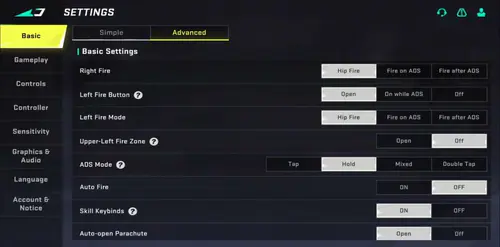
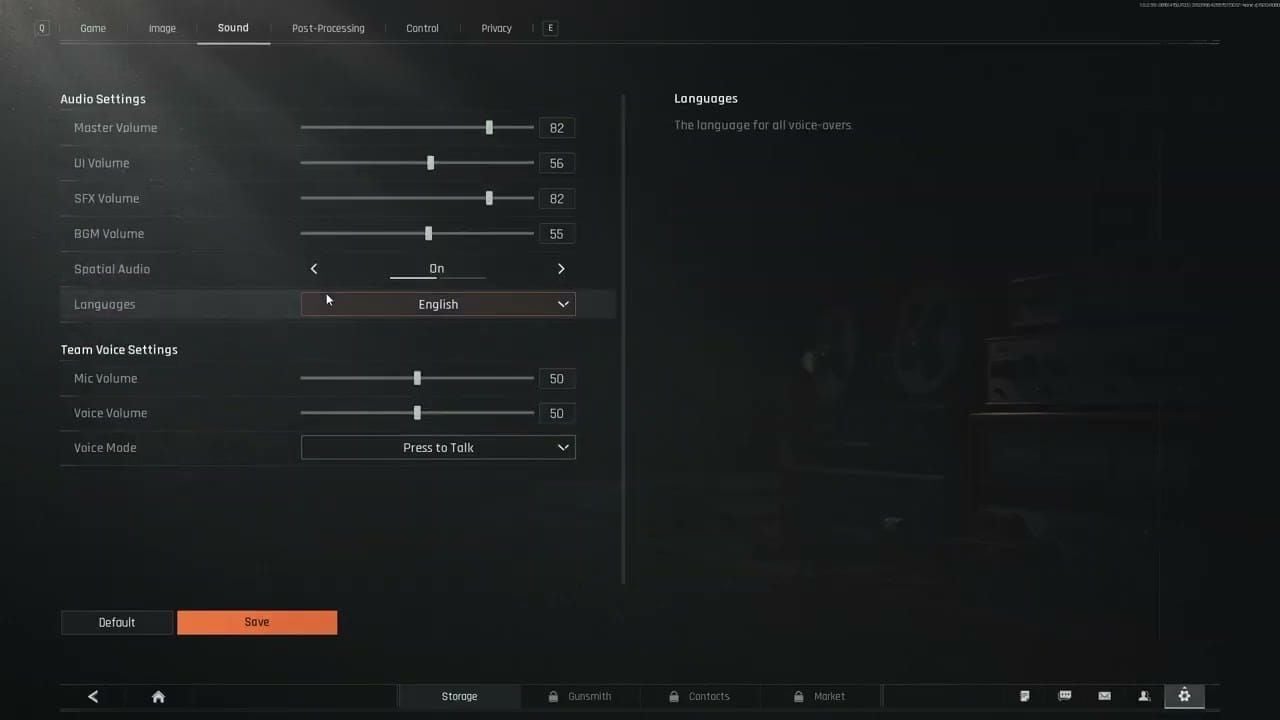
Apply these baseline adjustments inside the audio menu:
- Spatial Audio: Turn On. The game engine needs native spatialization active to place movement on a 3D plane.
- Sound Effects: Set to High. Footsteps, gear rattles, and reloads share this channel.
- Music: Set to Low or Off. Menu music bleeding into deployment or extraction ruins ambient focus.
- Voice Chat and UI Audio: Reduce relative to sound effects. High teammate volume masks creeping opponents.
- External Spatial Audio: Disable Windows Sonic, Dolby Atmos, or companion headset surround sound. Stacking external virtual surround over the game's internal spatial processor degrades directional positioning, according to DoveSonic.
Parametric EQ Profile for Footstep Clarity
Footsteps occupy multiple distinct frequency bands. Deep sub-bass from grenades and unsuppressed gunfire frequently drowns out subtle movement details. A parametric equalizer isolates footsteps by stripping sub-bass rumble and accentuating foot-strike textures.
| Frequency | Filter Type | Gain Adjustment | Q Factor | Purpose and Effect |
|---|
| 70 Hz | Low Shelf | -12.0 dB | 0.93 | Cuts sub-bass rumble, explosions, and heavy weapon reports (DoveSonic). |
| 250 Hz | Peak | +4.5 dB | 1.76 | Emphasizes footstep transient weight and physical body (DoveSonic). |
| 1050 Hz | Peak | +3.0 dB | 3.50 | Highlights player presence and positional movement definition (DoveSonic). |
| 1800 Hz | Peak | +2.5 dB | 3.00 | Sharpens movement transients cutting through ambient background noise (DoveSonic). |
| 4000 Hz | Peak | +4.5 dB | 1.43 | Amplifies surface textures (wood, metal, tile) without harsh treble fatigue (DoveSonic). |
The 250 Hz Low-End Conflict
Audio analysts diverge regarding the 250 Hz band. DoveSonic's profile boosts 250 Hz by +4.5 dB to provide tactile body to footfalls. In contrast, standard FPS tuning guides (such as Turtle Beach documentation) recommend reducing 60 Hz to 250 Hz by -2 dB to -3 dB to stop mid-bass from clouding environmental audio.
If you run heavy raids where close-quarters automatic fire is frequent, reduce the 250 Hz boost to neutral (0.0 dB) to prevent sound muddiness.
Compression Tuning: The Loudness Equalization Trade-Off
Dynamic range compression alters how the human ear calculates distance by evening out the volume gap between quiet footsteps and nearby explosions.
- The Case for 42% Equalization: DoveSonic's testing determined that a 42% Loudness Equalization level hits a workable compromise. This level lifts faint, distant footsteps while keeping enough dynamic depth for players to tell whether an enemy is five meters or twenty meters away.
- The Case Against Loudness Equalization: Testing by Attack Shark advises disabling Loudness Equalization entirely. When heavy sound events occur—like mortar strikes or grenade blasts—compression engines aggressively drop overall volume. This "volume pumping" temporarily crushes quiet footstep audio immediately following an explosion.
If you prioritize tracking distance reliably across open zones, disable compression. If you struggle to detect creeping targets inside quiet structures, test the 42% setting.
Avoiding Interaural Level Distortion
Applying excessive software boosts damages spatial audio positioning. Research from Attack Shark indicates that wide frequency boosts of +8 dB or more in presence bands flatten interaural level differences (ILD).
ILD is the volume differential between your left and right ear that the brain uses to calculate front-versus-back sound placement. When an equalizer artificially inflates wide bands, front and rear footsteps sound identically loud. Keep presence adjustments tight: a surgical parametric boost between 2.5 kHz and 3.5 kHz (such as +4 dB at 3000 Hz with a narrow 1.2 Q) sharpens audio cues without distorting directional modeling.
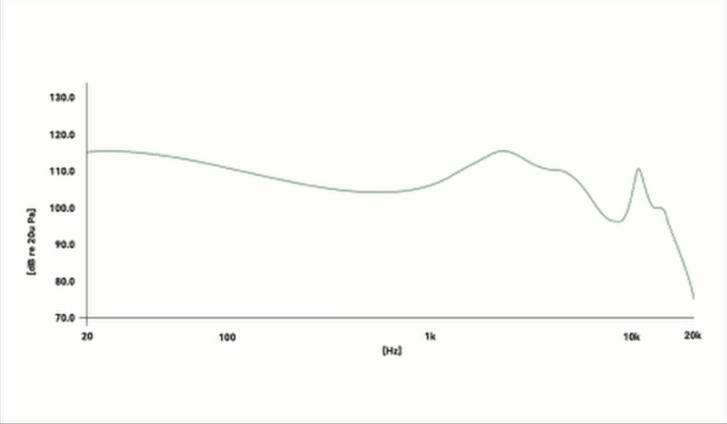
Hardware Seal and In-Game Headset Modifiers
Even the most precise EQ curve fails if the physical seal against your skull is compromised.
Eyeglass Frames and Acoustic Seal Leaks
Over-ear gaming headphones require an airtight clamp around the ear. Testing shows that eyeglass arms break this seal, creating a 3 mm to 5 mm acoustic leak. This physical gap causes a severe 5 dB to 10 dB drop in the 2 kHz to 4 kHz range (Attack Shark).
Attempting to fix this deficit by applying a +6 dB software boost fails. It introduces harmonic distortion and raises the background noise floor without recovering original transient clarity. If you wear glasses, use thinner frames or angled temple arms to preserve the ear cushion seal.
In-Game Tactical Headsets
Equipping tactical headsets inside the raid—such as the Commander model—alters the internal sound curve. These tactical items amplify environmental movement and alter base audio output. Fine-tune your external EQ while wearing your preferred in-game headset during match deployment, rather than listening to bare ear output in the menu.
Running top-tier audio loadouts across raids demands steady inventory and stash management. Players fund these setups using Arena Breakout Bonds, the game's currency for renting secure containers, expanding inventory space, and buying battle passes.
Frequently Asked Questions
Should external spatial audio or virtual surround sound be enabled alongside Arena Breakout settings?
No. In-game Spatial Audio should be turned on, but system-level spatial audio (such as Windows spatial sound) and physical headset virtual surround software must be disabled. Stacking multiple layers of spatial processing degrades directional precision and blurs positional sound (DoveSonic).
Do tactical headsets equipped in-game alter footstep audio profiles in Arena Breakout?
Yes. Tactical headsets equipped inside raids, such as the Commander, alter sound output profiles. Baseline EQ configurations should be tested and adjusted while wearing your chosen in-game headset model during a match (DoveSonic).
Does wearing glasses impact footstep sound clarity in competitive tactical shooters?
Yes. Eyeglass frames break the acoustic seal of headphone ear cups, causing a 3 mm to 5 mm leak that attenuates frequencies in the 2 kHz to 4 kHz range by 5 dB to 10 dB. Software equalization cannot fully compensate for this physical acoustic deficit without introducing noise and distortion (Attack Shark).