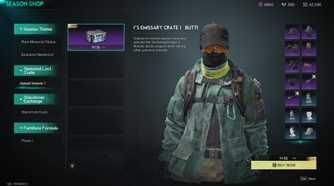
Tip: Grab Blood Strike Gold on BitTopup with your UID when you want new strikers, weapon kits, or a Strike Pass without waiting in the Mall queue.
Blood Strike Best Settings Chart (July 2026)
Updated on 2026-07-21: Locked the Ranked combat, movement, FOV, and audio picks used in current Global matches.
Area | Setting | Ranked pick | Why it matters |
|---|
Basic | Right / Left Fire | Hip Fire + Left Fire Open | Shoot without forced ADS; claw players keep a second fire button |
Basic | ADS Mode | Hold | Drop ADS the moment you lift your finger |
Basic | Auto Fire | OFF | You choose when the gun speaks |
Basic | Aim Assist | Expert | Less sticky pull than Beginner; still helps on touch |
Basic | Fire rotates camera | OFF (left & right) | Fire finger stays fire; aim stays on the look stick |
Gameplay | Auto Sprint / Auto Jump Over | OFF | You control noise and vault timing |
Gameplay | Crouch Mode | Hold | Peek and unpeek without a second tap |
Gameplay | Mini-map Zoom / Rotation | 20 / Fixed | Wider radar; North stays put |
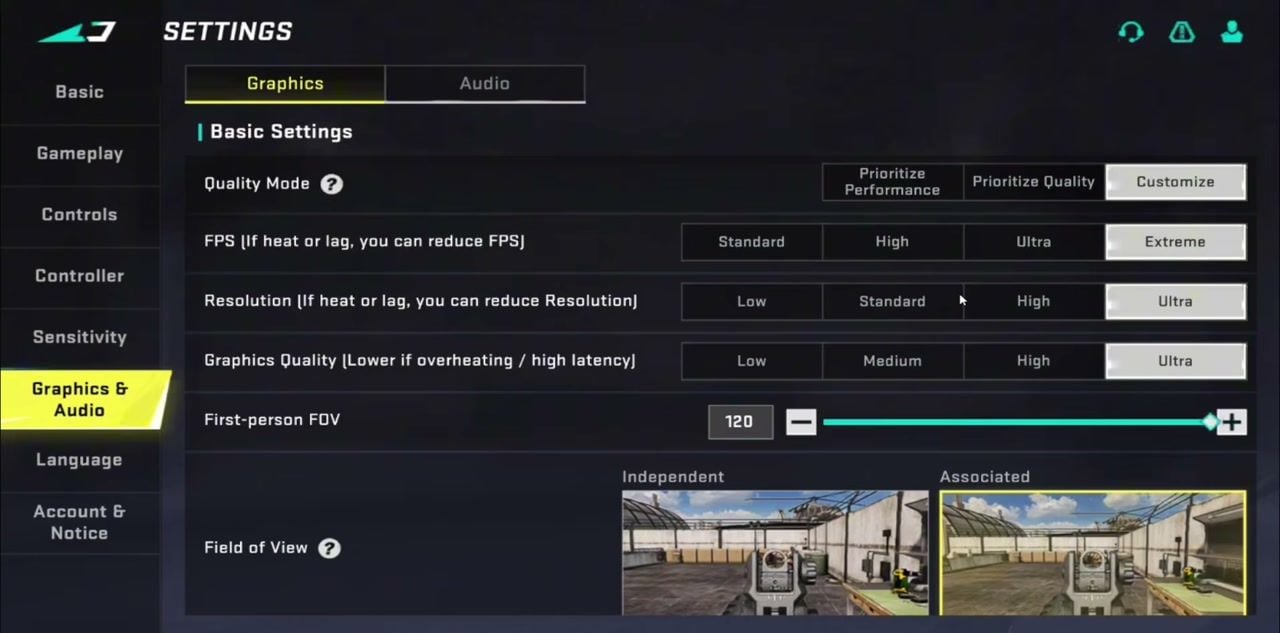
Graphics | FPS / FOV | Extreme / 120 Associated | Smooth frames + wide ADS view |
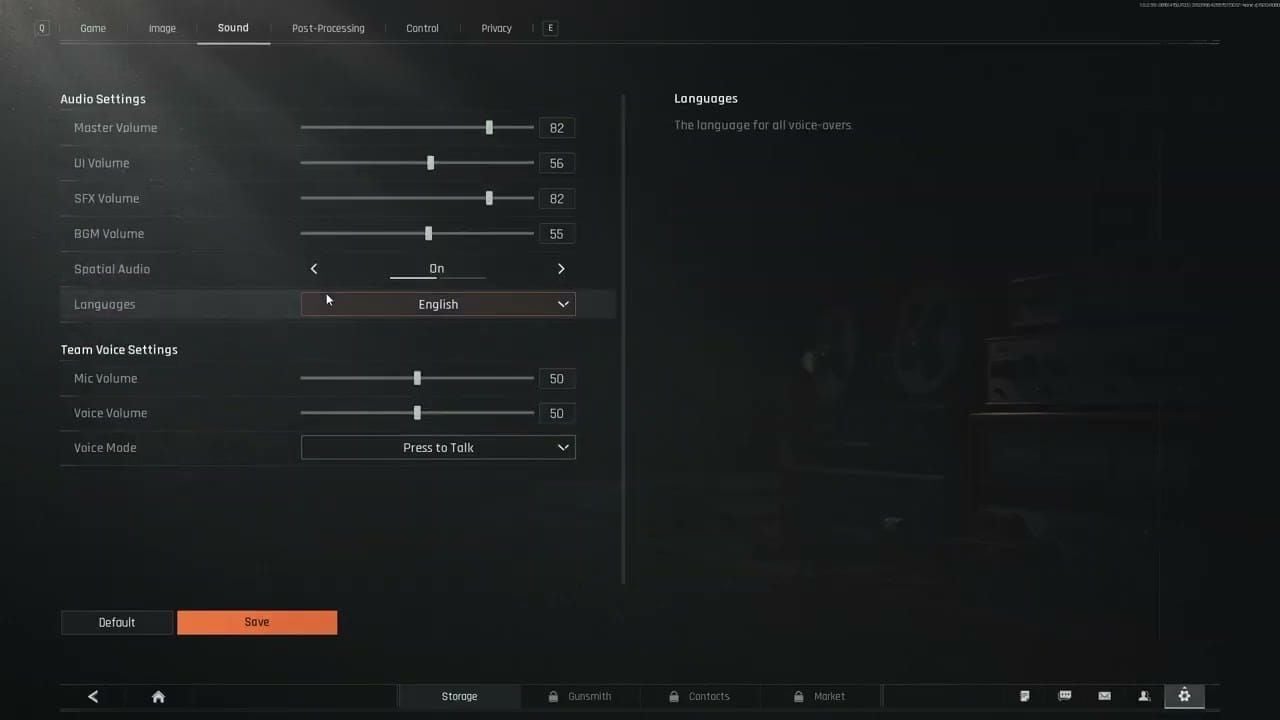
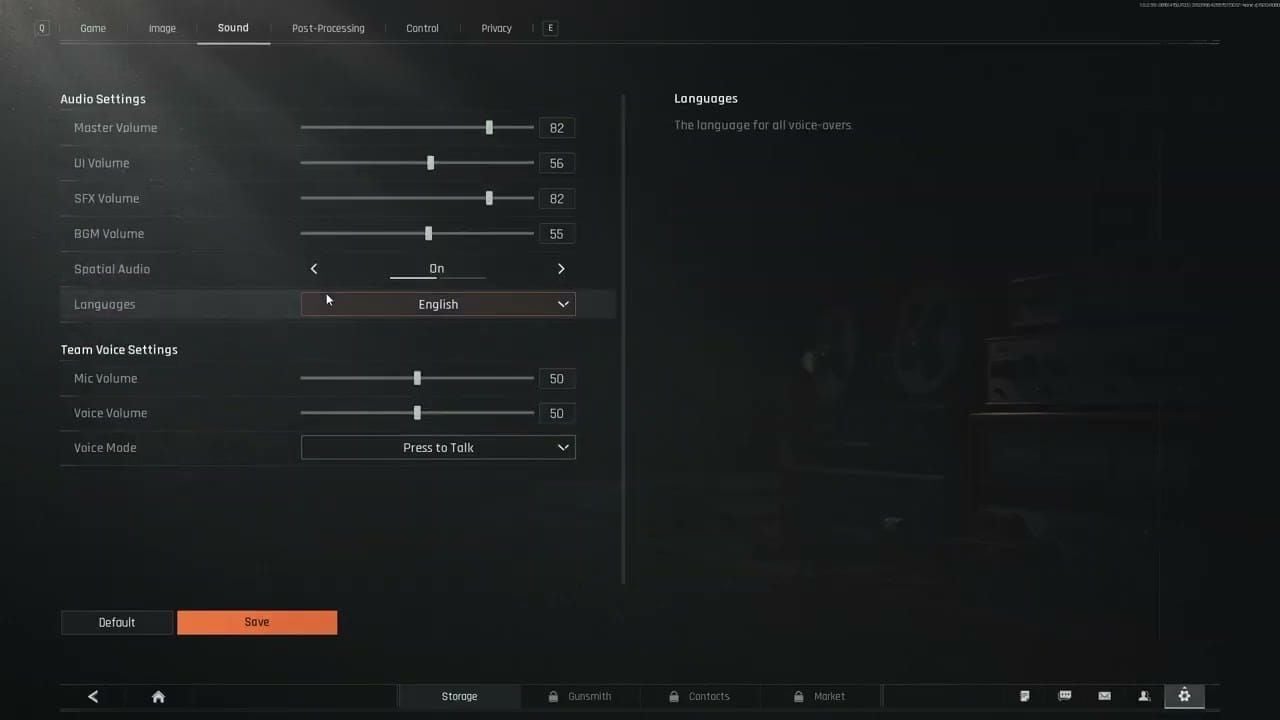
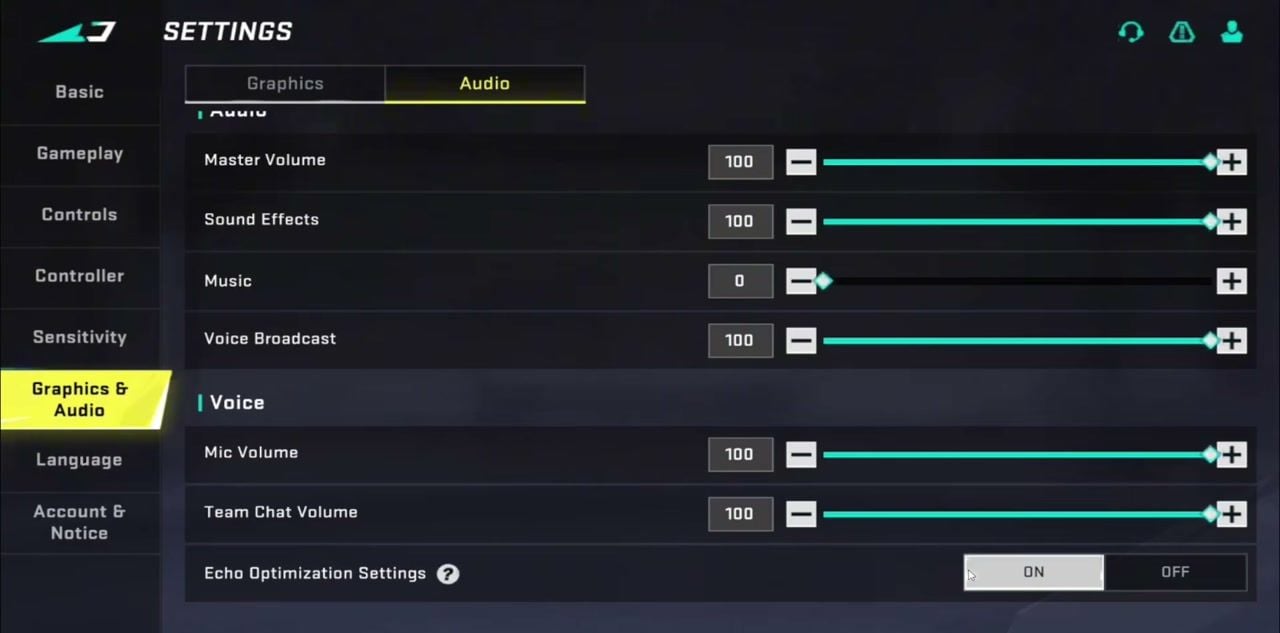
Audio | Music / SFX | 0 / 100 | Footsteps and gunfire stay clear |
Quick locks:
Phone Ranked: FOV 100–120, Graphics Quality Medium if the phone heats, High/Ultra if frames hold
Tablet entry play: FOV 120, Associated FOV style
Fresh account: copy the combat table first, leave sensitivity for two warm-up matches
Mid-fight loot: Auto Pick-up ON, interval Short, unequipped ammo OFF

Basic Combat Settings
Open Settings → Basic → Advanced. Skip Simple once you play Ranked; Advanced exposes fire zones and assist tiers.
Setting | Value |
|---|
Right Fire | Hip Fire |
Left Fire Button | Open |
Left Fire Mode | Hip Fire |
Upper-Left Fire Zone | Off |
ADS Mode | Hold |
Auto Fire | OFF |
Skill Keybinds | ON |
Auto-open Parachute | Off |
Button Transparency | ON |
Emergency Teammate Revive | OFF |
Weapon Custom Fire | Unchecked |
Aim Assist | Expert |
ADS / Left / Right fire rotates camera | OFF |
Reload Interrupts ADS | ON |
Shotgun Firing Mode | Single Shot |
Single-shot / Auto shotgun / Bolt / Semi sniper | Tap to Fire |
Haptic Feedback | ON (or OFF if vibration eats battery) |
Hip Fire on both sides keeps close fights instant. Hold ADS lets you cancel zoom on release. Expert assist reduces the heavy magnet Beginner players feel when tracking strafes. Turning off “fire rotates camera” stops your shot thumb from dragging the crosshair.
Gameplay Settings (Move, Battle Info, Item, Pick Up)
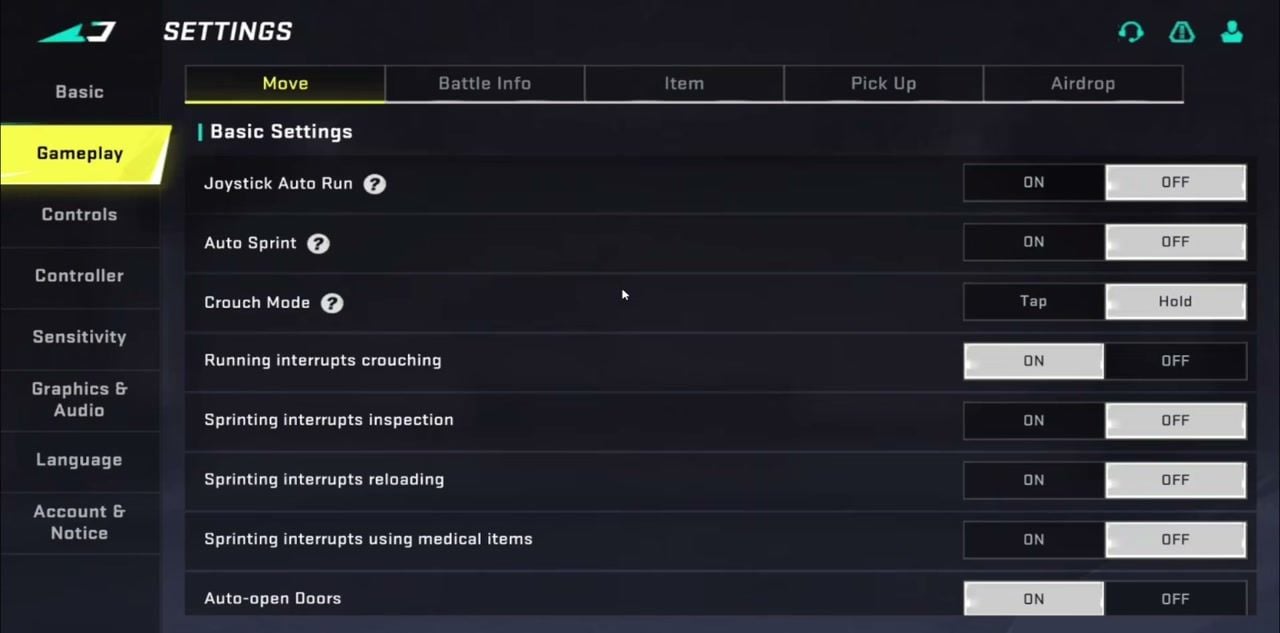
Move
Setting | Value |
|---|
Joystick Auto Run | OFF |
Auto Sprint | OFF |
Crouch Mode | Hold |
Running interrupts crouching | ON |
Sprinting interrupts inspection / reload / meds | OFF |
Auto-open Doors | ON |
Auto Jump Over | OFF |
Tap Jump to use zipline | ON |
Rotate camera with Jump | OFF |
Rotate camera with Crouch | OFF |
Auto third-person when parachuting | OFF |
Playpal Activation | Independent Button |
KATYA Wall Climbing | Hold to Jump |
Auto Sprint and Auto Jump Over sound helpful until they vault you into a pre-aim or sprint when you wanted a quiet walk. Keep med and reload safe while you sprint so you can reposition under fire.
Battle Info
Setting | Value |
|---|
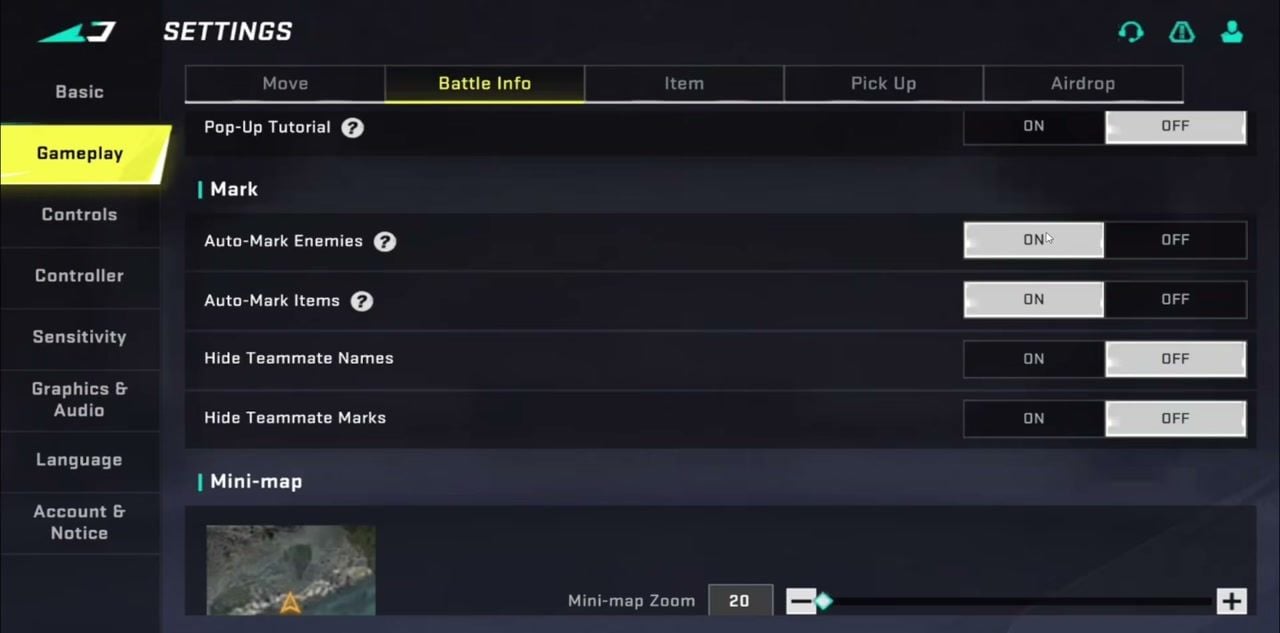
Pop-Up Tutorial | OFF |
Auto-Mark Enemies | ON |
Auto-Mark Items | ON |
Hide Teammate Names / Marks | OFF |
Mini-map Zoom | 20 |
Mini-map Rotation | Fixed |
Low Reserves Warning | ON |
Show Damage Number | ON |
Damage Number Display | Classic Accumulated |
Hit Prompt | ON |
Hit Feedback | 2D Feedback |
Zoom 20 pulls the radar out so third parties show earlier. Fixed rotation keeps the map oriented while your arrow turns. 2D hit feedback stays on the HUD; Classic Accumulated damage numbers show how a spray is landing.
Item
Setting | Value |
|---|
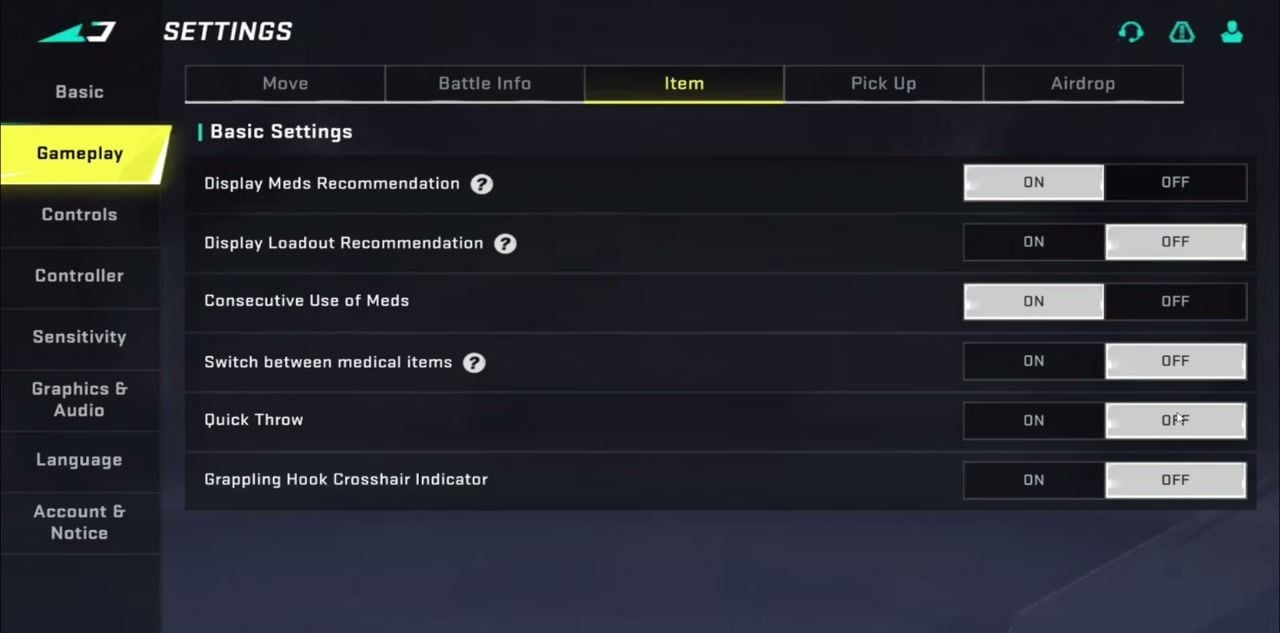
Display Meds Recommendation | ON |
Display Loadout Recommendation | OFF |
Consecutive Use of Meds | ON |
Switch between medical items | OFF |
Quick Throw | OFF |
Grappling Hook Crosshair Indicator | OFF |
Med recommendations stay useful in chaos. Loadout pop-ups and Quick Throw create misclicks; leave them off until you trust your HUD.
Pick Up
Setting | Value |
|---|
Close Pick Up List when hit | OFF |
Enable Share Loadout Drop | ON |
Auto Pick-up | ON |
Auto Pick-up Interval | Short |
Auto pick up Evo Energy | ON |
Auto pick up ammo for unequipped weapons | OFF |
Short auto-loot grabs plates and Evo Energy while you keep eyes up. Blocking unequipped ammo stops your bag from filling with rounds for guns you already sold.
Airdrop
Use the radial Quick Airdrop Wheel layout so UAV, crates, and support tools sit on one gesture.
Pin the supports you call (UAV, supply crates, sentry) and drop vehicles you never spawn.
Set Teammate Revival Priority to Teammate so cash or timer logic does not outrank your squad.
How to Apply Blood Strike Best Settings
Step 1: Open the lobby gear → Settings.
Step 2: Work top to bottom: Basic (Advanced) → Gameplay tabs → Controls → Sensitivity → Graphics & Audio.
Step 3: Match the tables above. Confirm each tab before you leave it; the client saves as you toggle.
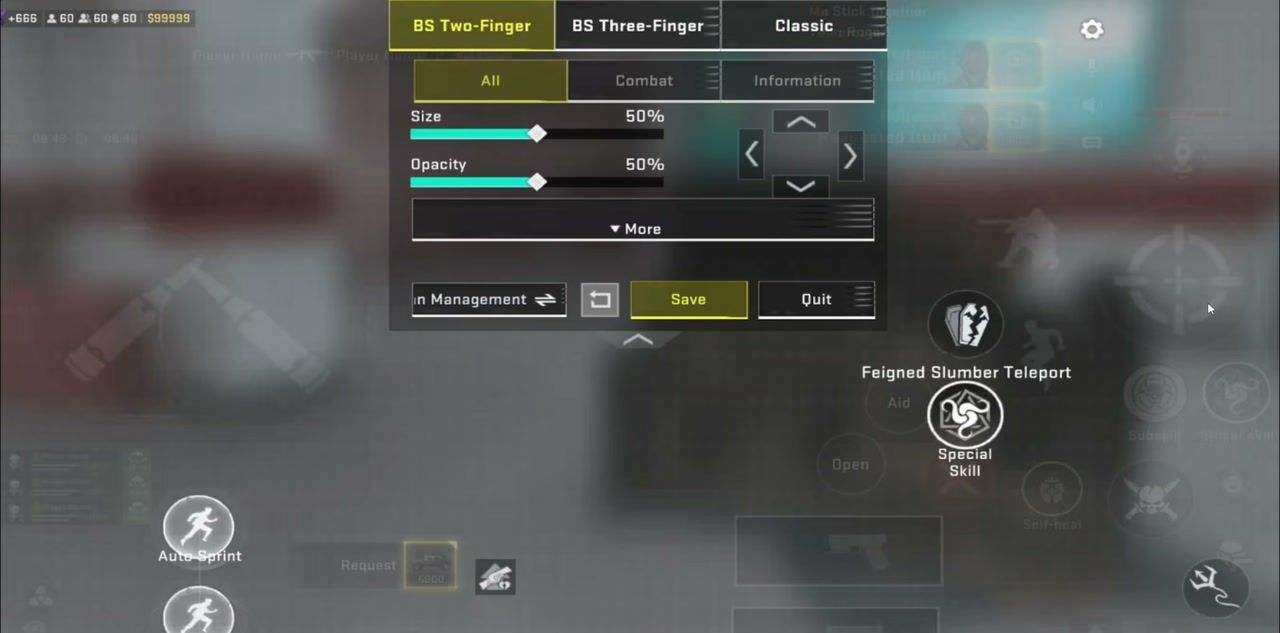
Step 4: In Controls, start from BS Two-Finger (or Three-Finger if you claw), open Custom, and set logic to Left: Move (Follow); Right: Fire (Fixed).
Step 5: Queue a warm-up BR or training range. Fire 10-round bursts at ~50m. If sprays climb, drop firing sens a few points before you touch camera sens again.
Step 6: Keep one profile for Ranked for a full session. Switching every death resets muscle memory.
If FPS dips after a patch, pair this page with the Blood Strike FPS cap fix and the low-end 60+ FPS setup.
Controls and Sensitivity
Controls
Setting | Value |
|---|
Interface | BS Two-Finger + Custom (Three-Finger if you claw) |
Controls Logic | Left Move (Follow); Right Fire (Fixed) |
Fixed fire on the right keeps the shot button from sliding under your thumb. Follow move on the left keeps the joystick under your left thumb during long strafes.
Sensitivity starter (build your own)
Do not paste another player’s full sens file and expect it to fit your phone size or DPI. Use Plan Management to save a profile, then tune:
Layer | Starter range | Notes |
|---|
Acceleration | Fixed Speed | Cleaner muscle memory than Dynamic accel for most touch players |
Global Sensitivity Sync | OFF while learning | Lets each scope sit on its own number |
Camera (mobile) | 60–80% | Tablet often lands 45–65% |
Firing | 15–25% below camera | Steadier sprays |
Gyro (if used) | 20–30% below camera | Deadzone often lands high (80+) until drift stops |
Iron / Red Dot | Near your camera value | Raise first if close fights feel sticky |
2X–4X | Step down from red dot | Keep 6X–8X slowest |
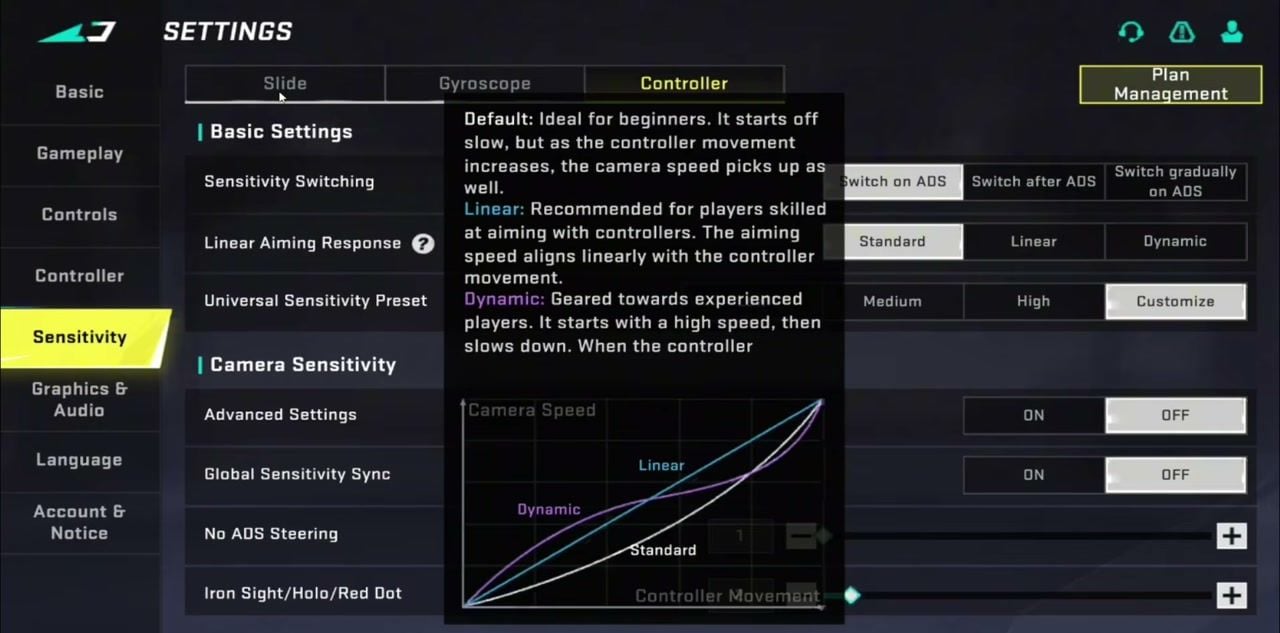
Controller players: set Linear Aiming Response to Linear or Dynamic, preset Customize, and switch sens on ADS. Slide and gyro tabs are separate profiles; save each under Plan Management.
For deeper scope ratios and import codes, see Blood Strike pro settings.
Graphics and Audio
Graphics
Setting | Competitive pick | Drop if hot / laggy |
|---|
Quality Mode | Customize | Keep Customize |
FPS | Extreme | High / Medium |
Resolution | Ultra | High / 720p-class |
Graphics Quality | Ultra or Medium | Low |
First-person FOV | 120 | 90–100 on small phones |
FOV Style | Associated | Independent if ADS zoom feels too wide |
Display Weapon Customization | All Weapons | OFF |
Filter | Vivid | Default |
Associated FOV keeps side vision while ADS. Max FOV shrinks distant heads; bump camera and firing sens about 10–20% after you jump from 90 to 120. Low-end phones should prioritize Extreme FPS and cut shadows / quality before they cut FOV below 90.
Audio
Setting | Value |
|---|
Master Volume | 100 |
Sound Effects | 100 |
Music | 0 |
Voice Broadcast | 100 |
Mic Volume | 100 |
Team Chat Volume | 100 |
Echo Optimization | ON |
Music at 0 clears footsteps, reloads, and utility audio. Echo Optimization cleans squad voice on noisy mics.
How to Get More From This Setup
Save phone and tablet profiles separately in Plan Management.
Drill one primary AR until sprays match the new FOV and sens.
Turn device Game Mode on, stay on 5 GHz Wi-Fi or Ethernet, and keep the phone under ~40°C so Extreme FPS does not thermal-throttle.
Buy Gold or a Strike Pass when you need strikers or attachment unlocks that match your entry style. Top up Blood Strike Gold on BitTopup with UID only.
Related reads: Blood Strike FPS unlock, low-end graphics, pro sensitivity.
FAQ
What are the best Blood Strike settings right now?
Use Hip Fire + Hold ADS, Auto Fire off, Expert aim assist, Fixed mini-map at zoom 20, FOV 120 Associated, Extreme FPS, and Music at 0. Sensitivity stays personal: start camera 60–80% mobile with firing 15–25% lower.
Should I use Auto Sprint in Blood Strike?
For Ranked, leave Auto Sprint off. Manual sprint stops you from running into audio traps and keeps crouch peeks clean. Auto-open Doors can stay on.
What FOV should I use in Blood Strike?
Competitive phones and tablets run 100–120 with Associated style. If heads feel tiny after a jump to 120, raise camera and firing sens before you drop FOV again.
How do I stop lag after I max graphics?
Drop Graphics Quality to Medium or Low, cut Resolution, keep FPS on Extreme, enable Game Mode, and clear background apps. See the 60+ FPS low-end guide for a full cut list.
Can I buy Blood Strike Gold without sharing my password?
Yes. On BitTopup, enter your Blood Strike UID, pick Gold or a Strike Pass pack, and pay. The order lands on the account with no password handoff.
Conclusion
Lock Blood Strike best settings for combat and audio first, then spend one warm-up on FOV and sensitivity. Bookmark this page when patches rename toggles or raise the FOV ceiling. Need Gold or a Strike Pass for the next grind? Recharge on BitTopup.