To redeem a MyCard TW code for mobile games, open the game publisher's external web billing portal instead of the mobile app, select Point Card as your payment method rather than MyCard Member Account Deduction, and enter the card serial number and password. Official point cards can either be applied directly to a game or banked into a MyCard member wallet for split transactions, though specific reseller batches must be redeemed straight into partner games.
Why App Store Builds Hide the Voucher Box
If you open your mobile game on an iPhone or an Android build downloaded from Google Play, you will rarely find an input field for a MyCard serial number. Apple and Google enforce strict in-app purchase rules for mobile titles distributed through their app stores. Direct voucher entry inside the client bypasses those app stores, so publishers strip point card input fields from their standard mobile apps.
To spend your points, you must step outside the mobile client. Game publishers operating in Taiwan host external billing gateways accessible via any mobile or desktop web browser. These gateways process direct point cards alongside other regional billing options.
Here is the catch: once you land on an external payment gateway, selecting the wrong option causes immediate transaction errors. Choosing Member Account Deduction prompts you to log into a MyCard digital wallet, which rejects standalone physical or digital card credentials. Direct top-up requires the dedicated Point Card option.
Point Card vs. Member Wallet: Pick the Right Route
Before typing your credentials, determine whether you are depositing the code straight to your game character or into a MyCard member account. Official documentation on MyCard's official point card portal confirms that standard MyCard point cards give players two choices: deposit points directly into affiliated game servers, or store them inside a central MyCard member account to spend across multiple transactions.
| Top-Up Route | Mechanism | Account Requirement | Supported Credentials | Interface Preview |
|---|
| Game Web Top-Up Portal | Points credit straight to the selected character or game server | Game account login only | Card Serial Number + Card Password | 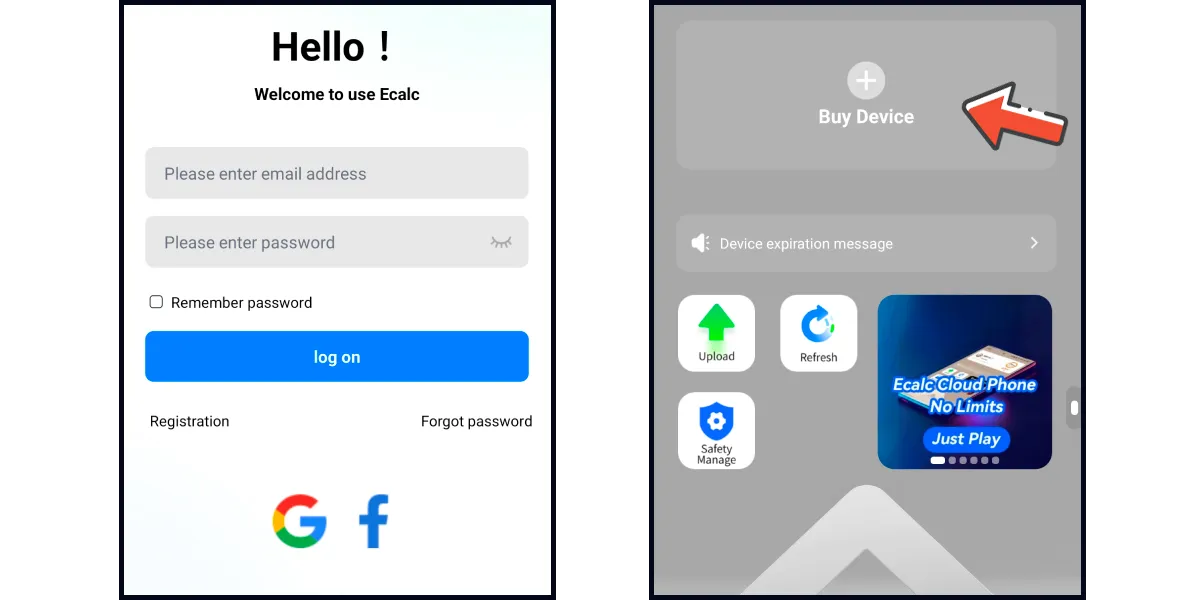 |
| MyCard Member Wallet | Points convert into MyCard wallet balance for split checkout | Registered MyCard Member Account | Card Serial Number + Card Password | 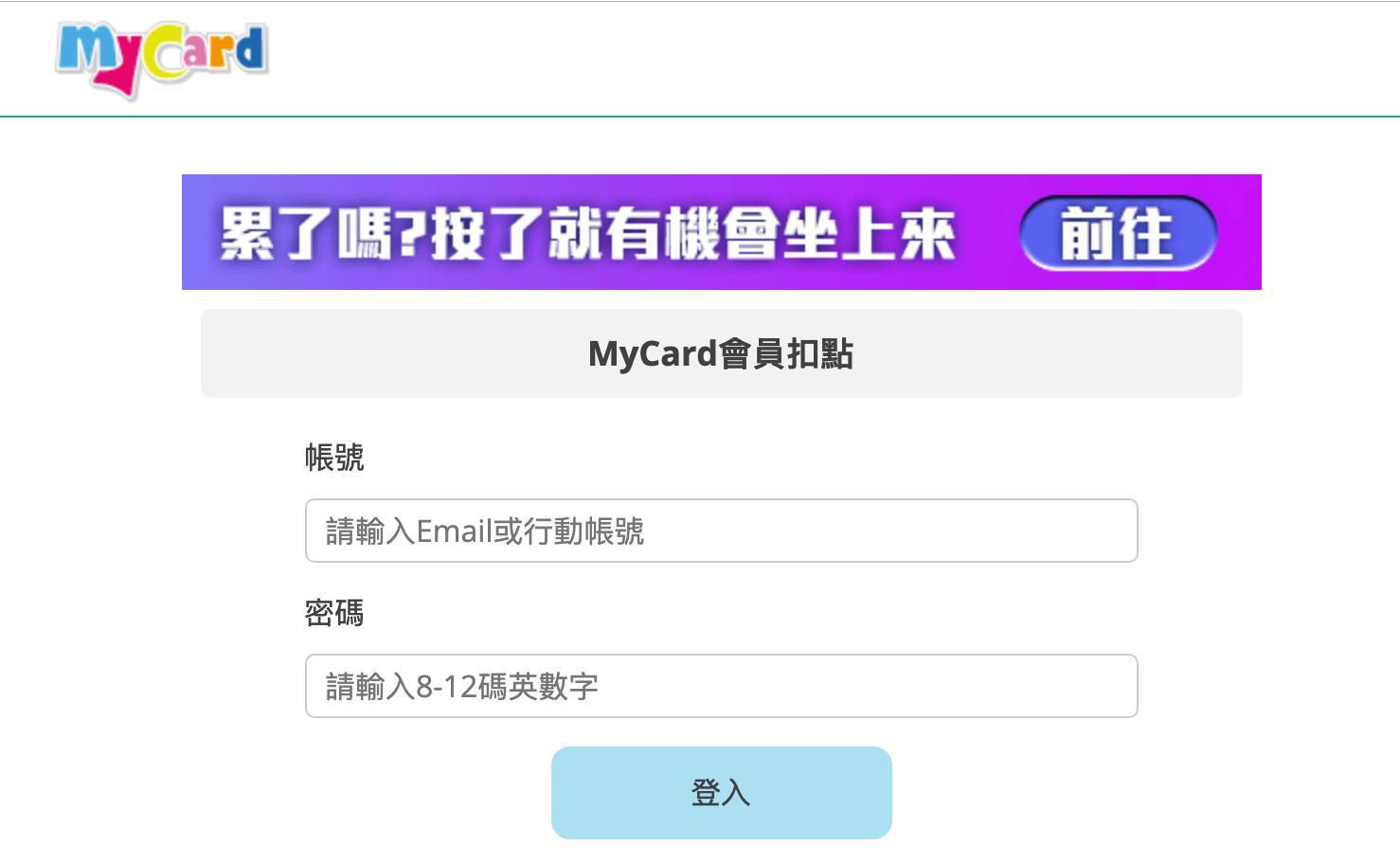 |
| MyCard Mobile App | App camera scans card code to credit account balance | Registered MyCard Member Account | Physical/Digital QR Code or Manual Entry | 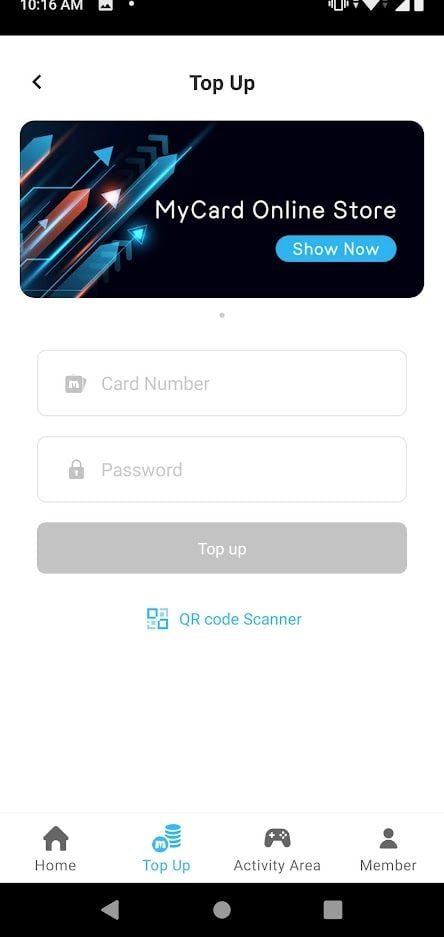 |
Sources: MyCard Official Point Card Portal, obtgame MyCard Taiwan Points Documentation.
If your item has an exact face value matching a specific in-game item bundle, direct web billing is faster. Storing points in a member wallet makes sense only if you plan to split a larger point denomination into smaller microtransactions across different titles.
Be alert to source restrictions. While standard retail cards deposit freely into MyCard member accounts, reseller obtgame explicitly documents that its distributed MyCard Taiwan points items cannot be credited to a MyCard membership account. Buyers of those specific reseller batches must redeem the credentials directly through a supported game web billing page rather than attempting a member wallet deposit. If you sourced your code from independent storefronts like obtgame or eneba, head straight to your game's billing portal.
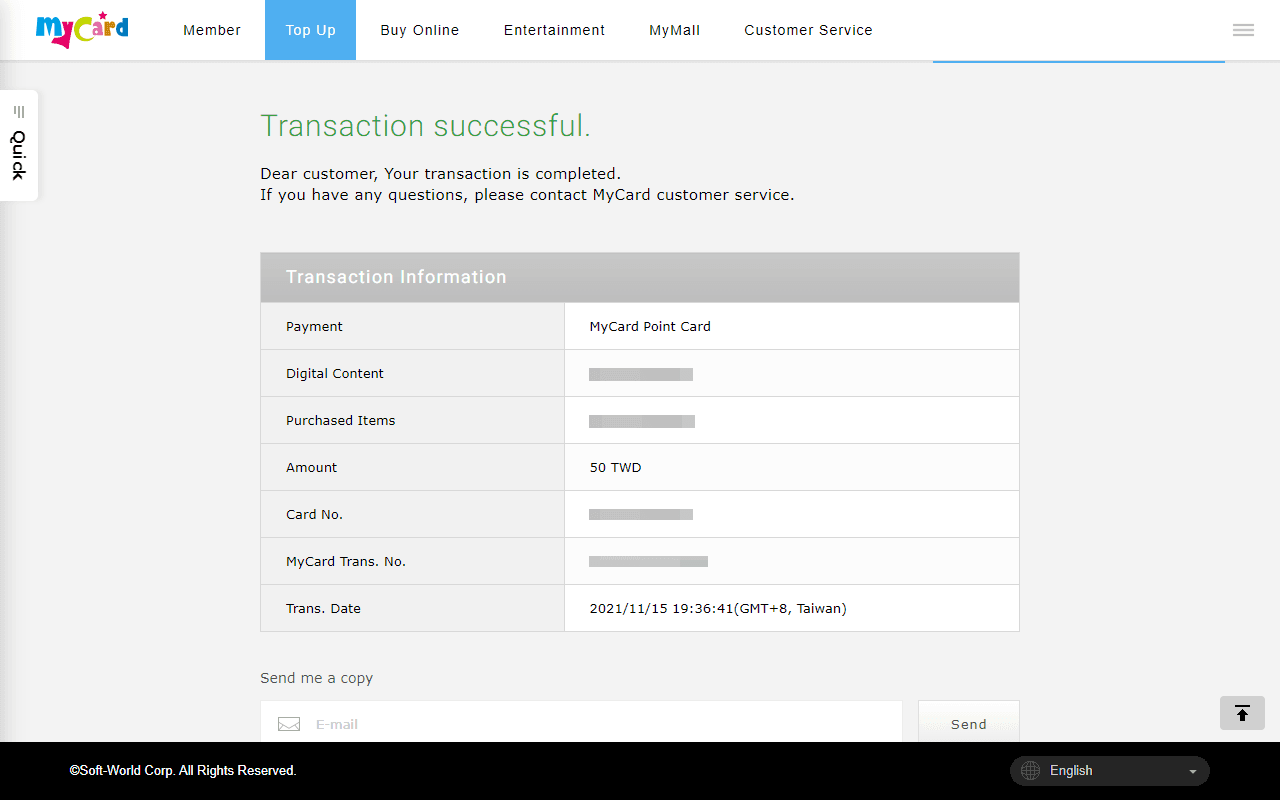
Step-by-Step: MyCard Taiwan Point Card Redemption Steps on Web Portals
Follow this sequence to redeem your code without gateway dropouts.
Locate the Official Web Payment Portal
Never search blindly on public forums for top-up links. Visit your mobile game's official website or official social community link-in-bio to locate their web payment portal (often labelled Web Top-Up or 官網儲值). If you need to restock your balance beforehand, you can pick up a verified MyCard (TW) digital voucher.
Log in with Your Game Account
Log in using the identical credential method tied to your mobile game profile. If you play on an iPhone via Sign in with Apple, ensure the web billing portal supports Apple ID auth, or bind your character to a publisher-specific email or third-party social account inside the mobile game settings first.
Select Server and Target Character
External gateways do not automatically know which character receives the goods. Select your server region, server name, and exact character nickname. Triple-check these fields; web point card top-ups cannot be recalled once processed.
Choose MyCard Point Card Billing
On the payment options page, look for MyCard 點數卡 (MyCard Point Card). Do not pick MyCard 會員扣點 (Member Account Deduction).
Input Serial Number and Password
Enter the Card Serial Number (卡號) and Card Password (密碼). Confirm the transaction. In-game currency typically delivers directly to your in-game mailbox or bag immediately.
| Redemption Stage | Critical User Action | Common Misstep | Sourced Rule |
|---|
| Portal Gateway | Select Point Card (點數卡) | Choosing Member Account Deduction (會員扣點) | Point cards require direct billing selection (MyCard Info) |
| Account Binding | Verify character ID & server | Selecting wrong server partition | Credits attach permanently to target server (obtgame) |
| Mobile Scanning | Use App bottom menu Point Card Top-Up | Trying to enter PIN inside App Store client | Game app store clients omit voucher boxes (MyCard Info) |
| Reseller Codes | Redeem straight into supported games | Attempting MyCard member balance top-up | Certain reseller codes block member account storage (obtgame) |
Mobile Shortcut: Redeeming via the MyCard Mobile App
Typing long alphanumeric strings on a phone keypad invites typos. If you prefer to bypass manual typing, the MyCard mobile app provides an integrated scanner.
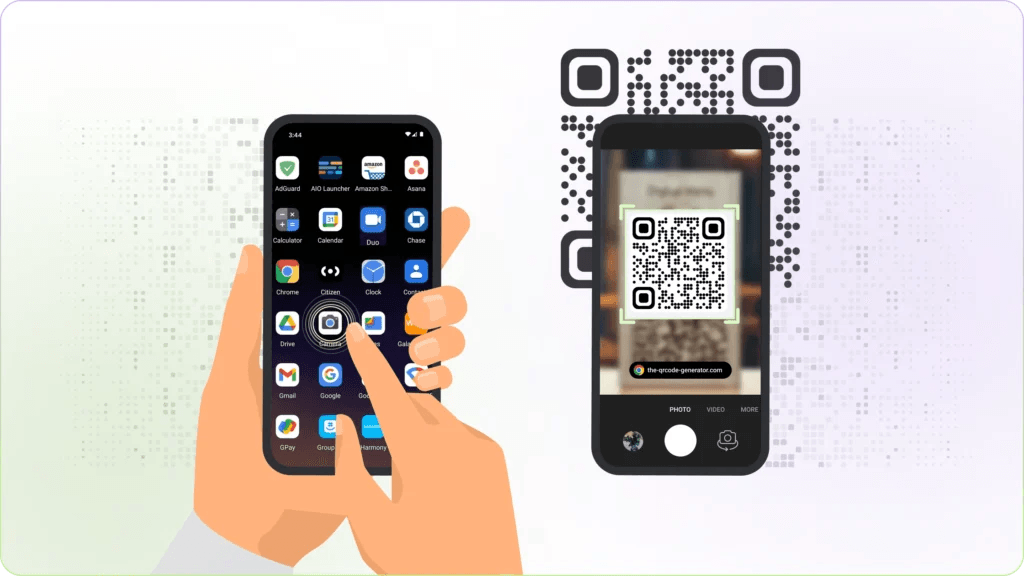
Per official MyCard documentation, open the MyCard app and tap the bottom menu option Point Card Top-Up (點卡儲值). From this screen, you can input the card serial number and password manually or tap the integrated camera scanner to scan a card QR code directly.
Remember the prerequisite: this mobile app pathway deposits the balance into your personal MyCard member wallet. It works cleanly for official point cards, but will fail if your code comes from a reseller batch that disallows member wallet crediting.
Troubleshooting Serial Number and Password Errors
When a gateway throws an error, the fault almost always traces back to one of three issues: credential mistyping, method mismatch, or distributor balance restrictions.
| Error Symptom | Root Cause | Fix Action | Sourced Context |
|---|
| Member Deposit Rejected | Code batch restricted by reseller | Redeem code directly on game web billing page | Reseller codes (e.g., obtgame) cannot credit member balance (obtgame) |
| Prompts for MyCard Account Login | Clicked Member Deduction instead of Point Card | Back up and choose MyCard Point Card (點數卡) | Official portal separates direct card from wallet debit (MyCard Info) |
| Code Already Consumed | Code was used or previously submitted | Review billing history on game web portal | Partner titles apply code immediately upon submission (obtgame) |
Character Transposition
Card passwords mix numbers and capital letters. Gateway fields do not auto-correct similar characters. If your digital delivery voucher includes a QR code, use the camera scanner inside the official MyCard app to eliminate manual typing mistakes entirely.
Sourced Distributor Restrictions
If you see an error stating the card cannot be used for the current operation when trying to deposit into your MyCard account, you are likely holding a direct-to-game card batch. Distributor documentation from obtgame notes that its MyCard Taiwan point items are blocked from MyCard Membership account crediting. They must instead be applied straight into supported partner titles such as World of Jade Dynasty, Ragnarok Online, and Blade & Soul Taiwan. Take that code out of the MyCard wallet deposit screen and enter it directly on the specific game's web top-up page.
Frequently Asked Questions
Can all MyCard TW point cards be stored inside a personal MyCard member account?
Official retail MyCard point cards support depositing points directly into a MyCard member account for split use. However, specific distributor batches sold by third-party stores such as obtgame explicitly restrict membership balance top-ups; those codes must be applied directly to a supported game web billing page (MyCard Info, obtgame).
How can players redeem a MyCard TW code on mobile devices without typing the credentials manually?
Players using the MyCard mobile app can open the Point Card Top-Up (點卡儲值) section from the bottom navigation bar and use the built-in camera QR code scanner instead of manually inputting the card serial number and password (MyCard Info).
Follow BitTopup for more MyCard (TW) news~





![7 Safest & Cheapest MyCard (TW) Sites May 2026 [Ranked]](https://pic.bittopup.com/apiUpload/8e128fd5242ca001e896bfbd7489810f.jpg?imageView2/0/w/80/h/80/format/webp/ignore-error/1 "7 Safest & Cheapest MyCard (TW) Sites May 2026 [Ranked]")




























































































