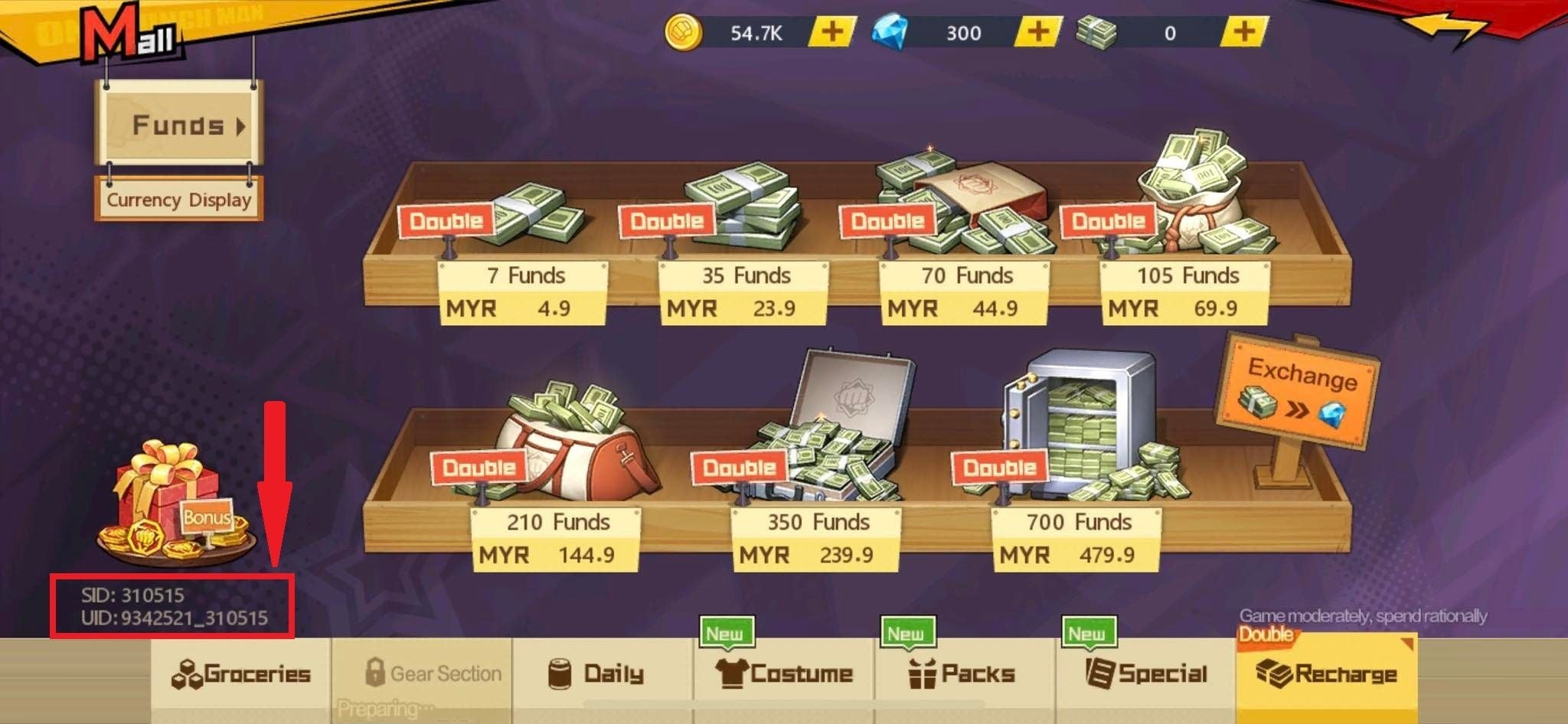
Redeem your EU Google Play card smoothly. Learn how to align your EUR payments profile, avoid region errors, and verify your new balance without hassle.
A regional lock screen right after buying a card is frustrating. You buy a voucher denominated in Euros, enter the code, and watch the Play Store reject it because your account does not match the voucher's home country.
Google does not run a unified, borderless European Union store. Instead, it maintains separate country-level storefronts that happen to share the Euro currency. If your Google payments profile, active IP address, and initial app registration fail to match the specific issuing nation of that card, redemption fails immediately.
This guide shows how to redeem google play gift card eu codes without triggering security flags, align your profile settings, and ensure your funds work for in-app purchases.
Why EU Google Play Cards Trigger Country Mismatch Errors
Google anchors every voucher, wallet balance, and digital checkout to an individual national market. An Austrian card, a French card, and a German card are distinct SKUs under the hood, regardless of their shared Euro pricing.
Successful redemption requires three elements to align at the exact moment of entry:
- Your active Google Play Store country profile.
- Your device's physical IP address.
- The country SKU assigned to the Euro voucher.
Attempting to load an Austrian SKU while your billing profile points to Ireland halts the checkout immediately. Turning on a VPN usually makes the situation worse. Google detects commercial proxy ranges and datacenter IP blocks, which can escalate a basic regional mismatch into an automated account hold or balance freeze.
App registration history creates another common pitfall. If you registered a game using a US account or while traveling abroad, an EU voucher will not cover in-game purchases in that title. In-game checkouts inspect both your current balance currency and the territory where the app was originally licensed. When those parameters conflict, the transaction fails even with plenty of Euros in your Play balance.

Official Denominations and Supported EU Countries
Euro-denominated Google Play gift cards are officially distributed across specific European nations. Each country maintains fixed denomination brackets alongside variable reload bands.
The following table outlines the official Euro denominations across major supported EU nations.
| Country | Official Denominations | Variable Load Range |
|---|
| Austria | €5, €15, €25, €50, €100 | €1 – €500 |
| Germany | €5, €10, €15, €25, €50, €100 | €1 – €500 |
| France | €5, €15, €25, €50, €100 | €1 – €500 |
| Spain | €5, €15, €25, €50, €100 | €1 – €500 |
| Italy | €15, €25, €50, €100 | €1 – €500 |
| Finland | Specific voucher bundles | €5 – €200 |
Takeaway: While standard cards range from €5 to €100, variable cards provide custom top-ups up to €500 in major markets, but fixed increments differ slightly by region.
Always verify the issuing member state before completing a purchase. When you buy a verified Google Play Gift Card EU voucher, matching your profile region to that exact country beforehand prevents checkout rejections.
How to Redeem Google Play Code Europe: Step-by-Step
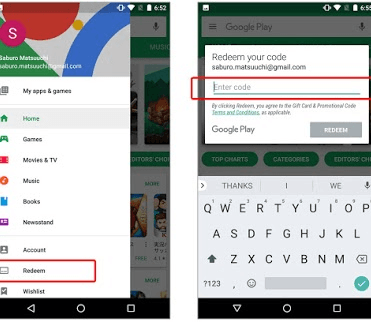
Redeeming a 16-character alphanumeric code takes less than two minutes once your account profile matches the voucher's country. You can redeem on an Android device or through a web browser.
Method 1: On Your Android Device
- Open the Google Play Store app.
- Tap your profile icon in the top-right corner.
- Select Payments & subscriptions, then tap Redeem code.
- Type your 16-character alphanumeric code. Leave out spaces and dashes; the field formats automatically.
- Tap Redeem.
- Confirm the Euro value and target Google account.
- Tap Confirm to complete the credit.
Method 2: Via Web Browser
- Go directly to
play.google.com/redeem. - Verify that you are signed into the correct Google account.
- Enter the 16-character code into the prompt box.
- Click Redeem and confirm the transaction.
Do not click submit repeatedly if the page takes time to load. Rapid-fire redemption attempts trigger automated account security cooldowns.
Google Play Card EU Region Lock Fix and Error Codes
An error code does not mean your voucher is empty or defective. Usually, it points directly to an address or connection conflict in your Google Payments setup.
The table below details the most frequent errors, their operational triggers, and the exact steps required to resolve them.
| Error Code / Message | Primary Trigger | Required Resolution |
|---|
| BM-RGCH-06 | Payments profile address does not match voucher region | Update Google Pay billing address to target EU nation; clear Play Store app cache. |
| "Code cannot be redeemed in your country" | Physical IP or Play Store store country mismatch | Disable all VPNs; verify local connection; match Play Store region to the voucher. |
| "We need more info to redeem your gift card" | Automated anti-fraud or third-party reseller flag | Submit Google's gift card verification form with official purchase receipts. |
| Redemption Lock / Inactive Code | Account has hit maximum balance limits | Wait out the 24-hour balance threshold or spend existing Play balance. |
Takeaway: Address mismatches trigger most redemption rejections. Correcting your billing profile and clearing local app data resolves the underlying block.
Fixing Error BM-RGCH-06
Error BM-RGCH-06 occurs when your Play Store displays Euros, but the primary Google Payments profile remains anchored to an address outside the voucher's country.
To correct it:
- Log into
payments.google.com. - Open Settings and locate your Payments profile.
- Review the Country/Region field.
- If it does not match the voucher's country, add a new payments profile configured to that specific EU nation with a local street address and postal code.
- On your Android device, go to Settings > Apps > Google Play Store > Storage, then tap Clear Cache and Clear Data.
- Open the Play Store and submit the code again.
Resolving "We Need More Info"
This alert means Google placed an administrative lock on the redemption attempt. Keep the voucher details intact. You must click the on-screen link and complete the gift card investigation form.
When preparing the form:
- Provide the digital order invoice showing merchant name, transaction date, and card serial number.
- Upload photos of both sides for physical cards.
- Enter Online in the city field if you bought the card digitally.
- Submit the inquiry using the exact Google account you are attempting to fund.
Reviews take between a few hours and several business days. Submitting repeat forms resets your ticket position in the queue.
Account Migration Rules, Waiting Periods, and Caps
Strict internal timers and balance limits prevent users from shifting store regions repeatedly. Understanding these parameters avoids locked funds.
| Policy / Constraint | Operational Limit | Impact on User |
|---|
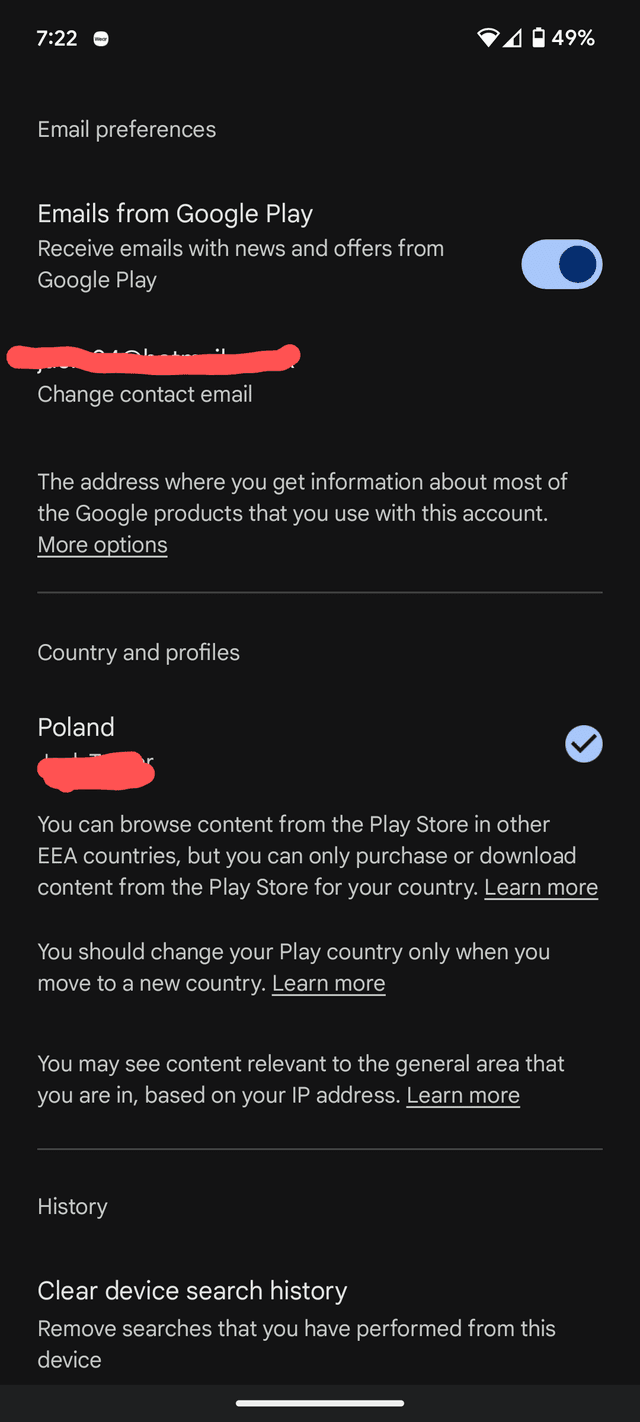
| Country Switch Frequency | Once every 90 days | Once you change your Play Store country, you are locked into that region for 3 months. |
| Profile Synchronization | Up to 48 hours | New payments profiles or country updates may not permit redemptions immediately. |
| Google Family Restrictions | Zero tolerance | You cannot alter your Play Store country while linked to an active Google Family group. |
| Maximum Account Cap | Up to $2,000 equivalent | Reaching cumulative or daily balance thresholds halts all further redemptions for 24 hours. |
| Balance Portability | Non-transferable | Existing Play balances remain locked to the original country profile; they do not cross borders. |
Takeaway: Treat account country updates as major structural changes; ensure you leave any Google Family groups first and prepare for a potential 48-hour synchronization delay.
Google previously enforced a 365-day wait between regional switches, but current systems run on a 90-day cooldown. Keep in mind that existing store credit does not transfer between regions. The balance remains saved on your previous profile, but it stays unavailable until you change your profile back after 90 days.
Active Google Family memberships also disable country modifications. Members must exit the family unit before switching, and family managers must disband the group entirely before the option becomes available.
How to Add Google Play Balance EU Across Spender Tiers
Account security rules apply differently depending on the transaction size and reload volume. Managing your redemption schedule keeps your profile within normal risk thresholds.
Tier 1: Casual & Free-to-Play (€5 – €15)
- Ideal For: Ad removal, budget utilities, or starter packs.
- Strategy: Use fixed €5, €10, or €15 denominations. Low amounts rarely trigger security reviews, making them suitable for freshly adjusted profiles. Spend the funds promptly to avoid stranding small balances if you plan to update your country profile later.
Tier 2: Mid-Range Spender (€25 – €50)
- Ideal For: Monthly passes, event tracks, or recurring subscriptions.
- Strategy: Denominations of €25 and €50 fit recurring budgets. Confirm your active subscription draws from Google Play balance instead of a secondary card. Retain a minor buffer above the subscription price to account for local tax variations.
Tier 3: Heavy Spender & Whale (€100 – €500)
- Ideal For: Large gacha pulls or bulk bundle purchases.
- Strategy: Do not enter multiple €100+ codes within the same hour. Sudden balance surges trigger automated spending locks. Spread large transactions out over several hours. In addition, watch the total account cap (up to $2,000 equivalent); approaching this limit halts further redemptions until you spend the funds or let 24 hours pass.
When buying credit, ordering a Google Play Gift Card (EU) lets you pick exact denomination tiers matched to your planned spending level.
Spotting Legitimate Top-Ups vs Dangerous Account Scams
Because store credit functions like cash, gift card channels attract gray-market sellers and phishing traps. Knowing legitimate merchant practices protects your account.
Legitimate Digital Retailers
- Send a complete 16-character code via an account portal or direct email.
- Supply a transaction invoice showing the vendor name, purchase date, and serial number.
- Never request your Google account password or 2FA codes.
- Offer official Euro denomination ranges.
Fraudulent "Cheap Balance" Schemes
- Ask for account credentials to load credit on your behalf.
- Request remote access to your phone or desktop to process vouchers.
- Offer deep, unrealistic discounts (such as €100 credit for €30), which come from compromised payment sources and lead to permanent account bans.
- Distribute incomplete codes or require external APK downloads to validate cards.
Never share your Google login details. Legitimate cards require only self-redemption through official Google apps or websites.
Google Play Balance Check EU: Verifying Funds for In-App Purchases
After entering your code, check that the new credit is active and available for in-game checkouts before making large purchases.
Checking Balance in the Play Store
- Open Play Store.
- Tap your profile picture > Payments & subscriptions > Payment methods.
- Check the Google Play balance entry at the top.
- Confirm the updated Euro total appears.
Confirming Usability in Games
Test usability by initiating a small transaction inside your game's store.
When the checkout sheet appears:
- Ensure the item price displays in EUR (€).
- Confirm Google Play balance is selectable.
- If the balance shows as unsupported, the game client was installed under a non-matching regional storefront.
To resolve this currency mismatch, uninstall the game, verify that your Play Store profile points to the correct EU territory, and reinstall the application directly from that store. This assigns the app's billing listener to the correct currency.
Redeemed Google Play credit cannot be transferred to other accounts, sent through Google Pay, or refunded to a bank. Use the funds on apps, in-app purchases, or media directly through the Play Store.
Frequently Asked Questions
Why does Google Play say my EU gift card can only be used in a specific country?
Google Play cards are region-locked to the specific member state where they were issued. Your Play Store country setting, Google Payments billing address, and IP address must match that individual nation, even within the Eurozone.
Can I use a VPN to redeem an EU Google Play gift card?
No. Google flags commercial VPN and proxy IP addresses, which can lead to automated redemption holds. Set your Google Payments profile address to the correct country on a direct connection instead.
How do I fix the error code BM-RGCH-06?
This error points to a mismatched billing address in Google Payments. Open payments.google.com, create or select a profile matching the voucher's country, and clear the Play Store app's cache and data.
Can I redeem an EU Google Play card if I am in a Google Family group?
Not if you need to update your store country. Family group members cannot change their Play Store country until they leave the group, and family managers must disband the group first.
How often can I change my Google Play Store country?
You can switch Play Store regions once every 90 days. Funds held in your old country profile remain behind and cannot be spent while your account is set to another region.
What should I do if Google says "We need more info to redeem your gift card"?
Fill out Google's gift card verification form. Attach your receipt showing the serial number, transaction date, and merchant. For digital cards, enter "Online" in the purchase city field.
Will my redeemed balance disappear if I switch countries later?
No. The balance stays attached to that specific country profile. It will be unavailable while your account is set to another region, but it unlocks whenever you switch back after the 90-day cooldown.
Final Verdict: Clean Setup Beats Shortcuts
Bypassing Play Store regional locks with proxy tools usually results in locked vouchers. Google checks IP provenance, billing records, and app registration origins. Match your Google Payments billing profile to the card's native EU country, make sure your game was downloaded from that regional storefront, and keep redemption volume within regular thresholds. Taking a few minutes to clean up your account profile ensures your Euro balance applies cleanly without checkout rejections.