




Tencent QQ Membership Top Up: VIP vs SVIP vs Yellow Diamond
Tencent QQ provides different tiers of premium subscriptions designed for instant messaging, file transfer, profile customization, and social gaming. Understanding the functional differences between QQ VIP, QQ Super VIP (SVIP), and QZone Yellow Diamond ensures you choose the right tier for your usage needs.
| Privilege Category | QQ VIP (会员) | QQ Super VIP (SVIP 超级会员) | QZone Yellow Diamond (黄钻贵族) |
|---|---|---|---|
| Core Platform Focus | QQ Messenger Chat & Identity | Premium Messaging, Storage & Speed | QZone Space, Avatars & Web Games |
| Level Growth Speed | Up to 1.8x Daily Acceleration | Up to 3.0x - 3.2x Daily Acceleration | QZone Flower Vine Growth Boost |
| Group Capacity Limit | Standard 500-member groups | Up to 2,000-member Super Groups | Standard group limits |
| Cloud Chat History | Up to 30 days roaming | Up to 2 years multi-device roaming | None (Chat storage is chat-client based) |
| Visual Customization | Red Nickname, Standard Chat Bubbles | Red Nickname, Dynamic UI, 3D Avatars | Custom QZone Themes, Dynamic Covers |
| Gaming & Social Perks | Basic Tencent game packages | High-tier game item drops & discounts | Web game boosts, farm & ranch bonuses |
| File Transfer Speed | Standard cloud limits | High-speed offline transmission | Normal space upload limits |
Exclusive Privileges & Acceleration Perks of QQ Super VIP (SVIP)
QQ Super VIP (SVIP) is Tencent's flagship communication tier, granting top-tier identity status and utility perks across desktop and mobile clients:
- Maximum Account Level Acceleration: SVIP members earn daily active points at rates up to 3.2 times faster than standard free accounts. This drastically speeds up leveling from Sun (太阳) to Crown (皇冠) statuses.
- 2,000-Person Super Groups: Create and manage up to four 2,000-member mega groups, ideal for international gaming guilds, communities, and business operations.
- Long-Term Multi-Device Cloud Sync: Message history is securely saved in the cloud for up to 2 years. Switching devices or logging in from a new PC will restore previous conversations and media files without manual local backups.
- High-Speed File Transfer: Upload large work documents, videos, and game data through accelerated servers without throttling.
- Identity Customization: Includes dynamic profile background cards, animated red nameplates in chat lists, customized enter-group notifications, and exclusive font styles.
QZone Yellow Diamond Noble Benefits and Gaming Perks
QZone Yellow Diamond (QQ黄钻) is dedicated to Tencent’s social space (QQ空间) and integrated mini-games ecosystem:
- QZone Aesthetic Unlocks: Free access to thousands of animated dress-up themes, dynamic diary layouts, personalized flash titles, and custom music player widgets for your personal space.
- High-Definition Media Storage: Upload full-resolution, uncompressed photos and extended video files to dedicated cloud albums without size restrictions.
- Stealth and Privacy Controls: Browse other users' QZones in hidden mode (踩空间不留痕迹), delete your own visit logs, and set detailed whitelist access for sensitive photo albums.
- Tencent Web Game Buffs: Exclusive monthly gift packs, stamina recovery bonuses, and continuous daily rewards in popular QQ mini-games and integrated social titles.
How to Find Your Tencent QQ ID (Number) in the App
To ensure your membership credits directly to your account, you only need to provide your numeric QQ ID (QQ号). Do not enter your phone number, email address, or display nickname.
Finding Your QQ ID on Mobile (iOS / Android)
- Open the QQ mobile application and log in.
- Tap your Avatar icon located in the top-left corner of the main chat screen.
- Tap your profile picture or nickname again to open your personal card (个人资料).
- Locate the line displaying QQ: followed by a 5 to 11-digit number (e.g.,
QQ: 123456789). - Copy or note down this exact number.
Finding Your QQ ID on Desktop (Windows / macOS)
- Log into your QQ desktop client.
- Click your avatar icon at the top of the contact panel.
- View your numeric account identifier listed directly below your nickname on the profile window.
Step-by-Step Guide to Direct QQ Membership Recharge on BitTopup
- Select Your Membership Tier: Choose between QQ VIP, QQ Super VIP (SVIP), or QZone Yellow Diamond on the BitTopup catalog.
- Choose Subscription Duration: Select your desired package duration, ranging from 1 month to 12 months (Annual Membership).
- Enter Your QQ ID: Input your numeric QQ number into the required field. Re-verify the digits to ensure accurate delivery.
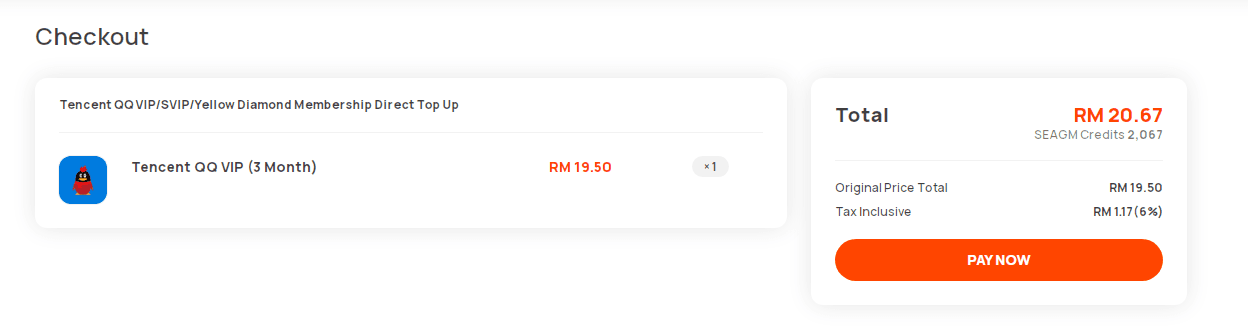
- Proceed to Checkout: Check the live product pricing on the checkout screen and choose your preferred international payment method.
- Instant Delivery: Once your payment is verified, the system automatically credits the membership to your Tencent account.
Account Safety: Why Direct QQ ID Top-Up Requires No Password
BitTopup uses direct account crediting for all Tencent digital services.
- Zero Password Requirement: You will never be asked for your QQ password, security questions, or SMS two-factor verification codes.
- No Account Handover: Your login session remains completely untouched, preventing automatic account freezes or overseas IP login warnings triggered by Tencent security protocols.
- Authorized Transfer Method: The membership status binds directly to your numeric QQ ID through official service protocols, keeping your account fully secure.
QQ VIP to SVIP Upgrade and Subscription Validity Rules
When managing active Tencent memberships, the platform handles overlapping subscription types through strict priority stacking:
- Upgrading Active VIP to SVIP: If you currently have remaining QQ VIP days and purchase QQ Super VIP (SVIP), your SVIP status activates immediately. Your remaining VIP days are temporarily paused. Once your SVIP subscription expires, your remaining QQ VIP days will automatically resume.
- Stacking Identical Tiers: Purchasing multiple months of the same membership tier (e.g., buying two 12-month SVIP packages) stacks linearly, extending your total expiration date accordingly.
- Separate Yellow Diamond Duration: Yellow Diamond operates on an independent validity counter. You can hold active SVIP and Yellow Diamond memberships simultaneously on the same QQ ID without interference.
Frequently Asked Questions
How do I find my QQ ID to recharge my membership?
Open your QQ mobile app, tap your avatar in the upper-left corner, and select your profile. Your numeric account ID is listed beside or under your nickname (marked as QQ号). Enter only these numbers when placing an order.
What is the difference between Tencent QQ VIP, SVIP, and Yellow Diamond?
QQ VIP offers standard chat personalization, level acceleration, and 30-day cloud chat history. QQ SVIP (Super VIP) provides the highest level acceleration (up to 3.2x), 2-year cloud chat history, 2,000-person super groups, and high-speed file transfers. Yellow Diamond focuses strictly on QZone space personalization, photo storage, and mini-game bonuses.
Do I need to provide my QQ account password for direct top-up?
No. Direct top-up on BitTopup requires only your public QQ numeric ID. You never need to share your password, verification codes, or login credentials.
What happens to my remaining QQ VIP days if I recharge QQ SVIP?
Your remaining QQ VIP days will be preserved. SVIP takes immediate priority upon recharge. Once your SVIP period ends, your paused regular VIP days automatically become active again.
Can QQ VIP or SVIP membership privileges be shared across multiple accounts?
No. Tencent QQ membership privileges are strictly bound to the specific QQ ID submitted during the recharge process and cannot be transferred or shared across different accounts.
Why is my QQ membership not showing immediately after payment?
In most cases, the membership icon lights up right after processing. If the status does not display, pull down to refresh your profile page on the QQ mobile app or log out and log back in to force a cache refresh.
Can international users recharge Tencent QQ memberships without WeChat Pay or Alipay?
Yes. BitTopup allows international users to recharge Tencent QQ VIP, SVIP, and Yellow Diamond directly using global payment options without needing a mainland Chinese bank card or verified local wallet.