

9 Card 980x Top Up: What is 9 Card and 980x Game World?
9 Card (also known as 980x 9 Card or 九卡) is the official digital prepaid game card issued for the 980x Game World entertainment portal. 980x Game World is a long-standing publisher and gaming service platform popular across Hong Kong, Taiwan, and international Chinese-speaking gaming communities.
Note on search disambiguation: A 9 Card 980x is strictly a digital game point voucher used for online video games and web portal services. It is not related to computer graphics hardware or video cards (such as the legacy GTX 980 GPU).
When you purchase a 9 Card 980x recharge code, you receive a digital Serial Number (Card ID) and PIN (Password). These credentials allow you to deposit points directly into your 980x member account or transfer points straight to specific online game servers operated under the 980x network. Once credited, points can be converted into premium in-game currencies to unlock exclusive items, character boosts, VIP packages, and seasonal event items.
Supported 980x Games and Usable Services
980x Game World hosts a dedicated catalog of classic MMORPGs, strategy games, and mobile-adapted titles. Buying a 9 Card provides universal point compatibility across the entire 980x service ecosystem, allowing you to allocate funds across any of the publisher's supported titles:
- Classic MMORPGs: Classic martial arts and fantasy titles hosted on 980x regional servers, including various localized editions of historical role-playing games.
- Turn-Based and Strategy Games: Titles such as TS Online series and related turn-based tactical games hosted under the 980x umbrella.
- Wonderland Online / Chinese Gamer Network Ports: Select partner titles and legacy community MMORPGs maintained by the 980x network.
- 980x Web Services: Member value-added services, account security protections, and platform-wide community features.
Because the 9 Card code functions as an open value voucher for the 980x platform, you do not have to commit your points to a single title at the time of purchase. You can hold the points in your master 980x account balance and distribute them to your chosen character when new events launch in 2026.
Available 9 Card 980x Denominations and Point Values
9 Card vouchers are structured in standardized point increments. Below is a breakdown of the standard card tiers available on BitTopup:
| Denomination | 980x Point Equivalent | Typical Use Case |
|---|---|---|
| 150 Points | 150 980x Points | Daily consumable packs, entry-level inventory expansions, stamina refills |
| 400 Points | 400 980x Points | Monthly reward passes, mid-tier gear enhancement bundles, cosmetic sets |
| 1200 Points | 1200 980x Points | High-tier event packs, premium mount/pet gacha pools, VIP milestone progression |
Live pricing, currency conversions, and applicable regional fees are displayed in real time on the BitTopup checkout screen before final payment confirmation.
How to Find Your 980x Member ID and Redeem 9 Card 980x Online
To apply your digital voucher to your account, you will need access to your 980x Game World member credentials. Follow these clear steps to retrieve your details and complete the redemption.
Step 1: Locate Your 980x Member Account Details
- Visit the official 980x Game World member portal.
- Log in using your registered username and password.
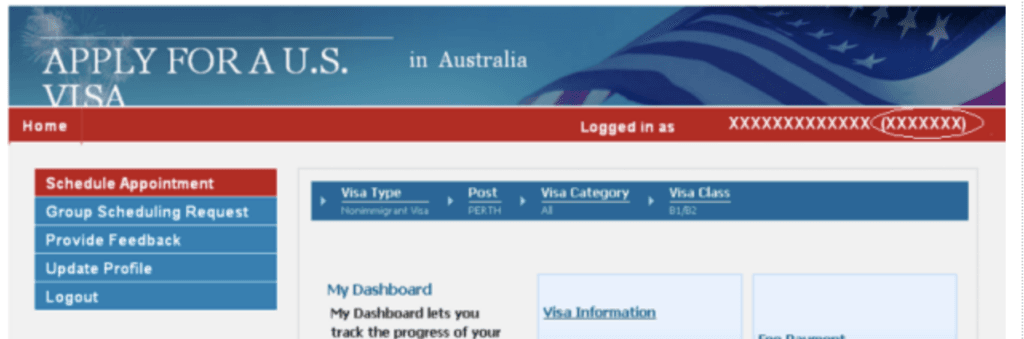
- Your Member Account ID (UID) and current point balance will appear in the top-right account summary panel.
- If you intend to deposit points directly into a specific game rather than your master wallet, check your exact in-game character name and server designation from the game client.
Step 2: Redeem Your 9 Card Code
- Complete your purchase on BitTopup and go to your Order History to retrieve your digital Serial Number and PIN.
- In the 980x member portal, click on the Top-Up / Deposit (儲值專區) section.
- Select 9 Card (九卡) as your payment/deposit method.
- Choose whether to deposit the points into your 980x Member Wallet or transfer them directly to a Game Account / Server.
- Enter the Card Serial Number and Card Password (PIN) exactly as provided in your BitTopup order details.
- Click Confirm / Submit. The points will reflect instantly in your selected balance.
Why Choose BitTopup for Your 9 Card 980x Recharge
BitTopup provides a straightforward, transparent digital purchasing experience for gamers seeking 980x Game World vouchers:
- No Game Passwords Required: You never need to hand over your game account password or give third parties access to your character. BitTopup delivers raw digital serial numbers and PINs directly to your secure user dashboard for self-redemption.
- Instant Digital Code Delivery: Once payment processing finishes, your 9 Card serial number and security PIN appear in your order history without unnecessary delays.
- Transparent Regional Pricing: You see the exact price and payment processing terms upfront on the live checkout interface with zero hidden surcharges.
- Flexible Payment Solutions: BitTopup supports diverse local and international payment methods, making it simple to complete transactions from Hong Kong, Taiwan, Southeast Asia, or anywhere worldwide.
- 24/7 Customer Support: If you ever experience questions regarding your order status, code verification, or payment authorization, BitTopup customer support is available around the clock to assist you.
Troubleshooting Common 9 Card 980x Redemption Errors
If you encounter an issue while attempting to deposit your voucher on the 980x portal, check the following common resolution steps:
1. "Invalid Card Number or Password"
- Character Confusion: Look closely at characters that look alike: uppercase
Oversus numeral0, uppercaseIversus lowercaselor numeral1. - Trailing Spaces: If you copy and paste the code from your BitTopup order screen, ensure no leading or trailing blank spaces are accidentally highlighted.
- Correct Input Fields: Confirm that you pasted the Serial Number into the Serial field and the PIN into the Password field (swapping these will trigger an invalid code message).
2. "Card Already Used"
- Refresh your 980x account balance or check your game inbox. In many instances, the top-up succeeded on the first click even if the browser timed out.
- Check your 980x billing history logs inside the member center to verify if the serial number was registered.
3. "Regional or Portal Mismatch"
- Ensure that you are logged into the official 980x Game World regional portal matching your game version. Some partner-operated games maintain separate billing pages that do not accept standard 9 Card vouchers.
Frequently Asked Questions
What games can I top up with a 9 Card 980x?
You can top up any game operated under the 980x Game World platform, including classic titles like TS Online, Wonderland Online HK servers, and other community MMORPGs hosted on the publisher's portal. You can also deposit the points into your universal 980x master wallet to use across future game releases.
How do I redeem my 9 Card 980x voucher?
Log in to the official 980x Game World member billing center, navigate to the Deposit/Top-Up section, select "9 Card" as the recharge option, and input the Card Serial Number and PIN you received in your BitTopup order center.
What denominations are available for 9 Card 980x?
Standard denominations include 150 Points, 400 Points, and 1200 Points. Check the BitTopup product catalog above for live availability and point tier selections.
Do 9 Card 980x game cards have an expiration date?
Unredeemed 9 Card codes typically remain valid for an extended period, but it is recommended to redeem your voucher promptly after purchase to ensure funds are safely credited to your 980x account balance.
What should I do if my 9 Card 980x PIN shows invalid?
First, re-type the PIN manually to avoid copy-paste whitespace errors. Verify that the Serial Number and Password have not been reversed. If the system still rejects the code, take a screenshot of the error message and contact BitTopup 24/7 customer support with your order ID for rapid verification.
Is my account password required when purchasing a 9 Card 980x?
No. BitTopup only delivers the digital card serial and PIN code. You never need to provide your 980x account password, email credentials, or game login details to buy or receive your code.