

Conquer Points Top Up: Fast and Direct Account Balance Recharge
Conquer Points (CP) serve as the essential premium currency in Conquer Online. Whether you are upgrading high-tier gear, socketing equipment with Super Gems, or acquiring exclusive garments and mounts, maintaining a healthy CP balance is vital for progression. BitTopup provides a direct, secure, and password-free Conquer Points recharge service across all active global servers, ensuring your balance is updated quickly so you can focus on guild wars and PvP battles.
What Are Conquer Points (CPs) and How Are They Used?
Conquer Points are the core premium currency used to purchase items, services, and progression boosts in Conquer Online. Unlike bound CPs (CP-B), standard Conquer Points can be spent freely across the game shop, used in player-to-player trading, or invested into high-level gear upgrades.
Primary Uses for Conquer Points:
- Equipment Upgrading & Composition: Purchase Meteors, Dragon Balls, and Composition Stones to upgrade item quality, level, and bonus stats (+1 through +12).
- Socketing & Super Gems: Buy Tough Drills, Star Drills, and premium gems (Super Dragon, Phoenix, Tortoise, Rainbow, Kylin, Moon, and Violet Gems) to maximize offensive and defensive power.
- Character Progression Systems: Accelerate Chi system attributes, Jiang Hu training, Sub-Class advancements, and Inner Power stats.
- Cosmetics, Mounts, and Garments: Unlock rare character garments, mount armors, weapon accessories, and interactive emotes from the shopping mall.
- Lottery & Special Events: Purchase lottery tickets and participate in limited-time server events to win rare artifacts and precious materials.
- VIP Privilege Activation: Accumulate VIP points through CP recharges to unlock VIP levels, granting remote warehouse access, priority login, bonus daily quests, and repair discounts.
Supported Conquer Online Server Groups
BitTopup supports direct Conquer Points top-ups for every active server group in Conquer Online. When placing an order, simply select your exact server group from the list below to ensure direct delivery to your character.
| Server Group Category | Supported Server Names |
|---|---|
| Global & Classic | Global, Classic, Next Episode, Awakening Age |
| Thematic & Legacy | Wild Kingdom, Gem World, Dreams, Nature, Galaxy |
| Mythic & Legends | Wonders, Celebrities, Constellations, FairyTales, Myths |
| Special & Progression | Elements, Celebrations, CelebrationsII, BattleArts, Endeavor |
Note: Make sure your game account is registered under the selected server group before completing checkout.
How to Find Your Conquer Online Game Account ID and Server
To ensure your Conquer Points top up is credited to the correct account, you must provide your exact Game Account ID (the username you use to log in to the client) and your active Group/Server.
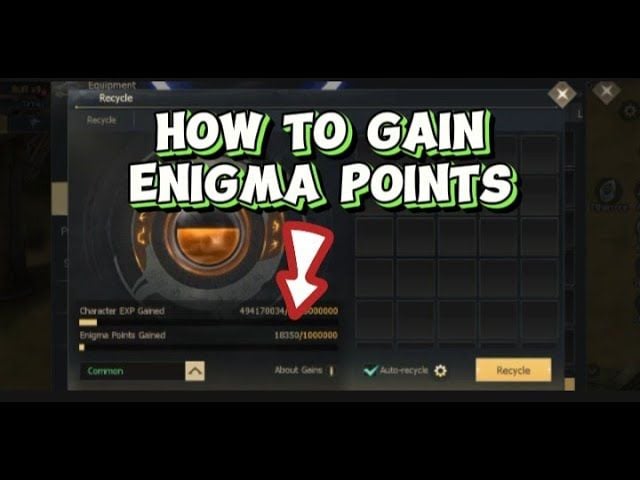
Steps to Locate Your Account Details:
- Open the Conquer Online game launcher or client.
- Note the alphanumeric Game Account ID entered in the login field (do not confuse this with your in-game character nickname).
- Check the server selection screen to verify your current Group/Server name (e.g., Wild Kingdom, Awakening Age, or Classic).
- Enter these exact credentials into the required fields on the BitTopup product page.
How to Recharge Conquer Points Step-by-Step
Recharging your Conquer Online balance through BitTopup takes only a few simple steps:
- Select Denomination: Choose the Conquer Points pack that matches your in-game needs.
- Enter Account Details: Input your Conquer Online Game Account ID.
- Choose Server: Select your Group/Server from the drop-down menu.
- Proceed to Checkout: Click Buy Now to open the live checkout screen, where all available local and international payment options and exact total prices are shown.
- Confirm and Pay: Complete the transaction. Your order will be processed immediately and sent directly to your game account.
Conquer Points Denominations & CP Exchange Rates
Conquer Points can be purchased in multiple pack sizes corresponding to standard Point Card denominations. Depending on your game version and server group, Point Cards convert into standard Conquer Points upon redemption.
| Point Card Denomination | Approximate In-Game CP Value | Typical In-Game Usage |
|---|---|---|
| Conquer Point Card (Small) | ~54 - 270 CPs | Daily event entries, basic quest resets, health/mana packs |
| Conquer Point Card (Medium) | ~540 - 1,080 CPs | Meteor packs, Dragon Balls, socket drills, minor gear composition |
| Conquer Point Card (Large) | ~2,700 - 5,400 CPs | High-tier Super Gems, VIP progression, garment chests |
| Conquer Point Card (Mega) | ~10,800+ CPs | Major gear refining, Jiang Hu stat rerolls, rare event rewards |
Check the live BitTopup checkout for current real-time pricing and package options.
How to Claim CPs In-Game via Claim Button or Market NPC
Once your order is processed, your Conquer Points are credited to your account. Depending on your server version and account status, access your points using one of the following methods:
- Direct Balance Update: In modern server versions, points are added directly to your CP balance counter visible in the top-right corner of the user interface or inside your inventory.
- In-Game Top-Up / Reward Button: Click the in-game Top-Up or VIP / Reward icon on your screen to refresh and claim pending credited points.
- Twin City Prize NPC: Travel to Twin City (Coordinates: ~438, 440) or the Market map and speak to the Prize Officer or General Jack / Market Admin NPC. Select Claim CP Cards / Claim Recharged Points to transfer your balance to your character.
Safe & Secure Password-Free Recharge Process
BitTopup utilizes a direct-to-account top-up system designed to keep your account safe at all times:
- Zero Password Requirement: We only require your public Game Account ID and Server name. We will never ask for your game password, secondary security code, or email credentials.
- Encrypted Transactions: Every transaction is processed through secure, encrypted checkout gateways protecting your payment information.
- Anti-Ban Compliance: All points are delivered through legitimate point distribution channels, protecting your account from third-party trade bans or rollbacks.
Conquer Points Troubleshooting and Delivery Support
If your points do not appear immediately after completing payment, follow these troubleshooting checks:
- Relog Into the Client: Log out of Conquer Online completely, restart the game client, and log back in to force a server balance synchronization.
- Check the In-Game Prize Officer: Visit the Prize Officer NPC in Twin City or the Market to check for unclaimed top-up packages.
- Verify Submitted Details: Check your BitTopup order confirmation to confirm that your Game Account ID and Server selection were typed correctly without typos.
- Contact Customer Support: If your balance does not update after 15 minutes, reach out to BitTopup 24/7 customer support with your Order Number, Game Account ID, and Server details for immediate assistance.
Frequently Asked Questions
How do I find my Conquer Online Game Account ID and Server?
Your Game Account ID is the login username you type into the client launcher to access your account. Your server name is displayed on the server selection menu when you log in.
Do I need to share my game password to recharge Conquer Points?
No. BitTopup only requires your Game Account ID and Server selection. You should never share your account password or security questions with anyone.
How do I claim my Conquer Points in-game after recharging?
Most top-ups credit directly to your in-game CP balance. If your balance does not show the points immediately, click the in-game Top-Up/Claim button or speak with the Prize Officer NPC located in Twin City or the Market.
How long does it take for Conquer Points to be credited?
Orders on BitTopup are processed automatically upon successful payment verification. Under normal conditions, points are credited to your account within minutes.
What items can I purchase with Conquer Points in Conquer Online?
Conquer Points can be used to buy Dragon Balls, Meteors, Super Gems, Tough/Star Drills, Garments, Mount Armors, Lottery spins, VIP status, and character advancement materials across all shop categories.
What should I do if I entered the wrong Game Account ID or Server?
If you realize you entered an incorrect Account ID or Server, contact BitTopup customer support immediately with your order number. If the order has not yet been processed by the system, our support team can help correct your details.