



Quick and Secure 4CHAT Top Up Online
4CHAT is a global social platform designed for real-time voice chat rooms, interactive matchmaking, and lively group interactions. To fully engage in party rooms, support favorite creators, and stand out in the community, users require in-app currency. A direct 4CHAT top up allows you to obtain coins and diamonds quickly, unlocking premium features without interruptions.
BitTopup provides a direct ID-based recharge service for 4CHAT users worldwide. You only need your Player ID to add funds to your account. There is no need to share your private account credentials, social logins, or passwords. Every transaction is processed through secure payment gateways, giving you a smooth and reliable way to buy 4CHAT coins.
Overview of 4CHAT and In-App Currency Benefits
Inside 4CHAT, users can host voice parties, join regional group rooms, play mini-games, and establish social connections. The in-app currency serves as the primary engine for social interaction and profile progression. With an active balance, you can send interactive animated gifts to room hosts, unlock exclusive room entry effects, and customize your profile to reflect your style.
4CHAT In-App Features Summary
| Feature | Currency Utility | Main Benefit |
|---|---|---|
| Virtual Gifts | Coins / Diamonds | Support broadcasters, trigger animated screen effects, boost room heat |
| Avatar Styling | Coins | Equip avatar frames, chat bubbles, and unique profile badges |
| Party Rooms | In-App Balance | Unlock special sound effects, room banners, and priority placement |
| VIP Privileges | Balance Thresholds | Gain entrance effects, exclusive badges, and profile visibility |
How to Find Your 4CHAT Player ID
To ensure your recharge reaches the correct account, you must enter your exact Player ID when placing an order. Finding your ID takes only a few seconds inside the mobile application.
- Launch the 4CHAT app on your mobile device.
- Tap the Profile or Me icon located in the bottom navigation bar.
- Look beneath your profile picture and display name at the top of the screen.
- Locate the numeric string labeled as ID or UID.
- Tap the copy icon adjacent to the numbers to copy your Player ID directly to your clipboard.
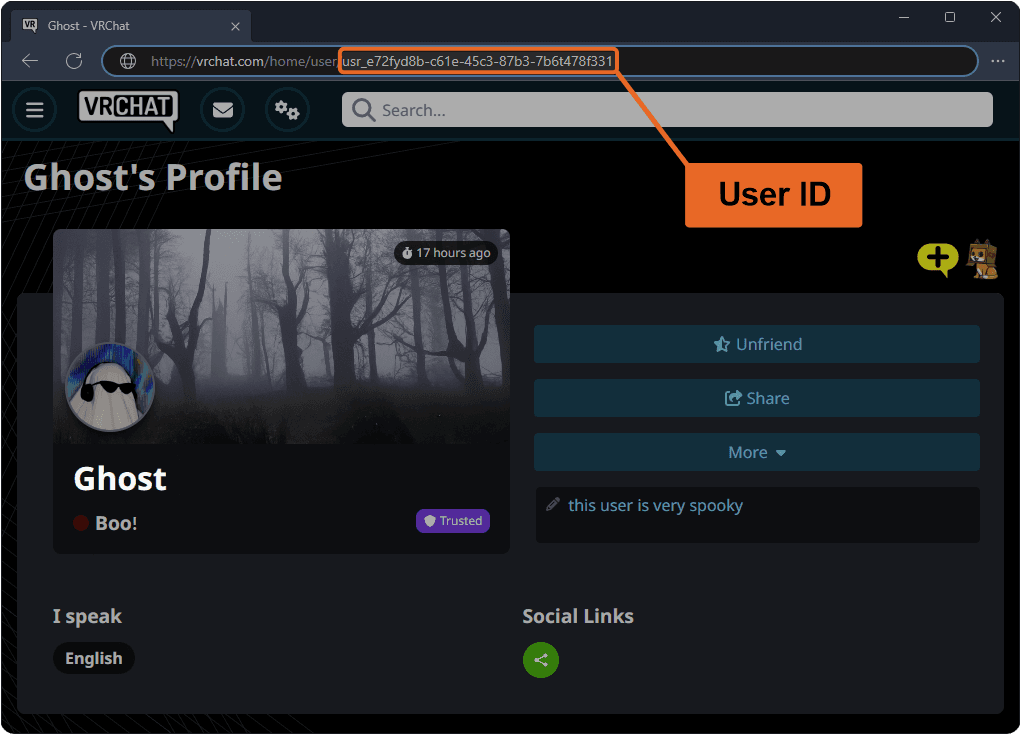
Always double-check your ID before submitting your order to prevent crediting the wrong account.
Step-by-Step Guide to 4CHAT Recharge on BitTopup
To recharge your 4CHAT account on BitTopup, follow these direct steps:
- Select Your Package: Browse the 4CHAT product page and choose the coin denomination that matches your needs.
- Enter Account Details: Paste your 4CHAT Player ID into the designated input field.
- Review Order: Confirm the package amount and your Player ID accuracy.
- Complete Payment: Select your preferred payment method on the checkout screen and complete the transaction.
- Check Balance: Open 4CHAT, go to your wallet section, and verify your updated balance.
Check the live checkout interface on BitTopup to view current rates, available coin packages, and regional payment options.
Benefits of 4CHAT Currency: Avatar Outfits, Gifts, and Party Rooms
Acquiring 4CHAT coins gives you access to a wide range of social features:
Animated Virtual Gifts
Sending virtual gifts is the primary way to interact during live audio streams and voice party rooms. From simple flowers to elaborate animated cars, yachts, and rocket effects, sending gifts increases your standing in room leaderboards and shows appreciation to room hosts.
Profile Customization and Avatar Outfits
Stand out in busy chat rooms by outfitting your profile with premium accessories. You can use your balance to buy custom avatar frames, animated chat bubbles, and exclusive nickname badges. These cosmetic enhancements make your messages visible instantly in high-traffic group chats.
Party Room Enhancements and VIP Privileges
If you host your own party rooms, having an active balance lets you activate room themes, play interactive sound effects, and boost your room's popularity score. Higher spending levels also grant VIP statuses, which award special entrance animations whenever you join a public or private room.
Secure Payment Methods and Instant Digital Delivery in 2026
Security is essential when recharging online. BitTopup utilizes direct Player ID crediting, meaning your login credentials and personal passwords are never requested or stored.
Why Recharge 4CHAT on BitTopup?
- Password-Free Security: Transactions require only your public Player ID, keeping your login details safe from unauthorized access.
- Direct Digital Delivery: Once your payment is verified, the in-app currency is routed directly to your 4CHAT game account.
- Flexible Payment Options: BitTopup supports multiple payment methods suited for global and regional users, viewable on the live checkout page.
- Continuous Monitoring: All orders are processed under encrypted connections to protect user data and financial information.
Common 4CHAT Top-Up Issues and How to Resolve Them
If you run into any issues during or after your recharge, use the following troubleshooting guide to resolve the problem quickly.
1. In-App Balance Has Not Updated
Digital recharges typically reflect within moments. If your coins do not appear right away:- Fully close the 4CHAT app and relaunch it.- Navigate to your profile wallet and pull down to refresh the balance.- Check your network connection to ensure the app is syncing with the live servers.
2. Incorrect Player ID Entered
If you entered an incorrect Player ID during checkout, the balance may be delivered to that account. Because digital transactions are completed instantly on the server, transfers cannot be reversed once processed. Always verify your ID before confirming the transaction.
3. Payment Succeeded but Order Pending
In rare cases, bank processing delays may slow down order confirmation. If your payment went through but your BitTopup order shows as processing, wait a few minutes for the gateway to confirm the transaction. If the balance does not arrive, reach out to BitTopup customer support with your Order ID and transaction receipt for quick assistance.
Frequently Asked Questions About 4CHAT Recharge
How do I find my 4CHAT Player ID to complete a recharge?
Open the 4CHAT app, tap the Profile or Me tab at the bottom right, and look directly below your profile picture. Your numeric Player ID is displayed there. Tap the copy icon to copy it accurately.
Do I need to share my 4CHAT password to top up on BitTopup?
No. BitTopup requires only your 4CHAT Player ID to complete the top up. Never share your password, verification codes, or personal login information with anyone.
What can I purchase with 4CHAT currency in the app?
You can use 4CHAT currency to buy animated gifts for live voice rooms, purchase avatar frames, unlock chat bubbles, obtain entrance effects, and upgrade your VIP status.
How long does it take for a 4CHAT recharge to arrive?
Most recharges are credited to your 4CHAT account immediately after payment verification. If server delays occur, restarting your app will usually refresh the updated balance.
What payment options are available for 4CHAT top up?
BitTopup offers a variety of global and localized payment methods. Check the live checkout page to view the payment options available for your country.
What should I do if my 4CHAT currency is not credited after payment?
First, restart the 4CHAT app and check your wallet balance. If the currency has not arrived after a brief wait, contact BitTopup customer support with your Order ID and payment confirmation for direct resolution.