

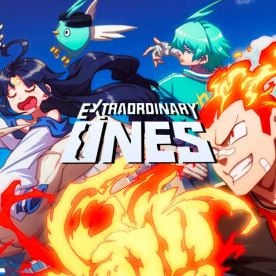
Extraordinary Ones EOMOBA Card Top Up Options
Acquiring in-game currency for your favorite anime-style MOBA is straightforward with digital prepaid cards. When you choose an Extraordinary Ones EOMOBA Card top up on BitTopup, you receive a direct voucher code that converts into Gems, Clave, or voucher credits inside your account. Select your desired card denomination directly on this page to view live pricing and complete your transaction in seconds.
Prepaid cards allow players to manage their spending easily without tying permanent credit card details to mobile devices or game clients. Once your order finishes, your voucher code is generated and made available immediately in your account order history.
What is the Extraordinary Ones EOMOBA Card (Global)?
The Extraordinary Ones EOMOBA Card is an official digital prepaid voucher designed for the Global edition of NetEase's 5v5 anime battle arena game. This voucher acts as direct credit to unlock exclusive character skins, recruit top-tier heroes, purchase seasonal battle passes, and acquire specialty event bundles.
Because the card works on a digital code system, it bypasses the need for linked mobile payment methods or direct store logins. Players receive a serial code and PIN that can be redeemed through the redemption interface or authorized account portal to credit in-game items instantly.
Extraordinary Ones Global Server Status and Account Access in 2026
Many competitive players continue to battle across the Global servers in 2026. While app store listings vary across regional mobile storefronts, existing installations and updated APK clients remain functional for matchmaking, custom room battles, and ongoing character progression.
Active players who maintain Global accounts can still redeem valid EOMOBA vouchers to support their gameplay and cosmetic collection. Using digital prepaid cards remains the most reliable way to add funds to legacy and active accounts across supported Global territories without relying on regional app store billing.
How to Find Your Extraordinary Ones Account Details
Before redeeming any code or purchasing credit, confirm your character details inside the game client to ensure your top-up lands on the correct account.
- Launch the Extraordinary Ones client on your device.
- Tap your character avatar in the top-left corner of the main menu screen.
- Open your profile overview tab.
- Locate your numerical User ID (UID) and current Server Name shown beneath your player nickname.
- Tap the small copy icon next to your UID to copy the exact numbers to your clipboard.
Double-checking your UID ensures that any web-based redemption portal assigns your Gems and vouchers to your primary profile without delay.
How to Recharge Extraordinary Ones with an EOMOBA Card
Recharging your balance with a prepaid code takes only a few simple steps on BitTopup:
- Review the available Extraordinary Ones EOMOBA Card denominations on the BitTopup product page.
- Check the live checkout price and select the card value you wish to buy.
- Proceed to the payment screen and complete your transaction using your preferred payment method.
- Access your digital code instantly from your BitTopup order history or confirmation email.
- Follow the redemption steps below to apply the funds directly to your game profile.
| Voucher Type | Region | Delivery Method | Required Information |
|---|---|---|---|
| EOMOBA Card | Global | Instant Digital Code | None (Digital Delivery) |
| Direct Top-Up | Global | In-Game Delivery | UID & Server Region |
Step-by-Step EOMOBA Voucher Code Redemption Guide
Follow these instructions to apply your digital voucher code to your Extraordinary Ones account:
- Open the game client or navigate to the official NetEase top-up and redemption portal.
- Log in using your linked game platform credentials (Google Play, Apple ID, Facebook, Twitter, or NetEase ID).
- Confirm that your detected Server Region and Character Name match your active profile.
- Select EOMOBA Card or Redeem Code / Voucher as your payment method.
- Paste or type the digital voucher code and PIN received from BitTopup into the corresponding fields.
- Click Confirm or Submit to finalize the transaction.
- Return to the game lobby or restart your client to see your updated balance in your account.
Account Safety: Password-Free Checkout and Digital Delivery
Protecting your gaming profile is critical. Buying an EOMOBA Card on BitTopup is 100% password-free. You will never be asked for your login password, private recovery keys, or social media credentials to purchase or receive your code.
Because you receive a standalone digital code, you maintain complete control over when and how that code is redeemed. This eliminates any risk associated with account sharing, unauthorized logins, or third-party device access. Your payment data is handled through encrypted processing channels, ensuring maximum transaction privacy.
Why Choose BitTopup for Extraordinary Ones Recharges
BitTopup is dedicated to providing players worldwide with fast, secure, and straightforward access to in-game currency. Here is why gamers trust BitTopup for their digital codes:
- Instant Voucher Dispatch: Digital codes are generated and delivered immediately upon payment verification, minimizing wait times.
- Password-Free Security: Transactions are completed strictly via digital code delivery—no account sharing or password submission required.
- Transparent Live Checkout: Check accurate, up-to-date pricing on every denomination before placing your order.
- Global & Local Payment Channels: Multiple payment options ensure you can check out quickly from anywhere in the world.
- 24/7 Dedicated Support: Responsive customer care teams are available around the clock to assist with order tracking, code delivery, and redemption questions.
Troubleshooting Invalid Codes and Delivery Issues
If you run into issues while redeeming your voucher, use these troubleshooting steps to resolve the problem:
- Check for Typographical Errors: Voucher codes are case-sensitive. Ensure there are no accidental spaces before or after the code when pasting.
- Confirm Server Region Match: EOMOBA Global cards are intended for Global server accounts. If your character is hosted on a separate Asian regional server, the code may return an invalid region error.
- Verify Prior Redemption: Ensure the code was not already applied. Check your in-game mailbox or transaction history inside the client.
- Refresh the Game Client: If your balance does not update immediately after redemption, fully close the app and restart it to refresh server communication.
- Contact Support: If the portal continues to return an error, contact BitTopup customer support with your order number and a screenshot of the error message for swift resolution.
Frequently Asked Questions
Can you still play Extraordinary Ones in 2026?
Yes. Active players with installed clients or updated game APKs can log into the Global servers to play matchmaking games, custom matches, and participate in available events in 2026.
What is an Extraordinary Ones EOMOBA Card?
An EOMOBA Card is a digital prepaid voucher issued for Extraordinary Ones. It provides a serial code that converts directly into in-game currency, Clave, Gems, or shop credits without linking personal bank cards to your game device.
How do I redeem my EOMOBA Card in Extraordinary Ones?
Log into the game or the official NetEase web redemption center, verify your character UID and server, choose the EOMOBA Card option, input the digital code and PIN provided by BitTopup, and confirm to credit your balance.
Do I need to provide my login password to recharge?
No. BitTopup only sends you a digital prepaid code. You never need to share your account password, email login, or private account credentials.
Can I use the Global EOMOBA Card on any server?
Global EOMOBA Cards are designed for accounts hosted on the Global server cluster. They are generally incompatible with domestic Chinese or separate regional server builds.
What should I do if my EOMOBA code is invalid or not delivered?
First, check your order dashboard on BitTopup to ensure your transaction completed successfully. If the code displays as invalid upon entry, verify you copied all characters without leading or trailing spaces. If problems persist, reach out to BitTopup customer support with your order ID for immediate assistance.