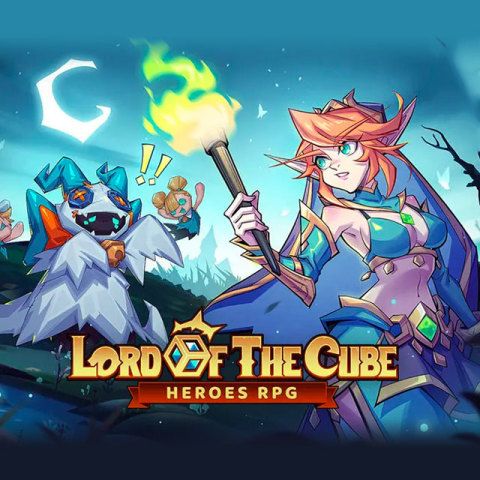


Lord of the Cube: Heroes RPG Voucher Top Up – Fast Direct Delivery
Lord of the Cube: Heroes RPG combines grid-based strategic combat, deep party building, and rogue-lite dungeon progression. Success across high-tier campaign chapters, arena ladders, and guild raids relies on securing elite heroes, upgrading gear sets, and acquiring critical upgrade resources.
Lord of the Cube Vouchers serve as the universal premium recharge currency in the game. Using Vouchers allows players to directly claim in-game Rubies, purchase limited hero recruitment banners, and unlock special progression bundles without binding personal financial details directly to mobile app stores.
BitTopup provides a direct Lord of the Cube: Heroes RPG Voucher top up service designed for speed, security, and convenience. By using your public User ID (UID), orders process automatically through secure channels, delivering your balance straight to your in-game account.
What Are Lord of the Cube: Heroes RPG Vouchers and In-Game Uses
Vouchers function as universal credit tokens within Lord of the Cube: Heroes RPG. Rather than purchasing individual microtransactions separately, recharging Vouchers gives you flexibility on how and when to spend your balance inside the game store.
Key uses for Vouchers include:
- Hero Summoning Scrolls: Exchange Vouchers for recruitment tickets to pull high-rarity SSR heroes during rate-up banners.
- Premium Currency Conversion: Convert Vouchers into Rubies to buy stamina refreshes, gold caches, and dungeon reset keys.
- Battle Passes & Growth Funds: Unlock the premium tiers of seasonal battle passes and one-time account level milestone rewards.
- Daily & Weekly Bundles: Purchase discounted resource packs containing hero upgrade potions, skill books, and cube enhancement runes.
- Exclusive Skins & Cosmetics: Claim limited-edition hero skins and profile customizations.
Available Voucher Denominations and Value Comparison
Selecting the right Voucher package depends on your current progression targets and in-game goals. Live prices, regional currency conversions, and current promotional values display directly on the BitTopup checkout screen.
| Voucher Denomination | In-Game Utility | Recommended Play Style |
|---|---|---|
| 60 Vouchers | Minor resource top-ups, daily stamina recovery | Casual daily progression |
| 300 Vouchers | Weekly supply crates, small summon ticket bundles | Active daily players |
| 980 Vouchers | Monthly privilege cards, milestone growth funds | Steady team builders |
| 1980 Vouchers | Premium Battle Pass activation, 10x Hero summons | Competitive dungeon runners |
| 3280 Vouchers | Large Hero summon packs, exclusive event bundles | Active banner pullers |
| 6480 Vouchers | High-tier event packs, instant SSR hero development | High-tier competitive & Arena rankers |
How to Find Your Lord of the Cube User ID (UID)
To ensure your Vouchers reach your character correctly, you only need to provide your in-game User ID (UID) and server. Follow these simple steps:
- Launch Lord of the Cube: Heroes RPG on your mobile device or emulator.
- Tap your Avatar Profile Icon located in the top-left corner of the main game screen.
- Your Player Profile window will open.
- Locate your UID (a numeric string) displayed beneath your character name and server.
- Tap the small Copy icon next to the UID string to save it to your clipboard.
Always double-check your server selection and UID string before proceeding to payment to prevent delays.
How to Recharge Lord of the Cube: Heroes RPG Vouchers on BitTopup
Recharging through BitTopup is straightforward and takes less than a few minutes:
- Select Package: Choose the Lord of the Cube: Heroes RPG Voucher denomination you wish to purchase from the product catalog.
- Input Account Details: Paste your copied Player UID into the designated field and select your active game server.
- Select Payment Method: Pick your preferred payment channel from the options displayed at checkout.
- Review and Confirm: Check your entered details and order summary, then click the purchase button to complete payment.
- Receive In-Game: Once payment succeeds, the system automatically processes your order and credits the Vouchers directly to your account.
Account Safety and Secure Passwordless Recharge
BitTopup prioritizes account security above all else. When you recharge Lord of the Cube: Heroes RPG Vouchers on BitTopup, you never need to share sensitive login credentials.
- Zero Password Requirements: Transactions require only your public UID and server. Never share your game password, Google account, or social logins.
- No Account Sharing: Your account stays completely in your control on your personal device at all times.
- Direct System Fulfillment: Digital orders process via direct server interfaces, maintaining total compliance with standard account safety standards.
- Encrypted Transactions: All payment processing utilizes high-grade SSL encryption to protect your transaction information.
Supported Global and Local Payment Options
BitTopup supports a wide selection of international and regional payment methods to accommodate players worldwide. Depending on your region, you can complete your checkout using:
- International credit and debit cards (Visa, Mastercard, and other major card networks).
- Major digital e-wallets.
- Local bank transfers and localized online banking portals.
- Regional prepaid and alternative digital payment systems.
All exchange rates and processing fees calculate transparently in real time. The final amount due shows clearly on the live checkout page before you confirm payment.
Troubleshooting Delayed or Missing Voucher Deliveries
Most Voucher top-ups credit instantly to your in-game account. If your balance does not update right away, follow these diagnostic steps:
- Restart the Game Client: Close Lord of the Cube: Heroes RPG completely and re-launch the application to force the game to fetch updated server data.
- Check the In-Game Mailbox: Certain event bundles or converted Vouchers arrive as system attachments in your in-game mailbox. Check your inbox and tap claim.
- Verify UID Accuracy: Check your BitTopup order history to verify that the UID and server submitted match your current character profile.
- Contact 24/7 Support: If your balance has not arrived after a short period, reach out to the BitTopup customer support team with your Order ID. Our customer support operates 24/7 to resolve delivery inquiries promptly.
Frequently Asked Questions
What are Lord of the Cube: Heroes RPG Vouchers used for?
Lord of the Cube Vouchers are premium exchange tokens used in-game to acquire Rubies, recruit elite SSR heroes, purchase limited growth packages, unlock seasonal Battle Passes, and refresh daily stamina allocations.
Do I need to provide my account password to recharge Vouchers?
No. Recharging through BitTopup requires only your public User ID (UID) and server. You never need to provide your account password, email login, or security credentials.
How long does it take to receive Vouchers after payment?
Orders process through an automated digital system immediately upon payment confirmation. Most top-ups appear in your in-game balance within a few moments.
What should I do if my Lord of the Cube Vouchers do not appear in-game?
First, restart the game app and check both your balance and in-game mailbox. If the Vouchers still do not show, confirm the UID entered on your order confirmation and contact BitTopup customer support with your Order ID for rapid assistance.
Can I recharge Lord of the Cube Vouchers for another player?
Yes. Because the recharge system only requires a valid User ID (UID) and server selection, you can send Vouchers directly to friends or guildmates by entering their UID details at checkout.
Are there any regional limitations when purchasing Lord of the Cube Vouchers?
BitTopup supports global top-ups for Lord of the Cube: Heroes RPG. As long as you select the correct server associated with your account, your Vouchers will credit successfully regardless of your physical location.