

Nintendo Switch Online Membership (JP) Top Up: Plans and Durations
A Japanese Nintendo Switch Online (NSO) membership gives you access to Japan-exclusive retro titles, regional online multiplayer, cloud saves, and exclusive subscriber perks. When you purchase a Japanese prepaid digital code, you receive a 16-digit alphanumeric key that adds active subscription time directly to your Japanese Nintendo Account without needing a domestic Japanese credit card.
| Plan Type | Duration | Account Coverage | Core Features |
|---|---|---|---|
| Individual Standard | 1 Month (30 Days) | 1 Nintendo Account | Online play, Cloud saves, Famicom, Super Famicom, Game Boy |
| Individual Standard | 3 Months (90 Days) | 1 Nintendo Account | Online play, Cloud saves, Famicom, Super Famicom, Game Boy |
| Individual Standard | 12 Months (365 Days) | 1 Nintendo Account | Best annual value, full standard catalog, exclusive offers |
| Individual + Expansion Pack | 12 Months (365 Days) | 1 Nintendo Account | Standard perks + N64, GBA, Mega Drive, select DLC passes |
| Family Plan Standard | 12 Months (365 Days) | Up to 8 Accounts | Share online access across family group members |
| Family + Expansion Pack | 12 Months (365 Days) | Up to 8 Accounts | Full expansion access shared across up to 8 linked accounts |
Note: Exact pricing in your local currency depends on current exchange rates and is displayed live on the BitTopup checkout page.
Exclusive Perks of the Japan Region NSO Subscription
A Japanese region NSO subscription provides distinct advantages compared to standard Western accounts:
- Exclusive Retro Gaming Libraries: Access Japanese versions of classic software. The Japanese Famicom and Super Famicom apps feature titles never released in the West, including original Japanese editions of Fire Emblem: Mystery of the Emblem, Shin Megami Tensei, Shin Megami Tensei II, Custom Robo, Joy Mech Fight, and Famicom Wars.
- Original Audio and Text: Enjoy retro classics with their original Japanese scripts, untranslated audio, and authentic cover artwork.
- Japan eShop Missions & Rewards: Earn My Nintendo Platinum Points on your Japanese account to redeem exclusive digital user icons, character frames, and seasonal rewards only distributed through the Japanese portal.
- Global and Regional Matchmaking: Play Japanese releases like Splatoon 3 (regional festivals/Splatfests), Mario Kart 8 Deluxe, Super Smash Bros. Ultimate, and Monster Hunter on dedicated servers.
- Save Data Cloud Backup: Protect your save data on supported titles automatically with cloud synchronization across any console linked to your account.
- Special Offers: Access member-exclusive software including Tetris 99, F-Zero 99, and exclusive hardware purchasing rights on the Japanese My Nintendo Store.
Individual Plan, Family Plan, and Expansion Pack Breakdown
Choosing the right membership depends on how many accounts you manage and which game libraries you want to play.
Individual Plan vs. Family Plan
- Individual Plan: Protects and enables online features for a single Nintendo Account. Ideal if you are the sole user of your Japanese profile.
- Family Plan: Supports up to 8 separate Nintendo Accounts (including child accounts) joined in a Family Group. Family members do not need to share the same console; they only need to be linked under the Family Group admin on accounts.nintendo.com.
Standard vs. Expansion Pack
- Standard Plan: Includes online multiplayer, Save Data Cloud, Voice Chat via the smartphone app, and access to the NES/Famicom, SNES/Super Famicom, and Game Boy classic game applications.
- NSO + Expansion Pack: Adds the Nintendo 64, Game Boy Advance, and Sega Mega Drive (Genesis) applications, alongside access to select paid downloadable content (DLC) while the subscription remains active.
How to Configure Your Japanese Nintendo Account and Locate User Info
Japanese NSO digital codes require an account set to the Japan region. You can either create a dedicated Japanese account (recommended) or switch your current account region.
Option A: Create a Dedicated Japanese Account (Recommended)
- Go to
accounts.nintendo.comin your web browser and click Create a Nintendo Account. - Fill in the required registration details and select Japan as your Country/Region of Residence.
- Verify the email address using the confirmation code sent by Nintendo.
- On your Nintendo Switch console, go to System Settings > Users > Add User > Create New User.
- Link this new user profile to your freshly created Japanese Nintendo Account.
Option B: Change Your Existing Account Region to Japan
- Log into
accounts.nintendo.comwith your existing account credentials. - Select User Info > Profile > Edit.
- Change the Country/Region of Residence dropdown to Japan and save changes.
- Important: You cannot change your region if you have an active eShop balance, open pre-orders, or an active auto-renewing Western subscription.
How to Locate Your Account Details
To verify that your profile is linked properly on your console:1. Select your user icon from the top-left corner of the Nintendo Switch Home Screen.2. Select Profile to view your Nickname and registered User Icon.3. Scroll to User Settings > Check Account Information to confirm your linked Nintendo Account email and regional connection status.
How to Redeem Your 16-Digit Nintendo Switch Online JP Digital Code
Once you receive your digital code from BitTopup, redeem it through either of the following methods.
Method 1: Redeem on the Nintendo Switch eShop Console
- Turn on your Nintendo Switch and select the user profile linked to your Japanese Nintendo Account.
- Open the Nintendo eShop from the Home Menu.
- Scroll down the left navigation menu and select 番号の入力 (Enter Code / bottom tab).
- Type your 16-digit digital prepaid code into the input field.
- Select 引き換えを確定する (Confirm / Redeem) to apply the membership duration to your account.
Method 2: Redeem via Web Browser
- Open your web browser and visit
ec.nintendo.com/redeem. - Log in using your Japanese Nintendo Account.
- Enter your 16-digit digital code into the entry box.
- Click the red button to confirm redemption. The membership activates instantly on your account.
Membership Stacking, Upgrades, and Managing Auto-Renewal
Subscription Stacking Rules
- Same Plan Stacking: You can stack standard Individual memberships up to a maximum limit of 36 months (3 years). If you already have 6 months remaining and redeem a 12-month code, your active time extends to 18 months.
- Upgrading from Standard to Expansion Pack: When redeeming an Expansion Pack code on an account with active Standard time, Nintendo applies a pro-rated discount or adjusts the remaining duration according to their conversion scale.
- Individual to Family Conversion: Redeeming a Family Plan code while on an Individual Plan converts your account status to Family group admin.
How to Turn Off Automatic Renewal
To avoid automatic renewal charges to your saved payment methods:1. Open the Nintendo Switch eShop using your Japanese account.2. Select your user avatar in the top-right corner to open Account Information.3. Select Nintendo Switch Online from the left menu.4. Locate your current plan and select 自動継続購入の更新停止 (Terminate Automatic Renewal).5. Confirm the cancellation. Your current paid membership remains active until its exact expiration date.
Troubleshooting Common eShop Region Errors
- Error Code 2813-0055 (Code Not Available in Region): This occurs if you attempt to redeem a Japanese code on an account set to the US, Europe, or other regions. Solution: Ensure your active Nintendo Account region is set to Japan.
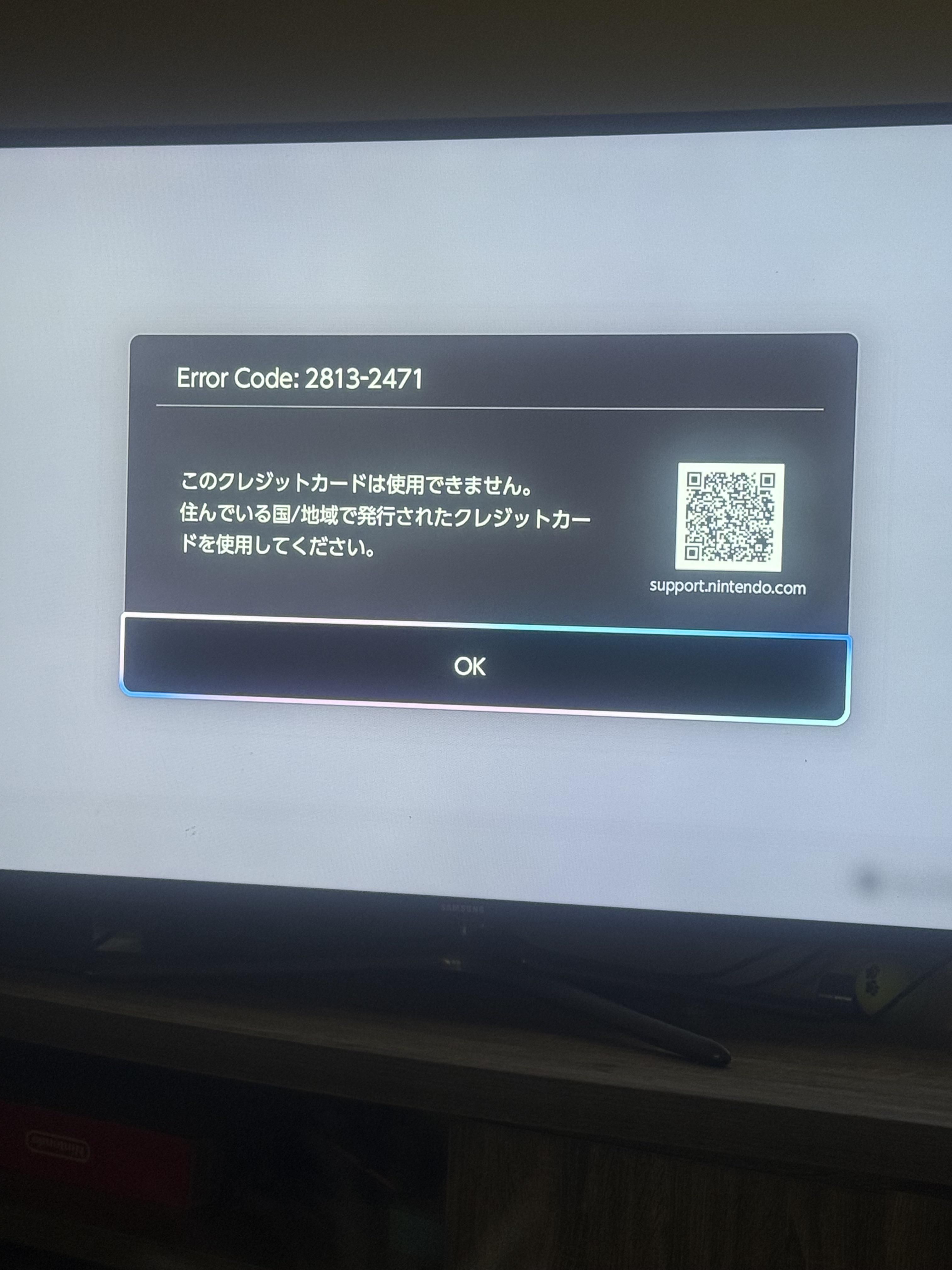
- Error Code 2811-6052 / Payment Gateway Errors: Occurs when trying to use foreign credit cards on the Japanese eShop. Purchasing prepaid digital codes from BitTopup eliminates this issue entirely, as digital codes bypass credit card validation.
- Code Input Errors (Invalid Code): Check for typing mistakes. Nintendo codes do not contain vowels (A, I, O, U) or characters like Z, reducing confusion with numbers (0, 1, 2).
Why Buy Nintendo Switch Online JP Digital Codes on BitTopup
- Instant Digital Code Delivery: Receive your 16-digit Japanese NSO voucher code immediately on screen and via email after checkout.
- 100% Account Safety: No passwords, login sharing, or account credentials required. You receive a clean, unused digital code to redeem directly on your personal Nintendo account.
- Bypass Japanese Card Restrictions: Pay smoothly using your preferred international payment methods without needing a domestic Japanese credit card.
- Live Support: 24/7 customer service ready to assist with redemption and order verification.
Frequently Asked Questions
Can I use a Japanese Nintendo Switch Online code on a US or European account?
No. Nintendo eShop codes are strictly region-locked. A Japanese (JP) NSO code can only be redeemed on a Nintendo Account whose Country/Region is set to Japan. However, once redeemed on a Japanese profile on your Switch, other profiles on the same console can play downloaded Japanese classic apps if the console is set as the primary console for that account.
How do I redeem my Nintendo Switch Online JP digital code on the eShop?
Open the Nintendo eShop with your Japanese user profile, navigate to the bottom tab on the left menu (番号の入力 / Enter Code), enter your 16-digit code, and confirm. Alternatively, redeem it online by signing in at ec.nintendo.com/redeem.
Does a new Nintendo Switch Online membership code stack on an active subscription?
Yes. If you redeem a prepaid code for the same plan type (such as adding a 12-month Individual code to an active Individual plan), the new duration is added to your existing expiration date, up to a maximum limit of 36 months (3 years).
How much does a Nintendo Switch Online membership cost in Japan?
Official Japanese retail prices for Individual plans are 306 JPY (1 month), 815 JPY (3 months), and 2,400 JPY (12 months). The Expansion Pack individual plan retails at 4,900 JPY per year. Check the live pricing on the BitTopup product page for current exchange rates and available offers.
What exclusive games and features are included in the Japanese NSO subscription?
Subscribers access Japan-exclusive Famicom and Super Famicom titles unavailable on Western apps (such as Fire Emblem, Shin Megami Tensei I & II, and Famicom Wars), exclusive My Nintendo profile icon rewards, special Japanese Splatfests/events, and dedicated cloud save backups.
How do I turn off automatic renewal for Nintendo Switch Online?
Go to the Japanese eShop > select your user icon > select Nintendo Switch Online > click 自動継続購入の更新停止 (Turn Off Automatic Renewal). You can also manage this via your web browser under the Shop Menu at accounts.nintendo.com.
Can I purchase Japanese NSO memberships using international payment methods on BitTopup?
Yes. BitTopup allows you to purchase Japanese Nintendo Switch Online prepaid codes using a wide range of global payment options, removing the regional payment barriers enforced by the Japanese Nintendo eShop.