


Marvel's Spider-Man: Miles Morales Steam Top Up & Activation Guide
Experience the rise of Miles Morales as a new hero who masters explosive powers to become his own Spider-Man. When you purchase a digital key or balance recharge on BitTopup, you receive a valid product code that permanently adds the game to your Steam Library. There is no waiting for physical discs or complex setup steps.
Following your purchase, the activation code is issued directly to your account order history. You can redeem this code directly on the official Steam client to begin downloading the full PC version of Marvel's Spider-Man: Miles Morales immediately.
How to Recharge and Activate Marvel's Spider-Man: Miles Morales on Steam
Redeeming your digital game code takes less than two minutes. Follow these instructions on your computer:
Method 1: Activation via the Steam Desktop Client
- Launch the Steam desktop application and log into your account.
- Click on the Games menu located on the top toolbar.
- Select Activate a Product on Steam... from the dropdown options.
- Click Next, agree to the Steam Subscriber Agreement by clicking I Agree.
- Enter the Marvel's Spider-Man: Miles Morales digital code received from your BitTopup order into the Product Code box.
- Click Next to confirm. The game is now permanently registered to your account.
- Select Install to start downloading the game files.
Method 2: Activation via Web Browser
- Open your web browser and navigate to
https://store.steampowered.com/account/registerkey. - Sign in with your Steam account credentials.
- Type or paste your product code into the field labeled Product Code.
- Check the box to accept the Steam Subscriber Agreement.
- Click Continue to complete the activation.
How to Locate Your Steam Account ID and Library Details
Before redeeming your code, make sure you are logged into the correct Steam profile where you want to keep the game permanently.
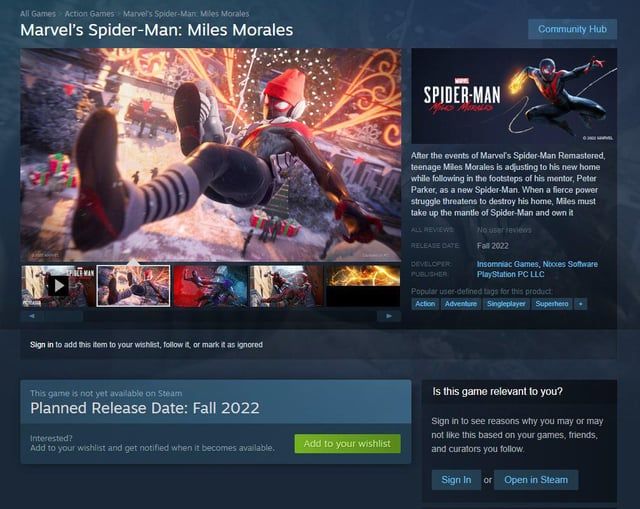
To verify your account:1. Click your profile avatar in the upper right corner of the Steam client.2. Select Account details to view your Steam ID and registered account region.3. Verify that your store region matches the regional requirements of the product code.
Supported Regions and Country Availability (Asia & Southeast Asia)
This Steam product code provides full activation support across designated Asian and Southeast Asian countries. Make sure your Steam store region matches one of the eligible territories listed below:
| Region / Country | Country Code | Activation Status | Store Currency Supported |
|---|---|---|---|
| Hong Kong | HK | Fully Supported | HKD |
| Taiwan | TW | Fully Supported | TWD |
| Philippines | PH | Fully Supported | PHP |
| Thailand | TH | Fully Supported | THB |
| Vietnam | VN | Fully Supported | VND |
| Indonesia | ID | Fully Supported | IDR |
| Malaysia | MY | Fully Supported | MYR |
| Singapore | SG | Fully Supported | SGD |
| Brunei | BN | Fully Supported | USD / Local |
| Myanmar | MM | Fully Supported | USD / Local |
| South Korea | KR | Fully Supported | KRW |
Note: Attempting to redeem a regionally restricted key on an account registered to an unsupported country will result in an activation error. Ensure your account country settings correspond to an eligible territory before purchase.
Account Safety and Zero Password Sharing
Protecting your personal account security is paramount. When purchasing game codes on BitTopup:
- No Password Required: You never need to share your Steam password, Steam Guard mobile authenticator codes, or backup codes.
- Direct Code Delivery: You receive an unredeemed digital product key that you activate yourself through the official Steam interface.
- Official Account Ownership: The game is bound directly to your personal Steam library with full support for Steam Cloud saves, achievements, and family sharing.
Marvel's Spider-Man: Miles Morales PC System Requirements (2026 Update)
Check your hardware configuration against the official PC system specifications to ensure smooth gameplay performance.
| Specification | Minimum (720p @ 30 FPS) | Recommended (1080p @ 60 FPS) | Very High / Ray Tracing (1440p / 4K @ 60 FPS) |
|---|---|---|---|
| Operating System | Windows 10 64-bit (1909 or later) | Windows 10 / 11 64-bit | Windows 11 64-bit |
| Processor (CPU) | Intel Core i3-4160 / AMD equivalent | Intel Core i5-4670 / AMD Ryzen 5 1600 | Intel Core i7-12700K / AMD Ryzen 7 7800X3D |
| Memory (RAM) | 8 GB RAM | 16 GB RAM | 32 GB RAM |
| Graphics (GPU) | NVIDIA GTX 950 / AMD Radeon RX 470 | NVIDIA GTX 1060 6GB / AMD RX 580 | NVIDIA RTX 3070 / RTX 4080 / AMD RX 6800 XT |
| DirectX | Version 12 | Version 12 | Version 12 |
| Storage | 75 GB available space (HDD supported) | 75 GB available space (SSD required) | 75 GB available space (NVMe SSD required) |
2026 PC Optimization Tips
- Install on an SSD: An SSD is essential to eliminate texture pop-in during high-speed web swinging across Manhattan.
- Enable Dynamic Resolution Scaling (DRS): Use DRS alongside NVIDIA DLSS, AMD FSR, or Intel XeSS to maintain a rock-solid target frame rate during intensive combat scenes.
- Update GPU Drivers: Ensure your graphics card drivers are updated to the latest build to benefit from modern driver-level optimizations.
Marvel's Spider-Man: Miles Morales Gameplay Features and PC Enhancements
- Bio-Electric Venom & Camouflage: Master Miles Morales' distinct combat mechanics, including venom blast attacks, venom jump surges, and tactical invisibility.
- PC Graphical Enhancements: Enjoy adjustable ray-traced reflections and ray-traced shadows that bring winter Manhattan to life with realistic lighting and reflections.
- Ultra-Wide Monitor Support: Fully supports 16:9, 16:10, 21:9, 32:9, and 48:9 triple-monitor configurations for an expanded field of view.
- Unlocked Frame Rates: Push your PC hardware to its limits with high refresh rate monitor compatibility.
- DualSense Controller Integration: Connect a PlayStation DualSense controller via USB to experience adaptive trigger feedback and haptic sensations during web-swinging and venom combat.
Troubleshooting Common Steam Key Redemption Errors
If you run into an issue while activating your code on Steam, refer to the solutions below:
- Invalid Product Code: Double-check the characters entered. Common typos include mistaking the number
0for the letterO, or the number1for the letterI. It is best to copy and paste the code directly from your BitTopup order details. - Duplicate Product Code: This error indicates the code has already been claimed. Refresh your Steam library to see if the game appears in your list. If not, contact BitTopup customer support with your order number for verification.
- Region Not Available / Geo-Restriction: Steam keys restricted to Asia and Southeast Asia can only be activated on Steam accounts registered to those territories. Check your account region under Account Details in Steam. VPNs should not be used to bypass regional restrictions as this violates Steam's terms of service.
Why Choose BitTopup for Your Steam Game Recharges
- Instant Digital Delivery: Receive your activation code right after payment confirmation without delays.
- Account Safety First: We prioritize security by delivering authentic digital product codes—no account access or credential sharing needed.
- Regional Compatibility: Keys are tested and optimized for gamers throughout Southeast Asia and East Asia.
- Transparent Live Checkout: Check exact regional pricing directly on the live product page with clear, competitive rates.
- 24/7 Dedicated Support: Our customer support team is available around the clock to assist you with order verification and activation questions.
Frequently Asked Questions
How much does Spider-Man Miles Morales cost on Steam in 2026?
Standard retail pricing on the official Steam store is set by the publisher per regional currency. You can view current, competitive rates for your specific country directly on the BitTopup product checkout page before placing your order.
Can you get Marvel's Spider-Man: Miles Morales on Steam?
Yes. The PC edition of Marvel's Spider-Man: Miles Morales is officially available on Steam. Redeeming an authorized product key permanently attaches the full game to your Steam account.
Which regions can activate this Marvel's Spider-Man: Miles Morales Steam recharge?
This product is valid for Steam accounts registered in eligible Asian and Southeast Asian countries, including Hong Kong, Taiwan, the Philippines, Thailand, Vietnam, Indonesia, Malaysia, Singapore, Brunei, Myanmar, and South Korea.
Do I need to provide my Steam account password to buy or recharge?
No. BitTopup delivers a direct digital product key. You never need to supply your Steam login name, password, or security codes. You redeem the key yourself on your personal Steam client.
How do I redeem my Marvel's Spider-Man: Miles Morales product code on Steam?
Open your Steam desktop client, click Games on the top menu bar, select Activate a Product on Steam..., agree to the terms, paste your code, and click Next. The game will immediately be added to your library.
What should I do if my Steam code shows an invalid or duplicate error?
First, make sure there are no typos in the entered string by copying and pasting it directly. If the error persists, check your Steam library to verify if the game is already present. If the issue remains unresolved, contact BitTopup 24/7 support with your order details for assistance.